dmaya
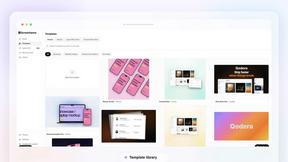
dMaya is an AI design platform that helps teams create, present, and export production-ready UI designs in seconds.
Visit
About dmaya
dmaya is an AI-powered design platform built specifically for professional teams, agencies, and freelancers who need to design before they code. It solves a critical gap in the modern workflow: while many AI tools jump straight to generating code, dmaya gives you the essential visual design step first. This allows you to make intentional creative decisions, catch problems early, and get full client alignment before any development begins. You simply describe your vision in plain language—like a SaaS dashboard or a mobile app flow—and dmaya's AI agent generates polished, professional UI screens in seconds. The magic continues as you chat with the AI to iterate: ask it to change colors, swap layouts, or adjust typography, and every change happens instantly. Once the design is perfect, you can share a preview link with clients for feedback and approval, a process that takes minutes instead of days. Finally, export your approved designs as clean HTML, CSS, and JS code, ready to hand off to AI coding agents like Cursor or Claude Code to build in React, Next.js, Flutter, or any other framework. dmaya is the design-first platform for teams that need to present, approve, and ship with confidence.
Features of dmaya
Conversational AI Design Generation
Start your design process by simply describing what you need in plain English. Tell dmaya you want a "minimalist SaaS dashboard with dark mode" or a "vibrant e-commerce product page," and it will generate complete, production-ready UI screens for you in seconds. This feature removes the blank canvas anxiety and gives you a professional starting point instantly, so you can focus on refining the vision instead of building from scratch.
Real-Time Iteration via Chat
Refine your designs through a natural conversation with the AI. Instead of manually manipulating every element, just ask for what you want. You can say, "Make the primary color blue," "Swap the sidebar to the right," or "Add a testimonial section here." The AI understands your requests and applies the changes precisely and instantly, allowing for rapid exploration of different design directions without any technical hassle.
Client Review & Feedback Links
Streamline your approval process by sharing a simple, secure link to your design. Clients and stakeholders can view an interactive preview directly in their web browser—no account or login required. They can leave comments and feedback directly on the design. This collapses a review cycle that traditionally takes days into a matter of minutes, keeping projects moving forward faster.
Design-to-Code Export
When your design is fully approved, dmaya lets you export it as clean, well-structured HTML, CSS, and JavaScript code. This code is not a final product but a perfect, pixel-accurate blueprint. You can then hand this code directly to AI coding assistants like Claude Code or Cursor, which can use it as a reference to build the final product in your team's preferred framework, such as React, Next.js, or Flutter.
Use Cases of dmaya
Agency Design Pitches & Prototyping
Agencies can use dmaya to dramatically speed up their client pitch and discovery phase. During a sales call, you can quickly generate live design concepts based on the client's description. This allows you to present multiple visual directions in hours instead of weeks, impressing clients and winning more business by showcasing tangible ideas immediately.
Product Team Ideation & Alignment
Product managers and teams can use dmaya to explore UI concepts and user flows before committing engineering resources. It enables rapid prototyping to validate ideas, gather internal stakeholder buy-in, and ensure everyone is aligned on the visual direction and user experience before a single line of production code is written.
Freelancer Project Delivery
Freelancers and solo designers can leverage dmaya to take on more client work without increasing their hours. The AI handles the initial heavy lifting and tedious revisions, allowing you to deliver high-quality, client-ready designs faster. This efficiency enables you to increase your project throughput and potentially charge more for your accelerated, AI-enhanced service.
Design-Development Handoff Preparation
dmaya bridges the gap between design and development teams. Designers can create, iterate, and get final sign-off on visuals. Then, by exporting the clean code blueprint, they provide developers or AI coding agents with a perfect, unambiguous reference. This reduces misinterpretation, speeds up development, and ensures the final build matches the approved design exactly.
Frequently Asked Questions
Who is dmaya built for?
dmaya is purpose-built for professional design workflows used by agencies, in-house product teams, and freelancers. It's perfect for anyone who needs to create, present, and iterate on visual UI designs with clients and stakeholders before moving into the development phase. It's not aimed at solo enthusiasts who want to skip design and go straight to code.
How does the AI design iteration work?
You iterate on your designs by chatting with dmaya's AI agent in natural language. Simply type your request into the chat panel, such as "change the font to Inter," "use a warmer color palette," or "add a pricing table below the header." The AI interprets your instruction and applies the change to your design in real-time, allowing for a fluid and intuitive creative process.
Can clients really review designs without an account?
Yes, absolutely! One of dmaya's key features is the ability to generate a shareable preview link for any project. You send this link to your client or stakeholder, and they can view the design in their browser, leave comments, and provide feedback without ever needing to create an account or log in. This makes the feedback loop incredibly simple and fast.
What code can I export, and how do I use it?
dmaya exports your final designs as clean, production-ready HTML, CSS, and JavaScript. This code represents the visual structure and style of your UI. To turn it into a functional application, you hand this code to an AI coding agent (like Cursor or Claude Code) or a developer, who can use it as the perfect reference to build the interface in any modern framework like React, Next.js, or Flutter.
Similar to dmaya
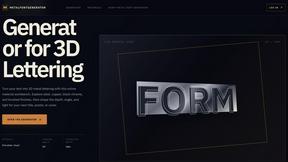
metalfontgenerator
A sleek online tool for creating bold 3D metal lettering with customizable finishes, depth, perspective, lighting, and spacing.

Seedance 2.5 Free
Create polished AI videos from text or images online with Seedance 2.5 Free.
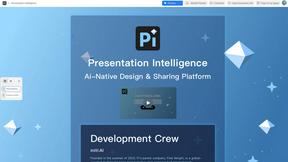
Presentation Intelligence
AI-native presentation and visual content platform that turns prompts, documents, images, videos, and data into polished, shareable decks.

Try This Skill
One-click AI photo stylization for e-commerce & portraits

Lockimate - AI Live Wallpapers
Turn any photo into a real Apple Live Photo that animates when you wake your iPhone. Restyle it and choose the motion — customizable.