
Caption.IM
Caption.IM turns any Mac audio into real-time captions, translations, and summaries right on your screen.
Visit
About Caption.IM
Caption.IM is a privacy-first AI captioning assistant designed specifically for macOS users. Think of it as your personal, always-on captioning companion that lives right on your Mac. Its main job is to convert any audio coming from your computer into real-time captions, instant translations, recordings, and structured meeting notes. The best part? All of this processing happens locally on your device, meaning your conversations and audio data never leave your Mac.
So, what exactly does Caption.IM do? It captures system audio directly, which is a game-changer. Unlike browser extensions or meeting bots that only work within specific apps, Caption.IM works across almost any application you use. Whether you are on Zoom, Google Meet, Microsoft Teams, watching a YouTube video, listening to a podcast, attending an online course, or viewing a recorded video, Caption.IM can generate live subtitles for you. It can also translate multilingual content in real time, record important audio for later reference, and transform long discussions into clear summaries, key points, action items, and even mind maps.
Who is Caption.IM for? It is perfect for a wide range of users. Remote workers can benefit from accurate meeting notes and live captions. Students and researchers can use it to transcribe lectures and online courses. Multilingual teams can communicate more effectively with real-time translations. Content creators can add captions to their videos. And anyone who values accessibility will find it invaluable for understanding audio content more easily.
The main value proposition of Caption.IM is its combination of power and privacy. It is built with local AI and Local LLMs in mind, ensuring your data stays secure. There are no bots joining your meetings, no browser dependency, and no complicated setup. It is designed to be a frictionless, turnkey solution that you can open and use directly. It is optimized for Apple Silicon (M1, M2, M3, and later) to deliver ultra-fast speech recognition with minimal latency and efficient power usage. In short, Caption.IM turns any conversation on your Mac into searchable, translatable knowledge instantly.
Features of Caption.IM
Real-Time Transcription
This feature allows you to generate live captions for meetings, videos, podcasts, and calls. The transcription engine is built to be highly accurate, processing audio directly from your system. A recent update improved the audio pipeline with source-stage 16 kHz mono Float32 conversion, which means even better accuracy for your captions. You can see the words appear on your screen as they are spoken, making it easy to follow along with any audio content.
Instant Translation
Caption.IM can understand content in multiple languages and provide real-time translated subtitles. This is incredibly useful for multilingual teams or when you are watching content in a language you are learning. The translation happens alongside the transcription, so you can see the original text and the translated version simultaneously. This feature breaks down language barriers and makes global communication seamless.
Floating Subtitle Window
The app features an elegant, transparent overlay that works seamlessly with macOS. This floating subtitle window is designed to be unobtrusive, allowing you to see your captions without disrupting your workflow. You can move it around your screen and it will stay on top of other windows. Users have praised its clean and elegant UI design, noting that it feels like a natural part of the macOS experience.
AI Meeting Summaries
After a conversation, Caption.IM can automatically generate structured summaries and key insights. This means you do not have to take manual notes during meetings. The AI analyzes the transcript and pulls out the most important points, action items, and decisions. This feature saves you time and ensures you never miss a critical detail from your discussions. It can even help you create mind maps from your conversations.
Use Cases of Caption.IM
Remote Meetings
For anyone working remotely, Caption.IM is a powerful tool. During a Zoom, Google Meet, or Microsoft Teams call, you can have live captions displayed right on your screen. This helps if you have trouble hearing, are in a noisy environment, or simply want to ensure you catch every word. After the meeting, you get an AI-generated summary with key points and action items, so you can focus on the conversation instead of frantic note-taking.
Online Learning and Research
Students and researchers can use Caption.IM to transcribe online courses, lectures, and webinars. Instead of pausing a video to take notes, you can let the app create a full transcript for you. You can then search through the transcript to find specific topics or quotes. This makes studying more efficient and helps you retain information better. It is like having a personal assistant that takes perfect notes for every class.
Multilingual Team Collaboration
If you work in a team where people speak different languages, Caption.IM can be a bridge. During a meeting, you can enable real-time translation to see subtitles in your preferred language. This ensures everyone can participate fully, regardless of their native language. It promotes inclusivity and helps avoid misunderstandings, making global teamwork smoother and more productive.
Accessibility and Content Consumption
Caption.IM is an excellent tool for improving accessibility. For individuals who are deaf or hard of hearing, it provides real-time captions for any audio, from video calls to YouTube videos. It also helps people with auditory processing disorders or those who simply prefer reading along. Content creators can use it to generate accurate captions for their videos, making their content more accessible to a wider audience.
Frequently Asked Questions
How does Caption.IM capture audio from any app?
Unlike browser extensions that only work within a web browser, Caption.IM captures system audio directly at the operating system level. This allows it to hear audio from any application running on your Mac, including video conferencing tools, media players, web browsers, and more. You do not need to install separate plugins or bots for each app.
Is my data private and secure when using Caption.IM?
Yes, privacy is a core feature of Caption.IM. The app is built with a privacy-first design. All speech recognition and processing can run locally on your device using local AI. This means your conversations and audio data never leave your Mac. There are no bots joining your meetings, and your information is not sent to external servers for processing.
What are the system requirements for Caption.IM?
Caption.IM is designed specifically for macOS and requires macOS 15.6 or later. It is optimized for Apple Silicon (M1, M2, M3, and later chips) to deliver the best performance with ultra-fast speech recognition and minimal latency. The app is also available on the Mac App Store.
Can I use Caption.IM for languages other than English?
Yes, Caption.IM supports real-time translation for multiple languages. This allows you to understand content in different languages and get translated subtitles. The app can transcribe audio in one language and display captions in another, making it a valuable tool for multilingual communication and learning.
Pricing of Caption.IM
The app is available for free download on the Mac App Store with in-app purchases available. The specific pricing tiers and subscription costs are not detailed in the provided information. Subscriptions automatically renew unless canceled at least 24 hours before the end of the current billing period.
Explore more in this category:
Similar to Caption.IM

Product Launch Checklist
A free launch checklist for SaaS, apps, AI tools and more. Every step says why it matters and when you can skip it.

HomeAnswerBook
Practical, independent guides to home repairs, maintenance, costs, troubleshooting, and everyday fixes.
BlazePDF
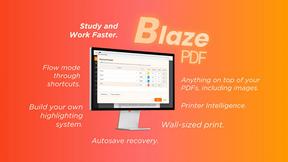
Highlight faster. Study in flow with custom shortcuts and a workflow built around you. Print smarter, or turn any page into a tiled poster.

Build Mode for Mac
Build Mode is a Mac app that turns focused sessions into visible progress, so you can see the work adding up before the results arrive.



Efficienco
Efficienco is a free collection of practical online calculators for construction, materials, home improvement, engineering, trades, and business.
