
Browsilla
Browsilla transforms your Chrome new tab into a clean, focused dashboard for tasks, bookmarks, weather, and inspiration.
Visit
About Browsilla
Browsilla is a lightweight Chrome extension that redefines your browsing experience by transforming every new tab into a focused and productivity-oriented workspace. Unlike traditional new tabs filled with news feeds, ads, or distractions, Browsilla provides a clean and minimalistic dashboard that highlights what truly matters: your tasks, quick links, bookmarks, weather updates, and an efficient search bar. This tool is perfect for makers, founders, and professionals who seek simplicity and speed in their digital workspace. With Browsilla, there are no accounts to create, no tracking to worry about, and no unnecessary complexity. Simply install the extension, and every new tab you open becomes an opportunity to enhance your productivity and stay on track.
Features of Browsilla
Task Manager Built-In
Browsilla includes a robust task manager that allows you to add, organize, and check off tasks directly within your new tab. This feature eliminates the need to switch between multiple applications, ensuring that your to-do list is always visible and accessible. Organize tasks into folders to keep everything neatly categorized, ensuring that nothing slips through the cracks during your busy day.
Quick Bookmarks
With Browsilla, accessing your favorite websites is a breeze. The Quick Bookmarks feature lets you pin your most-used sites right on your new tab. No more sifting through endless bookmark folders or searching for that one website; simply add, organize, and launch your bookmarks instantly without ever leaving the page.
Local Weather
Stay informed about the weather right from your new tab with Browsilla’s Local Weather feature. It automatically updates to show the current conditions and temperature for your location, allowing you to plan your day effectively. This feature eliminates the need to open a separate tab just to check the weather, making it easy to stay prepared for whatever the day may bring.
Daily Inspiration
Start each browsing session on a positive note with Browsilla's Daily Inspiration feature. It presents a motivational quote every time you open a new tab, providing a fresh burst of inspiration to set a productive tone for your work. This small yet impactful addition encourages a mindset geared towards productivity and positivity.
Use Cases of Browsilla
For Busy Professionals
Browsilla is ideal for busy professionals who need to manage their tasks efficiently while browsing. The built-in task manager keeps your to-do list front and center, ensuring that important tasks are never forgotten amidst the daily digital noise.
For Students
Students can benefit greatly from Browsilla's clean interface, which helps them organize their research and projects. With quick access to bookmarks for educational resources, weather updates for planning study sessions, and a task manager for assignments, it’s a comprehensive tool for academic success.
For Entrepreneurs
Entrepreneurs and founders can utilize Browsilla to streamline their daily operations. The extension helps keep all critical resources and tasks in one place, promoting a focused and efficient work environment that fosters creativity and productivity.
For Casual Users
Even casual internet users will find value in Browsilla. By transforming a mundane new tab into a useful dashboard, it helps users quickly access their favorite sites, check the weather, and stay inspired, enhancing the overall browsing experience without overwhelming distractions.
Frequently Asked Questions
Is Browsilla really free?
Yes, Browsilla is completely free to use. You can install it without any costs or hidden fees.
Do I need to create an account?
No account is required to use Browsilla. You can install and start using it immediately with no sign-up process.
Does Browsilla work offline?
Browsilla operates primarily within your browser, which means that while some features may require an internet connection, you can still access your tasks and bookmarks locally.
Is my data private and secure?
Absolutely. Browsilla is designed with privacy in mind. Your data remains anonymous, and no personal information is collected or stored, ensuring that your browsing experience is both secure and private.
Explore more in this category:
Similar to Browsilla
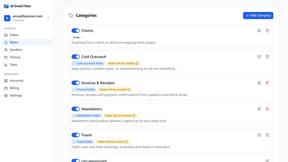
AI Email Filter
AI Email Filter sorts incoming mail into folders using plain-language prompts you write. Works with any IMAP mailbox; bring your own LLM if you want.

Egmatic
No-code 2D game editor: visual node logic, drag-and-drop scenes, live preview. Exports to Windows, macOS, Linux, Android, iOS, Web.
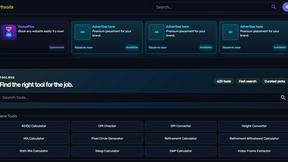
Kody Tools
Free collection of online developer utilities, code formatters, and digital converters designed to streamline your daily workflow.
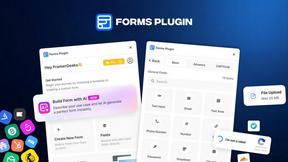
Forms Plugin
The #1 Native Form Builder Plugin for Framer - No Code, No Embeds, No External Platforms.
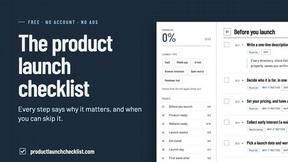
Product Launch Checklist
A free launch checklist for SaaS, apps, AI tools and more. Every step says why it matters and when you can skip it.

HomeAnswerBook
Practical, independent guides to home repairs, maintenance, costs, troubleshooting, and everyday fixes.
BlazePDF
Highlight faster. Study in flow with custom shortcuts and a workflow built around you. Print smarter, or turn any page into a tiled poster.
