
BlitzCut
BlitzCut is an AI video editor that swiftly removes silence and adds captions, turning raw clips into shareable videos.
Visit
About BlitzCut
BlitzCut is a revolutionary AI-powered video editing tool designed specifically for content creators who want to streamline their video production process. With its user-friendly mobile-first approach, BlitzCut makes professional video editing accessible to everyone, from social media influencers to small business owners. The app is built to automate tedious tasks, such as silence removal and captioning, allowing creators to focus on their content rather than getting bogged down by editing. With BlitzCut, you can turn your raw video clips into polished, share-ready content for platforms like TikTok, Instagram Reels, and YouTube Shorts in just minutes. This efficiency is crucial in today's fast-paced creator economy, where daily posting is essential for engagement and growth.
Features of BlitzCut
Automatic Silence Removal
BlitzCut's Automatic Silence Removal feature uses advanced AI to detect and remove all pauses in your video. This means you can say goodbye to the hours spent manually cutting out dead air. With this feature, your video will flow seamlessly, and you will save precious time, allowing you to focus on what matters most—creating compelling content.
AI Captions
The AI Captions feature provides you with captions that boast over 95% accuracy and come in trendy styles perfect for social media. This not only enhances accessibility for your audience but also increases engagement as viewers can follow along without sound. You can trust that your captions will look great and resonate with your audience, making your videos even more shareable.
Text-Based Editing
With the Text-Based Editing feature, you can effortlessly edit your videos by simply deleting sentences from the transcription. This innovative approach allows you to make quick adjustments without needing to scrub through the entire video. It’s perfect for creators who want to fine-tune their content quickly and efficiently, making editing as simple as typing.
Mobile-First Design
BlitzCut is designed with a mobile-first approach, ensuring that you can edit videos on your iPhone, iPad, or Mac with ease. This means you can create and share high-quality videos on the go, without being tethered to a desk. The mobile interface is intuitive and user-friendly, making it accessible for creators of all skill levels.
Use Cases of BlitzCut
Social Media Influencers
Social media influencers can leverage BlitzCut to enhance their video content quickly. With the ability to edit videos in under two minutes, influencers can maintain a consistent posting schedule that keeps their audience engaged. The app's automatic features ensure that their content remains fresh and appealing without the hassle of traditional editing.
Small Business Owners
Small business owners can use BlitzCut to create promotional videos for their products or services. With fast editing capabilities and professional-looking results, they can easily produce content that captures their brand's essence and connects with their audience. This tool helps them stand out in a crowded marketplace without needing extensive video editing skills.
Educators and Trainers
Educators and trainers can utilize BlitzCut to create engaging instructional videos. The automatic silence removal and captioning features allow them to focus on delivering valuable content while ensuring that their videos are polished and professional. This not only enhances the learning experience but also helps reach a broader audience.
Content Creators
Content creators across various niches can benefit from BlitzCut by saving time during the editing process. Whether it's vloggers, podcasters, or live streamers, the ability to edit videos quickly and efficiently enables them to produce high-quality content consistently. This efficiency allows them to experiment with new ideas and formats without being constrained by time.
Frequently Asked Questions
How does BlitzCut remove silence from videos?
BlitzCut employs advanced AI technology to automatically detect and remove silent gaps in your video. This process takes only seconds, making it incredibly efficient and freeing you to focus on your content.
Can I use BlitzCut on multiple devices?
Yes, BlitzCut is designed to work seamlessly across iPhone, iPad, and Mac. This mobile-first design allows you to edit and export videos from any device, making it convenient for on-the-go creators.
Is there a cost associated with using BlitzCut?
BlitzCut is free to download and use, which means you can start creating and editing videos without any initial investment. It offers an accessible way for all creators to enhance their video content.
What types of videos can I create with BlitzCut?
You can create a variety of videos with BlitzCut, including TikToks, Instagram Reels, and YouTube Shorts. The app is versatile and designed to handle different formats, making it perfect for any type of social media content.
Explore more in this category:
Similar to BlitzCut
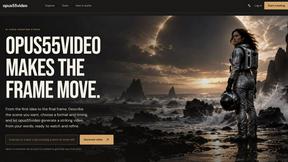
opus55video
Opus55video turns written ideas into cinematic motion with AI video creation.
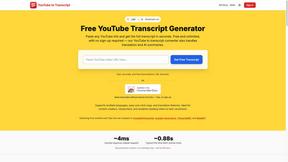
GetYouTubeTranscript
Free YouTube transcripts on the web, a Chrome extension, and an API + MCP server so AI assistants can read YouTube.

Seedance 2.5 Free
Create polished AI videos from text or images online with Seedance 2.5 Free.
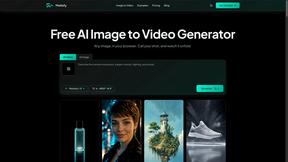
Motiofy
Motiofy is an AI creative workspace that helps creators and teams turn ideas into polished visual stories.
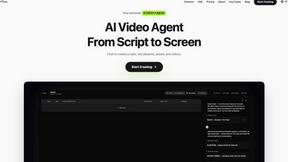

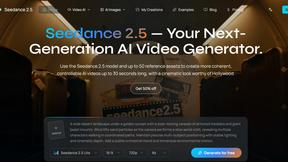
Seedance 2.5
Seedance 2.5 is a multimodal AI video generator by ByteDance for 30-second, high-fidelity cinematic video creation and AI video editing.
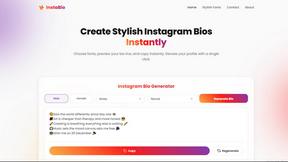
Insta Bio
InstaBio is a free Instagram bio generator offering stylish Unicode fonts, attitude lines, and Hindi devotional bios (Radhe Krishna, Mahadev).