Best Face Swap
Swap faces in your videos and photos with this easy AI tool that guides you step by step from free trials to advanced workflows.
Visit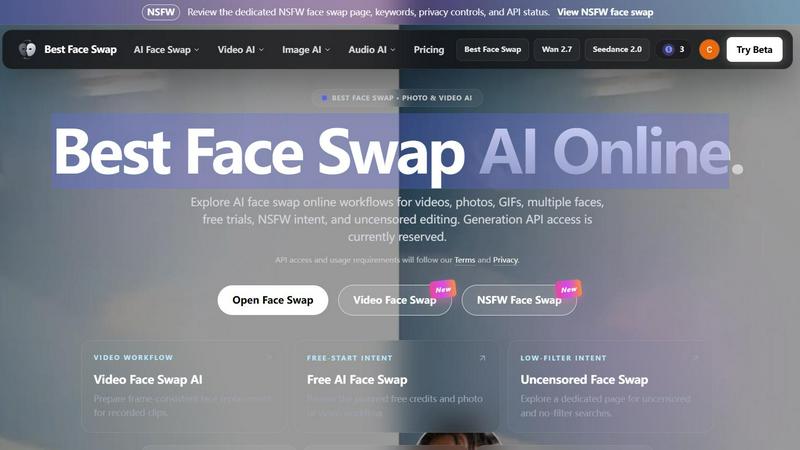
About Best Face Swap
Best Face Swap is an innovative AI-powered tool designed to make face swapping in photos, videos, and GIFs simple, fun, and accessible for everyone. Whether you are a complete beginner or someone who enjoys creative media editing, this platform removes the need for complex software or technical expertise. The core purpose of Best Face Swap is to provide a straightforward way to replace faces in your media while maintaining realistic results. The tool is currently in a pre-launch phase with landing pages and workflows prepared, but the generation API is reserved and not yet active. This means you can explore the planned features, understand how different workflows work, and get ready to start creating once the API goes live. Best Face Swap is organized around specific search intents, including video face swap, photo face swap, free face swap, multiple face swap, NSFW face swap, and uncensored face swap. This structure helps you quickly find the exact workflow you need. The platform is ideal for individuals looking to create fun social media content, experiment with creative projects, or explore face swapping for entertainment purposes. With a focus on frame-consistent identity for videos and natural edge matching for photos, Best Face Swap promises to deliver high-quality results. The interface is designed to be beginner-friendly and encouraging, guiding you step by step through each workflow. From dedicated video face swap AI to group media mapping, every feature is built with simplicity and efficiency in mind. Best Face Swap also emphasizes privacy and intent-based controls, especially for NSFW and uncensored content. As you explore the site, you will find eight focused landing pages, each tailored to a specific media type or user intent. The tool is currently free to explore, and a free-start workflow is planned for when the API launches. Overall, Best Face Swap aims to be your go-to solution for easy, creative, and realistic face swapping without the hassle.
Features of Best Face Swap
Video Face Swap AI
The Video Face Swap AI feature is designed to handle frame-consistent face replacement across recorded clips. This means that as a person moves, changes expressions, or the camera angle shifts, the swapped face remains stable and realistic. The workflow prepares for natural integration with motion, cuts, and varying lighting conditions. This feature is perfect for creating seamless video edits where the face swap looks like it belongs in the original footage. You can target searches like face swap video or AI face swap video with confidence.
Photo Face Swap AI
This feature focuses on swapping faces in images with careful attention to pose, lighting, skin tone, and edge matching. The goal is to create natural-looking portrait swaps where the new face blends perfectly with the existing background and body. Whether you are swapping faces in selfies, group photos, or creative compositions, this workflow ensures that the result looks realistic and not like a simple cut-and-paste job. It is ideal for beginners who want quick but high-quality photo edits.
Multiple Face Swap
The Multiple Face Swap feature allows you to map different source faces to different people in a single group photo or multi-person video scene. This is especially useful for group projects, family photos, or any media with multiple subjects. The workflow plans for batch processing and individual face mapping, so you can swap everyone's face in one go. This saves time and effort compared to swapping faces one by one. It is a powerful tool for creative group edits and social media content.
NSFW and Uncensored Face Swap
Best Face Swap includes dedicated workflows for NSFW and uncensored face swap searches. These features provide privacy controls and keyword targeting for adult or no-filter intent. The platform has separate landing pages for NSFW face swap and uncensored face swap, allowing users to find exactly what they need without restrictions. This feature is designed for users who want to explore face swapping in more mature or uncensored contexts, with planned support for both photos and videos.
Use Cases of Best Face Swap
Creating Fun Social Media Content
You can use Best Face Swap to create entertaining videos and photos for platforms like TikTok, Instagram, or YouTube. Swap your face onto a celebrity in a movie clip, put your friend's face into a funny GIF, or create a group video where everyone swaps faces. This is a great way to engage your audience and make your content stand out. The beginner-friendly workflows make it easy to produce shareable results in minutes.
Enhancing Creative Projects and Memes
For digital artists, meme creators, or hobbyists, Best Face Swap offers a quick way to experiment with face swaps in various media. You can create surreal or humorous images by swapping faces between different characters, historical figures, or even animals. The photo and video workflows support natural blending, so your creative projects look polished. This use case is perfect for those who want to push the boundaries of digital art without learning complex editing software.
Group Photo and Video Edits for Events
If you have a group photo from a wedding, party, or family gathering, you can use the Multiple Face Swap feature to swap everyone's faces for a fun twist. This is also useful for creating personalized gifts or party favors. For example, you can swap the faces of all family members in a holiday video to create a memorable and laughter-filled keepsake. The batch processing capability makes it efficient to handle multiple faces at once.
Exploring Adult or Uncensored Content Creation
For users interested in NSFW or uncensored face swap applications, Best Face Swap provides dedicated workflows with privacy controls. This can be used for adult entertainment, artistic expression, or personal projects that require no-filter editing. The platform ensures that these workflows are clearly separated and targeted to the right audience. This use case is for users who need a reliable tool for mature content while maintaining control over their privacy and search intent.
Frequently Asked Questions
What is Best Face Swap?
Best Face Swap is an AI face swap website organized around photo, video, GIF, multiple-face, free, NSFW, and uncensored search intent. It is designed to help users swap faces in various media types without needing technical expertise. The site is currently in a pre-launch phase with landing pages and workflows prepared, but the generation API is reserved and not yet active.
Is Best Face Swap free to use?
A free-start workflow is planned for Best Face Swap. Exact details about credits, login requirements, and usage limits will be published when the face swap API officially launches. For now, you can explore all the landing pages and workflows for free to understand how the tool will work.
Can I swap faces in both photos and videos?
Yes, both photo and video workflows are planned for Best Face Swap. There are dedicated pages for each media type, including Video Face Swap AI and Photo Face Swap AI. These workflows are designed to handle different challenges like motion in videos and edge matching in photos.
Is the face swap API available now?
No, the face swap API is not available yet. The landing pages and interface are live for exploration, but uploads and generation remain disabled until the API integration is complete. You can review the planned workflows and features in the meantime.
What face swap pages are available on Best Face Swap?
The site includes several dedicated pages: video face swap, photo face swap, GIF face swap, multiple face swap, free face swap, best-tool comparison, NSFW face swap, and uncensored face swap. Each page targets specific search intents and media types.
Will Best Face Swap support multiple faces?
Yes, a dedicated Multiple Face Swap page and future mapping workflow are prepared for group photos and videos. This feature will allow you to swap faces for multiple people in a single scene, making it efficient for group edits.
Are NSFW and uncensored face swap separate pages?
Yes, Best Face Swap has separate pages for NSFW face swap and uncensored face swap. These pages are designed for adult or no-filter intent and include privacy controls and keyword targeting. Both photo and video workflows are planned for these pages.
How do I get started with Best Face Swap?
You can get started by visiting the Best Face Swap website and exploring the different landing pages. Choose the workflow that matches your media type or intent, such as video, photo, or multiple faces. Once the API launches, you will be able to upload your media and perform face swaps directly.
Pricing of Best Face Swap
There is no pricing information available at this time. The platform is currently in a pre-launch phase with the API reserved. A free-start workflow is planned, but specific pricing plans, tiers, or costs have not been published. Please check back when the API launches for official pricing details.
Explore more in this category:
Similar to Best Face Swap
SightRadar
Face recognition API, a drop-in replacement for AWS Rekognition. Index, search, compare and detect faces, billed per photo with no subscription.
Raindance AI Video Generator
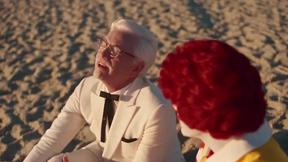
Turn two photos into the Raindance AI pier video with the soundtrack included
Opus 5.5 Video Generator
Turn a prompt into a 1080p motion-graphics MP4 planned and coded by Claude Opus 5.5
DanseAI - Alors on Danse AI Video Genera
Make the Alors on Danse AI meme video from two photos, soundtrack included
Rumpelstiltskin AI Video Generator
Make the viral Rumpelstiltskin tiptoe dance meme video from two photos
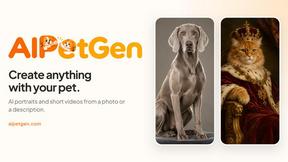
AIPetGen
AIPetGen turns a photo of your dog, cat, or other pet, or a written description, into a new picture or a short animation.