
AssetCenter
AssetCenter helps you track every asset from purchase to retirement with one simple timeline.
Visit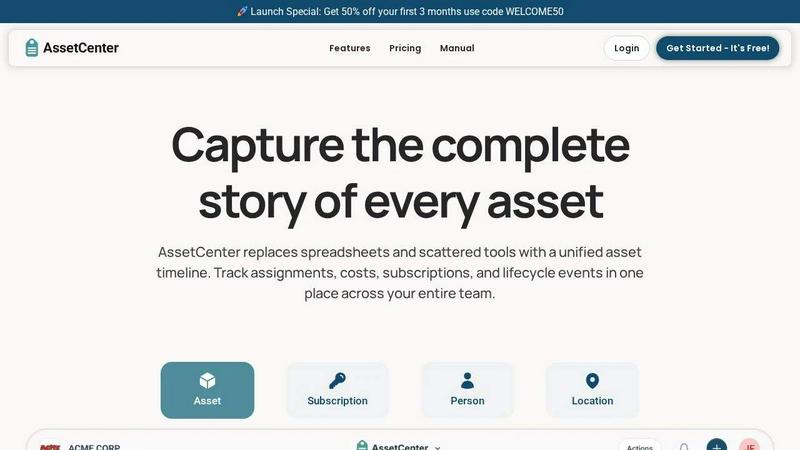
About AssetCenter
AssetCenter is a modern asset management platform designed to give your organization complete visibility and control over every asset through a unified timeline. Think of it as a single, clear story for each item you own, from the moment you acquire it all the way to when you retire it. Instead of hunting through spreadsheets, emails, and different software systems to find out where an asset is or what its history is, AssetCenter brings everything together in one easy-to-read chronological view. Every event, including purchases, assignments, maintenance, transfers, and decommissioning, is captured automatically, creating a single source of truth that is simple to understand and act on. Built for flexibility, AssetCenter works for any industry, from healthcare and construction to IT and education. You can create custom categories and fields that match your real-world workflows, so you are never stuck with rigid, one-size-fits-all templates. Assets can be assigned to people, locations, or departments, and every change is recorded for full accountability. With built-in lifecycle tracking, helpful depreciation insights, and an intuitive dashboard, AssetCenter helps your team make smarter decisions, reduce inefficiencies, and stay organized. Whether you are tracking laptops, medical equipment, vehicles, or software licenses, AssetCenter gives you the peace of mind that comes from knowing exactly what you have, where it is, and what condition it is in. It is designed for beginners and experts alike, with a free trial that lets you get started right away without any credit card.
Features of AssetCenter
Unified Timeline for Every Resource
Every asset, subscription, person, and location in AssetCenter has its own dedicated timeline. This feature lets you see everything that has happened to a resource at a single glance. Instead of searching through old emails or paper records, you can scroll through a clear, chronological log of events. For example, you can see when a laptop was purchased, who it was assigned to, when it was sent for maintenance, and when it was finally decommissioned. This complete history makes it easy to answer questions about an asset's past and plan for its future, all without jumping between different pages or systems.
Customizable Timeline Events
AssetCenter comes with prebuilt events for the three main stages of an asset's life: acquisition, lifecycle, and decommission. You can start using these events immediately to log purchases, assignments, maintenance, repairs, and retirements. But the real power lies in customization. You can easily modify these events or create entirely new ones to match exactly how your organization works. For example, a construction company might create an event for "oil change" or "firmware update," while a healthcare provider might add "sterilization cycle" or "calibration check." This flexibility ensures the software adapts to your unique workflows, not the other way around.
Centralized Dashboard for Full Visibility
The dashboard is your command center for the entire organization. It brings together all your key information in one place, so you can track costs, stay ahead of expirations, and identify end-of-life assets without visiting multiple screens. You can see recent activity across all your resources, from new acquisitions to completed maintenance tasks. This big-picture view helps you spot trends, like which assets are costing the most in repairs or which subscriptions are about to renew. With this clarity, you can make proactive decisions, reduce waste, and ensure your team always has the tools they need to work effectively.
Custom Categories and Bulk Import
AssetCenter allows you to create unlimited, industry-specific categories so you can organize your assets and subscriptions exactly how your business needs. Whether you are tracking vehicles, machinery, software licenses, or office equipment, you can define the fields that matter most to you. To get started quickly, the platform provides bulk import Excel templates. You simply download the template, fill it in with all your assets, subscriptions, people, and locations, and then upload it. This feature saves you hours of manual data entry, allowing you to go from zero to fully organized in just a few minutes. You can easily add or adjust categories as your organization grows and changes.
Use Cases of AssetCenter
IT Asset Management for Growing Companies
A growing tech company needs to track hundreds of laptops, monitors, and software licenses across a remote team. With AssetCenter, the IT manager can create a category for "Laptops" with custom fields for model, serial number, and warranty expiration. Each laptop gets a timeline showing when it was purchased, assigned to a new employee, sent for repair, or returned. The dashboard shows upcoming warranty expirations and software license renewals, preventing costly lapses. When a new developer joins, the manager can quickly see which laptops are available and assign one with a single click, ensuring everyone has the right equipment from day one.
Equipment Tracking for Construction Firms
A construction company manages a large fleet of heavy machinery, tools, and safety equipment across multiple job sites. Using AssetCenter, they create custom categories like "Excavators" and "Generators" with fields for hours of use and maintenance schedule. Each piece of equipment has a timeline that logs oil changes, repairs, and transfers between sites. The dashboard provides a real-time view of which assets are on which site, helping the project manager avoid renting equipment they already own. This visibility reduces downtime, extends equipment life, and ensures all assets are accounted for, even when they move between locations frequently.
Healthcare Asset Management for Clinics
A multi-location clinic needs to manage expensive medical devices, patient monitors, and office furniture. AssetCenter allows them to create categories like "Infusion Pumps" and "Defibrillators" with custom fields for calibration dates and regulatory compliance. The timeline for each device logs every calibration check, repair, and transfer between clinics. The dashboard alerts the team when a device is due for its next calibration or is approaching its end-of-life. This proactive approach helps the clinic maintain compliance with health regulations, avoid unexpected equipment failures, and make informed decisions about when to replace aging assets.
Nonprofit Organization Resource Management
A nonprofit organization manages donated goods, office supplies, and volunteer equipment across multiple programs. With AssetCenter, they can create categories like "Donated Laptops" and "Office Furniture" to track the lifecycle of each item. The timeline shows when an item was donated, assigned to a program, or transferred to a different location. The dashboard gives program managers a clear view of their inventory, helping them allocate resources efficiently. When a new donation comes in, the team can quickly log it, assign it to the program with the greatest need, and ensure every contribution is used effectively to support the organization's mission.
Frequently Asked Questions
How do I get started with AssetCenter?
Getting started is simple and fast. First, visit the AssetCenter website and click "Start Your Free Trial." You will create an account without needing a credit card. Once you are in, you can start by creating the asset categories that fit your organization, such as "Laptops" or "Vehicles." Next, use the bulk import Excel templates to quickly load all your existing assets, subscriptions, people, and locations into the system. The platform includes prebuilt events like acquisition and assignment, so you can begin tracking immediately. The user manual and blog are also available to guide you through each step.
What does the free trial include?
The free trial gives you access to the entire AssetCenter platform with 25 assets and no time limit. You do not need to provide a credit card to start. During the trial, you can explore all features, including the unified timeline, customizable events, and the centralized dashboard. This allows you to see exactly how AssetCenter can help your organization gain better visibility and control over your resources. If you need more assets or want to upgrade later, you can choose a paid plan that fits your needs.
Can I customize AssetCenter for my specific industry?
Yes, absolutely. AssetCenter is built for flexibility and works across many industries, including healthcare, construction, education, government, nonprofit, IT, agriculture, manufacturing, and entertainment. You can create unlimited custom categories and fields to match your unique workflows. For example, a construction company can add fields for "hours of use" and "maintenance schedule," while a healthcare provider can add "calibration date" and "regulatory compliance." You can also customize the timeline events to log specific actions like "oil change" or "sterilization cycle," ensuring the software adapts to how your team works.
How does the unified timeline help with accountability?
The unified timeline creates a complete, chronological record of every event that happens to an asset, subscription, person, or location. Every time an asset is purchased, assigned, transferred, maintained, or decommissioned, that event is automatically logged with a date and details. This means you can always see who was responsible for an asset at any point in time. If an item goes missing or needs a history check, you simply look at its timeline. This clear audit trail promotes accountability across your team and provides the transparency needed for compliance, insurance, and internal reporting.
Explore more in this category:
Similar to AssetCenter
Novastart
Apps and files on an infinite canvas where people and AI agents work together.

Panzoe
Panzoe is an all-in-one AI platform for personal productivity, business automation, AI assistants, content creation, and custom AI solutions.
AI Email Filter
AI Email Filter sorts incoming mail into folders using plain-language prompts you write. Works with any IMAP mailbox; bring your own LLM if you want.
Egmatic
No-code 2D game editor: visual node logic, drag-and-drop scenes, live preview. Exports to Windows, macOS, Linux, Android, iOS, Web.
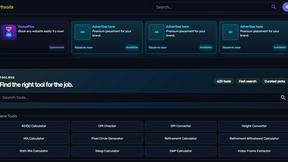
Kody Tools
Free collection of online developer utilities, code formatters, and digital converters designed to streamline your daily workflow.
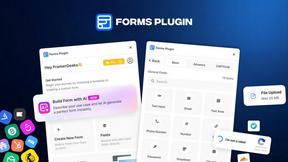
Forms Plugin
The #1 Native Form Builder Plugin for Framer - No Code, No Embeds, No External Platforms.
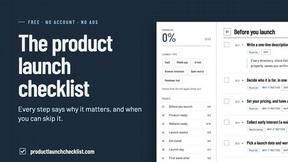
Product Launch Checklist
A free launch checklist for SaaS, apps, AI tools and more. Every step says why it matters and when you can skip it.
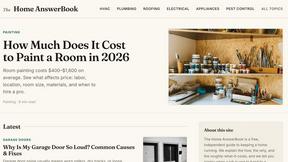
HomeAnswerBook
Practical, independent guides to home repairs, maintenance, costs, troubleshooting, and everyday fixes.