
archmaster
Upload a photo of any room or building, pick a style, and get a designer-quality AI redesign back in seconds with no software to learn.
Visit
About archmaster
Archmaster is an AI-powered interior design and architectural rendering platform that lets you transform any photo of a room, building exterior, or outdoor space into a photorealistic redesign in seconds. No 3D modeling software, no CAD files, and no professional designer required. Simply upload a photo of your space, choose from 20 style presets ranging from Scandinavian minimalist to Cyberpunk, and receive a designer-quality render in under 60 seconds. The platform is built for homeowners planning renovations who want to visualize changes before committing, renters exploring non-permanent decorating ideas, interior designers generating early-stage concepts for clients, real estate agents creating virtual staging for listings, and architects producing quick visualizations. Archmaster offers six core capabilities: interior redesign, exterior redesign, sketch-to-image conversion, AI render enhancement, architecture video generation, and targeted AI inpainting for editing specific areas. The tool also includes free supplementary tools like a room size calculator, paint calculator, renovation cost estimator, and color palette generator. Over 800 designers and homeowners already trust Archmaster to bring their design visions to life. The platform is beginner-friendly with step-by-step guidance, making professional-quality design accessible to anyone regardless of their design experience or technical skill level.
Features of archmaster
Interior AI Design
Transform any room in your home with 20 different style presets. Upload a photo of your living room, bedroom, bathroom, or kitchen, choose a style like Modern, Scandinavian, Bohemian, Japan, Baroque, or Tropical, and watch the AI redesign your space instantly. You can drag a before-and-after slider to see the dramatic change side by side. This feature is perfect for homeowners who want to explore different design directions before making any real-world changes or purchases.
Exterior and Facade Design
Apply style transformations to building exteriors, front yards, and outdoor spaces with the same ease as interior design. Upload a photo of your home's facade, choose any of the 20 style presets, and see how your property could look with a complete exterior makeover. Whether you are considering new paint colors, different architectural details, or a full style transformation, this feature gives you a realistic preview of the possibilities without any physical work or expense.
Sketch to Render
Convert hand-drawn architectural sketches and drafts into photorealistic images instantly. This feature is a game-changer for architects, interior designers, and students who want to quickly visualize their rough ideas. Simply upload a photo of your sketch, and the AI interprets your drawing to generate a realistic, detailed render. This bridges the gap between conceptual design and visual presentation, saving hours of manual rendering work.
AI Render Enhancer
Upscale and sharpen any architectural visualization to print-ready quality. If you have a generated design or an existing render that needs more detail or higher resolution, the AI Render Enhancer improves image quality while preserving the design integrity. This is especially useful for creating professional presentations, client proposals, or marketing materials where image quality matters. One credit covers one upscale operation.
Use Cases of archmaster
Home Renovation Planning
Homeowners planning renovations can use Archmaster to visualize potential changes before spending any money. Upload a photo of your current kitchen, bathroom, or living room, and experiment with different styles to see how new countertops, cabinets, paint colors, or layouts would look. This helps you make confident decisions about materials, colors, and design directions, reducing the risk of costly mistakes. You can compare multiple style options side by side and share them with contractors or family members for feedback.
Real Estate Virtual Staging
Real estate agents and property sellers can use Archmaster to virtually stage empty or outdated rooms, making listings more appealing to potential buyers. Instead of renting physical furniture or hiring a professional stager, upload photos of vacant rooms and apply stylish, modern designs that help buyers imagine themselves living in the space. This increases listing appeal, can lead to faster sales, and costs a fraction of traditional staging services.
Interior Design Concept Development
Interior designers can generate early-stage concepts for clients quickly and efficiently. Instead of spending hours creating mood boards or manual renderings, upload photos of the client's actual space and generate multiple style options in seconds. This accelerates the design approval process, allows for rapid iteration based on client feedback, and helps designers present professional-quality visuals without extensive manual work.
Architectural Sketch Visualization
Architects and architecture students can bring their hand-drawn sketches to life with photorealistic renders. Upload a rough sketch of a building facade, room layout, or exterior design, and the AI converts it into a detailed, realistic image. This is invaluable for client presentations, design reviews, and portfolio building. It also helps non-technical stakeholders better understand architectural concepts that might be difficult to interpret from sketches alone.
Frequently Asked Questions
What is a credit?
A credit is the unit used to access Archmaster's features. One credit allows you to generate one design, upscale one image, or perform one edit. Multi-view generation costs 3 credits, and generating an architecture video costs 5 credits. Credits are automatically renewed each week with your subscription plan.
What photo formats are supported?
Archmaster supports standard photo formats that are commonly used for uploading images. You can upload photos taken with your smartphone, digital camera, or downloaded from the internet. The platform is designed to work with typical image files, making it easy to get started with any photo you have available.
Can it redesign building exteriors?
Yes, Archmaster fully supports exterior and facade design. You can upload a photo of any building exterior, front yard, or outdoor space and apply the same 20 style presets used for interior design. This allows you to visualize complete exterior makeovers, including new paint colors, architectural details, and style transformations.
Are my uploaded photos used to train AI?
Archmaster takes your privacy seriously. The platform does not use your uploaded photos to train its AI models without your explicit consent. Your designs and personal images remain private and are only used to generate the renders you request. You can review the full privacy policy on the website for more detailed information about data handling practices.
Can I cancel any time?
Yes, you can cancel your subscription at any time. Archmaster offers a weekly plan with no long-term contracts or hidden fees. When you cancel, you will retain access to your credits until the end of your current billing period, and then the subscription will not renew.
Pricing of archmaster
Archmaster offers a simple, transparent pricing structure with one plan available. The Weekly Plan costs $9.99 per week and includes 30 credits that are auto-renewed each week. One credit covers one generation, one upscale, or one edit operation. Multi-view generation costs 3 credits, and architecture video generation costs 5 credits. There are no hidden fees, and you can cancel your subscription at any time. This straightforward pricing makes it easy to budget for your design projects without worrying about complex tiered plans or surprise charges.
Similar to archmaster
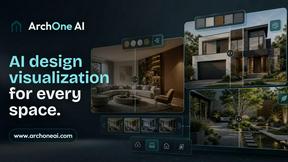
ArchOne AI
All-in-one AI spatial design visualization platform for interior, exterior and landscape design.

RoofReport
Upload a photo of your house and preview real shingle colors in seconds, all for free with no signup needed.
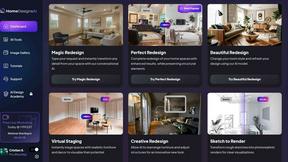
HomeDesignsAI
Transform your home and garden in under 30 seconds with AI-driven designs from just one photo, tailored to your style and preferences.

Chibi Pics
Chibi Pics instantly transforms your photos into customizable chibi art, making it easy to create adorable characters in seconds.
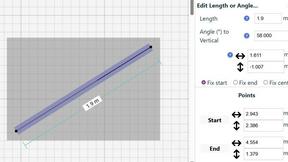
SimpleDraw
Easily create accurate floor plans and scale drawings online with SimpleDraw, no experience or downloads needed.