

Alternatives to archmaster
Upload a photo of any room or building, pick a style, and get a designer-quality AI redesign back in seconds with no software to learn.
Explore 5 alternatives to archmaster. Compare features, pricing, and find the best fit for your needs.
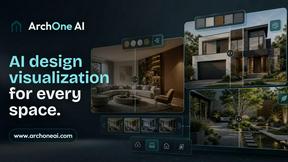
ArchOne AI
All-in-one AI spatial design visualization platform for interior, exterior and landscape design.

RoofReport
Upload a photo of your house and preview real shingle colors in seconds, all for free with no signup needed.
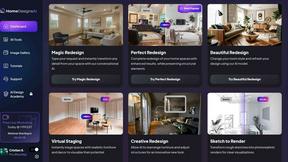
HomeDesignsAI
Transform your home and garden in under 30 seconds with AI-driven designs from just one photo, tailored to your style and preferences.

Chibi Pics
Chibi Pics instantly transforms your photos into customizable chibi art, making it easy to create adorable characters in seconds.
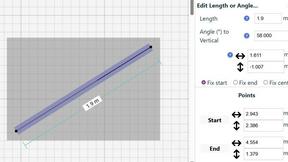
SimpleDraw
Easily create accurate floor plans and scale drawings online with SimpleDraw, no experience or downloads needed.
About archmaster Alternatives
Archmaster is an AI-powered interior design and architectural rendering platform that helps you turn ordinary photos of rooms, exteriors, or outdoor spaces into photorealistic design concepts in just seconds. It falls under the interior design and architectural visualization category, making it a popular choice for homeowners planning renovations, interior designers presenting ideas, and architects creating client mockups without needing any 3D modeling skills. While Archmaster offers powerful tools like interior redesign, sketch-to-render conversion, and AI video walkthroughs, many users start looking for alternatives due to factors like subscription pricing that may not fit a tight budget, a desire for more specific style libraries, or the need for a platform that works better on mobile devices or integrates with other design software they already use. When searching for an alternative to Archmaster, it is important to focus on what matters most for your specific project. Start by considering the type of spaces you need to redesign, such as kitchens, exteriors, or full home interiors, and look for a tool that specializes in those areas. Also think about ease of use, especially if you are a beginner, and check whether the platform offers a free trial or a one-time payment option instead of a monthly subscription. Finally, pay attention to the quality of the renders, the speed of generation, and whether the tool allows you to edit specific areas of a design, as these features can make a big difference in getting the look you actually want.
FAQs about archmaster Alternatives
What is archmaster?
Archmaster is an AI-powered interior design and architectural rendering platform. It allows you to upload a photo of any room, exterior, or outdoor space, choose a style, and receive a photorealistic render in seconds. The platform is designed to make professional-quality design accessible to anyone without requiring 3D modeling or design software skills.
Who is archmaster for?
Archmaster is built for three main groups: homeowners planning renovations who want to visualize changes before committing, interior designers presenting concepts to clients, and architects creating client visualizations. It is also suitable for real estate agents or anyone interested in quickly seeing how a space could look with different styles or layouts. No prior design experience is needed to use the platform effectively.
Is archmaster free?
Based on the provided product description, Archmaster offers specific features and rendering capabilities, but it does not explicitly state that it is free. Typically, platforms like Archmaster operate on a subscription or credit-based model for generating renders and accessing advanced features like AI video walkthroughs or sketch-to-render conversion. You would need to visit their official website to check for any free trial options or current pricing plans.
What are the main features of archmaster?
Archmaster includes several key features: Interior AI Design for redesigning living rooms, bedrooms, bathrooms, and kitchens; Exterior and Facade Design for transforming home exteriors and outdoor spaces; Kitchen AI Design for visualizing countertops and cabinets; Sketch to Render for converting architectural sketches into photorealistic images; an AI Render Enhancer to upscale and sharpen visualizations; an Edit and Modify tool for inpainting and refining specific areas; and an Architecture AI Video feature to animate renders into short walkthrough videos.