
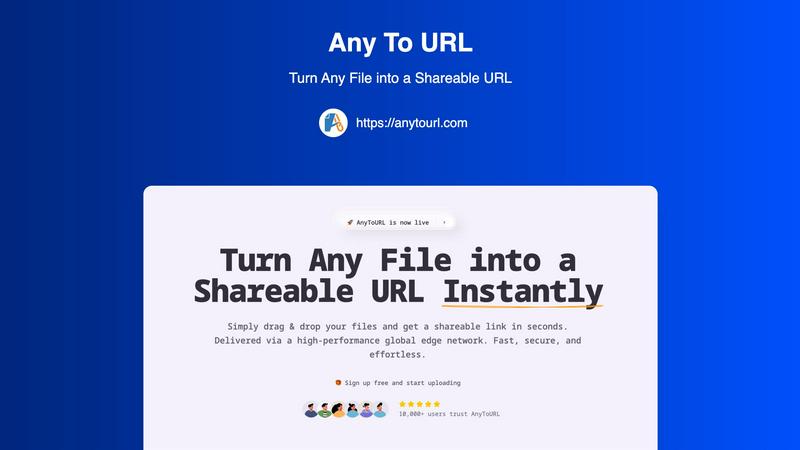
About AnyToURL
AnyToURL is your ultimate, hassle-free solution for sharing files online. It's a beautifully simple, web-based platform that instantly transforms any file you have—like images, videos, PDFs, or documents—into a short, shareable web link. The core idea is to eliminate all the friction of traditional file-sharing. Forget about wrestling with large email attachments, navigating complicated cloud storage folders, or waiting for slow transfers. With AnyToURL, you just drag and drop your file onto the website, and within seconds, you get a direct URL. You can then copy and paste this link anywhere: into an email, a chat message, or a social media post. It's designed for absolutely everyone, from professionals like designers and marketers who need to send project files quickly for feedback, to students and casual users sharing photos or documents with friends and family. The value proposition is clear: unparalleled speed and simplicity. Powered by a global edge network, your files are delivered fast and securely to anyone, anywhere. Best of all, you can start sharing in seconds, completely for free. It's the fastest way to turn your files into links.
Features of AnyToURL
Drag & Drop Simplicity
Uploading files couldn't be easier. There are no complicated forms or steps to follow. Simply drag your file from your computer and drop it onto the AnyToURL webpage. The platform instantly begins processing it, making the entire experience seamless and intuitive, even for first-time users. This eliminates the need for complex navigation and gets you to your shareable link faster than any other method.
Instant Shareable Links
The moment your file finishes uploading, AnyToURL generates a short, clean, and easy-to-copy URL. There's no waiting or manual link creation. You get your shareable link instantly with a single click to copy it. This link is ready to be pasted into emails, messaging apps like Slack or WhatsApp, social media posts, or even embedded into websites for immediate access by your recipients.
Smart File Preview
AnyToURL isn't just about sending files; it's about creating a better viewing experience. When you share images, PDFs, or common document types, recipients can preview the content directly in their web browser without having to download it first. This is perfect for quick reviews, getting feedback on designs, or simply viewing a document without cluttering your downloads folder.
Global Edge Network & Security
Your files are delivered via a high-performance global edge network (powered by Cloudflare), ensuring lightning-fast access for anyone, anywhere in the world. Security is built-in, with features like optional password protection for sensitive files, strict file isolation, and proactive measures against malware. You can share with confidence, knowing your files are handled safely and efficiently.
Use Cases of AnyToURL
Sharing Design Mockups for Feedback
Designers and UX professionals can quickly share wireframes, prototypes, and final mockups with clients or team members. The instant preview feature allows stakeholders to view the designs directly in their browser, streamlining the feedback process and accelerating project timelines without the back-and-forth of email attachments.
Distributing Marketing Campaign Assets
Marketing teams often need to share large batches of images, brand guidelines, or video clips with internal teams or external partners. AnyToURL simplifies this by allowing marketers to upload files and distribute a single link. Recipients can preview images and PDFs on the spot, ensuring everyone has the correct assets without downloading bulky folders.
Collaborating on Documents and Code Snippets
Students, developers, and remote teams can use AnyToURL to share documents, presentations, or snippets of code. Instead of pasting large blocks of code into a chat, a developer can upload a text file and share the link. Teammates can view it instantly, making collaboration on technical projects or group assignments much smoother.
Quick Personal File Sharing
For everyday use, AnyToURL is perfect for sharing vacation photos, personal documents, or videos with friends and family. If an email attachment is too large, simply upload the file to AnyToURL, send the link via your favorite messaging app, and your recipient can view it immediately without needing to sign up for any service themselves.
Frequently Asked Questions
What is the maximum file size I can upload?
For free users, the maximum file size is 50MB. This is perfect for most images, documents, and PDFs. AnyToURL also supports much larger files (up to 10GB) for users on different plans, accommodating everything from high-resolution videos to large datasets.
How long do my files stay available?
On the free tier, your uploaded files are available for 24 hours. After this period, the link will expire and the file will be deleted. This is ideal for temporary sharing. If you need permanent storage, you can explore AnyToURL's paid plans which offer options for files to remain accessible indefinitely.
Is it safe to share files with AnyToURL?
Yes, AnyToURL is built with security in mind. The platform employs strict file isolation and has a zero-tolerance policy for malware. For an extra layer of protection, you can enable password protection on any upload, ensuring that only people with the password can access your sensitive files.
Do recipients need an account to view my files?
No, not at all! One of the best features of AnyToURL is that it requires zero effort from the person receiving your file. They do not need to create an account, sign in, or download any software. They simply click the link you send, and the file loads in their web browser, ready to view or download.
Explore more in this category:
Similar to AnyToURL
AI Email Filter
AI Email Filter sorts incoming mail into folders using plain-language prompts you write. Works with any IMAP mailbox; bring your own LLM if you want.

Egmatic
No-code 2D game editor: visual node logic, drag-and-drop scenes, live preview. Exports to Windows, macOS, Linux, Android, iOS, Web.
Kody Tools
Free collection of online developer utilities, code formatters, and digital converters designed to streamline your daily workflow.
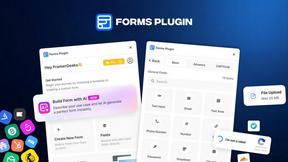
Forms Plugin
The #1 Native Form Builder Plugin for Framer - No Code, No Embeds, No External Platforms.

Product Launch Checklist
A free launch checklist for SaaS, apps, AI tools and more. Every step says why it matters and when you can skip it.
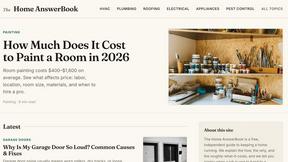
HomeAnswerBook
Practical, independent guides to home repairs, maintenance, costs, troubleshooting, and everyday fixes.
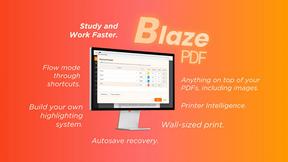
BlazePDF
Highlight faster. Study in flow with custom shortcuts and a workflow built around you. Print smarter, or turn any page into a tiled poster.
