
AI Content Shield
AI Content Shield blocks AI content across YouTube, social feeds, and Google searches, giving you a private, on-device way to enjoy only real content.
Visit
About AI Content Shield
Welcome to AI Content Shield, your personal guardian for a cleaner, more authentic internet experience. In a world where over 60% of online content is now generated by artificial intelligence, finding genuine human-created material has become a real challenge. AI Content Shield is a powerful browser extension that works just like your favorite ad blocker, but instead of blocking ads, it automatically hides AI-generated content across the web. Whether you are tired of Google AI Overviews cluttering your search results, annoyed by AI-voiced videos on YouTube, or fed up with AI-generated posts on your social media feeds, this tool has you covered. It is designed for anyone who values real, human-created content and wants to save hours of browsing time by skipping the AI clutter. From students and researchers to casual social media users and professionals, AI Content Shield helps you focus on what truly matters. The extension is private and works entirely on your device, meaning your data never leaves your computer. With over 10,000 trusted users and a featured spot on the Chrome Web Store, it is a reliable solution for reclaiming your online experience. Best of all, it offers a generous set of free features, with optional Pro upgrades for those who want even more control. Get ready to see the internet through a clearer lens, where every piece of content you encounter is worth your time.
Features of AI Content Shield
Block AI Videos on YouTube and TikTok
Say goodbye to endless AI-generated videos, shorts, and summaries that flood your feed. AI Content Shield automatically hides AI-created content on YouTube, including videos in your home page, subscription feed, channel pages, shorts, and recommended sections. It also works on TikTok to filter out AI-generated posts. You can even block AI music channels and AI video summaries, ensuring your viewing experience is filled with authentic, human-made content. The free version handles this seamlessly, while Pro adds advanced AI voice detection to catch even more AI videos.
Hide Google AI Overviews and Search AI Features
Tired of seeing Google AI Overviews, AI Mode results, or AI answers from Bing and DuckDuckGo cluttering your search results? AI Content Shield removes these AI-generated snippets so you see only organic, human-written search results. It also hides AI images and AI buttons on search engines, giving you back the clean, straightforward search experience you remember. This feature works across all major search engines and is available in the free version, making it easy to enjoy AI-free searching from the moment you install the extension.
Filter AI Content Across Social Media and the Web
Social media platforms like X (formerly Twitter), Instagram, Facebook, Threads, Reddit, and Pinterest are increasingly filled with AI-generated posts, comments, and images. AI Content Shield automatically detects and hides this content from your feeds, so you only see real posts from real people. It also filters AI-related articles and posts on general websites, helping you avoid AI-generated news and blog content. The extension works in the background, quietly cleaning up your browsing experience without any extra effort on your part. You can even view real-time blocked content stats to see how much AI clutter you are avoiding.
Pro Features for Advanced AI Control
For users who want the ultimate AI-free experience, the Pro version unlocks powerful advanced features. You get AI voice detection on YouTube, Instagram, and TikTok, which identifies videos with AI-generated voices and blocks them. You can block specific YouTube channels entirely, filter AI-generated text on LinkedIn and Facebook, and hide AI features and AI-related emails in Gmail. Pro also lets you filter AI articles on top news sites, hide AI summaries on Amazon and eBay, and create custom keyword rules for blocking specific terms. Additional perks include Focus Mode scheduling, advanced local analytics, and customizable UI themes for a personalized experience.
Use Cases of AI Content Shield
Reclaim Your YouTube Viewing Experience
If you love watching YouTube but are frustrated by the growing number of AI-generated videos, shorts, and AI-voiced content, AI Content Shield is your perfect companion. Imagine opening YouTube and seeing only videos created by real people, with no AI music channels, no AI summaries, and no AI recommendations cluttering your feed. Whether you are a student looking for educational content, a hobbyist following DIY tutorials, or just someone who enjoys authentic vlogs, this tool helps you find what you are looking for faster. The Pro version even detects AI voices, so you can automatically skip videos that sound robotic or unnatural.
Clean Up Your Social Media Feeds
Social media should be about connecting with real people, not sifting through AI-generated posts. With AI Content Shield, you can automatically hide AI content on X, Instagram, Facebook, Threads, Reddit, and Pinterest. This means your feed will show only genuine posts from friends, family, and creators you follow. You will no longer have to scroll past AI-generated images, AI-written captions, or bot-like comments. It is perfect for anyone who wants a more authentic social media experience, whether you are catching up with friends, following news, or just browsing for inspiration.
Search the Web Without AI Distractions
Search engines are powerful tools, but AI overviews, AI answers, and AI images can make finding real information harder. AI Content Shield removes Google AI Overviews, AI Mode results, and AI answers from Bing and DuckDuckGo, giving you back a clean, traditional search results page. This is especially useful for researchers, journalists, and students who need accurate, human-written sources. You will save time by not having to skip past AI-generated summaries, and you can trust that the results you see are from real websites and real authors.
Block AI Content at Work or School
In professional and academic settings, relying on AI-generated content can be misleading or even harmful. AI Content Shield helps you maintain high standards by filtering AI-generated articles on top news sites, hiding AI features in Gmail, and blocking AI-related emails. Teachers, professors, and professionals can use the Pro version to ensure they are reading and sharing only authentic, human-created content. The custom keyword rules and Focus Mode scheduling let you tailor the blocking to specific times of day or specific topics, making it a versatile tool for maintaining productivity and credibility.
Frequently Asked Questions
How does AI Content Shield detect AI-generated content?
AI Content Shield uses a combination of advanced algorithms, pattern recognition, and community-driven rules to identify AI-generated content. It works entirely on your device, so your privacy is fully protected. The free version detects AI content based on known markers and patterns, while the Pro version adds even more sophisticated detection, including AI voice recognition on video platforms. The extension is constantly updated to keep up with new types of AI-generated content, ensuring you stay protected as the technology evolves.
Is AI Content Shield free to use?
Yes, AI Content Shield offers a generous free version that includes many powerful features. You can block AI-generated YouTube videos, shorts, and summaries, hide Google AI Overviews and AI features on search engines, and filter AI content on TikTok, X, Instagram, Facebook, Threads, Reddit, Pinterest, Spotify, and YouTube Music. The free version also lets you view real-time blocked content stats. For users who want even more control, the Pro version unlocks advanced features like AI voice detection, custom YouTube channel blocking, and AI text filtering on LinkedIn, Facebook, and Gmail.
Will AI Content Shield slow down my browser or affect performance?
Not at all. AI Content Shield is designed to be lightweight and efficient, working in the background without slowing down your browsing experience. It operates similarly to popular ad blockers, using minimal system resources. The extension runs entirely on your device, so there is no impact on network speed or page load times. You can browse normally while the extension quietly filters out AI content, and you can check your real-time stats to see how much AI clutter it has blocked without any noticeable performance impact.
Can I customize what AI Content Shield blocks?
Absolutely. AI Content Shield is built for customization. You can easily toggle blocking on or off for each platform using simple switches in the extension settings. The Pro version takes customization even further with custom keyword rules, allowing you to block specific terms or phrases. You can also schedule blocking for certain times of day with Focus Mode, block specific YouTube channels, and even choose from different UI themes. Whether you want a minimalist setup or complete control over every detail, AI Content Shield adapts to your preferences.
Explore more in this category:
Similar to AI Content Shield
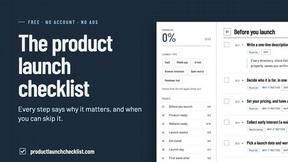
Product Launch Checklist
A free launch checklist for SaaS, apps, AI tools and more. Every step says why it matters and when you can skip it.

HomeAnswerBook
Practical, independent guides to home repairs, maintenance, costs, troubleshooting, and everyday fixes.
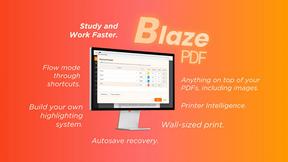
BlazePDF
Highlight faster. Study in flow with custom shortcuts and a workflow built around you. Print smarter, or turn any page into a tiled poster.
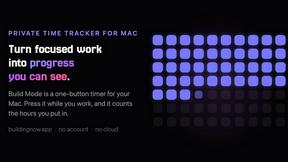
Build Mode for Mac
Build Mode is a Mac app that turns focused sessions into visible progress, so you can see the work adding up before the results arrive.



Efficienco
Efficienco is a free collection of practical online calculators for construction, materials, home improvement, engineering, trades, and business.
