
AI Audio Translator
AI Audio Translator lets you instantly transcribe, translate, and dub spoken content online with an interactive live console.
Visit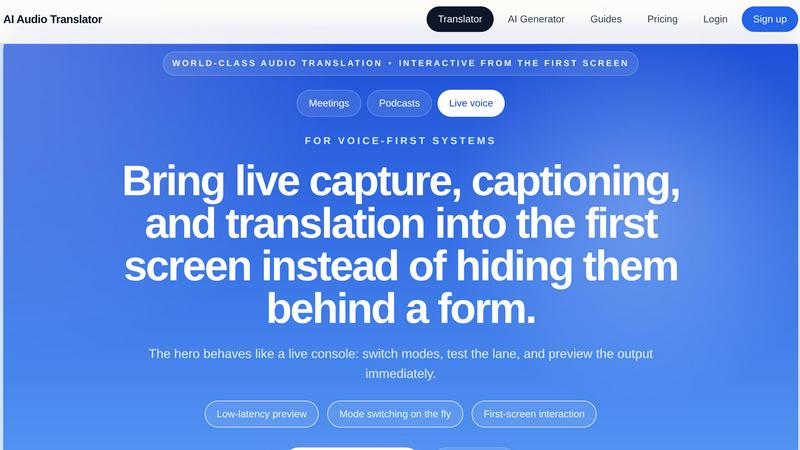
About AI Audio Translator
AI Audio Translator is a browser-based tool designed to simplify the entire spoken-content workflow. Instead of juggling multiple separate applications for transcription, translation, and dubbing, this product brings everything into one focused, interactive studio. You can upload an audio file, paste a public audio URL, or even record directly in your browser. The tool then generates a transcript, a translated text, and an optional dubbed audio track using an AI voice. This makes it an ideal solution for podcasts, interviews, lessons, product demos, and localization tasks. The product is built for practical review, meaning you are in control every step of the way. You can inspect the transcript first to ensure accuracy, then check the translated text before deciding to generate the dubbed speech. This workflow saves time and resources by only creating audio when you actually need it. AI Audio Translator is perfect for content creators, localization teams, educators, and business professionals who need to make spoken content accessible to a global audience without the complexity of traditional translation tools.
Features of AI Audio Translator
Flexible Input Methods
You can bring your audio into the studio in three different ways: upload a file directly from your computer, paste a public URL to an audio clip hosted online, or record a new voice memo using your browser's microphone. This flexibility means you are never stuck with a single workflow and can handle almost any source of spoken content, from pre-recorded podcasts to live meeting notes.
Transcript-First Review Lane
The tool prioritizes a review-first approach. After processing your audio, you are shown the full transcript before any translation or dubbing happens. This allows you to verify the accuracy of the speech-to-text conversion, make any necessary corrections, and ensure the source material is correct. This step is crucial for maintaining quality in professional settings like legal or medical transcription.
Multi-Language Translation
AI Audio Translator supports a wide range of source and target languages, including English, Chinese, Japanese, Korean, French, German, Spanish, Portuguese, and many more. You can lock a language pair and run the complete transcription and translation pipeline. The translated text is displayed clearly alongside the original transcript, making it easy to compare and verify the output before moving forward.
Optional Dubbed Audio Generation
One of the most powerful features is the ability to generate dubbed audio only when you need it. After reviewing the transcript and translation, you can choose to create a playable, translated speech track using an AI voice. This on-demand feature prevents unnecessary processing and credit usage, making the tool highly efficient for projects where a written translation is sufficient and audio is only required for final delivery.
Use Cases of AI Audio Translator
Podcast Localization for Global Audiences
Podcasters can easily turn their interviews and episodes into multilingual content. By uploading an audio file, they can generate a translated transcript for show notes or blog posts, and then create a dubbed audio version for listeners who speak a different language. This opens up their audience to a global market without needing to hire separate translators or voice actors.
Streamlining Product Demo Creation
Teams preparing product demos for overseas partners can use this tool to create reliable translated voice tracks. Instead of re-recording a demo in another language, they can upload the original audio, review the translation for technical accuracy, and generate a professional-sounding dubbed track. This ensures the demo is ready for international release calls without last-minute scrambling.
Educational Lesson Translation
Educators and e-learning content creators can translate lessons, lectures, and recorded explainers for students who speak different languages. The transcript-first review allows teachers to ensure that complex terminology is translated correctly before generating the final audio. This makes educational materials more accessible and inclusive for a diverse student body.
Interview Transcription and Translation
Journalists and researchers can use the tool to process interview recordings. They can quickly generate a transcript for their notes, translate the interview into their working language for analysis, and if needed, create a dubbed version for a multimedia presentation. The flexible input methods also allow them to record interviews directly in the browser, streamlining their entire research workflow.
Frequently Asked Questions
What audio formats and sizes are supported?
AI Audio Translator supports common audio file formats including MP3, WAV, M4A, AAC, and OGG. The maximum file size for uploads is 100MB. This covers the vast majority of standard audio recordings, from short voice memos to longer podcast episodes and interviews.
Can I review the transcript before translation?
Yes, absolutely. The workflow is built around a transcript-first review lane. After you upload or record your audio, the tool will generate a transcript for you to inspect. You can verify the accuracy of the speech-to-text conversion before the translation process begins, giving you full control over the quality of the final output.
Do I have to generate dubbed audio every time?
No, generating dubbed audio is entirely optional. After you have reviewed the transcript and the translated text, you can decide whether or not to create the dubbed speech track. This feature is designed to save you time and credits, allowing you to only produce audio playback when it is actually needed for your project.
Is this tool suitable for live meetings or real-time translation?
While the tool is optimized for processing pre-recorded audio and supports browser recording, it is not designed for real-time translation of live conversations. It is best used for workflows where you have a recorded audio file or a public URL, allowing you to review and refine the output at your own pace.
Pricing of AI Audio Translator
The product uses a credit-based pricing model where credits map directly to actual audio work. You can view the specific pricing plans and tiers on the "View pricing" page of the website. This transparent approach ensures you are only paying for the transcription, translation, and dubbing services you use, without bundling unrelated features.
Similar to AI Audio Translator
InstaSong - AI song and beat maker
Turn any text into a full royalty-free song with vocals and instruments in seconds, no music skills needed.
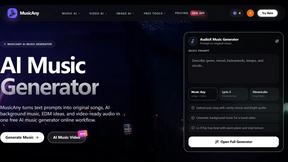
MusicAny AI Music Generator
MusicAny lets you turn simple text prompts into original songs, background music, and video-ready audio in one easy workflow.
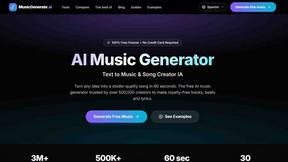
AI Music Generator
Turn any idea into royalty-free studio-quality songs in seconds with this free AI music generator.
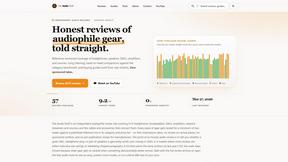
The Audio Stuff
The Audio Stuff gives you honest, beginner-friendly reviews of audiophile gear with real scores and zero sponsored takes, updated weekly.
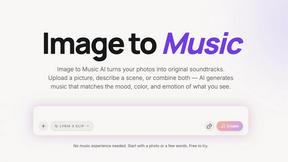
Image to Music AI
Turn any photo into a unique AI soundtrack that matches its mood and emotion.
Lyria 3 Pro
Lyria 3 Pro is a free AI music generator that creates longer custom tracks for your videos using simple musical prompts.