QuoteCraft AI vs SupaSidebar
Side-by-side comparison to help you choose the right tool.

QuoteCraft AI
QuoteCraft AI quickly creates clear, winning proposals for freelancers, helping you secure deals with ease.
Last updated: March 4, 2026

SupaSidebar
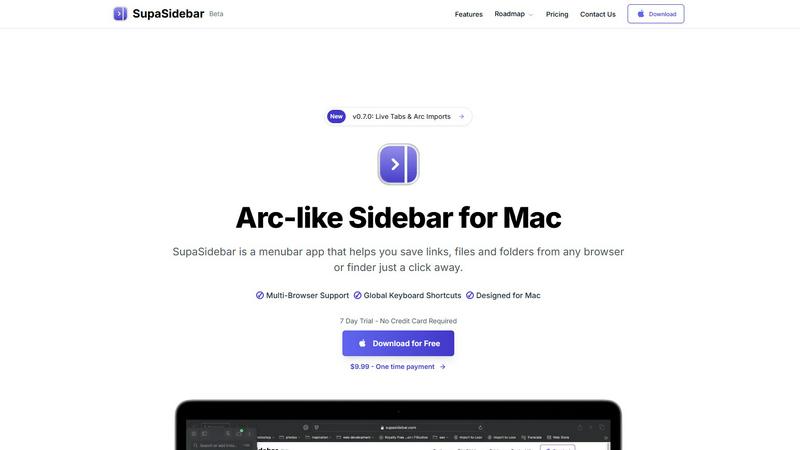
SupaSidebar is a Mac app that saves and organizes links, files, and folders for instant access with simple shortcuts.
Last updated: February 28, 2026
Visual Comparison
QuoteCraft AI

SupaSidebar
Feature Comparison
QuoteCraft AI
Voice-to-Proposal
With the innovative voice-to-proposal feature, users can speak their project details aloud, and QuoteCraft AI will transcribe the information instantly. This allows for quick proposal generation, making it easier for users to capture ideas immediately after client meetings or brainstorming sessions.
Interactive Proposals
QuoteCraft AI offers interactive proposals, allowing clients to customize their selections directly within the proposal. Clients can toggle line items on or off, and the total price updates in real time. This flexibility reduces the chances of rejection and fosters better communication between freelancers and clients.
Smart Follow-Ups
The platform includes smart follow-up notifications, automatically reminding clients who have not yet viewed their proposals. Users can set reminders to send gentle nudges after a specified number of days, helping to keep proposals top of mind without being intrusive.
Context Engine
QuoteCraft AI features an advanced Context Engine that learns from previous proposals. This AI-driven tool understands the user’s writing style, pricing strategies, and preferred deliverables, ensuring that each generated proposal feels personalized and consistent with the freelancer's unique voice.
SupaSidebar
Instant Saving and Copying
With SupaSidebar, saving links and files is a breeze. Use the global keyboard shortcuts CMD + CTRL + S to save items and CMD + CTRL + C to copy the current website link directly to your sidebar. This feature eliminates the tedious steps of manually saving or copying URLs, allowing you to focus on your tasks.
Recents Tracking
Never lose track of your browsing history again with the Recents feature. SupaSidebar automatically tracks every website you have visited in the last 48 hours, making it easy to find your work quickly. This is particularly useful for those who switch between multiple projects or need to revisit recent research.
Pinned Items for Quick Access
SupaSidebar allows you to pin your favorite links, files, and folders at the top of your sidebar. This feature ensures that your most-used items are always front and center, so you can access them with just a click, reducing time wasted searching for frequently used resources.
Fast Global Search
Switching between apps can slow down your productivity, but not with SupaSidebar. Just press CMD + CTRL + K and start typing to find any file, folder, website, or app instantly. This feature provides a powerful, efficient way to navigate your digital workspace without the hassle of digging through numerous tabs or folders.
Use Cases
QuoteCraft AI
Freelance Web Designers
Web designers can use QuoteCraft AI to quickly create professional proposals for potential clients. By inputting project details or using voice commands, they can generate tailored proposals that clearly outline the scope and pricing, leading to higher conversion rates.
Marketing Agencies
Marketing agencies benefit from QuoteCraft AI by streamlining their proposal writing process. The tool helps them present detailed marketing strategies and pricing structures in a visually appealing format, making it easier to win and manage client relationships.
Creative Studios
For creative studios, the ability to create interactive proposals means clients can directly engage with the offer. This interactivity helps clarify project scopes and ensures clients feel involved in the process, leading to more successful collaborations.
Consulting Firms
Consulting firms can utilize QuoteCraft AI to generate proposals that include comprehensive analyses and deliverables. The smart pricing feature helps them suggest competitive rates based on historical data, making their proposals more attractive to potential clients.
SupaSidebar
Efficient Research for Students
Students can greatly benefit from SupaSidebar during research projects. By saving important links and documents directly to the sidebar, they can easily access their sources without getting lost in a sea of browser tabs, allowing for a smoother and more organized study experience.
Project Management for Creatives
Creative professionals can use SupaSidebar to manage multiple projects simultaneously. By pinning relevant files, folders, and websites for each project, they can switch contexts quickly and efficiently, ensuring they stay in the flow without unnecessary interruptions.
Streamlined Web Browsing
For anyone who spends significant time online, SupaSidebar enhances the browsing experience by providing quick access to favorite sites and recent visits. This eliminates the frustration of endlessly scrolling through bookmarks or searching for previously opened tabs.
Enhanced Workflow for Remote Workers
Remote workers can leverage SupaSidebar to maintain an organized workspace while navigating various tasks. With easy access to necessary documents and links, they can streamline their workflow, increase productivity, and reduce the time spent switching between applications.
Overview
About QuoteCraft AI
QuoteCraft AI is a groundbreaking tool designed specifically for freelancers, enabling them to create professional proposals swiftly and efficiently. By leveraging advanced artificial intelligence, this platform simplifies the proposal process significantly. Users can either describe their project using natural language or select from a variety of seven starter templates, making it perfect for those who may not know where to start. Within seconds, QuoteCraft AI generates a comprehensive proposal that includes key components such as project scope, pricing, line items, and timelines. This tool is particularly beneficial for freelancers in fields like web design, marketing, creative studios, and consulting, addressing common challenges such as unclear project scope and ineffective pricing strategies. Unique features, including voice-to-proposal capabilities and a Context Engine that adapts to user feedback, make QuoteCraft AI an invaluable resource for enhancing proposal quality and winning more deals. Best of all, it is currently available for free during its beta phase, allowing early adopters to secure their access at no cost.
About SupaSidebar
Welcome to SupaSidebar, the ultimate productivity booster designed specifically for Mac users! If you often find yourself juggling too many browser tabs, struggling to recall that important link from yesterday, or simply wish to access your favorite files and websites more quickly, SupaSidebar is the perfect solution for you. This beautifully crafted, lightweight menubar app transforms your browsing experience by providing an Arc browser-inspired sidebar that integrates seamlessly with your entire Mac. With SupaSidebar, you transform your workspace into a universal command center, allowing you to save, find, and open anything with just a click or a keyboard shortcut. Whether you are a student conducting research, a creative professional managing multiple projects, or someone who wants to enhance web browsing efficiency, SupaSidebar has got you covered. It works flawlessly with all major browsers—Safari, Chrome, Firefox, Arc, and Brave—keeping your vital links, files, and folders always within reach. Your data remains secure on your Mac, and with its native macOS design, SupaSidebar feels like an integral part of your computer, empowering you to work smarter, not harder.
Frequently Asked Questions
QuoteCraft AI FAQ
How does the AI generate proposals?
QuoteCraft AI generates proposals by analyzing the project details provided by the user. It uses advanced algorithms to create a structured proposal that includes essential elements such as scope, pricing, and timelines, all tailored to the user's specifications.
Will my proposals look generic?
No, your proposals will not look generic. The Context Engine learns from your previous proposals, ensuring that the generated content reflects your unique writing style and branding, making each proposal feel personalized and authentic.
Can I edit proposals after generation?
Absolutely! After the AI generates a proposal, you have the option to edit and customize it further. This ensures that you can make adjustments based on specific client needs or preferences before sending the final version.
Is my data secure?
Yes, your data is secure with QuoteCraft AI. The platform adheres to industry standards for data protection and privacy, ensuring that your proposals and client information are kept confidential and safe from unauthorized access.
SupaSidebar FAQ
Is SupaSidebar a browser extension?
No, SupaSidebar is a standalone menubar app designed for Mac that works across all major browsers, providing a unified experience for saving and accessing links and files.
Which browsers does SupaSidebar work with?
SupaSidebar is compatible with all major browsers, including Safari, Chrome, Firefox, Arc, and Brave, ensuring that you can access your important resources regardless of your preferred browser.
What macOS version do I need?
SupaSidebar requires macOS 13 or later to function properly, ensuring that users have the latest features and security enhancements.
Where is my data stored?
All your data is securely stored on your Mac, ensuring that you have complete control and privacy over your saved links, files, and folders without any external data sharing.
Alternatives
QuoteCraft AI Alternatives
QuoteCraft AI is an innovative tool designed for freelancers, helping them create professional proposals quickly and efficiently. Positioned within the Business & Finance and Productivity & Management categories, it caters specifically to those in creative fields like web design, marketing, and consulting. Users frequently seek alternatives to QuoteCraft AI for various reasons, including pricing considerations, feature sets that may better match their specific needs, or compatibility with other tools they use. When searching for an alternative, it's essential to evaluate factors such as user-friendliness, customization options, and the ability to integrate smoothly with your existing workflow to ensure you find the best fit for your proposal needs.
SupaSidebar Alternatives
SupaSidebar is a productivity-focused application designed for Mac users, providing an Arc-style sidebar experience that allows for quick access to links, files, and folders. This lightweight menubar app serves as a universal command center, helping users manage their digital lives more efficiently. However, many users often seek alternatives due to factors such as pricing, specific feature sets that may better meet their needs, or compatibility with different platforms or workflows. When choosing an alternative to SupaSidebar, it’s essential to consider what features are most important for your productivity. Look for options that offer similar functionality, such as quick search capabilities, easy access to open tabs, and seamless integration with your preferred browsers. Additionally, evaluate the user interface and overall design to ensure it aligns with your workflow preferences and enhances your computing experience.