Nabbed vs SupaSidebar
Side-by-side comparison to help you choose the right tool.

Nabbed is your career CRM that helps you manage your job search like a professional sales pipeline.
Last updated: April 13, 2026

SupaSidebar
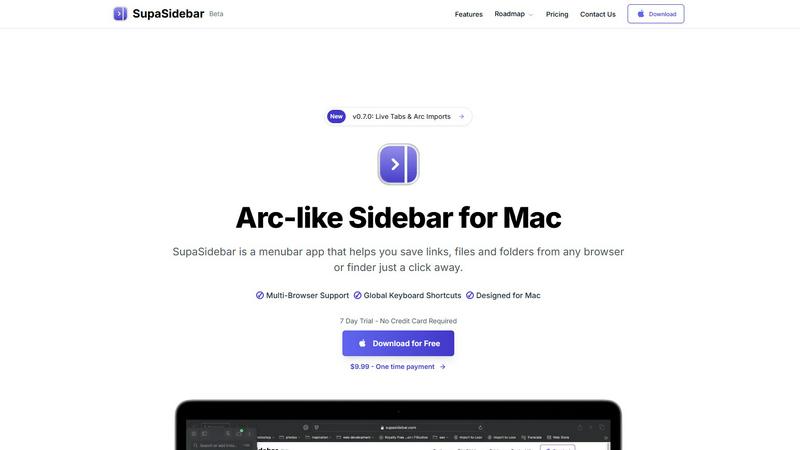
SupaSidebar is a Mac app that saves and organizes links, files, and folders for instant access with simple shortcuts.
Last updated: February 28, 2026
Visual Comparison
Nabbed

SupaSidebar
Feature Comparison
Nabbed
Visual Career Pipeline
Manage your job search like a sales deal in a familiar Kanban board. Drag and drop opportunities through stages like "Tracking," "Outreach," "Discovery," and "Closed Won." This visual system provides clarity on your progress, helps you prioritize next actions, and gives you momentum tracking and velocity analytics, so you always know the health of your search pipeline at a glance.
AI-Powered Career Suite
Supercharge your applications and preparation with four integrated AI tools. Instantly generate tailored cover letters, match your resume to specific job descriptions, get personalized interview coaching, and craft professional outreach emails. These tools learn your style and provide high-quality content in seconds, saving you hours of manual work and increasing your impact.
Intelligent Chrome Extension
Your entire job search runs seamlessly in your browser. With the free extension, you can save any job from sites like LinkedIn or Indeed directly to your pipeline with one click. It then autofills tedious application forms on over 25 ATS platforms (like Greenhouse and Workday) using your profile, and lets you send tracked follow-up emails without ever leaving the page you're on.
Contact & Network CRM
Your network is your greatest asset. Nabbed's dedicated CRM lets you log every interaction, schedule follow-ups, tag connections, and manage contacts through a dedicated networking pipeline. Track warm introductions and build relationships systematically, ensuring no valuable connection is ever forgotten and turning your network into a reliable source of opportunities.
SupaSidebar
Instant Saving and Copying
With SupaSidebar, saving links and files is a breeze. Use the global keyboard shortcuts CMD + CTRL + S to save items and CMD + CTRL + C to copy the current website link directly to your sidebar. This feature eliminates the tedious steps of manually saving or copying URLs, allowing you to focus on your tasks.
Recents Tracking
Never lose track of your browsing history again with the Recents feature. SupaSidebar automatically tracks every website you have visited in the last 48 hours, making it easy to find your work quickly. This is particularly useful for those who switch between multiple projects or need to revisit recent research.
Pinned Items for Quick Access
SupaSidebar allows you to pin your favorite links, files, and folders at the top of your sidebar. This feature ensures that your most-used items are always front and center, so you can access them with just a click, reducing time wasted searching for frequently used resources.
Fast Global Search
Switching between apps can slow down your productivity, but not with SupaSidebar. Just press CMD + CTRL + K and start typing to find any file, folder, website, or app instantly. This feature provides a powerful, efficient way to navigate your digital workspace without the hassle of digging through numerous tabs or folders.
Use Cases
Nabbed
The Active Job Seeker
For someone actively looking for a new role, Nabbed consolidates the chaos. You can search across 11+ job boards simultaneously, save opportunities to a central pipeline, autofill applications in seconds, and track every email sent to recruiters. The daily routine planner and pipeline analytics keep you focused and productive, turning a scattered search into a streamlined campaign.
The Strategic Networker
For professionals building long-term career capital, Nabbed acts as a relationship hub. Use the Contact CRM to meticulously track conversations, set reminders for follow-ups with potential mentors or hiring managers, and log notes after coffee chats. This ensures you nurture your network effectively, so you have warm introductions ready when you need them.
The Passive Candidate
Even if you're not actively applying, Nabbed helps you stay informed and ready. Set up target company lists to get alerts on funding rounds, headcount growth, or new leadership—key hiring signals. When the perfect role appears, you can quickly assess your "Job Fit Score," tailor your materials with AI, and apply efficiently, allowing you to seize unexpected opportunities.
The Career Transitioner
Switching industries or roles requires a targeted approach. Use Nabbed's company intelligence to research new sectors, understanding their tech stack and funding health. The AI tools help you reframe your existing experience into compelling cover letters and resumes for a new field, while the pipeline keeps your exploratory applications and informational interviews organized.
SupaSidebar
Efficient Research for Students
Students can greatly benefit from SupaSidebar during research projects. By saving important links and documents directly to the sidebar, they can easily access their sources without getting lost in a sea of browser tabs, allowing for a smoother and more organized study experience.
Project Management for Creatives
Creative professionals can use SupaSidebar to manage multiple projects simultaneously. By pinning relevant files, folders, and websites for each project, they can switch contexts quickly and efficiently, ensuring they stay in the flow without unnecessary interruptions.
Streamlined Web Browsing
For anyone who spends significant time online, SupaSidebar enhances the browsing experience by providing quick access to favorite sites and recent visits. This eliminates the frustration of endlessly scrolling through bookmarks or searching for previously opened tabs.
Enhanced Workflow for Remote Workers
Remote workers can leverage SupaSidebar to maintain an organized workspace while navigating various tasks. With easy access to necessary documents and links, they can streamline their workflow, increase productivity, and reduce the time spent switching between applications.
Overview
About Nabbed
Nabbed is the first and only Career CRM, designed specifically for sales and revenue professionals who want to manage their job search with the same precision and strategy they use to manage their sales pipeline. If you're tired of juggling spreadsheets, missing follow-ups, and applying to jobs without a clear plan, Nabbed provides the system you need. It transforms your chaotic job hunt into a structured, data-driven process. You can track job applications in a visual pipeline, build a powerful contact CRM to map your warm network, and get AI-powered intelligence on companies. The included Chrome extension supercharges your search by letting you save jobs and autofill applications on over 60 platforms with one click. From detecting interview emails in your Gmail to alerting you when target companies are hiring, Nabbed gives you the tools and insights to close your next role efficiently. A free tier lets you get started, with powerful core features available for just $19 per month.
About SupaSidebar
Welcome to SupaSidebar, the ultimate productivity booster designed specifically for Mac users! If you often find yourself juggling too many browser tabs, struggling to recall that important link from yesterday, or simply wish to access your favorite files and websites more quickly, SupaSidebar is the perfect solution for you. This beautifully crafted, lightweight menubar app transforms your browsing experience by providing an Arc browser-inspired sidebar that integrates seamlessly with your entire Mac. With SupaSidebar, you transform your workspace into a universal command center, allowing you to save, find, and open anything with just a click or a keyboard shortcut. Whether you are a student conducting research, a creative professional managing multiple projects, or someone who wants to enhance web browsing efficiency, SupaSidebar has got you covered. It works flawlessly with all major browsers—Safari, Chrome, Firefox, Arc, and Brave—keeping your vital links, files, and folders always within reach. Your data remains secure on your Mac, and with its native macOS design, SupaSidebar feels like an integral part of your computer, empowering you to work smarter, not harder.
Frequently Asked Questions
Nabbed FAQ
Is there a free version of Nabbed?
Yes, Nabbed offers a free tier to get you started. It includes core functionality like the job capture pipeline, basic application autofill via the Chrome extension, and company intelligence. To unlock advanced features like Gmail email tracking, AI tools, and full outreach sequences, you can upgrade to the Core plan.
How does the email tracking work?
Nabbed's Chrome extension integrates with your Gmail. When you send an email using an Nabbed template or through the extension, a tiny, invisible tracking pixel is included. When the recipient opens your email, the pixel loads, and Nabbed notifies you in your dashboard. This gives you valuable insight into recruiter engagement before they even reply.
What makes Nabbed different from other job search tools?
Nabbed is built specifically for sales and revenue professionals by a Chief Revenue Officer. It applies a true CRM mentality to a job search, with dual pipelines for jobs and networking, real email tracking (a unique feature), and a focus on warm outreach and relationship management. It's less about just collecting job listings and more about strategically managing the entire process of landing a role.
Is my data safe with Nabbed?
Nabbed takes privacy seriously. The platform uses cookies and similar technologies for essential functionality, analytics, and to improve your experience. You can manage your cookie preferences at any time. For full details on how your data is collected, used, and protected, you can review Nabbed's comprehensive Cookie Policy and Privacy Policy on their website.
SupaSidebar FAQ
Is SupaSidebar a browser extension?
No, SupaSidebar is a standalone menubar app designed for Mac that works across all major browsers, providing a unified experience for saving and accessing links and files.
Which browsers does SupaSidebar work with?
SupaSidebar is compatible with all major browsers, including Safari, Chrome, Firefox, Arc, and Brave, ensuring that you can access your important resources regardless of your preferred browser.
What macOS version do I need?
SupaSidebar requires macOS 13 or later to function properly, ensuring that users have the latest features and security enhancements.
Where is my data stored?
All your data is securely stored on your Mac, ensuring that you have complete control and privacy over your saved links, files, and folders without any external data sharing.
Alternatives
Nabbed Alternatives
Nabbed is a productivity tool designed to help sales and revenue professionals manage their job search. It acts as a specialized CRM for your career, helping you track applications, organize contacts, and get insights on potential employers. People look for alternatives for various reasons. Maybe they need a different price point, prefer a tool that integrates with other software they use, or are looking for a specific feature that fits their unique job-hunting workflow. It's always smart to explore your options. When choosing an alternative, consider what matters most to you. Think about your budget, which core features like application tracking or company research are essential, and whether you need a mobile app or specific platform compatibility. The right tool is the one that simplifies your search.
SupaSidebar Alternatives
SupaSidebar is a productivity-focused application designed for Mac users, providing an Arc-style sidebar experience that allows for quick access to links, files, and folders. This lightweight menubar app serves as a universal command center, helping users manage their digital lives more efficiently. However, many users often seek alternatives due to factors such as pricing, specific feature sets that may better meet their needs, or compatibility with different platforms or workflows. When choosing an alternative to SupaSidebar, it’s essential to consider what features are most important for your productivity. Look for options that offer similar functionality, such as quick search capabilities, easy access to open tabs, and seamless integration with your preferred browsers. Additionally, evaluate the user interface and overall design to ensure it aligns with your workflow preferences and enhances your computing experience.