
Roast My Web vs StatPecker
Side-by-side comparison to help you choose the right tool.

Roast My Web
Get a client-ready website audit with prioritized fixes in just two minutes.
Last updated: February 28, 2026

StatPecker
StatPecker transforms your data into quick insights and stunning visuals, making analysis easy and sharable.
Last updated: March 1, 2026
Visual Comparison
Roast My Web

StatPecker
Feature Comparison
Roast My Web
One-Click, Comprehensive Website Audit
Simply paste your website's URL and let the AI do the heavy lifting. In about two minutes, it scans your entire site, checking for issues across design, user experience (UX), conversion optimization, SEO, and mobile responsiveness. You get a complete, polished report without any manual digging, saving you hours of work and ensuring no critical problem is missed.
Custom-Branded, Client-Ready PDF Reports
Impress your clients with professional, branded reports in under a minute. You can easily add your logo, company colors, and custom text directly within the platform. Then, download a beautifully formatted PDF that looks like it came from your own agency, helping you build credibility and present findings in a polished, trustworthy way.
Manual Report Editor for Total Control
Every project is unique, and sometimes you need to add a personal touch. The built-in editor lets you modify the AI's text, hide sections you don't need, or add your own expert advice and notes. This ensures every single report is perfectly tailored and 100% ready to share with your client, reflecting your specific insights.
Priority-Based Fixes & Competitor Insights
Stop wondering what to fix first. Roast My Web prioritizes recommendations based on their potential impact, showing you which changes will help you make the most money soonest. Plus, you can compare your site directly with competitors to see where you stand and get targeted advice on how to outrank them.
StatPecker
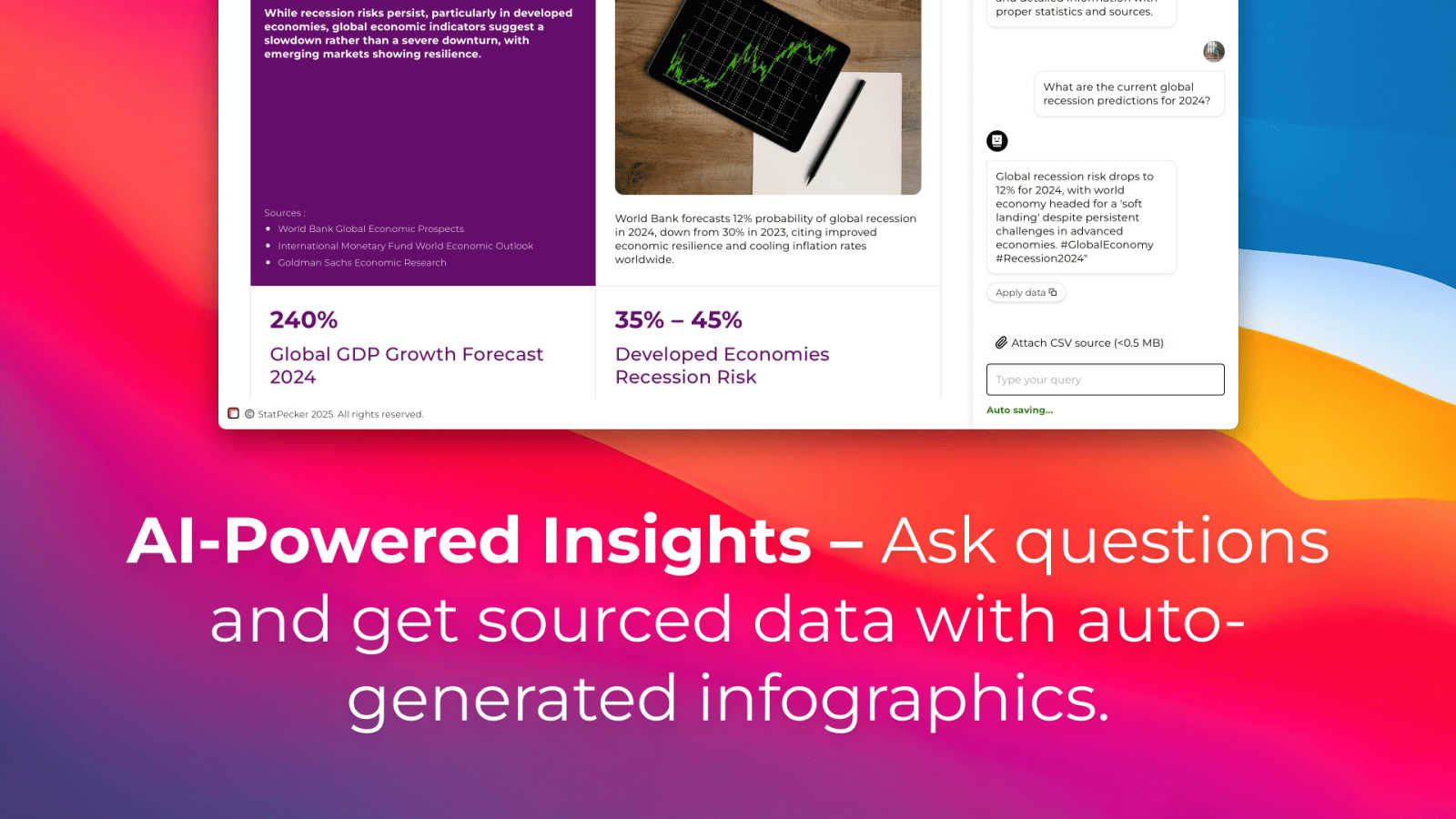
Ask Your Query
StatPecker allows you to gain instant insights by simply asking your question. Using AI technology, it provides validated answers without the need for complex tools or technical expertise. Just type your inquiry, and let StatPecker do the rest.
Publish & Embed
With StatPecker, you can create interactive visuals that can be effortlessly integrated into your blogs, articles, and websites. This feature ensures your audience engages with your content, enhancing their understanding of the data presented.
Upload & Analyze CSVs
StatPecker enables you to upload and analyze CSV files directly from your device. This feature allows you to extract key insights without the fuss of spreadsheets, making it easier to visualize and understand your data quickly.
Download & Use Anywhere
Export your stunning infographics as images for use in reports, presentations, and more. This feature provides flexibility, allowing you to utilize your visuals across various platforms and formats for seamless communication.
Use Cases
Roast My Web
For Freelancers Winning New Clients
As a freelancer, you need to stand out. Use Roast My Web to perform a stunning audit as part of your sales pitch. Delivering a detailed, branded report in your first meeting shows immense value and expertise, helping you win projects by proving you understand the client's needs before you're even hired.
For Agencies Scaling Service Delivery
Agencies can save massive amounts of time by automating the audit process. Instead of spending hours per client on manual reviews, you can generate a foundational report in minutes. This allows your team to focus on high-level strategy and implementation, enabling you to take on more clients without sacrificing quality.
For Founders Optimizing Their Own Website
Founders and indie hackers often wear many hats but may not be design or SEO experts. Roast My Web acts as your on-demand consultant, providing clear, step-by-step guidance on how to improve your landing page, fix conversion killers, and boost your search rankings—all without needing to hire an expensive consultant.
For Web Developers During QA & Handoff
Before handing a finished website to a client, run it through Roast My Web for a final check. It efficiently catches cross-device mobile issues, UX flaws, and technical SEO problems that are easy to miss. This ensures you deliver a higher-quality, more robust product and avoid those "it's broken on my phone" support emails.
StatPecker
Data-driven Blogging
Bloggers can leverage StatPecker to turn statistical data into engaging infographics. By visualizing complex information, they can enhance their posts, making them more informative and appealing to readers.
Business Analysis
Business analysts can utilize StatPecker to visualize sales trends and performance metrics. By generating clear and professional visuals, they can present findings to stakeholders in an understandable manner, aiding in decision-making processes.
Educational Purposes
Teachers can use StatPecker to create visual aids for their lessons. By transforming data into infographics, educators can help students grasp complex concepts more effectively, enhancing learning experiences.
Marketing Campaigns
Marketers can harness StatPecker to visualize campaign performance data. By presenting insights through interactive charts and infographics, they can effectively communicate results to their teams and clients, driving better marketing strategies.
Overview
About Roast My Web
Roast My Web is your friendly AI-powered assistant for making any website better. Think of it as a fast, expert website audit that works in just two minutes. You simply paste in a URL, and it gets to work, analyzing everything from design and user experience to SEO and mobile performance. It's built specifically for freelancers, agencies, and founders who want to improve their own site or provide incredible value to their clients. The magic is in how it translates complex website problems into simple, actionable steps. Instead of just telling you what's wrong, it gives you clear, prioritized fixes you can implement right away to boost conversions, build trust, and drive growth. With features to customize and brand the reports, it helps you save countless hours on manual work, present polished findings, and win more business by being the most prepared professional in the room. It's the easiest way to stop guessing about your website's performance and start making confident, impactful improvements.
About StatPecker
StatPecker is your friendly AI assistant designed to transform dull numbers into stunning, impactful visuals effortlessly. It acts as a magic wand for your data, allowing you to simply ask a question, upload a spreadsheet, or describe what you wish to visualize. In an instant, StatPecker generates professional-grade infographics that cater to a wide range of users, including bloggers, business analysts, teachers, and marketers. The main value proposition of StatPecker lies in its ability to save you countless hours of manual work typically associated with complex design software or the high costs of hiring a designer. Its core mission is to simplify data storytelling, ensuring that insights are communicated clearly and effectively while boosting audience engagement, all without any technical hurdles. With features like interactive chart publishing and image downloading for reports, StatPecker is the all-in-one tool you need to make your data shine, all while starting for free.
Frequently Asked Questions
Roast My Web FAQ
How long does an audit take?
An audit is incredibly fast! After you paste your URL, Roast My Web's AI needs only about two minutes to fully analyze your website and generate a comprehensive, detailed report ready for you to review, customize, and download.
What kind of issues does Roast My Web find?
The AI looks at a wide range of factors that influence success. This includes design flaws, user experience (UX) hurdles, conversion optimization opportunities, on-page SEO elements, and mobile responsiveness issues. It provides specific, actionable suggestions for each area it analyzes.
Can I customize the audit reports?
Absolutely! You have full control. You can use the manual editor to change any text, add your own comments, or hide sections. Most importantly, you can add your own branding—like your logo and color scheme—in less than a minute to create a white-labeled, client-ready PDF.
Is there a money-back guarantee?
Yes, there is a customer-friendly guarantee. You can try Roast My Web with confidence because it comes with a 30-day money-back guarantee. If you're not satisfied with the service for any reason, you can get a full refund within the first month.
StatPecker FAQ
How does StatPecker ensure data privacy?
StatPecker prioritizes your data privacy by keeping everything on your device during analysis. All insights generated from local CSV files are processed without sending your data to external servers.
Can I use StatPecker without any design skills?
Absolutely! StatPecker is designed for users without any design background. You can create professional-looking infographics simply by uploading your data and asking your questions.
What types of files can I upload to StatPecker?
You can upload CSV files of up to 50 MB for analysis. This feature allows you to explore your data efficiently without the limitations of traditional spreadsheet software.
Is there a free trial available?
Yes! StatPecker offers a free tier that allows users to start creating infographics without any cost. You can explore its features and capabilities before deciding to upgrade to a paid plan for additional benefits.
Alternatives
Roast My Web Alternatives
Roast My Web is an AI-powered website audit tool that helps agencies, freelancers, and founders quickly analyze their sites. It falls into categories like marketing, analytics, and development tools. The platform is designed to save time by generating client-ready reports with prioritized fixes in just minutes. People often look for alternatives for various reasons. This could be due to budget constraints, needing a different set of features, or wanting a tool that integrates with their existing software stack. It's a normal part of finding the perfect fit for your specific business workflow. When evaluating other options, consider what matters most to you. Key factors include the depth of the audit, the ability to customize and brand reports, the speed of analysis, and of course, the overall cost. A good alternative should effectively solve your core problem of identifying and communicating website improvements.
StatPecker Alternatives
StatPecker is an innovative AI-driven tool that transforms raw data into visually appealing infographics, making analytics accessible for everyone. It belongs to the Analytics & Data category, helping users turn complex datasets into clear, engaging visuals without the need for advanced technical skills or extensive design knowledge. Users often seek alternatives to StatPecker for various reasons, including pricing, specific feature requirements, or compatibility with different platforms. When choosing an alternative, it's essential to consider factors such as ease of use, the ability to analyze and visualize data seamlessly, and any unique features that may enhance your experience. Look for a solution that aligns with your needs and helps you effectively communicate insights.