qtrl.ai vs Quickfix AI
Side-by-side comparison to help you choose the right tool.

qtrl.ai
Scale your QA testing with AI agents while keeping full control and oversight.
Last updated: March 4, 2026

Quickfix AI
Quickfix AI instantly diagnoses your computer's health and provides clear, actionable insights for better performance.
Last updated: February 28, 2026
Visual Comparison
qtrl.ai

Quickfix AI
Feature Comparison
qtrl.ai
Enterprise-Grade Test Management
qtrl provides a robust, centralized foundation for all your QA activities. You can create, organize, and manage test cases, plan comprehensive test runs, and trace everything back to specific requirements. This ensures full visibility and creates detailed audit trails, which is essential for teams that need to meet compliance standards. It supports both manual testing workflows and automated processes, all in one organized place.
Progressive AI Automation
This feature allows you to adopt AI at your own pace. You can start by writing simple, high-level test instructions in plain English, and qtrl will execute them precisely. As you gain confidence, you can let qtrl's AI suggest and generate automated tests for you. Every AI-generated step is fully reviewable and editable, so you maintain complete oversight and control throughout your automation journey.
Autonomous QA Agents
qtrl's AI-powered agents act like intelligent team members that can execute testing tasks. You can instruct them to run tests on-demand or set them to run continuously. They operate across multiple browsers and real environments—not simulations—following the rules and permissions you set. This allows you to scale your test execution massively without a proportional increase in manual effort.
Adaptive Memory & Governance
The platform builds a living knowledge base of your application by learning from every test run, exploration, and identified issue. This "Adaptive Memory" makes test generation smarter and more context-aware over time. Crucially, all this happens within a governance-first framework. You have full visibility into agent actions, can set permission levels, and your secrets are kept encrypted and secure, never exposed to the AI.
Quickfix AI
Intelligent Reply Generation
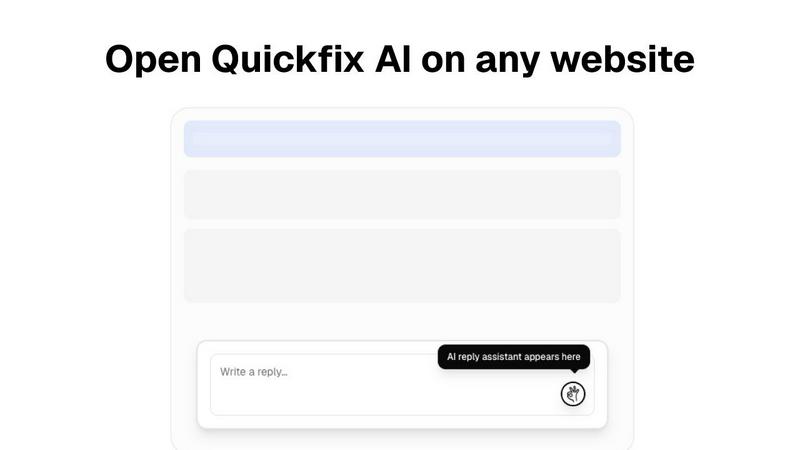
This feature allows Quickfix AI to analyze the context of any online text box and produce thoughtful, relevant replies with just one click. No more stress over what to say; AI takes care of it for you.
Comprehensive System Diagnostics
Quickfix AI scans your computer and provides a detailed report on performance metrics, including CPU usage, memory pressure, and storage health. This feature ensures that you can monitor your system's health effortlessly.
User-Friendly Interface
Designed for everyone, Quickfix AI features an intuitive interface that simplifies complex diagnostics. Users can easily navigate reports and understand the information without needing technical expertise.
Instant AI Consultation
With Quickfix AI, users can ask questions about their diagnostic reports and receive clear, straightforward answers. This feature empowers you to make informed decisions about your system's performance and necessary actions.
Use Cases
qtrl.ai
Scaling Beyond Manual Testing
For QA teams overwhelmed by repetitive manual checks, qtrl offers a smooth path forward. Teams can begin by structuring their existing manual test cases in the platform. Then, they can progressively automate the most tedious and high-value tests using AI, freeing up human testers to focus on more complex, exploratory work and significantly increasing test coverage and speed.
Modernizing Legacy QA Workflows
Companies stuck with outdated, siloed, or script-heavy automation frameworks can use qtrl to consolidate and modernize. The platform brings test management and execution into a single, user-friendly interface. Teams can gradually replace brittle scripts with AI-generated tests that are easier to maintain, reducing the long-term cost and complexity of test automation.
Ensuring Governance in Enterprise QA
Enterprises in regulated industries (like finance or healthcare) that require strict audit trails and compliance can trust qtrl. The platform provides full traceability from requirements to test execution, detailed logs of all AI agent activities, and enterprise-grade security. This allows large organizations to harness the power of AI for QA without sacrificing the control and documentation they need.
Supporting Product-Led Engineering Teams
Fast-moving product teams that need to ensure quality with every release can integrate qtrl into their CI/CD pipelines. Developers and QA can collaborate in one platform to create tests, get continuous quality feedback, and run automated checks across multiple environments. This helps ship features faster with confidence, maintaining a high bar for quality.
Quickfix AI
Troubleshooting Computer Issues
When your computer is acting up, Quickfix AI can identify problems quickly and provide recommendations. It takes the guesswork out of troubleshooting, making it easy even for those without technical backgrounds.
Enhancing Workplace Communication
In a fast-paced work environment, Quickfix AI helps you draft quick, effective replies to emails and messages. This saves time and ensures your communication is always professional and relevant.
Supporting IT Teams
IT support can use Quickfix AI as a diagnostic tool to assist users. By generating sharing codes, IT professionals can quickly assess issues remotely, streamlining the support process.
Assisting Non-Tech Users
Quickfix AI is perfect for everyday users who may be intimidated by technology. With its simple diagnostics and easy-to-understand language, it empowers anyone to manage their system health confidently.
Overview
About qtrl.ai
qtrl.ai is a modern, intelligent QA platform designed to help software teams scale their quality assurance efforts the smart way. It's built for teams who are tired of choosing between slow, manual testing and complex, brittle automation. qtrl provides a single, centralized hub where you can organize all your test cases, plan detailed test runs, and see exactly how your testing maps back to requirements. This gives engineering leads and QA managers crystal-clear visibility into what's been tested, what's passing, and where potential risks might be hiding.
What truly sets qtrl apart is its thoughtful, progressive approach to AI. Instead of forcing you into a risky "black-box" AI system from day one, qtrl lets you start simple with solid test management. When you're ready, you can gradually introduce powerful, trustworthy AI automation. The platform's autonomous agents can generate real browser tests from plain English instructions, keep those tests updated as your application changes, and run them at scale. This makes qtrl perfect for product-led engineering teams, QA groups moving beyond manual processes, companies modernizing old workflows, and any enterprise that needs strict compliance and audit trails. Ultimately, qtrl bridges the gap, offering a trusted, controlled path to faster and more intelligent quality assurance.
About Quickfix AI
Quickfix AI is a versatile digital companion designed to simplify two crucial tasks in your online life: communication and system diagnostics. As a powerful browser extension, it instantly generates tailored replies for various online platforms, whether you are responding to emails, interacting on social media, or addressing customer inquiries. This feature eliminates the frustration of writer's block, allowing you to respond quickly and effectively, saving you countless hours each week. Beyond communication, Quickfix AI also functions as a desktop application that provides comprehensive system diagnostics. In under a minute, it delivers a clear and straightforward report on your computer's health, performance, and security. Quickfix AI is ideal for professionals needing swift communication, everyday users seeking ease, and IT support teams wanting to troubleshoot efficiently. Its core value lies in its simplicity and power, placing advanced AI assistance at your fingertips to enhance your digital experience and productivity.
Frequently Asked Questions
qtrl.ai FAQ
How does qtrl.ai's AI work? Is it a "black box"?
No, qtrl is designed to be transparent and trustworthy. Its AI does not make hidden decisions. When it generates test steps from your instructions, you can see, review, and edit every single action it proposes. You have full visibility into what the autonomous agents are doing, and they operate only within the rules and permissions you define, ensuring you are always in control.
Can I use qtrl if my team only does manual testing right now?
Absolutely! qtrl is built for progression. You can start by using it as a powerful test management tool to organize your manual test cases, plans, and runs. When you feel ready to explore automation, the AI features are right there for you to start using gradually. There's no need to change your entire process overnight.
What kind of tests can the Autonomous QA Agents run?
The agents run real, end-to-end tests in actual browser environments (like Chrome or Firefox). They interact with your web application just like a human would—clicking buttons, filling forms, and validating content. They are not simulations, so you get accurate results that reflect the true user experience across different browsers and test environments.
How does qtrl handle security and sensitive data?
Security is a top priority. qtrl uses enterprise-ready security practices. Sensitive data like passwords and API keys are stored as encrypted environment variables and secrets. Crucially, these secrets are never exposed to or accessible by the AI agents during test execution, keeping your sensitive information completely safe.
Quickfix AI FAQ
Is Quickfix AI free?
Quickfix AI offers a free version with essential features. For advanced functionality, you may explore premium options available on their website.
Is my data secure?
Yes, Quickfix AI prioritizes user privacy and data security. It adheres to strict data protection protocols to ensure your information remains confidential.
Do I need technical knowledge to use Quickfix AI?
No, Quickfix AI is designed for users of all technical levels. Its intuitive interface and plain language explanations make it accessible to everyone.
How long does a scan take?
A system scan with Quickfix AI takes less than a minute, providing you with instant insights into your computer's performance and health.
Alternatives
qtrl.ai Alternatives
qtrl.ai is a modern QA platform in the automation and dev tools category. It helps software teams scale their testing efforts by combining structured test management with intelligent AI agents. This approach allows teams to automate tests while maintaining full control and governance over the entire quality assurance process. Users often explore alternatives for various reasons. These can include budget constraints, the need for different feature sets, or specific platform requirements like integration with existing tools. Some teams might be looking for a simpler entry point or a solution tailored to a very niche testing methodology. When evaluating different options, it's wise to consider a few key areas. Look at how the platform balances automation power with ease of use and control. Check if it can grow with your team's needs and whether it provides the visibility and reporting that your managers require. The right fit should align with your team's current workflow while offering a clear path to more advanced testing.
Quickfix AI Alternatives
Quickfix AI is an innovative tool designed to simplify two key aspects of digital life: communication and system diagnostics. As a powerful browser extension and desktop application, it helps users generate instant replies and provides easy-to-understand reports on computer health. This dual functionality places Quickfix AI in the productivity and management category, catering to a wide range of users from professionals to everyday individuals. Users often seek alternatives to Quickfix AI due to various reasons such as pricing, specific feature requirements, or compatibility with their preferred platforms. When searching for an alternative, it's essential to consider the range of features offered, ease of use, integration capabilities, and overall value for the price. Finding the right alternative can enhance your digital experience, ensuring you have the tools necessary to stay productive and efficient.