MindMap AI vs The Ultimate Piano
Side-by-side comparison to help you choose the right tool.

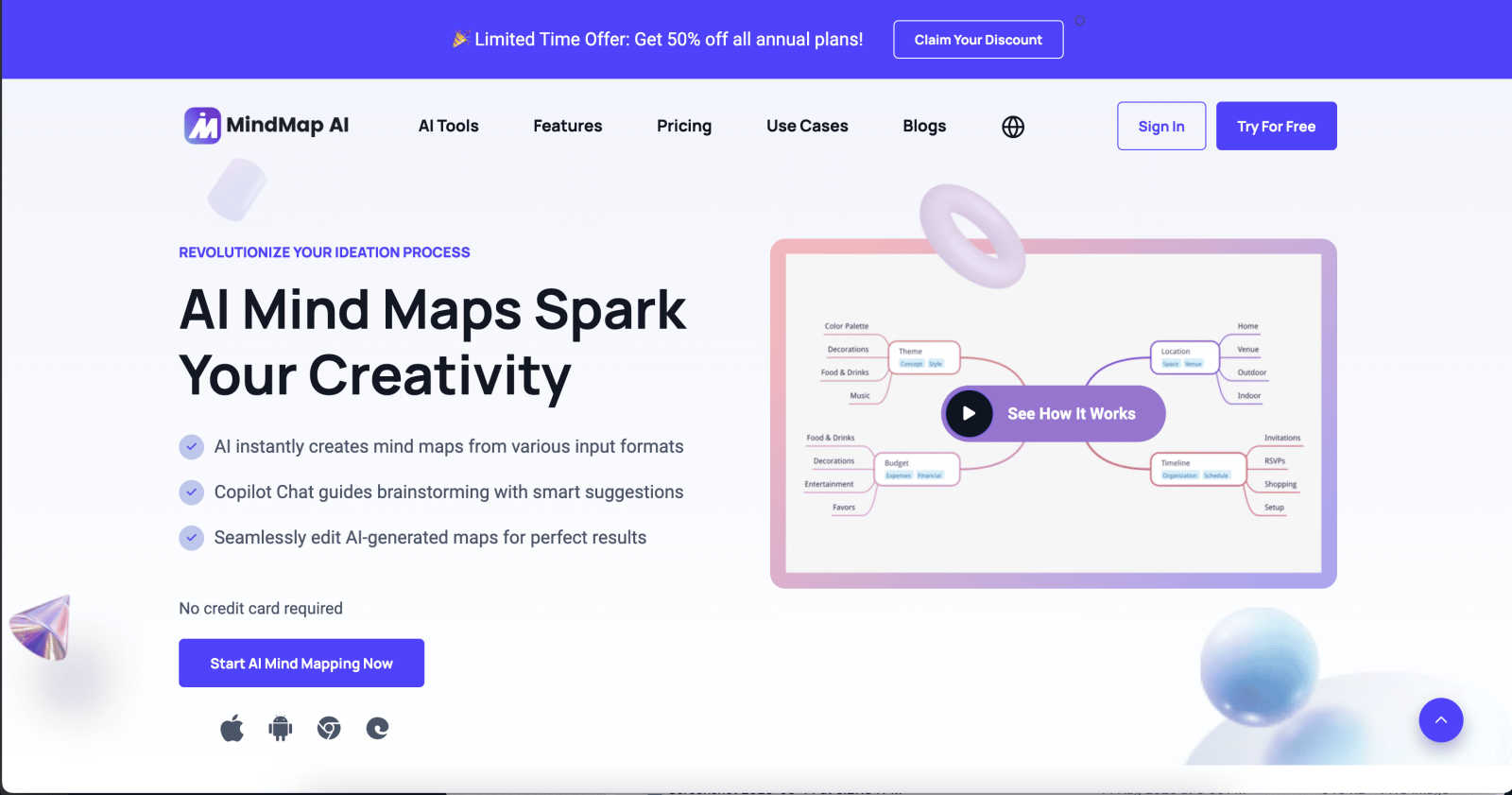
MindMap AI transforms your ideas and files into clear, editable mind maps, sparking creativity and enhancing.
Last updated: March 1, 2026

The Ultimate Piano
Learn piano online with interactive tools, real-time feedback, and support for your MIDI keyboard.
Last updated: March 4, 2026
Visual Comparison
MindMap AI
The Ultimate Piano

Feature Comparison
MindMap AI
AI Thinking Mode for Accuracy
MindMap AI employs a step-by-step reasoning engine that comprehensively understands context, hierarchy, and relationships in your ideas. This ensures that every mind map generated is not just a random collection of branches but a structured, meaningful representation of your thoughts from the very first attempt.
File-to-Map Conversion
With MindMap AI, you can easily transform any content type—be it text, PDFs, images, audio, or video—into a clean and visually appealing mind map instantly. This feature eliminates the need for manual formatting, allowing you to focus on thinking, planning, and creating right away.
Multi-Language Support
MindMap AI supports the creation and editing of mind maps in over 25 languages, maintaining the same level of accuracy and structural integrity. This feature ensures that language barriers do not break the flow of your ideas, making it accessible to a global audience.
Continuous Editing
This feature allows you to build and refine your mind map exactly how you envision it. Whether you prefer manual editing or AI-assisted co-creation, MindMap AI gives you the flexibility to expand, summarize, and reorganize your map with ease, while maintaining full control over your design.
The Ultimate Piano
Play Piano Online Instantly
Jump right into playing without any downloads or installations. Simply open your web browser and start making music. You can use your mouse to click keys, your computer keyboard as a piano, or connect a real MIDI keyboard for a more traditional playing experience. The tool features high-quality, realistic piano samples that make every note sound beautiful and authentic, encouraging you to play and explore.
MIDI Player with Falling Notes Visualization
Learn songs faster by watching them come to life. Upload any MIDI file, and you'll see the notes light up on the keyboard as they play, just like in popular learning apps. You have full control: slow down the tempo to a comfortable speed, loop tricky sections to practice them repeatedly, or even step through the song note-by-note to master every detail without feeling rushed.
Real-Time Chord Detection & Explorer
Unlock the secrets of harmony as you play. This smart feature listens to your playing and instantly displays the name of the chord you are creating on the screen. It’s a fantastic, hands-on way to learn how chords are built and how they relate to each other. The accompanying Chord Explorer lets you dive deeper into music theory, showing you the notes that make up any chord you select.
Integrated Audio & YouTube Player
Practice along with your favorite music seamlessly. You can upload your own MP3 files or paste a YouTube video link directly into the tool. Slow down the playback speed without changing the pitch to learn complex solos note-for-note. Use the A-B loop function to isolate and repeat a challenging four-bar phrase over and over until you nail it, turning any song into an interactive lesson.
Use Cases
MindMap AI
Brainstorming Sessions
MindMap AI is ideal for brainstorming sessions, enabling teams to collectively visualize their ideas in real-time. By creating a structured mind map, teams can capture thoughts and concepts more effectively, facilitating more productive discussions and decision-making.
Project Planning
When managing a project, MindMap AI helps in outlining tasks, deadlines, and responsibilities in a clear visual format. This not only aids in organization but also allows team members to understand their roles and how they contribute to the project's success.
Knowledge Management
For researchers and students, MindMap AI serves as a powerful tool for organizing and summarizing information from various sources. By creating mind maps from articles, lectures, or notes, users can distill complex topics into digestible formats that enhance understanding and retention.
Strategic Planning
MindMap AI assists in forming and visualizing strategic plans by breaking down complex strategies into manageable components. This clarity helps organizations align their goals and initiatives while ensuring that everyone is on the same page regarding the overall vision.
The Ultimate Piano
The Complete Beginner's Starting Point
If you've never touched a piano before, this is your ideal launchpad. Start by learning the names of the notes with the helpful key labels. Use the "Kids Mode" with fun animal icons to make it engaging, or follow along with simple YouTube tutorials using the built-in player. The instant feedback from the tool helps you build confidence from your very first note.
The Song Learner's Practice Partner
Do you want to learn a specific song? Load the MIDI file or a YouTube tutorial of the piece. Use the falling notes to see exactly which keys to press and slow down difficult sections. Record yourself playing along with the MIDI recorder, then listen back to track your progress and identify areas that need a little more work.
The Music Theory Student's Visual Aid
Struggling to understand scales or chord progressions? Select a scale like the "Blues Scale in Ab" and see it highlighted across the keyboard while hearing it played. Use the Scale Trainer to get feedback on your accuracy and timing. Play random chords and use the real-time chord detection to learn their names, solidifying the connection between sound and theory.
The Busy Musician's On-the-Go Studio
Life is busy, but your practice doesn't have to stop. Since it works on tablets and smartphones, you can practice during your lunch break or while traveling. Connect a portable MIDI keyboard, use the metronome to work on your timing, or do some quick ear training exercises—all without needing your main computer or dedicated software.
Overview
About MindMap AI
MindMap AI is an innovative mind mapping software designed to help individuals and teams transform their scattered thoughts and complex information into clear, actionable visual plans. Whether you are a professional, student, or researcher, MindMap AI serves as your intelligent partner in the creative process, instantly converting raw materials—like text notes, PDFs, meeting recordings, images, and videos—into beautifully structured mind maps within seconds. This powerful tool not only saves hours of manual effort but also empowers users to dive straight into the strategic part of thinking. The AI acts as a co-pilot, allowing users to interact with their mind maps by asking questions, summarizing sections, or expanding on ideas, creating a dynamic workspace that fosters exploration and collaboration. With features that support effective brainstorming, project planning, and knowledge organization, MindMap AI is the ultimate solution for anyone looking to enhance productivity and clarity in their thinking processes.
About The Ultimate Piano
The Ultimate Piano is your all-in-one, browser-based piano studio, designed to make learning and practicing piano simple, effective, and fun. It's the perfect tool for anyone with a passion for music, from complete beginners taking their first steps to experienced players looking to sharpen their skills. Forget about complicated software installations—everything runs directly in your web browser. You can start playing instantly using your computer keyboard, mouse, or by connecting a real MIDI keyboard for an authentic feel. The platform combines beautiful, realistic piano sounds with powerful learning tools to help you visualize and understand music. Whether you want to learn chords, master scales, play along with your favorite songs, or even record your own performances, The Ultimate Piano provides a supportive and interactive environment. It’s like having a patient teacher, a full music theory book, and a personal practice room available anytime, anywhere, on any device.
Frequently Asked Questions
MindMap AI FAQ
How does MindMap AI work?
MindMap AI uses advanced AI algorithms to convert various forms of content into structured mind maps. Users can input text, PDFs, images, and more, and the tool automatically organizes this information into a cohesive visual format.
Can I edit my mind maps after they are created?
Yes, MindMap AI allows for continuous editing. You can manually adjust, expand, and reformat your mind maps at any time, ensuring that your ideas evolve without losing the original structure.
Is MindMap AI suitable for collaborative work?
Absolutely! MindMap AI is designed to facilitate collaboration, allowing multiple users to work on a mind map simultaneously. The AI co-editing feature respects individual contributions while enhancing the overall output.
What types of content can be converted into mind maps?
MindMap AI can convert a wide range of content types, including text notes, PDFs, images, audio recordings, videos, and even Markdown or CSV files. This versatility makes it an invaluable tool for various users across different fields.
The Ultimate Piano FAQ
Do I need to install anything to use Ultimate Piano?
No, you do not need to install any software! The Ultimate Piano is entirely browser-based. This means you can access it directly from your web browser (like Chrome, Safari, or Firefox) on your computer, tablet, or smartphone. Just visit the website, and you can start playing and practicing immediately.
Can I connect my MIDI keyboard?
Absolutely! Connecting a MIDI keyboard is highly recommended for the best experience. Simply plug your keyboard into your computer (usually via USB), and the Ultimate Piano will automatically detect it. You can then play with a realistic, weighted key feel. The tool also supports connecting a sustain pedal for more expressive playing.
What chords and scales can I learn?
The Ultimate Piano includes a comprehensive library for learning. You can explore and practice 14 different scale types, from major and minor to more advanced modes like Dorian and Mixolydian. The chord explorer covers a vast range, from basic triads (like C Major) to complex seventh and extended chords (like Gmaj7), giving you a deep understanding of harmony.
Can I practice along with my own songs?
Yes, you can! The built-in Audio Player allows you to upload your own MP3, WAV, or other audio files to play along with. Even better, the YouTube Player lets you paste a link to any YouTube video—like a song, tutorial, or performance—and practice directly alongside it. You can slow it down, set loops, and save markers for easy practice.
Alternatives
MindMap AI Alternatives
MindMap AI is an innovative tool designed to transform scattered thoughts and complex information into clear, actionable mind maps. As a leading AI-powered mind mapping software, it falls into the productivity and management category, catering to professionals, teams, students, and creative thinkers who want to enhance their brainstorming and planning processes. Users often seek alternatives to MindMap AI for various reasons, including pricing constraints, specific feature needs, or compatibility with preferred platforms. When choosing an alternative, it's essential to consider factors such as ease of use, the ability to import different file types, collaborative features, and overall functionality to ensure it meets your unique requirements.
The Ultimate Piano Alternatives
The Ultimate Piano is a fantastic browser-based tool in the music education category. It lets you practice piano directly online with realistic sounds, interactive lessons, and MIDI support, making it a great choice for learners. People often look for alternatives for different reasons. Maybe they need an app for their phone or tablet, want a different set of learning features, or are exploring other pricing options. It's completely normal to shop around to find the perfect fit for your personal practice style and goals. When choosing an alternative, think about what matters most to you. Consider if you need mobile access, specific training tools like song libraries or rhythm exercises, and whether a one-time purchase or a subscription model works better for your budget. The best tool is the one you'll enjoy using regularly.