invoice Sonic vs PrepMyList
Side-by-side comparison to help you choose the right tool.

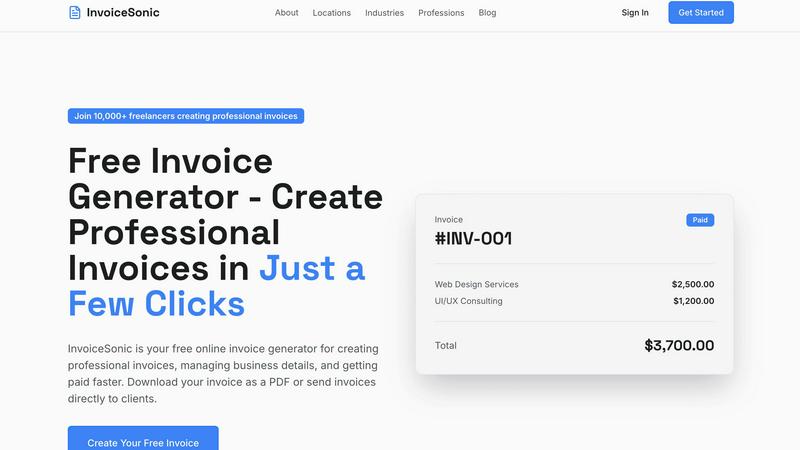
Create professional invoices for free in seconds with no signup required.
Last updated: February 28, 2026

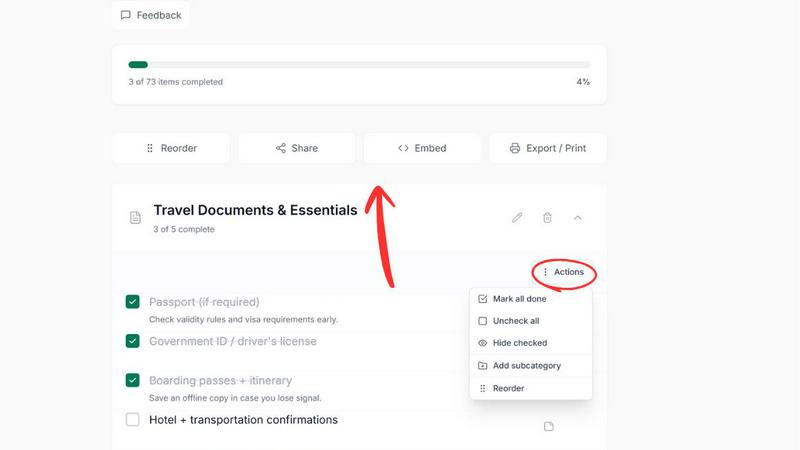
Easily create and share customizable checklists online for any task or event without signup, all for free.
Last updated: March 1, 2026
Visual Comparison
invoice Sonic
PrepMyList
Feature Comparison
invoice Sonic
Completely Free Tier
InvoiceSonic offers a genuinely free plan that allows you to create up to 5 professional invoices every single month without any hidden fees or requiring a credit card. This is perfect for new freelancers or businesses testing the waters, providing full functionality to create, customize, and download invoices with no financial commitment. You can experience the entire process and see how it streamlines your workflow before ever considering an upgrade.
Professional, Customizable Templates
Choose from a library of clean, modern invoice templates designed to suit various industries and look professional. You can easily customize these templates by adding your business name, logo, contact details, and brand colors. This ensures every invoice you send is consistent and reinforces your professional identity, making a great impression on your clients right from the first interaction.
Instant PDF Generation and Download
Once you’ve filled in your details and line items, you can download your completed invoice as a polished PDF file instantly with a single click. This PDF is ready to be printed or emailed directly to your client. The format is clean and professional, including all necessary details like the invoice number, dates, terms, and a clear breakdown of charges, ensuring there is no confusion for your client when it’s time to pay.
Automatic Calculations and Tax Handling
The tool automatically calculates everything for you as you work. Simply enter the quantity and price for each line item, and InvoiceSonic instantly computes the subtotal, applies any tax (like GST) you specify, and shows the final total. This eliminates manual math errors, saves you time, and guarantees that every invoice you send is 100% accurate, helping you avoid billing disputes.
PrepMyList
Online Checklist Generator
PrepMyList offers an intuitive online checklist generator that allows users to create and manage checklists for a variety of purposes. With just a few clicks, users can select a category, customize items, and generate a checklist ready for use. This feature eliminates the need for complex software or applications.
Customization Options
One of the standout features of PrepMyList is the ability to customize checklist items and add personal notes. Users can tailor their checklists to suit their unique requirements, ensuring that every task is relevant and organized. This flexibility helps users to maintain focus on what truly matters.
Guided Setup
PrepMyList provides a guided setup for popular checklist categories like Road Trip and Car Maintenance. This feature simplifies the checklist creation process by asking users specific questions and generating a tailored checklist based on their answers, making it easier to prepare for important tasks.
Easy Sharing and Exporting
Users can share their checklists effortlessly through a generated link or QR code. Additionally, PrepMyList supports exporting checklists as PDF or CSV files, allowing for easy printing and offline use. This feature makes it simple to collaborate with others or keep a physical copy for reference.
Use Cases
invoice Sonic
The Freelancer or Solo Entrepreneur
Freelancers like writers, designers, or consultants can use InvoiceSonic to quickly bill their clients for project-based or hourly work. They can create a professional invoice in minutes after a project concludes, add their logo for branding, and send the PDF directly via email. This simplicity allows them to spend more time on client work and less on administrative tasks, ensuring they get paid promptly for their services.
The Small Business or Startup Owner
Small business owners managing multiple clients or projects can use InvoiceSonic to maintain a consistent and professional billing image without investing in expensive software. They can save their business details and logo to reuse on every invoice, manage different client billing details, and handle recurring invoices for retainer clients, all from a simple, centralized, and free platform.
The Tradesperson or Service Provider
Plumbers, electricians, handymen, and other service providers can generate invoices on-the-go right after completing a job. They can itemize parts and labor, apply sales tax correctly, and give a clear, professional receipt to the customer immediately. This improves cash flow by providing instant documentation and presents their service as organized and trustworthy.
The Online Seller or Crafter
Individuals selling goods on platforms like Etsy or at local markets can use InvoiceSonic to create formal invoices for custom orders, wholesale purchases, or direct sales. They can list multiple items, descriptions, and quantities, with automatic totaling, which is far more professional than a handwritten receipt and helps in keeping accurate records for their small business.
PrepMyList
Weekend Trip Planning
PrepMyList is perfect for planning weekend trips. Users can create a customized road trip checklist that includes packing essentials, itineraries, and necessary documents to ensure nothing is forgotten before hitting the road.
Car Maintenance Tracking
With a dedicated car maintenance checklist, users can keep track of routine checks, safety equipment, and legal requirements. This ensures that vehicles are always in top condition, promoting safety and compliance on the road.
Daily Task Management
Individuals can leverage PrepMyList for daily task management. By creating a personalized checklist for everyday chores or work tasks, users can stay organized and focused, making it easier to accomplish their goals.
Event Planning
PrepMyList is also ideal for planning events, such as parties or family gatherings. Users can create detailed checklists that cover everything from guest lists to decoration needs, ensuring that every aspect of the event is well thought out and executed.
Overview
About invoice Sonic
InvoiceSonic is a completely free, online tool designed to make creating professional invoices incredibly simple and fast. It's built specifically for freelancers, small business owners, and startups who want to look professional without dealing with complicated accounting software or messy spreadsheets. The core idea is powerful yet simple: anyone can generate a polished, accurate, and beautifully designed invoice in seconds, with no cost and no prior experience required. You don't even need to create an account to get started, which means you can go from zero to a finished invoice in under a minute.
The platform takes care of all the complex and tedious parts for you. It automatically handles calculations for subtotals, taxes, and final totals, ensures perfect formatting, and provides modern templates that make your business look credible. This allows you to focus entirely on your actual work, not on billing headaches. Whether you need to send a one-time invoice to a new client or manage recurring billing for several customers, InvoiceSonic provides all the essential tools. It helps you present your business professionally, which in turn helps you get paid faster, all directly from your web browser. It’s the stress-free way to handle your invoicing.
About PrepMyList
PrepMyList is a free, no-signup checklist tool designed to simplify everyday planning for everyone. This user-friendly online platform allows users to create, customize, and manage interactive checklists tailored to their specific needs. Ideal for busy individuals, families, and professionals, PrepMyList helps streamline task management, ensuring that nothing gets overlooked. Whether you are organizing a weekend trip, prepping your car for maintenance, or tracking daily tasks, this tool makes the process effortless. With ready-made templates available for various tasks, users can easily start from scratch or utilize guided setups for common scenarios like road trips and car maintenance. Accessible directly in your browser, PrepMyList eliminates the hassle of account setups, enabling you to focus on getting things done efficiently and effectively.
Frequently Asked Questions
invoice Sonic FAQ
Is InvoiceSonic really free to use?
Yes, InvoiceSonic is truly free. You can create, customize, and download up to 5 invoices per month without any cost, sign-up, or credit card required. This free tier gives you access to professional templates and all core features. If you need to create more than 5 invoices a month, you can explore creating a free account for additional capacity.
Do I need to create an account to make an invoice?
No, you do not need to create an account to generate and download your first invoices. You can start using the free invoice generator immediately on the website. Creating a free account is optional and provides benefits like saving your business details for future use and managing more invoices, but it is not a requirement to get started.
Can I add my company logo and branding to the invoices?
Absolutely! A key feature of InvoiceSonic is the ability to fully customize your invoices. You can upload your business logo, set your brand colors, and save your business details (name, address, contact info). Once saved, this information is automatically applied to every new invoice you create, ensuring brand consistency.
What file format do the invoices come in?
Invoices are generated and downloaded as high-quality PDF files. The PDF format is universally accepted, looks professional, and ensures the formatting remains intact regardless of how your client views or prints it. You can then attach this PDF directly to an email and send it to your client for payment.
PrepMyList FAQ
Is PrepMyList free to use?
Yes. PrepMyList is completely free and does not require signup or payment. Users can create and manage their checklists without any financial commitment.
Do I need to create an account?
No, you do not need to create an account to use PrepMyList. Users can create, customize, and share checklists without account creation, making the process quick and easy.
Can I print my checklist?
Absolutely! PrepMyList allows users to export their checklists as PDF or CSV files, which can be printed for offline use. This feature is great for those who prefer physical copies of their checklists.
How do I share a checklist?
You can share your checklist by generating a link or QR code that can be easily distributed. Anyone with the link will be able to view and edit the shared checklist, making collaboration straightforward and convenient.
Alternatives
invoice Sonic Alternatives
InvoiceSonic is a free online tool in the productivity and management category that helps you create professional invoices quickly. It's designed to be simple and accessible, letting you generate and download invoices without even needing to create an account. People often look for different tools because their needs change. Maybe you need to create more than a few invoices each month, require deeper features like expense tracking, or want an app that works on your phone. It's perfectly normal to explore options as your business grows. When choosing a different tool, think about what matters most for your workflow. Consider factors like cost, the number of invoices you send, whether you need client management features, and how easy the platform is to use on your devices. The right choice is the one that saves you the most time and hassle.
PrepMyList Alternatives
PrepMyList is a user-friendly online checklist generator that allows individuals to create, customize, and share checklists effortlessly without the need for signup. It serves as a practical tool for organizing tasks related to various activities, such as planning events or managing daily responsibilities. Users often seek alternatives to PrepMyList for reasons like pricing, specific feature sets, or compatibility with different platforms. When considering an alternative, it's important to evaluate factors such as ease of use, customization options, and whether the tool meets your specific organizational needs.