
Hush Touch | Voice-to-Text for MacOS vs Vailo AI
Side-by-side comparison to help you choose the right tool.

Hush Touch | Voice-to-Text for MacOS
Hush Touch offers smart offline voice-to-text for Mac, learning your vocabulary and simplifying dictation for just $20.
Last updated: February 26, 2026

Vailo AI
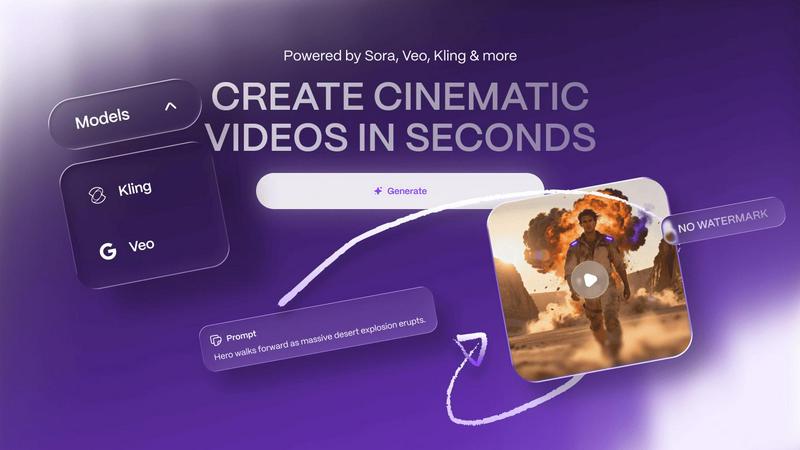
Vailo AI instantly creates beautiful, watermark-free videos and images from your simple text descriptions.
Last updated: February 28, 2026
Visual Comparison
Hush Touch | Voice-to-Text for MacOS

Vailo AI
Feature Comparison
Hush Touch | Voice-to-Text for MacOS
Dual Engine Recognition
Hush Touch employs a dual-engine recognition system that combines DictationTranscriber for natural flow and punctuation with SFSpeechRecognizer for enhancing your custom vocabulary. Together, they ensure that your dictation is not only accurate but also contextually relevant.
Custom Vocabulary
The app allows users to build a custom vocabulary of up to 500 terms, which it learns and adapts over time. This feature is particularly beneficial for professionals with specialized jargon, such as medical or technical terminology, ensuring that Hush Touch understands and accurately transcribes what you say.
Smart Text Processing
Hush Touch incorporates smart text processing features that include filler word removal and auto-correction. It detects unnecessary words and corrects common errors in real time, making your dictation cleaner and more professional without any extra effort on your part.
Context Modes & Hands-Free Operation
With context modes tailored for General, Email, Code, and Notes, Hush Touch adapts to your specific dictation needs. You can also activate hands-free dictation by saying "Hey Siri, start touch," allowing for a completely hands-free experience that automatically inserts text after a pause.
Vailo AI
Image Studio
The Image Studio is your gateway to generating beautiful, authentic imagery in moments. No design skills are needed. Simply describe what you want to see in a text prompt, and Vailo AI will do the rest. This feature allows you to create images with natural texture and easy style, perfect for any project that requires high-quality visuals without the hassle of photoshoots or complex graphic design software.
Video Generation
Turn your ideas into motion with Vailo's powerful Video Generation tool. You can create cinematic-quality videos from a simple text description or by animating a static image. This feature is perfect for producing short films, social media clips, or product promos. It gives you access to top-tier AI models to generate professional videos in seconds, eliminating the need for filming, actors, or camera gear.
Edit Image & Video
Vailo AI isn't just for creation; it's for perfecting. The platform includes robust editing tools for both images and videos. You can refine your generated content, adjust styles, apply effects, and ensure every piece matches your vision. This all-in-one approach means you don't need to switch between different apps, keeping your entire creative workflow streamlined and efficient within Vailo's single workspace.
Motion Control & Upscaling
Add dynamic movement to your images with Motion Control, bringing still pictures to life with subtle, realistic motion. Furthermore, the Upscaling feature enhances the resolution and quality of your generated images and videos, ensuring they look sharp and professional even when enlarged. These advanced tools provide the finishing touches that elevate your content from good to studio-level great.
Use Cases
Hush Touch | Voice-to-Text for MacOS
Drafting Emails
Hush Touch is perfect for busy professionals who need to draft emails quickly. With hands-free dictation and customizable command phrases, you can compose messages without interrupting your workflow, ensuring efficient communication.
Taking Notes
Students and professionals alike can benefit from using Hush Touch to take notes during lectures or meetings. You can focus on listening and understanding while the app captures your thoughts accurately, allowing you to revisit important information easily.
Writing Content
For writers and content creators, Hush Touch offers a unique way to brainstorm and draft articles or blog posts. Its ability to recognize context and specialized vocabulary makes it an invaluable tool for producing high-quality written content effortlessly.
Managing Tasks
You can also use Hush Touch to manage your daily tasks or create to-do lists by simply dictating your tasks. This feature helps you stay organized without needing to type, making it easier to keep track of your responsibilities.
Vailo AI
Social Media Marketing
Create eye-catching ads, promotional clips, and engaging posts for platforms like Instagram, TikTok, and Facebook. Vailo AI helps marketers and small business owners produce a high volume of professional-looking content quickly and affordably, keeping their social feeds fresh and engaging without a large production budget.
Product Visualization and Showcases
Designers and e-commerce brands can use Vailo to generate stunning visuals and videos of their products. Create realistic scenes, demonstrate features, or build storyboards for upcoming launches—all without the cost and time of organizing a physical photoshoot or video production.
Storyboarding for Filmmakers
Independent filmmakers and content creators can rapidly prototype scenes and visualize story ideas. By generating images and short video clips from text descriptions, Vailo serves as a powerful pre-visualization tool, helping to plan shots, convey concepts to teams, and secure funding for projects with compelling visual pitches.
Educational and Explainer Content
Teachers, trainers, and educators can create clear, engaging explainer videos and illustrative images to enhance learning materials. Transform complex concepts into easy-to-understand visual stories, making educational content more accessible and captivating for students of all ages.
Overview
About Hush Touch | Voice-to-Text for MacOS
Hush Touch is a revolutionary voice-to-text application designed specifically for MacOS users who seek a fast, natural, and private dictation experience. This app operates entirely on-device, ensuring that your dictation is processed offline, which enhances privacy and speed. By utilizing two advanced Apple transcription engines combined with an Apple Intelligence final processing pass, Hush Touch delivers cleaner and more accurate text output. Ideal for professionals and everyday users alike, it streamlines tasks such as drafting emails, messages, notes, and documents without the need for typing. With its lightweight installation of just 5.5 MB, Hush Touch seamlessly integrates into your daily writing workflow, allowing you to dictate hands-free or with customizable voice commands. Experience the convenience of accurate dictation without relying on cloud services, making it the perfect tool for anyone who values privacy and efficiency.
About Vailo AI
Welcome to Vailo AI, your all-in-one creative studio powered by artificial intelligence! Imagine having a professional video and image creation suite right at your fingertips, ready to bring your ideas to life in seconds. Vailo AI is designed to transform simple text prompts or static images into stunning, cinematic-quality videos and visuals. Whether you're a complete beginner with no technical skills or a seasoned creator looking to speed up your workflow, Vailo makes it incredibly easy. The platform is built for creators, filmmakers, designers, marketers, and brands who want to produce engaging content like social media ads, product showcases, and storyboards without the need for expensive cameras, film crews, or complex editing software. The best part? You can start for free, with no watermarks on your creations, and access a powerful suite of tools that puts multiple premium AI models into one simple, intuitive platform. Vailo combines everything into one: one account, one workflow, and one subscription, making professional-grade content creation accessible to everyone.
Frequently Asked Questions
Hush Touch | Voice-to-Text for MacOS FAQ
How does Hush Touch ensure privacy?
Hush Touch processes all voice data entirely on your Mac, with no reliance on cloud services. This means that your voice and dictation data is not collected or stored online, ensuring maximum privacy.
Can I customize my vocabulary in Hush Touch?
Yes! Hush Touch allows you to create a custom vocabulary of up to 500 terms, which can be learned over time. This is particularly useful for those who frequently use specialized jargon or unique terminology.
Is Hush Touch compatible with all MacOS versions?
Hush Touch is designed for MacOS and is compatible with a wide range of versions. However, it's always recommended to check the specific system requirements on the official website before downloading.
What is the pricing model for Hush Touch?
Hush Touch offers a one-time purchase option for a lifetime license at just $20. There are no subscriptions or ongoing fees required, making it a cost-effective solution for voice-to-text needs.
Vailo AI FAQ
Is there a free plan to try Vailo AI?
Yes! Vailo AI offers a generous Free Plan to get you started. It includes 40 credits, plus 200 bonus credits upon signing up. You can use these to generate images and videos with all the premium models available on the platform. Best of all, your creations come with no watermark, so you can freely use what you make.
What can I create with the credits?
Credits are used to generate content. For example, on premium models, 400 credits can give you approximately 6 short videos (5 seconds each) or over 50+ images. The exact number varies based on the model and output length, but Vailo provides clear estimates so you can plan your projects effectively.
Who is the Creator Plan best suited for?
The Creator Plan, at $20 per month for 2500 credits, is ideal for active creators, social media managers, and small businesses with consistent content needs. It's perfect if you have some AI experience and a high demand for generations, offering up to 200 videos and 1000+ images monthly to fuel your creative pipeline.
Do I need any technical or design skills to use Vailo?
Not at all! Vailo AI is built to be beginner-friendly. The core process involves typing a text description of what you want to create. The platform's intuitive interface and ready-made templates guide you through each step, making it easy for anyone to generate professional imagery and videos without prior technical knowledge.
Alternatives
Hush Touch | Voice-to-Text for MacOS Alternatives
Hush Touch | Voice-to-Text for MacOS is an innovative app designed to provide seamless dictation for macOS users. As a part of the AI Assistants category, it offers an offline solution that combines advanced transcription technology with an emphasis on privacy and user control. Many users seek alternatives to Hush Touch for various reasons, including pricing concerns, feature sets, and specific platform requirements. When considering alternatives, it's essential to evaluate factors such as compatibility with your operating system, the accuracy of voice recognition, ease of use, and whether the solution supports offline functionality. Additionally, think about the licensing model and whether it aligns with your budget and long-term needs.
Vailo AI Alternatives
Vailo AI is a powerful all-in-one creative studio that uses artificial intelligence to generate videos and images. It falls into the categories of generative art and AI assistants, making it easy for anyone to create professional-looking content from simple text or image prompts. People often explore alternatives to find a tool that better fits their specific needs. This could be due to budget constraints, a desire for different features, the need for a platform that works on a specific device, or simply wanting to compare options before committing. When looking for a different tool, consider what matters most for your projects. Key factors include the quality and style of the output, the types of AI models available, ease of use, pricing plans, and whether the platform offers the specific features you need, like text-to-video or image animation.