
Filator vs qtrl.ai
Side-by-side comparison to help you choose the right tool.

Filator
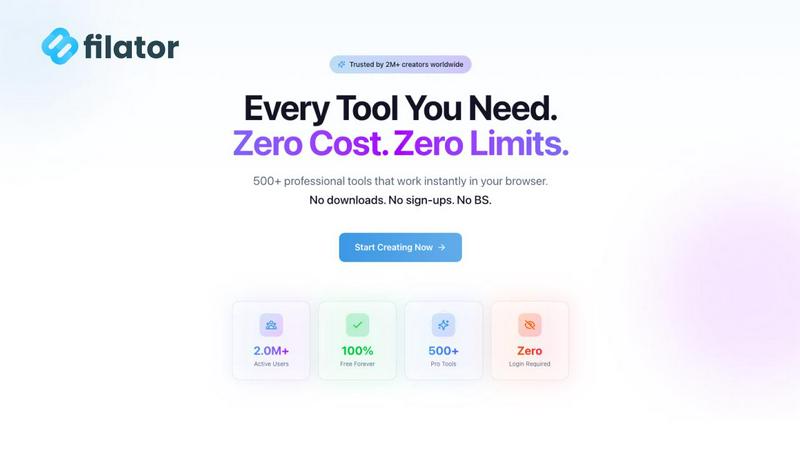
Filator is a free all-in-one platform with 500+ tools to create, convert, and automate tasks effortlessly.
Last updated: March 1, 2026

qtrl.ai
Scale your QA testing with AI agents while keeping full control and oversight.
Last updated: March 4, 2026
Visual Comparison
Filator
qtrl.ai

Feature Comparison
Filator
Instant Access to Tools
Filator provides immediate access to a wide variety of tools without the need for any registration. Just visit the site, pick a tool, and start using it right away. This ensures you can accomplish your tasks without delays or the need to remember multiple passwords.
Professional-Grade Output
Every tool on Filator is designed to deliver high-quality results. Whether you are converting files or generating AI content, you can expect professional-grade output in various formats, ensuring that your work meets industry standards.
AI-Powered Functionality
Filator harnesses the power of AI to enhance user experience. From generating content to analyzing documents, the AI tools understand context and provide smart suggestions, making your tasks easier and quicker to complete.
Workflow Automation
With Filator, you can chain tools together to automate repetitive tasks. This feature allows you to create efficient workflows that save time and reduce manual effort, empowering you to focus on more important aspects of your projects.
qtrl.ai
Enterprise-Grade Test Management
qtrl provides a robust, centralized foundation for all your QA activities. You can create, organize, and manage test cases, plan comprehensive test runs, and trace everything back to specific requirements. This ensures full visibility and creates detailed audit trails, which is essential for teams that need to meet compliance standards. It supports both manual testing workflows and automated processes, all in one organized place.
Progressive AI Automation
This feature allows you to adopt AI at your own pace. You can start by writing simple, high-level test instructions in plain English, and qtrl will execute them precisely. As you gain confidence, you can let qtrl's AI suggest and generate automated tests for you. Every AI-generated step is fully reviewable and editable, so you maintain complete oversight and control throughout your automation journey.
Autonomous QA Agents
qtrl's AI-powered agents act like intelligent team members that can execute testing tasks. You can instruct them to run tests on-demand or set them to run continuously. They operate across multiple browsers and real environments—not simulations—following the rules and permissions you set. This allows you to scale your test execution massively without a proportional increase in manual effort.
Adaptive Memory & Governance
The platform builds a living knowledge base of your application by learning from every test run, exploration, and identified issue. This "Adaptive Memory" makes test generation smarter and more context-aware over time. Crucially, all this happens within a governance-first framework. You have full visibility into agent actions, can set permission levels, and your secrets are kept encrypted and secure, never exposed to the AI.
Use Cases
Filator
Content Creation for Marketers
Marketers can use Filator's AI content generation tools to create engaging social media posts, blogs, and newsletters. This streamlines their content strategy, allowing them to produce high-quality copy in a fraction of the time.
PDF Editing for Students
Students often need to handle various PDF documents for assignments and projects. With Filator's PDF tools, they can easily edit, merge, split, or convert PDFs, making their academic work more manageable and efficient.
Image Manipulation for Designers
Graphic designers can take advantage of Filator's image tools to edit photos, remove backgrounds, or convert image formats quickly. This allows them to focus more on creativity and less on technical hurdles.
Quick QR Code Generation for Businesses
Businesses looking to enhance customer engagement can utilize Filator's QR code generator to create dynamic codes for promotions, product information, or event details. This feature helps them connect with customers seamlessly.
qtrl.ai
Scaling Beyond Manual Testing
For QA teams overwhelmed by repetitive manual checks, qtrl offers a smooth path forward. Teams can begin by structuring their existing manual test cases in the platform. Then, they can progressively automate the most tedious and high-value tests using AI, freeing up human testers to focus on more complex, exploratory work and significantly increasing test coverage and speed.
Modernizing Legacy QA Workflows
Companies stuck with outdated, siloed, or script-heavy automation frameworks can use qtrl to consolidate and modernize. The platform brings test management and execution into a single, user-friendly interface. Teams can gradually replace brittle scripts with AI-generated tests that are easier to maintain, reducing the long-term cost and complexity of test automation.
Ensuring Governance in Enterprise QA
Enterprises in regulated industries (like finance or healthcare) that require strict audit trails and compliance can trust qtrl. The platform provides full traceability from requirements to test execution, detailed logs of all AI agent activities, and enterprise-grade security. This allows large organizations to harness the power of AI for QA without sacrificing the control and documentation they need.
Supporting Product-Led Engineering Teams
Fast-moving product teams that need to ensure quality with every release can integrate qtrl into their CI/CD pipelines. Developers and QA can collaborate in one platform to create tests, get continuous quality feedback, and run automated checks across multiple environments. This helps ship features faster with confidence, maintaining a high bar for quality.
Overview
About Filator
Filator is a comprehensive digital toolbox designed to enhance productivity and streamline your workflow. This innovative platform offers over 500 different tools that cater to various needs such as file conversion, PDF editing, AI content generation, QR code creation, and much more—all accessible from a single, user-friendly website. Filator is perfect for a diverse audience, including developers, marketers, students, and designers, allowing them to perform tasks efficiently without the hassle of switching between multiple sites. One of the standout features of Filator is its commitment to user privacy; you can utilize the tools without signing up or worrying about data collection, as all processing is done directly in your browser. With millions of users worldwide, Filator stands out as a reliable platform, offering both free and premium tools to maximize productivity with minimal friction.
About qtrl.ai
qtrl.ai is a modern, intelligent QA platform designed to help software teams scale their quality assurance efforts the smart way. It's built for teams who are tired of choosing between slow, manual testing and complex, brittle automation. qtrl provides a single, centralized hub where you can organize all your test cases, plan detailed test runs, and see exactly how your testing maps back to requirements. This gives engineering leads and QA managers crystal-clear visibility into what's been tested, what's passing, and where potential risks might be hiding.
What truly sets qtrl apart is its thoughtful, progressive approach to AI. Instead of forcing you into a risky "black-box" AI system from day one, qtrl lets you start simple with solid test management. When you're ready, you can gradually introduce powerful, trustworthy AI automation. The platform's autonomous agents can generate real browser tests from plain English instructions, keep those tests updated as your application changes, and run them at scale. This makes qtrl perfect for product-led engineering teams, QA groups moving beyond manual processes, companies modernizing old workflows, and any enterprise that needs strict compliance and audit trails. Ultimately, qtrl bridges the gap, offering a trusted, controlled path to faster and more intelligent quality assurance.
Frequently Asked Questions
Filator FAQ
What types of tools does Filator offer?
Filator offers a diverse range of tools across categories such as AI tools, PDF tools, image tools, social media tools, and QR code generators. This variety makes it easy to find the right tool for any task.
Do I need to create an account to use Filator?
No, you do not need to create an account to access the tools on Filator. You can start using any tool instantly without registration, ensuring a hassle-free experience.
Are the tools on Filator free to use?
Yes, Filator offers over 50 free tools for users. While there are also paid plans for heavy users, many essential tools are available at no cost, providing excellent value.
How does Filator ensure user privacy?
Filator prioritizes user privacy by processing all actions directly in your web browser without collecting personal data. This means you can use the tools without concerns about data security or privacy breaches.
qtrl.ai FAQ
How does qtrl.ai's AI work? Is it a "black box"?
No, qtrl is designed to be transparent and trustworthy. Its AI does not make hidden decisions. When it generates test steps from your instructions, you can see, review, and edit every single action it proposes. You have full visibility into what the autonomous agents are doing, and they operate only within the rules and permissions you define, ensuring you are always in control.
Can I use qtrl if my team only does manual testing right now?
Absolutely! qtrl is built for progression. You can start by using it as a powerful test management tool to organize your manual test cases, plans, and runs. When you feel ready to explore automation, the AI features are right there for you to start using gradually. There's no need to change your entire process overnight.
What kind of tests can the Autonomous QA Agents run?
The agents run real, end-to-end tests in actual browser environments (like Chrome or Firefox). They interact with your web application just like a human would—clicking buttons, filling forms, and validating content. They are not simulations, so you get accurate results that reflect the true user experience across different browsers and test environments.
How does qtrl handle security and sensitive data?
Security is a top priority. qtrl uses enterprise-ready security practices. Sensitive data like passwords and API keys are stored as encrypted environment variables and secrets. Crucially, these secrets are never exposed to or accessible by the AI agents during test execution, keeping your sensitive information completely safe.
Alternatives
Filator Alternatives
Filator is a comprehensive digital toolbox that offers over 500 tools for tasks such as file conversion, PDF editing, AI content generation, and more. It belongs to the category of online productivity platforms, designed to streamline various digital tasks efficiently. Users often seek alternatives to Filator for reasons such as specific feature requirements, pricing structures, or platform compatibility. Finding the right alternative means considering factors like tool variety, ease of use, privacy concerns, and whether the platform provides instant access without mandatory sign-up. When searching for alternatives, prioritize options that align with your specific needs. Look for platforms that offer a similar range of tools, emphasize user privacy, and provide a seamless experience without unnecessary barriers. Additionally, consider whether the alternative meets your budget requirements and supports the specific formats or functionalities you rely on for your work.
qtrl.ai Alternatives
qtrl.ai is a modern QA platform in the automation and dev tools category. It helps software teams scale their testing efforts by combining structured test management with intelligent AI agents. This approach allows teams to automate tests while maintaining full control and governance over the entire quality assurance process. Users often explore alternatives for various reasons. These can include budget constraints, the need for different feature sets, or specific platform requirements like integration with existing tools. Some teams might be looking for a simpler entry point or a solution tailored to a very niche testing methodology. When evaluating different options, it's wise to consider a few key areas. Look at how the platform balances automation power with ease of use and control. Check if it can grow with your team's needs and whether it provides the visibility and reporting that your managers require. The right fit should align with your team's current workflow while offering a clear path to more advanced testing.