Filator vs NanoBanana 2
Side-by-side comparison to help you choose the right tool.
Filator
Filator is a free all-in-one platform with 500+ tools to create, convert, and automate tasks effortlessly.
Last updated: March 1, 2026

NanoBanana 2
Nano Banana 2 is your AI design agent for professional photo enhancement and intelligent retouching in one click.
Last updated: March 18, 2026
Visual Comparison
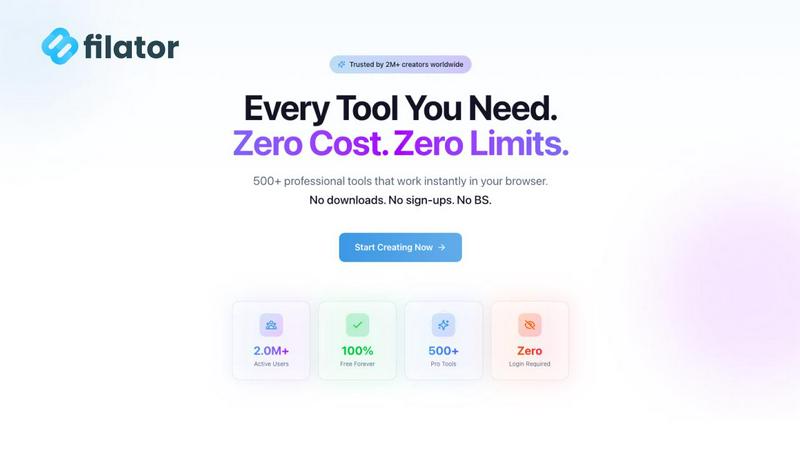
Filator
NanoBanana 2

Feature Comparison
Filator
Instant Access to Tools
Filator provides immediate access to a wide variety of tools without the need for any registration. Just visit the site, pick a tool, and start using it right away. This ensures you can accomplish your tasks without delays or the need to remember multiple passwords.
Professional-Grade Output
Every tool on Filator is designed to deliver high-quality results. Whether you are converting files or generating AI content, you can expect professional-grade output in various formats, ensuring that your work meets industry standards.
AI-Powered Functionality
Filator harnesses the power of AI to enhance user experience. From generating content to analyzing documents, the AI tools understand context and provide smart suggestions, making your tasks easier and quicker to complete.
Workflow Automation
With Filator, you can chain tools together to automate repetitive tasks. This feature allows you to create efficient workflows that save time and reduce manual effort, empowering you to focus on more important aspects of your projects.
NanoBanana 2
Smart Auto-Enhancement
This feature intelligently analyzes every detail of your uploaded image and automatically applies the optimal enhancements. It adjusts exposure, contrast, and color balance to give your photos a professional polish instantly, making it perfect for beginners who want great results without any manual tweaking.
Advanced Portrait Retouching
NanoBanana 2 includes a specialized mode for portraits that understands facial features. It performs natural skin smoothing, reduces blemishes, and enhances eyes and teeth while meticulously preserving the subject's unique details and textures, ensuring edits look authentic and never artificial.
AI-Powered Noise Reduction
Say goodbye to grainy photos. Using advanced denoising technology, this feature effectively eliminates digital noise from low-light or high-ISO images. It smartly distinguishes between noise and important fine details, ensuring your pictures are clean and sharp without looking soft or over-processed.
Efficient Batch Processing
Save immense time by editing multiple images at once. Upload a whole folder of photos, and NanoBanana 2 will apply your chosen enhancements or presets to all of them simultaneously. This ensures a consistent look across your entire project and is ideal for processing event shoots or social media content batches.
Use Cases
Filator
Content Creation for Marketers
Marketers can use Filator's AI content generation tools to create engaging social media posts, blogs, and newsletters. This streamlines their content strategy, allowing them to produce high-quality copy in a fraction of the time.
PDF Editing for Students
Students often need to handle various PDF documents for assignments and projects. With Filator's PDF tools, they can easily edit, merge, split, or convert PDFs, making their academic work more manageable and efficient.
Image Manipulation for Designers
Graphic designers can take advantage of Filator's image tools to edit photos, remove backgrounds, or convert image formats quickly. This allows them to focus more on creativity and less on technical hurdles.
Quick QR Code Generation for Businesses
Businesses looking to enhance customer engagement can utilize Filator's QR code generator to create dynamic codes for promotions, product information, or event details. This feature helps them connect with customers seamlessly.
NanoBanana 2
Social Media Content Creation
Content creators and influencers can use NanoBanana 2 to quickly polish their daily photos and videos. The one-click enhancement and portrait tools ensure every post looks vibrant, professional, and engaging, helping to grow their audience with high-quality visual content without a steep learning curve.
Professional Photography Workflow
Photographers can integrate NanoBanana 2 into their post-production to handle time-consuming tasks like initial color correction, noise reduction, and basic retouching. This speeds up their workflow dramatically, allowing them to deliver client galleries faster and focus their expertise on fine-art adjustments.
E-commerce Product Image Editing
Online sellers can use the batch processing feature to uniformly enhance dozens of product photos. The AI can correct lighting, sharpen details, and ensure color accuracy across all images, creating a cohesive and professional-looking online catalog that boosts customer trust and sales.
Personal Photo Restoration and Enhancement
Anyone with old, faded, or damaged photos can use NanoBanana 2 to breathe new life into them. The AI can restore color, reduce scratches and noise, and enhance clarity, making it easy to preserve precious memories in digital albums with stunning, renewed quality.
Overview
About Filator
Filator is a comprehensive digital toolbox designed to enhance productivity and streamline your workflow. This innovative platform offers over 500 different tools that cater to various needs such as file conversion, PDF editing, AI content generation, QR code creation, and much more—all accessible from a single, user-friendly website. Filator is perfect for a diverse audience, including developers, marketers, students, and designers, allowing them to perform tasks efficiently without the hassle of switching between multiple sites. One of the standout features of Filator is its commitment to user privacy; you can utilize the tools without signing up or worrying about data collection, as all processing is done directly in your browser. With millions of users worldwide, Filator stands out as a reliable platform, offering both free and premium tools to maximize productivity with minimal friction.
About NanoBanana 2
NanoBanana 2 is a powerful, next-generation AI image editing model designed to make professional-grade photo enhancement accessible to everyone. It builds upon the success of the original Nano Banana, offering a significant upgrade with sharper edits, stronger creative control, and a more premium workflow. At its core, NanoBanana 2 is your intelligent design agent, using advanced deep learning algorithms to analyze and transform your images. Whether you're looking to enhance colors, retouch portraits, reduce noise, or apply stunning artistic effects, this tool handles it with intelligent, context-aware processing. It's built for photographers, designers, social media creators, and anyone who works with images and wants to achieve high-quality results quickly and effortlessly. With features like one-click processing and batch editing, NanoBanana 2 saves you hours of manual work, allowing you to focus more on your creativity and less on complex software. The platform is trusted by over 10,000 creators and has enhanced millions of images, proving its reliability and quality in real-world use.
Frequently Asked Questions
Filator FAQ
What types of tools does Filator offer?
Filator offers a diverse range of tools across categories such as AI tools, PDF tools, image tools, social media tools, and QR code generators. This variety makes it easy to find the right tool for any task.
Do I need to create an account to use Filator?
No, you do not need to create an account to access the tools on Filator. You can start using any tool instantly without registration, ensuring a hassle-free experience.
Are the tools on Filator free to use?
Yes, Filator offers over 50 free tools for users. While there are also paid plans for heavy users, many essential tools are available at no cost, providing excellent value.
How does Filator ensure user privacy?
Filator prioritizes user privacy by processing all actions directly in your web browser without collecting personal data. This means you can use the tools without concerns about data security or privacy breaches.
NanoBanana 2 FAQ
Is there a free version of NanoBanana 2?
Yes! You can start creating for free with NanoBanana Lite. This free plan allows you to experience the core AI editing capabilities, making it a great way to test the platform's features and see the quality of results before deciding to upgrade for more advanced tools and higher usage limits.
What image formats does NanoBanana 2 support?
NanoBanana 2 supports all major image formats, including JPEG, PNG, and WEBP. You can upload files up to 30MB in size. This wide compatibility ensures you can work with almost any photo from your camera, smartphone, or other editing software without needing to convert files first.
How does the AI ensure natural-looking edits?
The model is built on state-of-the-art deep learning algorithms trained on millions of images. It understands the context of your photo, distinguishing between elements like skin, sky, and textures. This allows it to apply enhancements selectively, preserving natural details and avoiding the "over-edited" look common in simpler tools.
Can I use NanoBanana 2 for commercial work?
Absolutely. NanoBanana 2 is designed for professional use, and the images you enhance or create are yours to use. Thousands of professional photographers, designers, and businesses trust it for their commercial projects, from client portraits to marketing materials, thanks to its reliable, high-quality output.
Alternatives
Filator Alternatives
Filator is a comprehensive digital toolbox that offers over 500 tools for tasks such as file conversion, PDF editing, AI content generation, and more. It belongs to the category of online productivity platforms, designed to streamline various digital tasks efficiently. Users often seek alternatives to Filator for reasons such as specific feature requirements, pricing structures, or platform compatibility. Finding the right alternative means considering factors like tool variety, ease of use, privacy concerns, and whether the platform provides instant access without mandatory sign-up. When searching for alternatives, prioritize options that align with your specific needs. Look for platforms that offer a similar range of tools, emphasize user privacy, and provide a seamless experience without unnecessary barriers. Additionally, consider whether the alternative meets your budget requirements and supports the specific formats or functionalities you rely on for your work.
NanoBanana 2 Alternatives
NanoBanana 2 is a next-generation AI image editing model, representing a powerful tool in the category of AI assistants for creative work. It uses advanced artificial intelligence to help users enhance and edit their photos with ease, building upon the success of its predecessor. People often look for alternatives to software like this for various reasons. You might be exploring options due to budget, needing a different set of features, or because you require a tool that works on a specific device or platform. It's a normal part of finding the perfect fit for your unique creative workflow and needs. When choosing an alternative, focus on what matters most to you. Consider the core AI capabilities for photo enhancement, how user-friendly the interface is, and the value you get for the price. A good fit should feel intuitive and empower you to achieve your editing goals without frustration.