
Crawlkit vs SERPView
Side-by-side comparison to help you choose the right tool.

Crawlkit
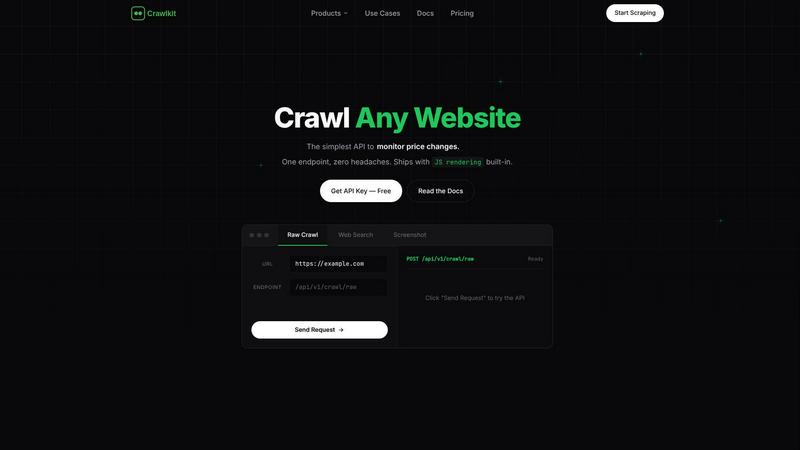
Turn any website into structured data with a single, simple API call.
Last updated: February 28, 2026

SERPView
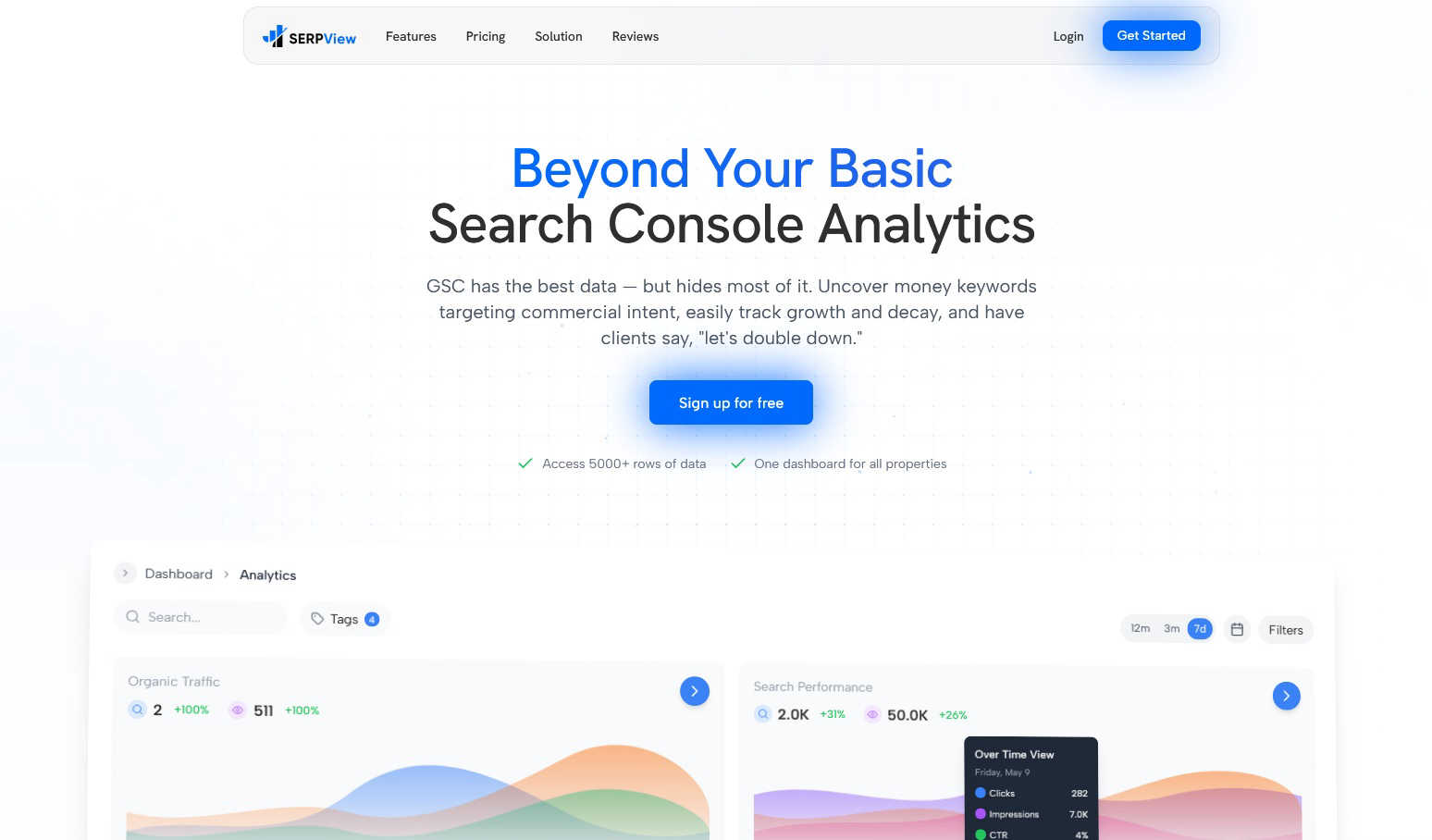
SERPView simplifies Google Search Console data, helping you track keywords and boost your website traffic effortlessly.
Last updated: March 1, 2026
Visual Comparison
Crawlkit
SERPView
Feature Comparison
Crawlkit
One API for Every Data Source
Crawlkit consolidates access to numerous platforms into one unified interface. With a single API call, you can extract structured data from websites, social media platforms like LinkedIn and Instagram, and app stores (Play Store, App Store). This eliminates the need to juggle multiple specialized tools or write separate scrapers for each site, saving you significant development time and maintenance effort.
Built-In Anti-Bot Bypass
The platform automatically handles the biggest challenges in modern web scraping. It manages proxy rotation, executes JavaScript in headless browsers, performs automatic retries, and employs techniques to bypass common blocks and rate limits. This means you get a consistently high success rate when fetching data, without having to build or troubleshoot this complex infrastructure yourself.
Transparent, Credit-Based Pricing
Crawlkit uses a simple, pay-as-you-go credit system. Each API endpoint costs a fixed number of credits (e.g., 1 credit for an Instagram profile, 2 for a LinkedIn profile). Credits never expire, there are no monthly commitments or rate limits, and you only pay for successful requests. This model provides complete cost predictability and scales affordably with volume discounts.
Developer-First SDK & Simplicity
Crawlkit is built for seamless integration. It offers an official SDK for Node.js and works as a simple HTTP API that can be called from any programming language or platform. The setup is straightforward: install the SDK, use your API key, and start making requests. This design ensures there's no vendor lock-in and you can easily fit Crawlkit into your existing workflows and automation tools.
SERPView
Performance Tracking
SERPView enables you to track up to 50,000 rows of Google Search Console data, far exceeding GSC's 1,000-row limit. This feature allows you to seamlessly monitor clicks, impressions, CTR, and average position metrics over time, providing a comprehensive view of your website's performance in search results.
Keyword Analysis
With SERPView, you can identify high-value keywords that target commercial intent and track their performance. This feature allows you to uncover new opportunities, see position changes over time, and optimize your content strategy effectively by focusing on the keywords that matter most to your audience.
Page Analysis
This feature lets you analyze which pages on your website are performing best in search results. By identifying underperforming content, you can gain insights into optimization opportunities that can improve your rankings and enhance user engagement on your site.
Mobile vs Desktop Analysis
SERPView provides an in-depth comparison of performance across mobile and desktop devices. By understanding how users interact with your site on different devices, you can make informed decisions on how to optimize your website for both mobile and desktop users, ultimately improving your overall search rankings.
Use Cases
Crawlkit
CRM and Lead Enrichment
Automatically enrich contact profiles in your Customer Relationship Management (CRM) system with fresh, professional data. By pulling structured information from LinkedIn, such as job titles, current company, experience, and skills, you can build richer lead profiles for your sales team without any manual data entry, making outreach more personalized and effective.
Competitive Intelligence and Market Research
Track your competitors' digital footprint effortlessly. Monitor their Instagram for follower growth and engagement rates, scrape their app store reviews for user sentiment, or track pricing changes on their e-commerce site. Crawlkit provides the reliable data pipeline you need to stay informed and make strategic business decisions based on real-time market information.
App Store Review Analysis
Gather all user reviews for your app or your competitors' apps from the Google Play Store and Apple App Store. With clean, structured data on ratings, review text, and dates, you can perform sentiment analysis, identify common user complaints or feature requests, and gain valuable insights to guide your product development and marketing strategies.
Social Media Growth Tracking
Build dashboards to monitor social media performance over time. Schedule regular calls to Crawlkit's Instagram API to track follower counts, post engagement metrics, and profile details for your brand or competitors. This allows you to measure campaign effectiveness, benchmark performance, and understand trends in your industry's social media landscape.
SERPView
Track SEO Performance
SEO professionals can use SERPView to track their website's search performance over time. By accessing extensive data and analytics, they can identify trends, measure the impact of SEO efforts, and make data-driven decisions to enhance their strategies.
Optimize Content Strategy
Digital marketers can leverage SERPView’s insights to optimize their content strategies. By identifying high-performing keywords and analyzing page performance, they can tailor their content to meet user needs and improve engagement, ultimately driving more organic traffic.
Enhance Local SEO
Business owners, especially those targeting local markets, can utilize SERPView to track performance across different regions. This feature helps them understand how their website ranks in various locations and optimize their local SEO strategies accordingly.
Identify Growth Opportunities
With SERPView, users can uncover hidden growth opportunities by analyzing keyword rankings and performance metrics. By identifying underutilized keywords or pages, users can develop targeted strategies to capture more traffic and improve their overall online visibility.
Overview
About Crawlkit
Crawlkit is your all-in-one solution for turning the web into a reliable, structured data source. It's a powerful web data extraction platform built specifically for developers and data teams who are tired of the headaches that come with traditional web scraping. Instead of spending weeks or months building a fragile system that fights against anti-bot protections, rotating proxies, and JavaScript-heavy sites, Crawlkit provides a single, simple API that handles all that complexity for you. You just send a request with a URL, and Crawlkit manages everything from proxy rotation and headless browser rendering to automatic retries and bypassing blocks, delivering clean, parsed data directly to your application. It's designed for anyone who needs scalable access to web data—whether you're monitoring competitor prices, tracking news, gathering public datasets, or enriching your CRM—without the operational nightmare. With industry-leading success rates, transparent pricing, and a developer-first approach, Crawlkit lets you focus entirely on using data, not on the exhausting task of collecting it.
About SERPView
SERPView is a transformative tool designed to enhance your experience with Google Search Console (GSC) by converting raw search data into actionable insights. It is particularly beneficial for SEO professionals, digital marketers, and business owners who seek to understand and improve their website's search performance. Unlike GSC, which limits you to 1,000 rows of data, SERPView allows you to access up to 50,000 rows, making it easier to track clicks, impressions, click-through rates (CTR), and average positions without any constraints. SERPView provides a user-friendly dashboard that consolidates data from multiple properties, eliminating the frustrations associated with switching between accounts. Its core value lies in its ability to bridge the gap between merely having data and gaining valuable intelligence that can drive organic traffic growth. With SERPView, users can uncover hidden opportunities that remain obscured within GSC and make informed decisions to enhance their SEO strategies.
Frequently Asked Questions
Crawlkit FAQ
How do I get started with Crawlkit?
Getting started is simple and free. First, sign up on the Crawlkit website to receive 100 free credits. Then, find your unique API key in your account dashboard. You can immediately test endpoints using the provided Playground in your browser or install the official Node.js SDK (npm install @crawlkit-sh/sdk) to make your first API call from code in just a few minutes.
What happens if a request fails?
Crawlkit operates on a "refund on failure" policy. If an API request fails to return the requested data (due to a site block, network error, etc.), the credits used for that attempt are automatically refunded to your account. You only pay for successful requests that deliver complete, structured data to your application.
Can I use Crawlkit with programming languages other than Node.js?
Absolutely. While Crawlkit provides a convenient SDK for Node.js, at its core it is a standard HTTP REST API. This means you can use it with any programming language that can make HTTP requests, such as Python, Go, Ruby, PHP, or Java. Simply send a POST request with the correct endpoint and your API key in the headers.
Do you support a website or platform that isn't listed?
Yes, Crawlkit is continually expanding its supported platforms. If you need to extract data from a specific website, social platform, or service that isn't currently listed as a dedicated endpoint, you can contact their team directly. They offer custom development and are often willing to build a new, reliable API endpoint to meet your specific data needs.
SERPView FAQ
How does SERPView improve upon Google Search Console?
SERPView enhances GSC by allowing access to 50,000 rows of data, offering advanced analytics, and providing a user-friendly dashboard that consolidates data across multiple properties, making it easier to analyze performance.
Is SERPView suitable for beginners?
Absolutely! SERPView is designed to be beginner-friendly, providing clear insights and an intuitive interface that helps users of all skill levels to understand and act on their website's search performance.
Can I track multiple websites with SERPView?
Yes, SERPView allows you to connect multiple Google Search Console properties. This means you can view and analyze data for all your websites in one powerful dashboard, streamlining your SEO reporting process.
What kind of insights can I gain from SERPView?
With SERPView, you can gain insights into keyword performance, page analysis, device-specific performance, and regional SEO metrics. This comprehensive data allows you to make informed decisions to enhance your SEO strategies and increase organic traffic.
Alternatives
Crawlkit Alternatives
Crawlkit is a developer-focused web data extraction platform in the analytics and data category. It simplifies the complex process of web scraping by handling challenges like anti-bot protections and JavaScript rendering through a single, reliable API. Users often explore alternatives for various reasons. These can include finding a solution that fits a specific budget, needing a different set of features, or requiring integration with a particular tech stack. It's a normal part of finding the perfect tool for your project's unique requirements. When evaluating other options, consider a few key factors. Look for reliability in handling modern websites, ease of use for your team, transparent pricing, and strong security practices. The goal is to find a service that lets you focus on using data, not spending time maintaining the tools that collect it.
SERPView Alternatives
SERPView is an advanced analytics platform designed to enhance the capabilities of Google Search Console. It focuses on providing SEO professionals, digital marketers, and business owners with comprehensive insights that help track keywords and improve website traffic. Users often seek alternatives to SERPView for various reasons, such as pricing considerations, specific feature requirements, or the need for integration with different platforms. When choosing an alternative, it's essential to consider factors like data access limits, ease of use, and whether the tool can provide actionable insights tailored to your specific SEO goals.