AnyToURL vs RocketShare
Side-by-side comparison to help you choose the right tool.

AnyToURL
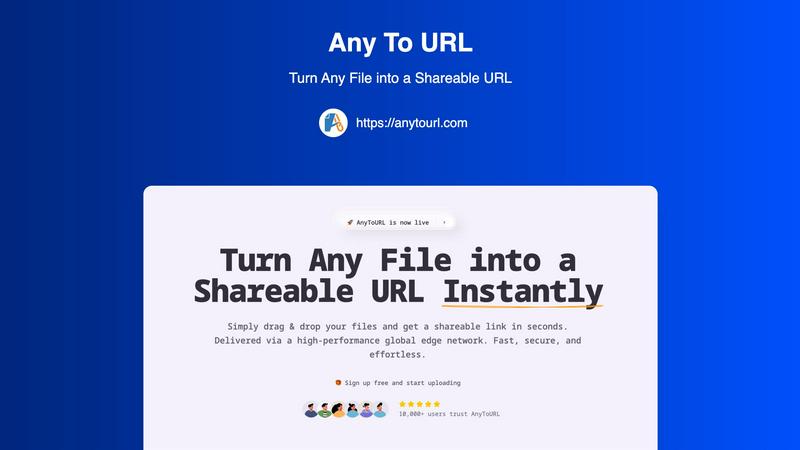
Share any file instantly with a simple link by just dragging and dropping it.
Last updated: February 28, 2026

RocketShare
Share your files with total privacy using encryption we can't even access.
Last updated: March 4, 2026
Visual Comparison
AnyToURL
RocketShare

Feature Comparison
AnyToURL
Drag & Drop Simplicity
Uploading files couldn't be easier. There are no complicated forms or steps to follow. Simply drag your file from your computer and drop it onto the AnyToURL webpage. The platform instantly begins processing it, making the entire experience seamless and intuitive, even for first-time users. This eliminates the need for complex navigation and gets you to your shareable link faster than any other method.
Instant Shareable Links
The moment your file finishes uploading, AnyToURL generates a short, clean, and easy-to-copy URL. There's no waiting or manual link creation. You get your shareable link instantly with a single click to copy it. This link is ready to be pasted into emails, messaging apps like Slack or WhatsApp, social media posts, or even embedded into websites for immediate access by your recipients.
Smart File Preview
AnyToURL isn't just about sending files; it's about creating a better viewing experience. When you share images, PDFs, or common document types, recipients can preview the content directly in their web browser without having to download it first. This is perfect for quick reviews, getting feedback on designs, or simply viewing a document without cluttering your downloads folder.
Global Edge Network & Security
Your files are delivered via a high-performance global edge network (powered by Cloudflare), ensuring lightning-fast access for anyone, anywhere in the world. Security is built-in, with features like optional password protection for sensitive files, strict file isolation, and proactive measures against malware. You can share with confidence, knowing your files are handled safely and efficiently.
RocketShare
Zero-Knowledge Encryption
This is the cornerstone of RocketShare's security. Your files are encrypted on your own computer or phone before they are uploaded. The encryption key never leaves your possession, meaning RocketShare's servers only receive and store data that is completely unreadable to them or anyone else. This guarantees that your privacy is absolute, as even the platform itself has "zero knowledge" of your file contents.
Client-Side Encryption
Building on the zero-knowledge model, client-side encryption means the entire encryption process happens locally on your device. You don't have to trust the security of an online server because the file is already locked and protected before it ever touches the internet. This gives you full control and peace of mind from the very first step.
Flexible Sharing Modes
RocketShare offers two main ways to send files to fit different needs. Use "Cloud Share" for convenient, asynchronous sharing where files are stored encrypted on secure EU-based servers for the recipient to download. Or, choose "Local Share" for a fast, peer-to-peer transfer that sends files directly between devices without them being stored online, perfect for very large files or when you need maximum speed.
EU-Based Data Storage
For users concerned with data sovereignty and regulations like GDPR, RocketShare stores all cloud-shared file data on servers located within the European Union. This provides an additional layer of legal and privacy assurance, ensuring your data is housed under some of the world's strictest data protection frameworks.
Use Cases
AnyToURL
Sharing Design Mockups for Feedback
Designers and UX professionals can quickly share wireframes, prototypes, and final mockups with clients or team members. The instant preview feature allows stakeholders to view the designs directly in their browser, streamlining the feedback process and accelerating project timelines without the back-and-forth of email attachments.
Distributing Marketing Campaign Assets
Marketing teams often need to share large batches of images, brand guidelines, or video clips with internal teams or external partners. AnyToURL simplifies this by allowing marketers to upload files and distribute a single link. Recipients can preview images and PDFs on the spot, ensuring everyone has the correct assets without downloading bulky folders.
Collaborating on Documents and Code Snippets
Students, developers, and remote teams can use AnyToURL to share documents, presentations, or snippets of code. Instead of pasting large blocks of code into a chat, a developer can upload a text file and share the link. Teammates can view it instantly, making collaboration on technical projects or group assignments much smoother.
Quick Personal File Sharing
For everyday use, AnyToURL is perfect for sharing vacation photos, personal documents, or videos with friends and family. If an email attachment is too large, simply upload the file to AnyToURL, send the link via your favorite messaging app, and your recipient can view it immediately without needing to sign up for any service themselves.
RocketShare
Legal Professionals and Law Firms
Lawyers can securely share sensitive case files, client contracts, and legal briefs with absolute confidentiality. RocketShare's zero-knowledge encryption ensures attorney-client privilege is technically enforced, as no third party can intercept or access the documents, providing a secure channel for critical communications.
Creative Professionals (Photographers/Videographers)
Photographers and videographers can deliver high-resolution client galleries or raw video footage without fear of unauthorized access or piracy. The platform allows them to send huge files easily while guaranteeing that their creative intellectual property is protected end-to-end, building trust with their clients.
Healthcare and Medical Practices
Healthcare providers can use RocketShare to exchange sensitive patient records, lab results, or medical imaging in a compliant manner. The strong encryption helps meet privacy standards by ensuring patient data is inaccessible during transfer and storage, safeguarding personal health information.
Business Teams and Accountants
Teams working on confidential projects, financial reports, or business strategies can collaborate safely. Accountants can share tax documents and financial statements with clients, knowing the data is encrypted before it leaves their computer, preventing any potential data breaches or leaks.
Overview
About AnyToURL
AnyToURL is your ultimate, hassle-free solution for sharing files online. It's a beautifully simple, web-based platform that instantly transforms any file you have—like images, videos, PDFs, or documents—into a short, shareable web link. The core idea is to eliminate all the friction of traditional file-sharing. Forget about wrestling with large email attachments, navigating complicated cloud storage folders, or waiting for slow transfers. With AnyToURL, you just drag and drop your file onto the website, and within seconds, you get a direct URL. You can then copy and paste this link anywhere: into an email, a chat message, or a social media post. It's designed for absolutely everyone, from professionals like designers and marketers who need to send project files quickly for feedback, to students and casual users sharing photos or documents with friends and family. The value proposition is clear: unparalleled speed and simplicity. Powered by a global edge network, your files are delivered fast and securely to anyone, anywhere. Best of all, you can start sharing in seconds, completely for free. It's the fastest way to turn your files into links.
About RocketShare
RocketShare is a secure file-sharing platform built for anyone who values their privacy. It's designed to let you send files of any size with complete confidence, knowing that your data is protected from the moment you upload it. The core promise is simple: no one, not even the team at RocketShare, can ever access the content of your files. This is achieved through a powerful technology called zero-knowledge encryption. Here's how it works: your files are encrypted directly on your own device before they are ever sent over the internet. The key to unlock them stays with you, often built right into the shareable link you send. This means RocketShare's servers only ever handle scrambled, unreadable data. It offers enterprise-grade security in a beautifully simple, self-serve package that anyone can use. Whether you're a freelancer, a creative professional, or part of a large business team, RocketShare ensures your sensitive documents, client work, and intellectual property remain truly private. With options to share via the cloud or through a fast local connection, and with all data stored securely within the European Union, RocketShare is the perfect tool for combining top-tier security with effortless simplicity.
Frequently Asked Questions
AnyToURL FAQ
What is the maximum file size I can upload?
For free users, the maximum file size is 50MB. This is perfect for most images, documents, and PDFs. AnyToURL also supports much larger files (up to 10GB) for users on different plans, accommodating everything from high-resolution videos to large datasets.
How long do my files stay available?
On the free tier, your uploaded files are available for 24 hours. After this period, the link will expire and the file will be deleted. This is ideal for temporary sharing. If you need permanent storage, you can explore AnyToURL's paid plans which offer options for files to remain accessible indefinitely.
Is it safe to share files with AnyToURL?
Yes, AnyToURL is built with security in mind. The platform employs strict file isolation and has a zero-tolerance policy for malware. For an extra layer of protection, you can enable password protection on any upload, ensuring that only people with the password can access your sensitive files.
Do recipients need an account to view my files?
No, not at all! One of the best features of AnyToURL is that it requires zero effort from the person receiving your file. They do not need to create an account, sign in, or download any software. They simply click the link you send, and the file loads in their web browser, ready to view or download.
RocketShare FAQ
How does RocketShare's encryption work?
RocketShare uses a method called zero-knowledge, client-side encryption. When you select a file to share, our application on your device immediately encrypts it using a unique key before it is uploaded. This key is what decrypts the file, and it is never sent to our servers. Often, this key is embedded in the download link you share. This means we only handle encrypted data that we cannot read or access.
What is the difference between Cloud Share and Local Share?
Cloud Share uploads your encrypted file to our secure servers in the EU, generating a link you can send. The recipient can download it anytime. Local Share creates a direct, peer-to-peer connection between your device and the recipient's device for the transfer. The file never passes through our servers, making it faster for large files and keeping it entirely off the cloud.
Is RocketShare really free to use?
Yes, you can start using RocketShare's core secure sharing features without providing a credit card. This allows you to experience the privacy and simplicity of the platform firsthand. We believe in making true security accessible to everyone from the start.
Where are my files stored?
For files shared via Cloud Share, the encrypted data is stored on our secure servers located within the European Union. For Local Share transfers, files are sent directly between devices and are not stored on any server. In both cases, the actual content of your files remains encrypted and inaccessible to anyone without the unique key.
Alternatives
AnyToURL Alternatives
AnyToURL is a fantastic tool in the category of instant file sharing services. It specializes in turning any file into a short, shareable link with just a simple drag and drop. This makes it incredibly easy for anyone to send photos, documents, or videos without the usual hassle. People often look for alternatives to services like this for a few common reasons. They might need more storage space, different pricing plans, or specific features like password protection or longer link expiration times. Others might be looking for a tool that integrates with their favorite apps or offers a dedicated mobile experience. When choosing an alternative, think about what matters most for your sharing needs. Consider the maximum file size allowed, how long your links will stay active, and what security options are available. Also, check if the service is easy to use on your phone or computer and whether it fits within your budget, whether you need a free tool or a paid plan with more capabilities.
RocketShare Alternatives
RocketShare is a secure file-sharing service in the productivity and management category. It stands out by using zero-knowledge encryption, meaning your files are encrypted on your device before upload, and not even the company can access them. This makes it a top choice for sending highly sensitive documents, client work, or confidential business files. People often look for alternatives to tools like RocketShare for various reasons. You might need a different pricing plan, specific collaboration features like real-time editing, or a platform that integrates with other software you use. Sometimes, a simpler or more familiar interface is the main goal. When choosing an alternative, focus on what matters most for your tasks. Key considerations are the level of security and privacy offered, the maximum file size you can send, how long your shared links remain active, and where in the world your data is stored. Balancing these factors with ease of use will help you find the right fit.