AnyToURL vs QuoteCraft AI
Side-by-side comparison to help you choose the right tool.

AnyToURL
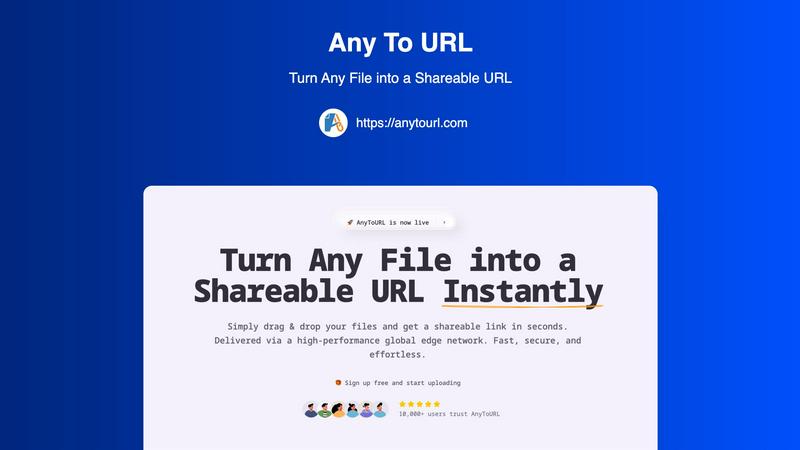
Share any file instantly with a simple link by just dragging and dropping it.
Last updated: February 28, 2026

QuoteCraft AI
QuoteCraft AI quickly creates clear, winning proposals for freelancers, helping you secure deals with ease.
Last updated: March 4, 2026
Visual Comparison
AnyToURL
QuoteCraft AI

Feature Comparison
AnyToURL
Drag & Drop Simplicity
Uploading files couldn't be easier. There are no complicated forms or steps to follow. Simply drag your file from your computer and drop it onto the AnyToURL webpage. The platform instantly begins processing it, making the entire experience seamless and intuitive, even for first-time users. This eliminates the need for complex navigation and gets you to your shareable link faster than any other method.
Instant Shareable Links
The moment your file finishes uploading, AnyToURL generates a short, clean, and easy-to-copy URL. There's no waiting or manual link creation. You get your shareable link instantly with a single click to copy it. This link is ready to be pasted into emails, messaging apps like Slack or WhatsApp, social media posts, or even embedded into websites for immediate access by your recipients.
Smart File Preview
AnyToURL isn't just about sending files; it's about creating a better viewing experience. When you share images, PDFs, or common document types, recipients can preview the content directly in their web browser without having to download it first. This is perfect for quick reviews, getting feedback on designs, or simply viewing a document without cluttering your downloads folder.
Global Edge Network & Security
Your files are delivered via a high-performance global edge network (powered by Cloudflare), ensuring lightning-fast access for anyone, anywhere in the world. Security is built-in, with features like optional password protection for sensitive files, strict file isolation, and proactive measures against malware. You can share with confidence, knowing your files are handled safely and efficiently.
QuoteCraft AI
Voice-to-Proposal
With the innovative voice-to-proposal feature, users can speak their project details aloud, and QuoteCraft AI will transcribe the information instantly. This allows for quick proposal generation, making it easier for users to capture ideas immediately after client meetings or brainstorming sessions.
Interactive Proposals
QuoteCraft AI offers interactive proposals, allowing clients to customize their selections directly within the proposal. Clients can toggle line items on or off, and the total price updates in real time. This flexibility reduces the chances of rejection and fosters better communication between freelancers and clients.
Smart Follow-Ups
The platform includes smart follow-up notifications, automatically reminding clients who have not yet viewed their proposals. Users can set reminders to send gentle nudges after a specified number of days, helping to keep proposals top of mind without being intrusive.
Context Engine
QuoteCraft AI features an advanced Context Engine that learns from previous proposals. This AI-driven tool understands the user’s writing style, pricing strategies, and preferred deliverables, ensuring that each generated proposal feels personalized and consistent with the freelancer's unique voice.
Use Cases
AnyToURL
Sharing Design Mockups for Feedback
Designers and UX professionals can quickly share wireframes, prototypes, and final mockups with clients or team members. The instant preview feature allows stakeholders to view the designs directly in their browser, streamlining the feedback process and accelerating project timelines without the back-and-forth of email attachments.
Distributing Marketing Campaign Assets
Marketing teams often need to share large batches of images, brand guidelines, or video clips with internal teams or external partners. AnyToURL simplifies this by allowing marketers to upload files and distribute a single link. Recipients can preview images and PDFs on the spot, ensuring everyone has the correct assets without downloading bulky folders.
Collaborating on Documents and Code Snippets
Students, developers, and remote teams can use AnyToURL to share documents, presentations, or snippets of code. Instead of pasting large blocks of code into a chat, a developer can upload a text file and share the link. Teammates can view it instantly, making collaboration on technical projects or group assignments much smoother.
Quick Personal File Sharing
For everyday use, AnyToURL is perfect for sharing vacation photos, personal documents, or videos with friends and family. If an email attachment is too large, simply upload the file to AnyToURL, send the link via your favorite messaging app, and your recipient can view it immediately without needing to sign up for any service themselves.
QuoteCraft AI
Freelance Web Designers
Web designers can use QuoteCraft AI to quickly create professional proposals for potential clients. By inputting project details or using voice commands, they can generate tailored proposals that clearly outline the scope and pricing, leading to higher conversion rates.
Marketing Agencies
Marketing agencies benefit from QuoteCraft AI by streamlining their proposal writing process. The tool helps them present detailed marketing strategies and pricing structures in a visually appealing format, making it easier to win and manage client relationships.
Creative Studios
For creative studios, the ability to create interactive proposals means clients can directly engage with the offer. This interactivity helps clarify project scopes and ensures clients feel involved in the process, leading to more successful collaborations.
Consulting Firms
Consulting firms can utilize QuoteCraft AI to generate proposals that include comprehensive analyses and deliverables. The smart pricing feature helps them suggest competitive rates based on historical data, making their proposals more attractive to potential clients.
Overview
About AnyToURL
AnyToURL is your ultimate, hassle-free solution for sharing files online. It's a beautifully simple, web-based platform that instantly transforms any file you have—like images, videos, PDFs, or documents—into a short, shareable web link. The core idea is to eliminate all the friction of traditional file-sharing. Forget about wrestling with large email attachments, navigating complicated cloud storage folders, or waiting for slow transfers. With AnyToURL, you just drag and drop your file onto the website, and within seconds, you get a direct URL. You can then copy and paste this link anywhere: into an email, a chat message, or a social media post. It's designed for absolutely everyone, from professionals like designers and marketers who need to send project files quickly for feedback, to students and casual users sharing photos or documents with friends and family. The value proposition is clear: unparalleled speed and simplicity. Powered by a global edge network, your files are delivered fast and securely to anyone, anywhere. Best of all, you can start sharing in seconds, completely for free. It's the fastest way to turn your files into links.
About QuoteCraft AI
QuoteCraft AI is a groundbreaking tool designed specifically for freelancers, enabling them to create professional proposals swiftly and efficiently. By leveraging advanced artificial intelligence, this platform simplifies the proposal process significantly. Users can either describe their project using natural language or select from a variety of seven starter templates, making it perfect for those who may not know where to start. Within seconds, QuoteCraft AI generates a comprehensive proposal that includes key components such as project scope, pricing, line items, and timelines. This tool is particularly beneficial for freelancers in fields like web design, marketing, creative studios, and consulting, addressing common challenges such as unclear project scope and ineffective pricing strategies. Unique features, including voice-to-proposal capabilities and a Context Engine that adapts to user feedback, make QuoteCraft AI an invaluable resource for enhancing proposal quality and winning more deals. Best of all, it is currently available for free during its beta phase, allowing early adopters to secure their access at no cost.
Frequently Asked Questions
AnyToURL FAQ
What is the maximum file size I can upload?
For free users, the maximum file size is 50MB. This is perfect for most images, documents, and PDFs. AnyToURL also supports much larger files (up to 10GB) for users on different plans, accommodating everything from high-resolution videos to large datasets.
How long do my files stay available?
On the free tier, your uploaded files are available for 24 hours. After this period, the link will expire and the file will be deleted. This is ideal for temporary sharing. If you need permanent storage, you can explore AnyToURL's paid plans which offer options for files to remain accessible indefinitely.
Is it safe to share files with AnyToURL?
Yes, AnyToURL is built with security in mind. The platform employs strict file isolation and has a zero-tolerance policy for malware. For an extra layer of protection, you can enable password protection on any upload, ensuring that only people with the password can access your sensitive files.
Do recipients need an account to view my files?
No, not at all! One of the best features of AnyToURL is that it requires zero effort from the person receiving your file. They do not need to create an account, sign in, or download any software. They simply click the link you send, and the file loads in their web browser, ready to view or download.
QuoteCraft AI FAQ
How does the AI generate proposals?
QuoteCraft AI generates proposals by analyzing the project details provided by the user. It uses advanced algorithms to create a structured proposal that includes essential elements such as scope, pricing, and timelines, all tailored to the user's specifications.
Will my proposals look generic?
No, your proposals will not look generic. The Context Engine learns from your previous proposals, ensuring that the generated content reflects your unique writing style and branding, making each proposal feel personalized and authentic.
Can I edit proposals after generation?
Absolutely! After the AI generates a proposal, you have the option to edit and customize it further. This ensures that you can make adjustments based on specific client needs or preferences before sending the final version.
Is my data secure?
Yes, your data is secure with QuoteCraft AI. The platform adheres to industry standards for data protection and privacy, ensuring that your proposals and client information are kept confidential and safe from unauthorized access.
Alternatives
AnyToURL Alternatives
AnyToURL is a fantastic tool in the category of instant file sharing services. It specializes in turning any file into a short, shareable link with just a simple drag and drop. This makes it incredibly easy for anyone to send photos, documents, or videos without the usual hassle. People often look for alternatives to services like this for a few common reasons. They might need more storage space, different pricing plans, or specific features like password protection or longer link expiration times. Others might be looking for a tool that integrates with their favorite apps or offers a dedicated mobile experience. When choosing an alternative, think about what matters most for your sharing needs. Consider the maximum file size allowed, how long your links will stay active, and what security options are available. Also, check if the service is easy to use on your phone or computer and whether it fits within your budget, whether you need a free tool or a paid plan with more capabilities.
QuoteCraft AI Alternatives
QuoteCraft AI is an innovative tool designed for freelancers, helping them create professional proposals quickly and efficiently. Positioned within the Business & Finance and Productivity & Management categories, it caters specifically to those in creative fields like web design, marketing, and consulting. Users frequently seek alternatives to QuoteCraft AI for various reasons, including pricing considerations, feature sets that may better match their specific needs, or compatibility with other tools they use. When searching for an alternative, it's essential to evaluate factors such as user-friendliness, customization options, and the ability to integrate smoothly with your existing workflow to ensure you find the best fit for your proposal needs.