

Alternatives to VersQ
VersQ offers seamless AI document translation with preserved formats and no per-character fees, empowering professionals to translate effortlessly.
Explore 20 alternatives to VersQ. Compare features, pricing, and find the best fit for your needs.


GigUp
GigUp helps freelancers discover relevant Upwork jobs through AI matching, automated monitoring, and instant alerts.

Safe Outreach
AI-powered platform that evaluates the safety of LinkedIn automation tools and helps reduce the risk of account restrictions.

How Long How Many Tool
Timers and hourly checks to figure how out long until a certain time or how many days away.

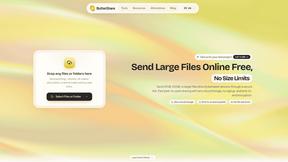
ButterShare
Realtime peer-to-peer file transfer in the browser. Send files directly between devices, no account and no upload to a server.

Emailyy
Free email tools for signatures, subject lines, HTML previews, word counts, and email headers. Browser-based, simple to use, and no signup required.

Uniclip
Clip pages, take full-page screenshots and batch-capture list data to Notion, Feishu, Obsidian, Markdown, CSV or JSON.
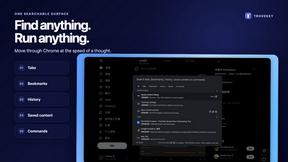
TroveKey
Search tabs, Chrome bookmarks and history, run browser commands, and save webpages and social posts locally—no account.
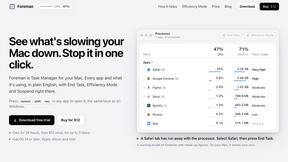
Foreman
See every app and what it's using in plain English, and end or slow down the one that's hogging your Mac.
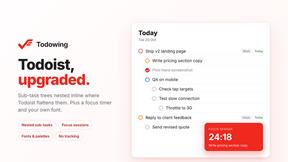
Todowing
Chrome extension for Todoist that shows sub-tasks nested inline in Today, Upcoming, Filter, and Label views instead of a flat list.
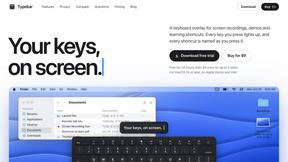
Typebar
Every key you press lights up on an on-screen keyboard, and each shortcut is named as you press it.
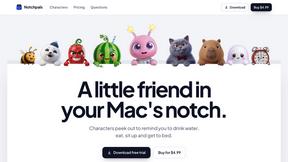
Notchpals
Little characters peek out of your Mac's notch to remind you to drink water, eat, sit up and get to bed. Quiet during calls. $4.99 once.

LightScreen
Free light screen tool online. Turn any display into a flashlight, ambient light, or solid-color screen. No download or sign-up.
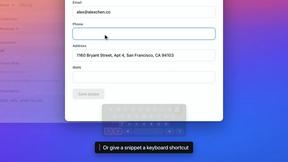


Kovnerov
Personal site of Vlad Kovnerov: analytics dashboards, web development, Telegram bots and browser tools for sellers and subscription tracking.
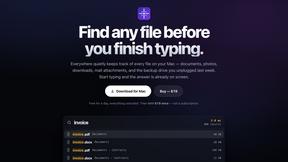
Everywhere
Fast file search for the Mac. Results as you type, files inside Mail and Photos, works with Wi-Fi off. $19 once.
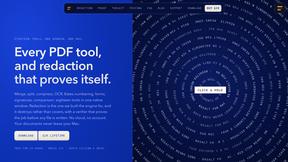
Basalt
Eighteen PDF tools in one native Mac window: merge, split, compress, OCR, Bates numbering, forms, signing and redaction. Offline. $29 once.
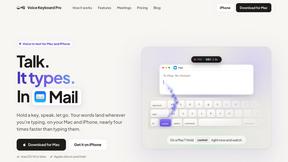
Voice Keyboard Pro
Hold a key, say what you mean, let go. Clean, punctuated text lands at the cursor in any app on your Mac or iPhone.
About VersQ Alternatives
VersQ is an advanced AI-powered document translation platform designed primarily for professionals in legal, medical, and international business sectors. It offers precise and contextually aware translations while preserving the original document structure across various formats. Users can upload a range of file types, such as PDFs and DOCX, and benefit from the ability to select from over 50 AI models to achieve the desired translation quality. However, many users find themselves seeking alternatives to VersQ due to a variety of reasons such as pricing, specific feature needs, or compatibility with different platforms. When searching for an alternative, it is crucial to consider factors like the accuracy of translations, the range of supported formats, and the ease of use. Additionally, evaluating the security measures in place to protect sensitive information and the level of customer support available can help ensure that you choose the best option for your translation needs.
FAQs about VersQ Alternatives
What is VersQ?
VersQ is an AI-powered document translation platform that specializes in delivering accurate translations for professional sectors such as legal, medical, and international business. It allows users to upload documents in various formats and provides context-aware translations while preserving the original document's structure and layout.
Who is VersQ for?
VersQ is tailored for professionals in fields that require precise and reliable document translations, including legal, medical, and international business teams. These users often deal with complex documents that need accurate translation without compromising formatting or context.
Is VersQ free?
VersQ is not free; it operates on a subscription or usage-based pricing model designed for professional users who require high-quality translations. However, specific pricing details can vary, so it’s best to visit the official VersQ website for the most accurate and up-to-date information.
What are the main features of VersQ?
The main features of VersQ include the ability to upload multiple document formats such as PDFs, DOCX, and HTML, while maintaining the original formatting and layout during translation. Users can choose from over 50 AI translation models, ensuring flexibility and context-awareness in translations, making it an ideal tool for professionals.