

Alternatives to Shrinkpad
Shrinkpad quickly compresses your images and videos on Mac to save space and time.
Explore 20 alternatives to Shrinkpad. Compare features, pricing, and find the best fit for your needs.
SightRadar
Face recognition API, a drop-in replacement for AWS Rekognition. Index, search, compare and detect faces, billed per photo with no subscription.
AIPetGen
AIPetGen turns a photo of your dog, cat, or other pet, or a written description, into a new picture or a short animation.


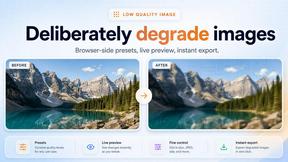
Low Quality Image
Make image quality worse on purpose with this free browser tool: lower image quality, add blur, pixelation and compression. No uploads, no accounts.
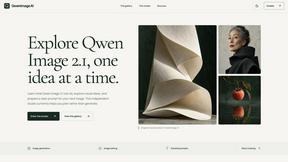
Qwen Image 2.1
AI image creation and editing with transparent assets, multi-image references and detailed prompts.
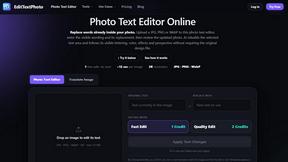
EditTextPhoto
AI-powered image text editor to edit, replace, fix, or translate text in images while preserving the original font, color, size, and style.
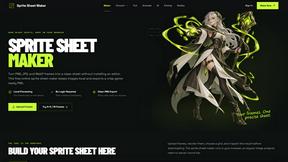
Sprite Sheet Maker
A free browser-based toolkit for creating, cutting, converting, and previewing sprite sheet animations.

Product Launch Checklist
A free launch checklist for SaaS, apps, AI tools and more. Every step says why it matters and when you can skip it.


Lockimate - AI Live Wallpapers
Turn any photo into a real Apple Live Photo that animates when you wake your iPhone. Restyle it and choose the motion — customizable.

AI Image Editor
Free AI image editor that edits, retouches, and transforms photos with natural-language text prompts.
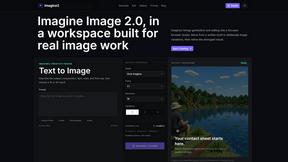
Imagine2
Private browser-based AI image generation and editing with text-to-image, targeted edits, and multi-image references.

Kogashitsuka AI
An online AI image tool that enhances photos and illustrations at their original size or upscales them by 2x or 4x.

Wisegrid
Spreadsheet-native work management with AI formulas, dashboards, automation, reporting, and project views for growing teams.

PromptExtract
PromptExtract converts a reference image into a detailed, structured AI image prompt that creators can edit and reuse.


StopScroll
StopScroll is an AI thumbnail maker that generates, compares, and helps creators pick stronger cover images before publishing.

IsThisAIImage
Free online AI image and deepfake checker. Upload a photo for AI-generated and deepfake scores, a clear verdict, and optional generator hints.
About Shrinkpad Alternatives
Shrinkpad is a Mac application designed for image and video compression. It falls into the category of media optimization tools, helping users reduce file sizes directly on their computer without using the cloud. People often look for different tools for various reasons. Maybe they need a solution that works on Windows or a mobile device, or they are looking for a free option or a tool with more specialized editing features. It's a common and smart step to explore what else is available. When choosing a different tool, consider what's most important for your workflow. Key things to think about include whether the tool works on your operating system, if it handles batch processing, how it manages your privacy, and of course, your budget.
FAQs about Shrinkpad Alternatives
What is Shrinkpad?
Shrinkpad is a Mac app that quickly compresses batches of images and videos to save storage space, with all processing done locally on your computer.
Who is Shrinkpad for?
It's perfect for photographers, designers, and content creators who need to reduce the size of many photos and videos while keeping their work private and local.
What are the main features of Shrinkpad?
Its main features are lightning-fast batch processing for many files at once and complete privacy through local-only processing that doesn't use the cloud.
Is Shrinkpad secure?
Yes, Shrinkpad is very secure. All compression happens directly on your Mac, so your files are never uploaded to the internet or external servers.