

Alternatives to Picture Enhancer
Picture Enhancer lets you deblur, upscale, and restore photos free in your browser with no software install needed.
Explore 20 alternatives to Picture Enhancer. Compare features, pricing, and find the best fit for your needs.
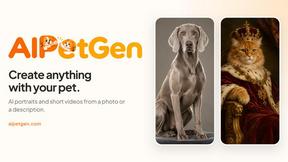
AIPetGen
AIPetGen turns a photo of your dog, cat, or other pet, or a written description, into a new picture or a short animation.

ZombieTrend AI
Turn two photos into a cinematic zombie love story video. One becomes a zombie, the other chooses love, ending in a warm memory.
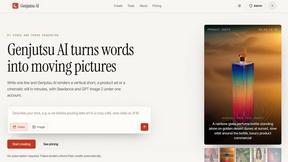
Genjutsu AI
Genjutsu AI turns your ideas into cinematic videos, product ads, social media shorts, and high-quality images in minutes.
ImageGPT
ImageGPT is an all-in-one AI creative platform for generating, editing and transforming images and videos using AI.

Qwen Image 2.1
AI image creation and editing with transparent assets, multi-image references and detailed prompts.
AI Album Cover Maker
Create release-ready album covers from a prompt or photo. Generate, refine, and export art for singles, EPs, mixtapes, and playlists.
EditTextPhoto
AI-powered image text editor to edit, replace, fix, or translate text in images while preserving the original font, color, size, and style.
Sprite Sheet Maker
A free browser-based toolkit for creating, cutting, converting, and previewing sprite sheet animations.


Vynzo
AI image and video studio. Generate from a prompt, animate stills, swap faces, restyle clips and edit — one credit pool, no subscription.


Lockimate - AI Live Wallpapers
Turn any photo into a real Apple Live Photo that animates when you wake your iPhone. Restyle it and choose the motion — customizable.
Vismuse
Create polished AI images and videos from prompts or references for social posts, ads, flyers, album covers, and campaigns.
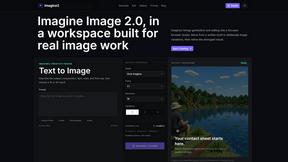
Imagine2
Private browser-based AI image generation and editing with text-to-image, targeted edits, and multi-image references.
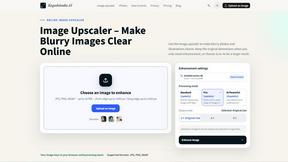
Kogashitsuka AI
An online AI image tool that enhances photos and illustrations at their original size or upscales them by 2x or 4x.

Trushot AI
TruShot creates ultra-realistic AI dating photos from just 4 selfies. Generate natural-looking, verification-friendly profile pictures for Tinder, Hin
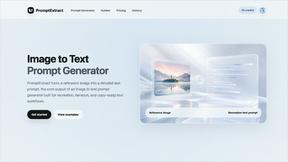
PromptExtract
PromptExtract converts a reference image into a detailed, structured AI image prompt that creators can edit and reuse.
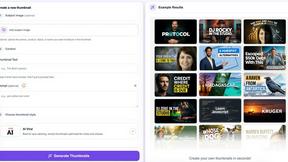
StopScroll
StopScroll is an AI thumbnail maker that generates, compares, and helps creators pick stronger cover images before publishing.

About Picture Enhancer Alternatives
Picture Enhancer is a free, browser-based AI tool that belongs to the image generation and enhancement category, designed to deblur, upscale, and restore photos without requiring any software installation. It is perfect for creators, sellers, and everyday users who need sharper images quickly for social posts, e-commerce listings, or family photos. Users often look for alternatives to Picture Enhancer for reasons like wanting more free credits without signing in, needing unlimited batch processing without paid plans, or requiring advanced features like specific aspect ratio adjustments or background removal. Others may seek options that integrate directly with their editing software or offer different pricing structures, such as a flat monthly fee instead of per-job credit costs. When choosing an alternative to Picture Enhancer, focus on what matters most for your workflow. Look for tools that offer a free trial or lifetime free tier to test the quality of deblurring, upscaling, and restoration on your own images. Consider the pricing model carefully—whether you prefer paying per successful enhancement, a monthly subscription, or one-time credit packs that never expire. Also, prioritize platforms that support your common file types, like JPG, PNG, or WebP, and check if they offer batch processing for multiple images at once. Finally, ensure the tool is beginner-friendly with clear before-and-after previews and no hidden watermark requirements, so you can confidently enhance your photos without technical frustration.
FAQs about Picture Enhancer Alternatives
What is Picture Enhancer?
Picture Enhancer is a free online AI photo enhancer that runs entirely in your browser, so you never need to install any software. It specializes in deblurring, upscaling, and restoring photos in formats like JPG, PNG, and WebP. You can choose from Standard, Strong, or Super intensity levels and preview the before-and-after result before downloading a watermark-free image.
Is Picture Enhancer free?
Yes, Picture Enhancer is free for guests, who get three lifetime tries per IP without needing to sign up. After that, you can sign in to use credits, and new accounts receive starter credits to begin. Credits are only charged when your enhancement succeeds, with Standard costing 2 credits, Strong costing 4, and Super costing 6.
Who is Picture Enhancer for?
Picture Enhancer is designed for creators, sellers, and everyday users who need sharper images quickly. It is ideal for social media posts, e-commerce product listings, screenshots, and family photos. The tool is beginner-friendly, with simple step-by-step guidance, making it accessible even if you have no photo editing experience.
What are the main features of Picture Enhancer?
The main features include AI-powered deblurring, upscaling, and photo restoration, all available in your browser with no software install. You can choose from three intensity levels—Standard, Strong, or Super—and preview the result before downloading. Paid users unlock Super tiers and batch enhancement for up to 10 images at once, with monthly plans granting credits each cycle or permanent packs that never expire.