

Alternatives to BlueHumanizer
BlueHumanizer turns stiff AI text into clear, natural writing in one click, keeping your meaning and tone perfectly intact.
Explore 20 alternatives to BlueHumanizer. Compare features, pricing, and find the best fit for your needs.
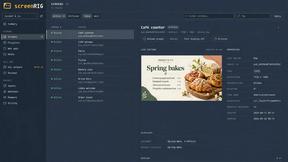
screenRIG
Signage and kiosk infrastructure for AI agents. Your agent publishes images, video, streams, web pages and apps to screens via one plugin.screenRIG is
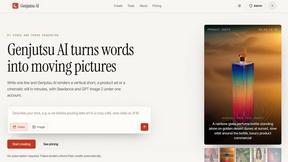
Genjutsu AI
Genjutsu AI turns your ideas into cinematic videos, product ads, social media shorts, and high-quality images in minutes.

nanobanana 21
Fast, simple image studio powered by Nano Banana 2.1. Create and edit high-quality AI images with accurate details and readable text.
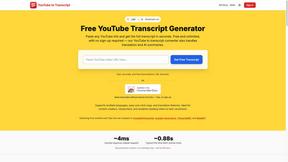
GetYouTubeTranscript
Free YouTube transcripts on the web, a Chrome extension, and an API + MCP server so AI assistants can read YouTube.




amaze.directory
Every AI tool here was opened and used on a real task before it went in. Free to submit.
Speechyou
AI transcription for voice notes, meetings, and audio files in 1,700 languages, with AI summaries and subtitle export and unlimited chat ai usage.
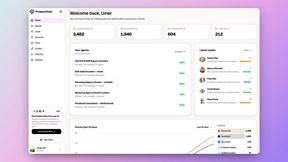
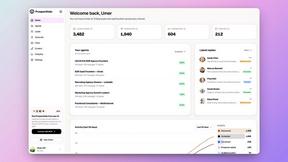
ProspectHalo
AI sales agent that finds qualified leads, runs outreach, follows up automatically, creates content, and helps book more meetings.

benchmark.directory
Independent AI tool listings: the cheapest usable plan, the real free-tier limit, tested integrations, and who trains on your work.

saasgrow.ai
The shortcut to the right SaaS. Screened growth tools, organised by category, with nothing sponsored and nothing bought.

Tools Network
Tools Network is a curated directory of the best AI tools across 25+ categories. Compare ratings, pricing, and features to find the right one, fast.


Skydive
Skydive lets teams create AI agents that can complete real work inside the tools they already use.


Imgbulk
ImgBulk is a Gemini AI image generator built for batch production instead of one-image-at-a-time creation.


About BlueHumanizer Alternatives
BlueHumanizer is an AI-powered assistant designed to transform text generated by tools like ChatGPT, Claude, or Gemini into clear, natural-sounding writing. It belongs to the category of AI text humanizers, which help users avoid the robotic or generic tone often found in AI output. While BlueHumanizer offers a strong free tier with adjustable humanization levels and tone controls, users may look for alternatives due to specific needs. Some common reasons include wanting different pricing models, a need for more advanced platform integrations, or a desire for features like deeper citation management or specialized industry vocabularies. When searching for an alternative, it is important to focus on tools that preserve your original meaning and key points while improving sentence flow and rhythm. Look for options that offer multiple humanization levels, support for various languages, and the ability to keep quotes and citations untouched. You should also consider ease of use, especially if you are a beginner, and check whether the tool provides a free trial or a clear pricing structure without hidden fees. The best choice will depend on your specific writing tasks, whether that is academic work, marketing copy, or everyday emails.
FAQs about BlueHumanizer Alternatives
What is BlueHumanizer?
BlueHumanizer is an AI humanizer tool that transforms AI-generated text from platforms like ChatGPT, Claude, and Gemini into clear, natural-sounding writing. It reshapes sentence structure and restores the natural rhythm of human prose, all while keeping your original meaning, tone, and key points intact. Unlike basic synonym-swapping tools, it focuses on improving flow and phrasing to make the text feel real and polished.
Who is BlueHumanizer for?
BlueHumanizer is designed for students, researchers, marketers, and anyone who writes with AI assistance. It is especially useful for refining essays, polishing research papers, creating on-brand marketing copy, or warming up everyday emails and reports. The tool is beginner-friendly and requires no technical expertise, making it accessible to all levels of writers.
Is BlueHumanizer free?
Yes, BlueHumanizer is free to start and does not require a credit card to use. Users can access its core features, including adjustable humanization levels and tone controls, without any upfront payment. This makes it a low-risk option for anyone wanting to test how it improves their AI-generated text.
What are the main features of BlueHumanizer?
BlueHumanizer offers over 50 language support, adjustable humanization levels, and tone controls to match your desired writing style. It preserves quotes and citations exactly as written, ensuring no important references are altered. The tool works with a single click, making it quick and easy to turn AI output into polished, publish-ready prose.