
Ultimate Forms
Create no-code forms and automate processes in SharePoint to streamline your business solutions effortlessly.
Visit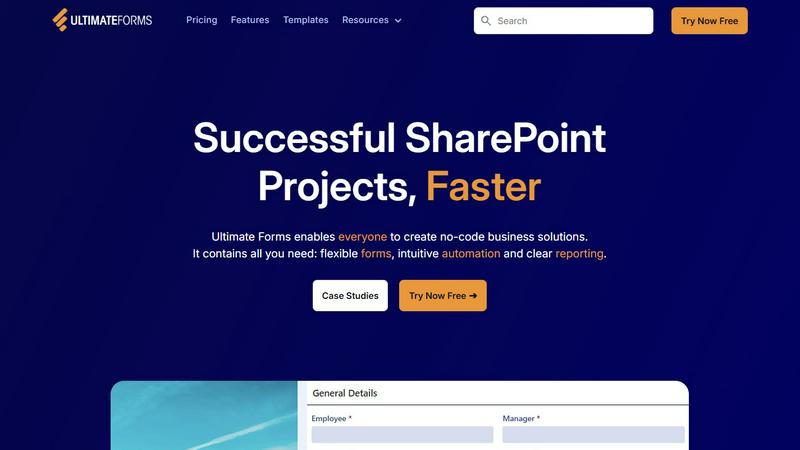
About Ultimate Forms
Ultimate Forms by Infowise is an innovative, no-code platform that enhances Microsoft SharePoint and Microsoft 365, transforming it from a simple document library into a robust hub for business applications. This tool is designed for everyone in your organization, from business users to SharePoint admins, enabling them to create custom forms, automate complex workflows, and generate insightful reports without needing any programming skills. Ultimate Forms addresses common business requirements such as project tracking, HR requests, and approval processes, facilitating a swift deployment of effective SharePoint solutions. By ensuring that all data remains secure within SharePoint, while offering modern and user-friendly tools, Ultimate Forms effectively connects business needs with IT capabilities. Trusted by thousands of organizations globally, it is the ideal solution for those aiming to digitize processes, enhance data quality, and conserve valuable time and resources.
Features of Ultimate Forms
Flexible Forms
Ultimate Forms offers modern, responsive forms that include features such as section and column permissions, dynamic rules, repeating sections, electronic signatures, and input validation. These capabilities ensure that all data is securely stored within SharePoint, providing an exceptional user experience while improving data quality and simplifying business processes.
Intuitive Automation
With Ultimate Forms, you can replace complex SharePoint and Power Automate workflows with easy-to-use Actions that allow for creating and updating data within SharePoint and various integrated applications. This reduces the learning curve, empowering more users within your organization to design and manage business solutions effectively, thus eliminating bottlenecks.
Clear Reporting
The platform provides detailed reports, dashboards, KPIs, calendars, and charts that transform data into actionable insights. This feature ensures that everyone in your organization can visualize and access information easily, which improves responsiveness and accountability across teams.
Pre-built Solution Templates
Ultimate Forms comes with a vast library of pre-built templates that facilitate the easy creation, replication, and distribution of forms and automation-enhanced business solutions. Users can build once and deploy multiple times across various sites and tenants, saving time and effort in the process.
Use Cases of Ultimate Forms
Project Management
Ultimate Forms can be utilized to manage and track customers, projects, tasks, and work hours effectively. It simplifies the project management process, allowing teams to stay organized and on schedule with minimal effort.
HR Recruitment
The platform serves as a multi-stage portal for processing, evaluating, and hiring candidates. It streamlines the recruitment process, enabling HR departments to manage applications efficiently and make informed hiring decisions.
Leave Request Management
Ultimate Forms can be tailored to handle employee leave requests and approval processes seamlessly. This use case ensures that all employee requests are tracked, approved, or denied in an organized manner, enhancing HR workflow efficiency.
Asset Tracking
Organizations can leverage Ultimate Forms for asset tracking, keeping a close eye on their assets and resources. This use case simplifies the management of inventory and equipment, ensuring optimal utilization and accountability.
Frequently Asked Questions
What is Ultimate Forms?
Ultimate Forms is a no-code platform designed to enhance Microsoft SharePoint and Microsoft 365 by allowing users to create custom forms, automate workflows, and generate reports without coding knowledge.
Who can benefit from using Ultimate Forms?
Ultimate Forms is beneficial for business users, SharePoint administrators, and departments looking to streamline processes, enhance data quality, and save time in their operations.
How does Ultimate Forms improve data quality?
By offering flexible forms with built-in input validation and dynamic rules, Ultimate Forms ensures that the data collected is accurate and reliable, which improves overall data quality within your organization.
Is there customer support available for Ultimate Forms?
Yes, Ultimate Forms is backed by excellent customer support, providing users with assistance and guidance to maximize the use of the platform effectively.