
PseudoRun
Master IGCSE pseudocode effortlessly with PseudoRun's free, ad-free editor for writing and testing algorithms.
Visit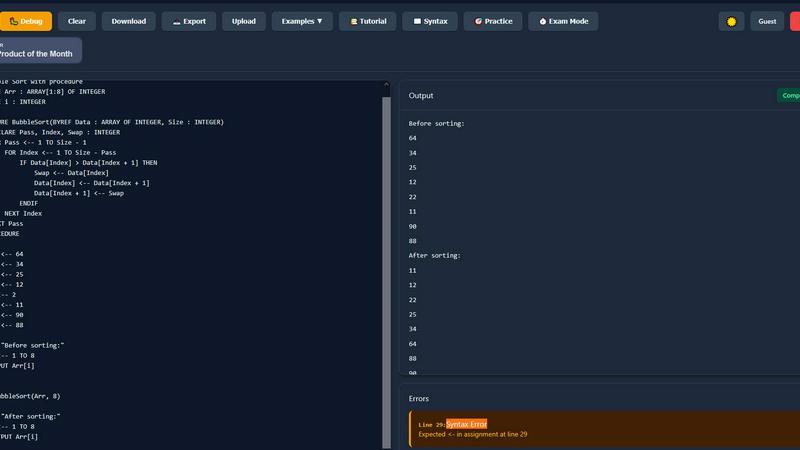
About PseudoRun
PseudoRun is the leading free online platform tailored for students aiming to excel in IGCSE Computer Science pseudocode. It serves as an interactive editor and simulator that allows users to write, run, and test algorithms seamlessly, mimicking a real programming environment without the hassles of complex setups. Designed specifically for the Cambridge IGCSE syllabus, PseudoRun provides instant feedback while you code, highlighting errors and enabling line-by-line execution to visualize variable changes effectively. This makes it an ideal tool for beginners, students, and educators seeking to bridge the gap between theoretical learning and practical implementation. With a clean, distraction-free interface free from ads, PseudoRun is committed to making pseudocode learning accessible, engaging, and effective. It empowers students to build confidence and achieve excellent exam results, making it the perfect companion for mastering IGCSE Computer Science.
Features of PseudoRun
IGCSE Exam Focused
PseudoRun is meticulously designed to align with the Cambridge IGCSE Computer Science pseudocode specifications. This ensures that every exercise and feature is relevant to the exam format, helping students prepare effectively.
Real-Time Validation
With real-time validation, PseudoRun offers instant syntax checking and error detection. This feature assists students in writing perfect IGCSE pseudocode by providing immediate feedback as they code, reducing frustration and enhancing the learning experience.
Step-by-Step Debugger
The step-by-step debugger feature allows users to execute their pseudocode line-by-line. This not only facilitates a deeper understanding of algorithms but also enables students to track variable changes in real-time, reinforcing their comprehension of the concepts.
Free Cloud Storage
PseudoRun offers free cloud storage where students can save an unlimited number of IGCSE pseudocode programs. This allows users to access their work from any device, making it easy to prepare for exams on the go.
Use Cases of PseudoRun
Beginner Learning
For students new to programming and algorithmic concepts, PseudoRun serves as an ideal learning tool. The real-time validation and error highlighting help beginners grasp the fundamentals of pseudocode quickly and effectively.
Exam Preparation
PseudoRun is perfect for students preparing for their IGCSE exams. The platform includes numerous IGCSE-style practice problems, allowing users to apply their knowledge and strengthen their skills under exam-like conditions.
Classroom Resource
Educators can utilize PseudoRun as a classroom resource to demonstrate pseudocode concepts interactively. Its engaging features make it a valuable tool for teaching, allowing teachers to guide students through complex algorithms in a simple manner.
Collaborative Learning
Students can collaborate on pseudocode projects using PseudoRun’s cloud storage feature. This enables groups to work together efficiently, sharing their code and ideas, which promotes teamwork and enhances the learning process.
Frequently Asked Questions
Is PseudoRun really free to use?
Yes, PseudoRun is completely free to use. There are no hidden fees, premium features, or ads, ensuring a focused learning experience for all students.
Do I need to sign up to use PseudoRun?
No, you can start coding immediately without any login. PseudoRun allows you to access its features without the need for an account, making it accessible for everyone.
Can I save my pseudocode projects?
Absolutely! PseudoRun provides free cloud storage, allowing you to save and retrieve your pseudocode projects from any device whenever you need them.
How does the step-by-step debugger work?
The step-by-step debugger allows you to execute your pseudocode line-by-line. As you run your code, you can observe how each variable changes, which helps you understand the flow of your algorithms better.
Similar to PseudoRun

Delta Report
Free, Live 3D Satellite, Space Weather & Climate Tracker in real time on an interactive globe alongside articles and insights.

The French Corner
Learn French through visual stories told by a native speaker. Words you meet come back on their own, right before you'd forget them.
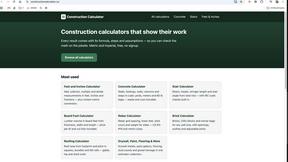
Construction Calculator
Free construction calculators with transparent formulas, steps, assumptions, and metric or imperial units.
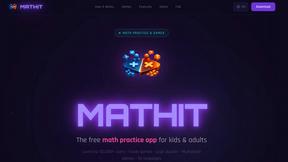

YT Video Summarizer
Turn Long YouTube Videos into Quick AI Summaries in Seconds.

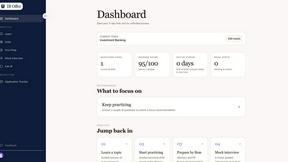

EinbuergerungstestFragen
Master the German citizenship test with 300 free practice questions, detailed answers, and a step-by-step online quiz to build your confidence.