
Nani
Nani makes AI image generation easy by organizing prompts and images into reusable sets for seamless creativity.
Visit
About Nani
Nani is an innovative workflow tool specifically crafted to enhance the experience of AI image generation, making it perfect for artists, designers, and content creators who need a reliable solution for regular and repetitive tasks. Unlike traditional AI image tools that focus on one-off creations, Nani streamlines the entire image generation process. It allows users to bypass the tedious task of rewriting prompts and navigating through extensive image feeds. Built on Google's advanced Nano Banana Pro (Gemini) technology, Nani offers a comprehensive and user-friendly interface that supports quick image generation. Key features such as reusable prompt sets and organized folders help maintain consistency and efficiency. With Nani, creators can devote more time to their artistic expression and less to managing the logistics of image production.
Features of Nani
User-Friendly Interface
Nani boasts a simple and intuitive interface designed to minimize distractions and enhance creativity. Users can dive right into generating stunning images without facing a steep learning curve. Simply type a prompt and hit generate, and within seconds, you will have your desired image ready to go.
Reusable Prompt Sets
One of Nani's standout features is the ability to group images and save prompts as reusable sets. This functionality allows users to maintain consistent characters, styles, and workflows across multiple generations, making it easier to achieve a cohesive look for ongoing projects.
Organizational Tools
Nani provides robust organizational features that let users create folders, filter images by favorites, and bulk-select items. This ensures that your image library remains tidy and manageable, allowing you to keep your creative assets organized and easily accessible.
Seamless Workflow Integration
With Nani, you can drag and drop images as references and share your creations through public links. This feature not only enhances collaboration but also allows others to recreate your work in their own accounts, fostering a community of creativity and inspiration.
Use Cases of Nani
Freelance Designers
Freelance designers can use Nani to quickly generate images for client projects. The ability to save reusable prompts and maintain organized folders allows them to work efficiently and meet tight deadlines without compromising on quality.
Content Creators
Content creators can leverage Nani to produce engaging visuals for social media, blogs, and websites. By utilizing the quick image generation and organizational features, they can focus on storytelling rather than getting bogged down by repetitive tasks.
Game Developers
Game developers can benefit from Nani by generating consistent character designs and assets for their games. The reusable prompt sets ensure that the art style remains uniform throughout the development process, aiding in the creation of a cohesive gaming experience.
Educators and Students
Educators and students can utilize Nani for projects and presentations, creating visually appealing graphics that enhance their content. The intuitive interface makes it accessible for users of all skill levels, encouraging creativity in academic settings.
Frequently Asked Questions
How does Nani work?
Nani simplifies the image generation process by allowing users to type prompts and generate images within seconds. It leverages advanced AI technology to produce high-quality visuals quickly and efficiently.
Is there a learning curve to using Nani?
No, Nani is designed to be user-friendly with an intuitive interface. Users can start creating images right away without needing extensive training or prior experience.
What is the cost of using Nani?
Nani operates on a credit-based billing system, where users pay only for what they generate. There are no subscriptions or long-term commitments, making it a flexible option for various users.
Can I share my creations with others?
Yes, Nani allows users to share their generated images via public links. This feature promotes collaboration and enables others to recreate your work, fostering a vibrant creative community.
Explore more in this category:
Similar to Nani
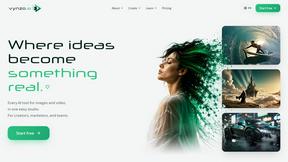
Vynzo
AI image and video studio. Generate from a prompt, animate stills, swap faces, restyle clips and edit — one credit pool, no subscription.
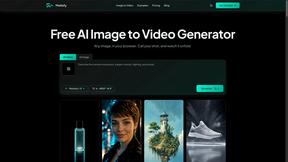
Motiofy
Motiofy is an AI creative workspace that helps creators and teams turn ideas into polished visual stories.
Speechyou
AI transcription for voice notes, meetings, and audio files in 1,700 languages, with AI summaries and subtitle export and unlimited chat ai usage.
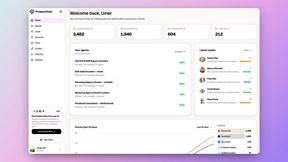
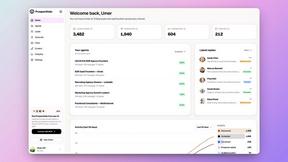
ProspectHalo
AI sales agent that finds qualified leads, runs outreach, follows up automatically, creates content, and helps book more meetings.
benchmark.directory
Independent AI tool listings: the cheapest usable plan, the real free-tier limit, tested integrations, and who trains on your work.
saasgrow.ai
The shortcut to the right SaaS. Screened growth tools, organised by category, with nothing sponsored and nothing bought.
Tools Network
Tools Network is a curated directory of the best AI tools across 25+ categories. Compare ratings, pricing, and features to find the right one, fast.
