
MeetingMind
MeetingMind automatically records and transcribes Zoom meetings, ensuring you capture every important detail.
Visit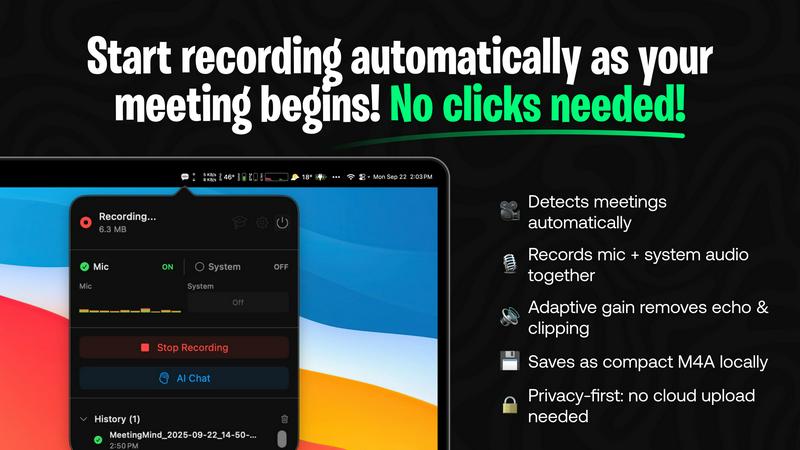
About MeetingMind
MeetingMind is a revolutionary intelligent meeting assistant designed to enhance the way you capture and manage your meetings effortlessly. Tailored for professionals, team leaders, and anyone who regularly attends meetings, this powerful tool automatically detects and records your Zoom meetings without any manual intervention. By leveraging on-device AI technology, MeetingMind ensures that you never miss a crucial detail again, transforming your meetings into interactive and searchable notes. The result is a seamless experience where you can focus entirely on the conversation while MeetingMind handles the organization and documentation of your discussions. With real-time, speaker-attributed transcripts delivered in clean markdown format, you can easily refer back to key points and important discussions whenever needed. MeetingMind prioritizes privacy with all processing done locally on your device, ensuring that your sensitive meeting data remains confidential. Say goodbye to the hassle of note-taking and welcome a smarter way to manage your meetings.
Features of MeetingMind
Automatic Detection
MeetingMind automatically detects your Zoom meetings, meaning there are no clicks needed to start recording. This feature allows you to focus on the conversation without worrying about missing any important moments.
AI Assistant
Choose your preferred AI assistant between local Ollama or cloud-based OpenRouter for generating insightful summaries and highlights from your meetings. This flexibility ensures that you get the best assistance tailored to your needs.
Markdown Export
After your meetings, MeetingMind provides AI-generated summaries and transcripts that are saved as formatted markdown files. This makes it easy to share and reference key points with your team.
100% Private
MeetingMind processes all data locally on your Mac, ensuring that your meetings never leave your device. This commitment to privacy allows you to capture and store sensitive information securely without concerns about external data breaches.
Use Cases of MeetingMind
Team Meetings
In team meetings, MeetingMind helps capture crucial discussions and decisions, allowing team members to stay aligned on projects. The interactive notes make it easy to revisit important topics.
Client Calls
During client calls, MeetingMind ensures that all details are accurately recorded. This is perfect for following up on commitments and maintaining a professional relationship with clients.
Brainstorming Sessions
In brainstorming sessions, MeetingMind can capture creative ideas as they flow. The ability to access these notes later allows for continuous innovation and development of concepts discussed.
Performance Reviews
For performance reviews, MeetingMind provides a structured way to document feedback and discussions. This ensures that both employees and managers have clear records of what was discussed and agreed upon.
Frequently Asked Questions
How does MeetingMind automatically detect my meetings?
MeetingMind uses intelligent algorithms to recognize when you join a Zoom meeting, automatically starting the recording process without requiring any input from you.
Is my data safe with MeetingMind?
Yes, MeetingMind processes all information locally on your Mac, meaning your data is never uploaded to the cloud. This privacy-first approach ensures your meeting details remain confidential.
Can I access my transcriptions and summaries after the meeting?
Absolutely! After your meeting, you will receive a transcription and summary in markdown format, which you can easily access and share with your team.
What should I do if I have issues with the app?
If you encounter any problems with MeetingMind, you can reach out to our support team through the app or visit our website for assistance. We are here to help you resolve any issues promptly.
Explore more in this category:
Similar to MeetingMind
AI Email Filter
AI Email Filter sorts incoming mail into folders using plain-language prompts you write. Works with any IMAP mailbox; bring your own LLM if you want.
GetYouTubeTranscript
Free YouTube transcripts on the web, a Chrome extension, and an API + MCP server so AI assistants can read YouTube.
Egmatic
No-code 2D game editor: visual node logic, drag-and-drop scenes, live preview. Exports to Windows, macOS, Linux, Android, iOS, Web.
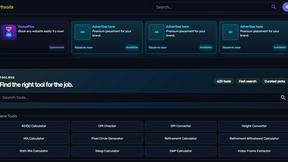
Kody Tools
Free collection of online developer utilities, code formatters, and digital converters designed to streamline your daily workflow.


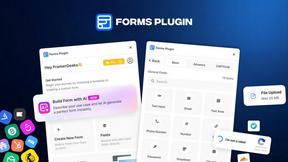
Forms Plugin
The #1 Native Form Builder Plugin for Framer - No Code, No Embeds, No External Platforms.
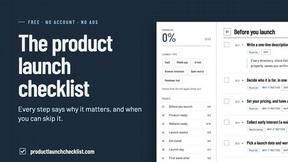
Product Launch Checklist
A free launch checklist for SaaS, apps, AI tools and more. Every step says why it matters and when you can skip it.