

About Klipzy
Ever looked at a beautiful photo and wished it could move and tell a story? Klipzy makes that dream a reality. It's a native Mac application designed to transform your ordinary, static images into stunning, cinematic video clips in just seconds. Using AI-powered technology, Klipzy applies professional motion effects like smooth zooms, pans, and the classic Ken Burns effect to bring your photos to life. You don't need any video editing experience or complex software. With an incredibly intuitive interface, you simply upload your photo, choose an effect, and download your HD video. It's perfect for content creators, social media managers, real estate agents, small business owners, or anyone who wants to create engaging content without the steep learning curve. Klipzy's mission is to democratize professional video creation, offering a powerful, one-time purchase tool that empowers everyone to capture attention and share their stories in a more dynamic way.
Features of Klipzy
20+ Cinematic AI Effects
Klipzy comes packed with over twenty different motion styles to suit any mood or project. From subtle zooms and smooth pans (left to right, right to left) to dynamic orbits, swings, and even fun effects like a simulated hand shake or motion blur, you have a full toolkit. The AI intelligently applies these effects to your image, creating a professional, cinematic movement that would normally require advanced editing skills and much more time.
Built-in Watermark Remover
This handy feature saves you time and the need for another app. If your source image has an unwanted watermark or logo, Klipzy's built-in remover can help you erase it directly within the application. This ensures your final video clip is clean, professional, and ready for sharing on any platform, making your content creation workflow smoother and more efficient.
Native Mac App with Local Processing
Klipzy is built specifically for macOS, which means it runs smoothly, feels integrated with your system, and works offline. All processing happens locally on your Mac—your photos and videos are never uploaded to the cloud. This guarantees privacy, security, and fast export speeds, giving you complete control over your creative assets from start to finish.
Multiple Aspect Ratios & HD Export
Create content for any platform effortlessly. Klipzy supports five different aspect ratios, including vertical (9:16) for Instagram Reels and TikTok, square (1:1), and landscape (16:9). Once you've crafted your moving image, you can export it as a high-definition MP4 video file, ready to be shared directly to your social media channels, marketing campaigns, or personal projects.
Use Cases of Klipzy
Social Media Reels & Stories
Breathe new life into your social media feed! Transform your best photos into eye-catching videos for Instagram Reels, TikTok, YouTube Shorts, or Facebook/Instagram Stories. A moving image stops the scroll far more effectively than a static photo, helping you boost engagement, attract more followers, and tell compelling visual stories about your life, brand, or hobbies.
Real Estate Property Showcases
Real estate agents and photographers can use Klipzy to create captivating video tours from single property photos. Apply a smooth pan across a living room or a gentle zoom into kitchen details to highlight selling points. These cinematic clips are perfect for social media promotions, listing websites, and email campaigns, giving potential buyers a more immersive first look.
E-commerce Product Highlights
Make your online products stand out. Online sellers can transform product photos into short, engaging videos that show items from different angles. A subtle orbit or zoom effect can showcase design details, texture, and features much better than a still image, potentially increasing dwell time and conversion rates on product pages and social ads.
Travel & Personal Memory Videos
Turn your favorite vacation or family photos into beautiful, moving memories. Instead of a standard slideshow, apply cinematic motion to your best shots from a trip, a celebration, or a weekend adventure. Create a short, emotional video set to music to relive the moment and share it with friends and family in a uniquely dynamic format.
Frequently Asked Questions
What image formats are supported?
Klipzy supports common image formats including JPG, PNG, and WebP. You can upload any image file in these formats, as long as it is under 50MB in size, which covers the vast majority of high-quality photos from cameras and smartphones.
How long can the videos be?
Each video clip you create with Klipzy has a maximum duration of 15 seconds. This is the perfect length for most social media short-form video platforms like Reels, Shorts, and TikTok, ensuring your content is concise, engaging, and platform-optimized.
Is this a subscription?
No, Klipzy is not a subscription service. It is available for a simple, one-time purchase license fee. You pay once and own the app forever, including access to all current features and effects, with no recurring monthly or annual payments.
What platforms are supported?
Currently, Klipzy is available as a native application for macOS. This means it is designed to run on Apple Mac computers. The team is dedicated to the Mac platform, ensuring a fast, secure, and integrated experience for all Mac users.
Explore more in this category:
Similar to Klipzy
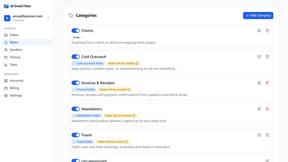
AI Email Filter
AI Email Filter sorts incoming mail into folders using plain-language prompts you write. Works with any IMAP mailbox; bring your own LLM if you want.
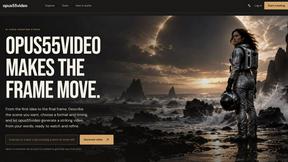
opus55video
Opus55video turns written ideas into cinematic motion with AI video creation.
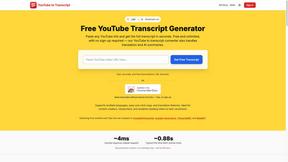
GetYouTubeTranscript
Free YouTube transcripts on the web, a Chrome extension, and an API + MCP server so AI assistants can read YouTube.
Egmatic
No-code 2D game editor: visual node logic, drag-and-drop scenes, live preview. Exports to Windows, macOS, Linux, Android, iOS, Web.
Kody Tools
Free collection of online developer utilities, code formatters, and digital converters designed to streamline your daily workflow.

Seedance 2.5 Free
Create polished AI videos from text or images online with Seedance 2.5 Free.
Forms Plugin
The #1 Native Form Builder Plugin for Framer - No Code, No Embeds, No External Platforms.

Product Launch Checklist
A free launch checklist for SaaS, apps, AI tools and more. Every step says why it matters and when you can skip it.