
GIF Face Swap
Swap your face into any GIF using just one photo and a short animation, no editing skills needed.
Visit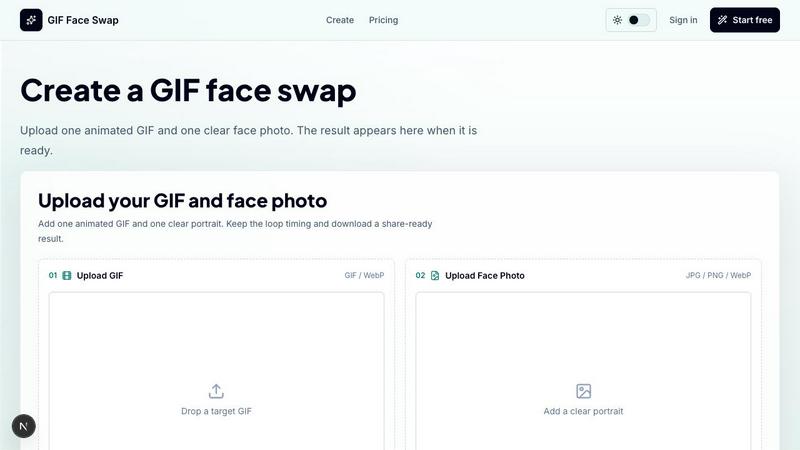
About GIF Face Swap
GIF Face Swap is an online tool designed to help you create personalized animated GIFs by swapping a face from your own photo into a short animation. You do not need to learn complex video-editing software or spend hours on manual adjustments. The process is straightforward: upload a short GIF or WebP animation, add one clear face photo, and let the AI handle the rest. The result is a face-swapped loop that keeps the original timing and expression, ready for sharing in chats, social media, or memes.
This tool is built for meme creators, social media users, friends, community managers, and marketing teams who want a quick way to turn reaction GIFs into something personal and shareable. Whether you are making a funny reply in a group chat, creating a branded campaign loop, or just having fun with friends, GIF Face Swap makes it easy to get a polished result in minutes. You can try the tool before committing to anything, then use credits when you need more generations without watermarks. The interface is clean and beginner-friendly, guiding you step by step from upload to download.
GIF Face Swap also prioritizes privacy. Your uploads and finished GIFs stay private, and guest download links expire after a set time. The tool supports short animated files and focuses on a straightforward creation experience. We encourage you to upload only images and animations you have permission to use and to get consent before sharing face-swapped content. This approach keeps the experience fun, safe, and respectful for everyone involved.
Features of GIF Face Swap
Built for Animated GIFs
GIF Face Swap is specifically designed for short animated loops, not long videos. This focus means the tool preserves the original loop timing, expression, and overall feel that make reaction GIFs work so well. You do not need to worry about complex frame editing or losing the punchline of a funny moment. The AI analyzes each frame of your uploaded GIF or WebP, swaps the face consistently, and outputs a smooth animation that looks natural. This feature is perfect for creators who want to keep the energy of a classic reaction while adding a personal twist.
Cleaner Face Results
The tool is optimized to produce cleaner swaps when you use a clear, front-facing portrait as your source photo. By starting with a well-lit and sharp image, the AI can map facial features more accurately, resulting in less blur and fewer missed frames. This attention to detail means your swapped face will blend into the animation more naturally, whether the original character is laughing, confused, or shocked. For the best outcome, choose a portrait where the face is centered and the lighting is even.
Private by Default
Your privacy is built into the workflow. All uploads and finished GIFs remain private, and guest download links expire after a set period. This means you do not have to worry about your creations being publicly accessible or searchable. Whether you are making a joke for a close group of friends or a prototype for a client, you can use GIF Face Swap with confidence. The tool does not store your images longer than necessary, and you control when to share the final result.
Fast First Try
You can create your first face-swapped GIF without signing up or paying anything. Simply upload one GIF and one face photo, then generate a watermarked preview to see how the swap looks. This fast first try lets you test the quality and ease of use before deciding to upgrade. If you like the result, you can sign up for a plan that removes watermarks and gives you more credits for additional generations. This approach makes it easy to get started and see if the tool fits your needs.
Use Cases of GIF Face Swap
Meme Makers and Social Creators
Turn familiar reaction loops into fast posts, comments, group-chat replies, and short-form jokes while the trend is still moving. If you see a popular reaction GIF going viral, you can quickly swap in your own face or a friend's face to create a personalized version that feels fresh and relevant. This use case is ideal for content creators who want to engage their audience with timely, funny, and shareable animations. The process takes only minutes, so you can keep up with the pace of social media.
Fandom Editors
Put a friend, character, or creator face into anime, movie, sports, and game-adjacent loops without opening a full editing suite. If you are part of a fandom community, you can create inside jokes and personalized reactions that reference your favorite scenes. For example, you can swap a friend's face into a dramatic movie moment or a celebratory sports clip. This use case is perfect for fans who want to express their creativity and humor in a way that resonates with their community.
Marketing Teams and Brands
Create lightweight campaign replies, launch reactions, mascot moments, and internal celebration loops from approved source files. Marketing teams can use GIF Face Swap to produce quick, engaging content for social media responses or team communications. For instance, you can swap a mascot's face into a popular reaction GIF to celebrate a product launch or respond to customer feedback. This approach saves time and resources compared to traditional animation, while still delivering a fun and memorable result.
Teams and Communities
Make private joke loops for wins, retros, birthdays, and community moments where speed matters more than a full video editor. If you are part of a remote team or an online community, you can create personalized GIFs to celebrate achievements, acknowledge milestones, or just have a laugh together. The private-by-default feature ensures these creations stay within your group. This use case is all about fostering connection and fun without the overhead of complex tools.
Frequently Asked Questions
What file formats does GIF Face Swap support?
GIF Face Swap supports GIF and WebP animations for the target animation file. For the face photo, you can upload JPG, PNG, or WebP images. Each target animation should be under 20MB, and short loops work best for clean results. Face photos should be under 8MB each. If you need to prepare your files, the tool also offers free utilities like a GIF compressor, GIF analyzer, and GIF to WebP converter to help you get started.
How do I get the best face swap results?
For the best results, use a clear, front-facing portrait where the face is well lit and centered. Avoid photos with heavy shadows, extreme angles, or obstructions like sunglasses or hats. The target animation should have one clear face for the swap to work accurately. Short loops with close-up shots of a single subject tend to produce the most natural-looking swaps. If the result looks blurry or has missed frames, try a different source photo or a simpler animation.
Is my data private when I use GIF Face Swap?
Yes, your privacy is a priority. All uploads and finished GIFs remain private by default. Guest download links expire after a set period, so you control who sees the final result. The tool does not make your creations publicly searchable or accessible. We recommend uploading only images and animations you have permission to use, and we encourage you to get consent before sharing face-swapped content with others.
Can I try GIF Face Swap before paying?
Absolutely. You can start with a free GIF face swap that includes a watermarked preview. This allows you to test the quality and ease of use without any commitment. If you like the result and want to remove the watermark or create more generations, you can upgrade to a credit-based plan. This way, you only pay when you need more output, and you can be confident the tool meets your needs before spending anything.
Pricing of GIF Face Swap
GIF Face Swap offers a simple credit-based pricing model. You can start with one free swap that includes a watermark on the output. When you are ready to remove the watermark and create more generations, you can upgrade to a paid plan. Credits are purchased in bundles, and you only buy more when you need them. There is no subscription lock-in, so you have full control over your spending. Specific pricing tiers and costs are available on the pricing page of the website.
Similar to GIF Face Swap
ImageGPT
ImageGPT is an all-in-one AI creative platform for generating, editing and transforming images and videos using AI.
AI Album Cover Maker
Create release-ready album covers from a prompt or photo. Generate, refine, and export art for singles, EPs, mixtapes, and playlists.
Sprite Sheet Maker
A free browser-based toolkit for creating, cutting, converting, and previewing sprite sheet animations.

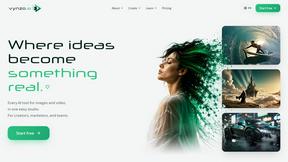
Vynzo
AI image and video studio. Generate from a prompt, animate stills, swap faces, restyle clips and edit — one credit pool, no subscription.

Try This Skill
One-click AI photo stylization for e-commerce & portraits
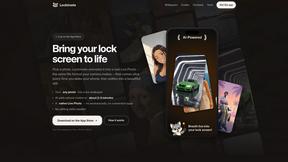
Lockimate - AI Live Wallpapers
Turn any photo into a real Apple Live Photo that animates when you wake your iPhone. Restyle it and choose the motion — customizable.
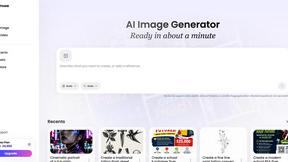
Vismuse
Create polished AI images and videos from prompts or references for social posts, ads, flyers, album covers, and campaigns.