
Fusedash
Fusedash transforms raw data into intuitive dashboards and charts for instant insights and informed decision-making.
Visit
About Fusedash
Fusedash is an advanced AI-powered data visualization platform that simplifies the process of transforming connected data into actionable insights. It is designed for teams and organizations seeking to enhance their data reporting and analysis capabilities without the hassle of dealing with multiple disconnected tools. With Fusedash, you can create dynamic dashboards, interactive charts, detailed maps, and comprehensive narrative reports all within a unified workspace. The platform's main value proposition lies in its ability to ensure consistency and efficiency; by defining key metrics and KPIs once, you can easily reuse these definitions across various views and reports. This feature guarantees that all team members, from leadership to operations, are aligned and referencing the same trusted data. Fusedash is particularly beneficial for teams weary of tedious manual reporting cycles and discrepancies in data interpretations. It empowers users to monitor real-time data while also enabling deeper analysis by drilling down into specific segments, regions, or time periods. With integrated AI functionalities like natural language data chat and smart visualization assistance, Fusedash streamlines data exploration and reporting, making it accessible to all users and transforming raw data into a collaborative source of truth that drives informed decision-making.
Features of Fusedash
Flexible Views
Fusedash offers flexible views tailored for different audiences. You can easily convert the same dataset into dashboards, charts, maps, or report-style presentations, ensuring that each stakeholder sees the information that matters most to them without unnecessary back-and-forth communication.
AI Chart Generator
The AI Chart Generator in Fusedash allows users to create stunning visuals from CSVs or APIs in mere minutes. This feature helps you select the most suitable chart types, apply comparisons, and refine labels to accurately convey your data story, which can then be incorporated into dashboards or used as standalone visuals.
Dashboard Software
Fusedash combines dashboard monitoring with comprehensive reporting capabilities. This unique integration allows teams to share consistent views with stakeholders while adding context through storytelling sections, clarifying what has changed, why it is important, and what actions should be taken next.
Data Integrations
With Fusedash, you can seamlessly combine data from CSVs, APIs, and public datasets all within one platform. This feature simplifies data organization and ensures that various datasets can be reused across multiple charts, dashboards, and reports, reducing redundancy and enhancing efficiency.
Use Cases of Fusedash
Marketing Performance Monitoring
Marketing teams can utilize Fusedash to monitor campaign performance by creating dashboards that visualize key metrics such as conversion rates, customer engagement, and ROI. This allows for timely adjustments based on real-time data insights.
Financial Reporting
Finance departments can leverage Fusedash for generating detailed financial reports. By integrating various data sources, teams can create comprehensive visualizations that provide insights into budget performance, spending patterns, and revenue forecasts.
Sales Analysis
Sales teams can benefit from Fusedash by building interactive dashboards that track sales performance across different regions and product lines. This enables quick identification of trends and areas for improvement, fostering data-driven decision-making.
Operational Efficiency Tracking
Operations teams can use Fusedash to monitor key operational metrics and performance indicators. With real-time visualizations, teams can identify bottlenecks and optimize processes, ultimately improving efficiency and productivity.
Frequently Asked Questions
What types of data can I connect to Fusedash?
You can connect various data sources to Fusedash, including CSV files, APIs, and public datasets. This flexibility allows you to consolidate your data into a single platform for comprehensive analysis and reporting.
How does Fusedash ensure data consistency across reports?
Fusedash enables users to define key metrics and KPIs once, which can then be reused across all views and reports. This standardization ensures that everyone in the organization is referencing the same trusted data, eliminating discrepancies.
Can I customize the dashboards and reports in Fusedash?
Absolutely! Fusedash provides customizable layouts, filters, and time ranges, allowing you to tailor dashboards and reports to meet the specific needs of different audiences or stakeholders.
Is there support for real-time data monitoring in Fusedash?
Yes, Fusedash offers a real-time interface that allows users to monitor data as it is updated. This feature ensures that teams have access to the most current information for informed decision-making.
Explore more in this category:
Similar to Fusedash
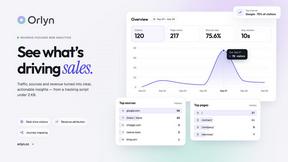
Orlyn
Privacy-first, cookieless web analytics that ties your traffic and channels directly to real Stripe revenue.

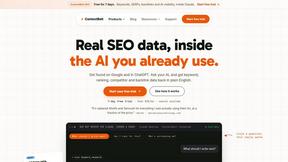
ContextBolt SEO
Research keywords, competitors, backlinks and AI visibility inside Claude or Codex, with findings saved to your SEO dashboard.
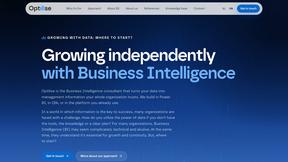
Optilise
Optilise is a Dutch Power BI consultancy helping SMEs get a grip on their numbers with clear BI software and solutions. We make companies self suffici
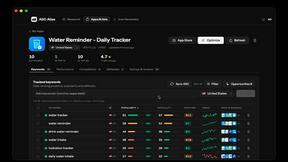
ASO Atlas
Real-time ASO tool with Apple Search Ads data for keyword research, rank tracking and opportunity scoring across 60+ storefronts.
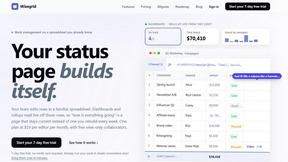
Wisegrid
Spreadsheet-native work management with AI formulas, dashboards, automation, reporting, and project views for growing teams.

Mappit
Earth's daily zeitgeist, on a time-aware map. Breaking, corroborated stories from hundreds of cities. Drop pins, subscribe & share your places.