
SVG to 3D vs Zunvix
Side-by-side comparison to help you choose the right tool.
SVG to 3D
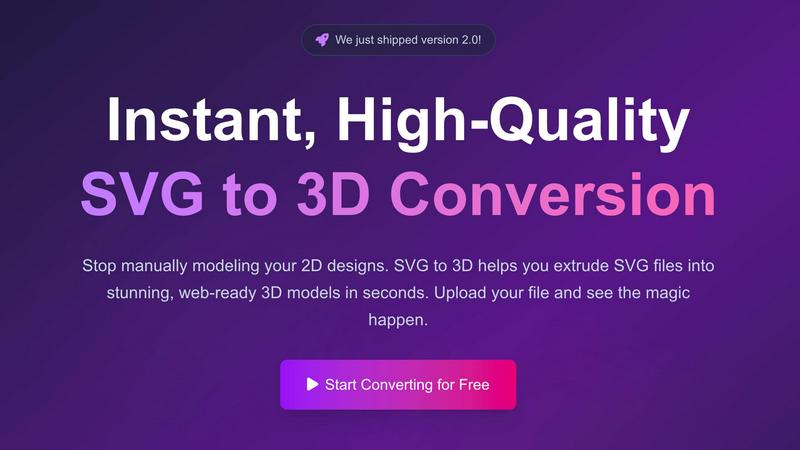
Easily transform your SVG designs into stunning 3D models in seconds with our fast, professional conversion tool.
Last updated: February 26, 2026

Zunvix
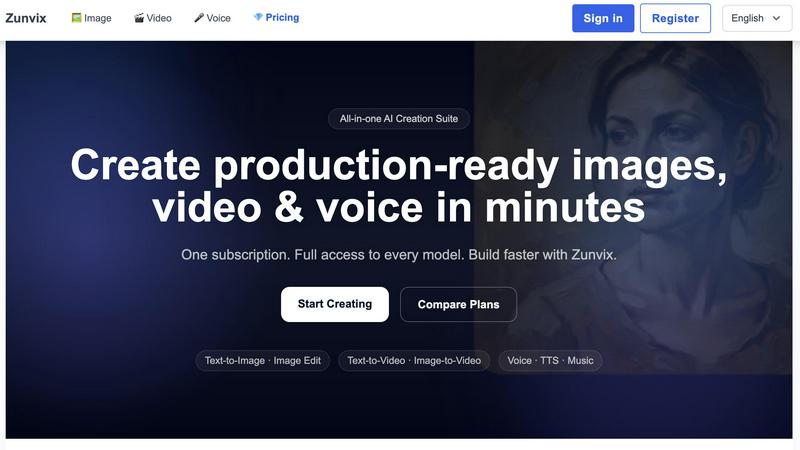
Zunvix is your all-in-one AI platform to effortlessly create stunning images, videos, and voiceovers in minutes.
Last updated: February 26, 2026
Visual Comparison
SVG to 3D
Zunvix
Feature Comparison
SVG to 3D
One-Click to GLB for the Web
This feature allows users to export their 3D models as lightweight GLB files with just one click. These files are optimized for web development, making them ideal for integration into Three.js or React Three Fiber projects. This streamlines the process of adding 3D elements to websites, enhancing user engagement and aesthetic appeal.
3D-Print Ready
SVG to 3D supports clean STL exports, which are essential for 3D printing. Users can easily prepare their designs for fabrication without needing to deal with complex CAD software. This feature ensures that logos, artwork, and custom parts can be 3D printed effectively and accurately.
Fine-Tune Every Detail
With advanced controls, users can go beyond simple extrusion to adjust various attributes of their 3D models. This includes modifying thickness, adding intricate bevels, and applying realistic PBR materials. The real-time preview feature allows users to see changes instantly, ensuring that every detail meets their specifications.
Advanced Material System
The platform offers an advanced material system that enables users to apply realistic PBR materials, custom textures, and professional lighting effects to their 3D models. This capability elevates the quality and visual appeal of the models, setting them apart from those created by basic conversion tools.
Zunvix
AI Image Generation
Zunvix offers high-quality image generation capabilities, allowing users to create stunning visuals from text prompts. With multiple AI models available, users can customize styles and achieve high-resolution outputs tailored to their specific needs.
AI Video Creation
The platform’s AI video features enable users to generate cinematic-quality videos in minutes. Whether starting from text or images, Zunvix provides various options for video duration and formats, ensuring that you can create engaging content effortlessly.
Voice Generation and TTS
Zunvix includes advanced voice generation capabilities, allowing users to create voiceovers, music, and transcriptions. With premium text-to-speech features, you can easily add professional audio to your visual content, enhancing its overall impact.
Flexible Credit System
The credit system in Zunvix is designed for flexibility, allowing users to allocate credits across image, video, and voice generation seamlessly. This means you can use your credits on any model at any time, making it easier to adapt to your evolving content needs.
Use Cases
SVG to 3D
Create Interactive 3D Logos and Icons for Web
Web developers can leverage SVG to 3D to convert simple SVG icons into engaging 3D models that enhance the user experience on websites. These models can be integrated seamlessly into interactive projects, making them visually striking and dynamic.
From Digital Design to Physical Object
Designers can transform their 2D artwork into 3D printed objects using the STL export feature. Whether it’s logos, custom parts, or artistic creations, users can bring their designs to life and fabricate them without the need for complicated software.
Enhance Your UI/UX Designs
UI/UX designers can utilize SVG to 3D to add depth and realism to their mockups. By converting simple SVG elements into 3D models, they can impress clients and stakeholders with interactive presentations that showcase their designs in a more engaging manner.
Rapid Prototyping for 3D Projects
For creators looking to prototype quickly, SVG to 3D offers a fast solution to convert 2D designs into 3D models ready for testing and iteration. This enables teams to refine their concepts rapidly and efficiently, accelerating the design process.
Zunvix
Social Media Content Creation
Zunvix is perfect for social media managers looking to produce eye-catching visuals and videos quickly. Generate promotional images and dynamic clips to engage audiences across platforms, all while saving time and resources.
E-commerce Product Visualization
For online retailers, Zunvix enables the creation of high-quality product visuals in minutes. Generate studio-quality shots to showcase products effectively, helping to boost conversions and enhance the shopping experience for customers.
Educational Video Production
Educators and trainers can leverage Zunvix to create informative and engaging video content. Turn scripts into captivating videos that facilitate learning and retention, making complex topics more accessible to students.
Branding and Marketing Campaigns
Zunvix empowers marketers to develop cohesive branding visuals and marketing materials rapidly. Generate campaign visuals and variants to support various promotional efforts, ensuring a consistent brand presence across all channels.
Overview
About SVG to 3D
SVG to 3D is an innovative online tool designed to transform 2D SVG vector graphics into stunning 3D models effortlessly. This user-friendly platform eliminates the need for cumbersome software like Blender or C4D, allowing designers, developers, and 3D printing enthusiasts to convert their SVG files to high-quality 3D representations in seconds. The core value proposition lies in its simplicity and efficiency, enabling users to focus on creativity rather than complex modeling processes. With features tailored for professionals, SVG to 3D not only supports quick conversions but also offers advanced customization options for refining models. Whether you are looking to enhance your web projects with interactive 3D elements, create captivating 3D logos, or prepare designs for 3D printing, SVG to 3D makes the entire workflow fast and intuitive, empowering users to bring their visions to life.
About Zunvix
Zunvix is an innovative AI-driven creative generation platform that empowers users to streamline and accelerate their digital content creation processes. Designed for versatility, Zunvix enables a wide array of users, including content creators, developers, marketers, and brand owners, to produce high-quality images, dynamic videos, and engaging audio content. Users can generate commercial-ready visual assets with ease, thanks to the platform’s intuitive interface and access to advanced AI models. Whether you are looking to create consistent character designs, produce stunning visuals for advertising, or develop captivating video narratives, Zunvix makes professional-grade content creation accessible and affordable for individuals, startups, and larger enterprises. Transform your ideas into scalable visual content quickly and efficiently with Zunvix.
Frequently Asked Questions
SVG to 3D FAQ
How do I get started with SVG to 3D?
To get started, simply upload your SVG file by dragging and dropping it into the tool or selecting it from your device. Once uploaded, you can adjust settings and preview your 3D model before exporting it.
What file formats can I export my 3D model in?
You can export your 3D models in multiple formats including GLB, GLTF, OBJ, and STL. This flexibility allows you to use the models in various applications, whether for web development or 3D printing.
Is there a limit on the file size I can upload?
Yes, the maximum file size for uploads is 5 MB. This ensures that the conversion process remains fast and efficient while accommodating most SVG files.
Is my data secure when using SVG to 3D?
Absolutely! Your files are processed locally in your browser whenever possible, ensuring that your designs remain private and secure. There are no uploads to external servers, keeping your data safe.
Zunvix FAQ
What types of content can I create with Zunvix?
With Zunvix, you can create high-quality images, dynamic videos, and professional voiceovers. The platform supports diverse content types, making it ideal for a wide range of applications from social media posts to marketing campaigns.
Can I use the content generated commercially?
Yes, you own the outputs you create with Zunvix, and you can use them commercially. Just be sure to respect third-party rights, such as trademarks and copyrighted materials, when using your generated content.
How does the credit system work in Zunvix?
Credits are flexible and shared across all tools, including image, video, and voice generation. Your credits renew each billing cycle, allowing you to use any model as needed, making it convenient to manage your content creation process.
Are all AI models included in every plan?
Absolutely! Every subscription plan grants full access to the entire model catalog for image, video, and voice generation, ensuring that users have the tools they need to create high-quality content across all formats.
Alternatives
SVG to 3D Alternatives
SVG to 3D is an innovative tool designed to transform your 2D SVG vector graphics into high-quality 3D models. It falls under the category of AI Assistants, making the design process more accessible for users ranging from web developers to 3D printing enthusiasts. While SVG to 3D offers a streamlined solution for converting designs, users often seek alternatives for various reasons, such as pricing, feature sets, or specific platform compatibility. When choosing an alternative, consider factors like ease of use, output quality, and whether the tool integrates well with your existing software or workflow. It's essential to look for options that provide similar functionality, such as one-click exports for web development or support for 3D printing formats, while also accommodating your unique project needs.
Zunvix Alternatives
Zunvix is an innovative AI content generation platform that specializes in creating images, videos, and character designs, making it a valuable tool for creators, developers, and brands. As an all-in-one solution, it streamlines the digital content creation process, allowing users to efficiently produce high-quality visual assets. However, users may seek alternatives for various reasons, including pricing, specific feature sets, or compatibility with their unique platform needs. When searching for an alternative, it's essential to consider factors such as ease of use, the range of creative tools offered, budget constraints, and the flexibility of the platform to meet your specific content requirements. A good alternative should empower users to achieve their creative goals without compromising on quality or usability.