Image to Music AI vs SubtitlesFast
Side-by-side comparison to help you choose the right tool.

Image to Music AI
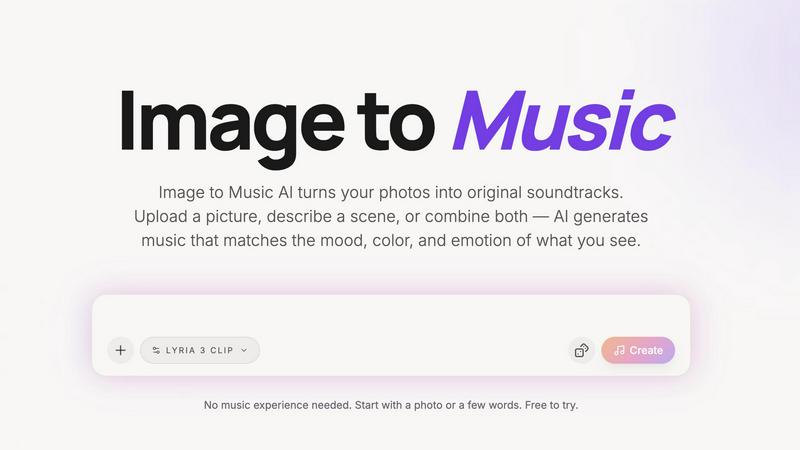
Turn any photo into a unique AI soundtrack that matches its mood and emotion.
Last updated: April 13, 2026

SubtitlesFast
Create beautiful, engaging subtitles for your videos in minutes, all from your phone.
Last updated: March 1, 2026
Visual Comparison
Image to Music AI
SubtitlesFast
Feature Comparison
Image to Music AI
Dual Input Modes: Photo & Text
Start your creative process in the way that suits you best. You can directly upload any photo—a landscape, portrait, or abstract art—and let the AI interpret its visual story. Alternatively, if you have a scene in mind but no picture, simply type a description like "a quiet coffee shop at dawn." For the ultimate control, you can even combine both, using an image as the foundation and adding text prompts to fine-tune the direction.
Full Creative Control with Prompts
While the AI is brilliant at interpreting images, you remain the director. After uploading your photo, you can use text prompts to steer the genre, tempo, and instrumentation of your generated track. Want that serene mountain photo to have an epic orchestral feel instead of ambient piano? Just adjust the prompt. This feature ensures the final music aligns perfectly with your creative vision, not just the AI's first interpretation.
Side-by-Side Track Comparison
Making decisions is easy when you can compare your options. This feature allows you to generate multiple music tracks from the same single image and prompt. You can then listen to these different versions side-by-side to instantly hear which one best captures the mood you're after. It takes the guesswork out of creation and helps you confidently select the perfect soundtrack.
Downloadable, Royalty-Free Audio
Once you've found your perfect track, you can download it directly with no hidden requirements or complicated licensing. The audio output is yours to use in your projects, providing royalty-free background music for videos, podcasts, presentations, or personal enjoyment. This makes it a practical and reliable tool for creators who need ready-to-use, original music.
SubtitlesFast
AI-Powered Auto-Transcription
This is the heart of SubtitlesFast. Simply upload your video, and our advanced AI will automatically transcribe the spoken words into accurate text captions. It supports over 50 languages, making it perfect for creators with a global audience or those creating multilingual content. The transcription forms the perfect base for your subtitles, saving you hours of manual typing and allowing you to jump straight into styling and perfecting your video.
Customizable & Animated Subtitle Styles
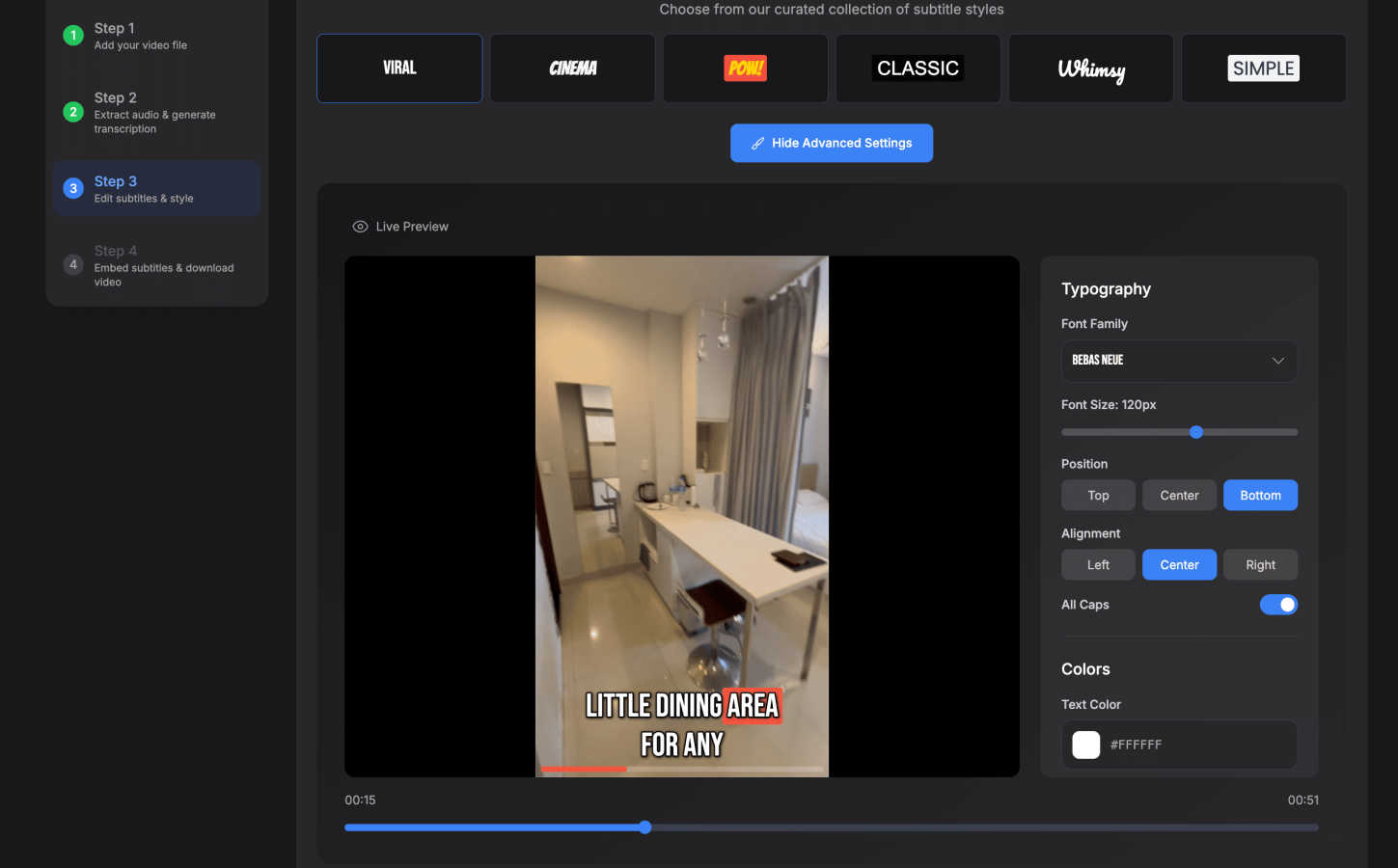
Make your subtitles pop and match your unique brand. SubtitlesFast offers over 30 different animated styles to choose from, allowing you to add dynamic movement and visual interest to your text. You can easily customize the fonts, colors, sizes, and positions to ensure your subtitles are not only readable but also enhance your video's overall look and feel. This feature turns basic captions into an engaging visual element.
Simple, Integrated Video Editor
SubtitlesFast includes a straightforward, timeline-based editor so you can do more than just add text. Trim your clips, cut out mistakes, and arrange your footage seamlessly. You can also add background music, insert text overlays, and include images—all within the same simple interface. It's designed with a gentle learning curve, so you can perform essential edits without needing to learn complicated professional software.
One-Click, Watermark-Free Export
When your video is ready, publishing is a breeze. With a single click, you can export your final video with the subtitles permanently "burned in" to the footage. The exported file is optimized and ready to post directly on social media platforms like X, TikTok, YouTube, and Instagram. Best of all, even the free trial lets you export without any distracting watermarks, so your content looks professional from day one.
Use Cases
Image to Music AI
For Content Creators & Musicians
Vloggers, YouTubers, and social media creators can generate unique, royalty-free background music in minutes. Simply use a keyframe from your video as the input image, and get a custom soundtrack that matches the visual mood perfectly, elevating your content without copyright worries or expensive production costs.
For Filmmakers and Animators
Storyboard a scene and turn it into a temporary or even final score. Filmmakers and animators can upload concept art, storyboard frames, or scene stills to quickly generate atmospheric music that matches the intended emotion, helping to pitch ideas, set the tone during editing, or inspire the final composition.
For Marketing and Advertising
Create cohesive audio branding and custom jingles that visually and sonically represent a brand or campaign. Advertisers can use product photos, brand imagery, or campaign visuals to generate original music that reinforces the brand's identity, making for memorable and emotionally resonant commercials or online ads.
For Personal Memory and Art Projects
Transform personal photos—like a wedding picture, a travel landscape, or a child's drawing—into a personalized musical piece. It's a novel way to commemorate memories, create gifts, or add an auditory dimension to art projects and mood boards, making feelings associated with an image tangible through sound.
SubtitlesFast
Daily Social Media Content Creators
For vloggers, influencers, and creators who post daily on TikTok, Instagram Reels, or YouTube Shorts, speed is everything. SubtitlesFast is built for this rapid pace. You can record a clip, upload it, get AI-generated subtitles, apply a stylish template, and have a polished video ready to post in under five minutes, ensuring you never miss your upload schedule.
Marketers & Small Business Owners
Businesses using video for marketing need to look professional and reach the widest audience. SubtitlesFast helps create accessible, engaging promo videos, testimonials, and how-to guides with clear captions. The multi-language support is ideal for campaigns targeting different regions, and the branded styling ensures consistency across all your visual content.
Accessibility Advocates & Educators
Making content accessible is crucial. Educators, trainers, and public speakers can use SubtitlesFast to easily add accurate captions to their lectures, tutorials, and presentations. This not only aids viewers who are deaf or hard of hearing but also helps all learners by improving comprehension and retention, especially in sound-sensitive environments.
Podcasters & Interviewers Creating Video Clips
Turn your audio content into engaging video snippets for social media. Podcasters can upload interview clips or highlight reels, and SubtitlesFast will quickly generate subtitles for them. This makes the content more shareable and watchable on platforms where users often scroll with sound off, effectively repurposing audio content into a visual format that drives traffic.
Overview
About Image to Music AI
Image to Music AI is a revolutionary tool that transforms your visual world into a unique auditory experience. It's designed for anyone who wants to create original music but doesn't know where to start or lacks musical training. The core idea is beautifully simple: upload any photo or type a description of a scene, and the AI will analyze it to generate a matching soundtrack. It reads the mood, colors, textures, and energy from your image—like a warm sunset, a chaotic cityscape, or a misty forest—and composes a piece of music that captures that exact feeling. This process bridges the gap between what you see and what you feel, making music creation as easy as sharing a picture. Whether you're a content creator needing a quick soundtrack, a filmmaker visualizing a scene, or someone wanting to turn a cherished memory into a song, this tool provides a fast, intuitive, and powerful way to bring your visuals to life with sound. Best of all, it's built to be accessible, offering a free starting point so you can experiment and discover the magic of turning images into music.
About SubtitlesFast
SubtitlesFast is your all-in-one, browser-based solution designed to take the hassle out of video editing, specifically for adding professional subtitles. It's built for creators, marketers, vloggers, and anyone who posts videos regularly on platforms like TikTok, YouTube, Instagram, and X. If you understand that subtitles are essential for boosting engagement, improving accessibility, and keeping viewers watching, this tool is for you. The core mission is simple: to make the process incredibly fast and easy. Forget complex software with steep learning curves. SubtitlesFast streamlines your workflow into four straightforward steps: upload your video, make quick edits, add and style your subtitles, and publish. With powerful AI that auto-transcribes speech in over 50 languages, a library of customizable and animated subtitle styles, and one-click exports without watermarks, it gives you everything you need to polish your daily videos in minutes, not hours. It's the no-fuss tool that helps you work efficiently, so you can focus on creating great content.
Frequently Asked Questions
Image to Music AI FAQ
How does Image to Music AI work?
The process is simple and happens in three steps. First, you upload a photo or describe a scene. The AI then analyzes the visual elements of your input, such as colors, composition, and perceived mood. Finally, it uses this analysis to compose an original piece of music that sonically represents those elements, delivering a track to you in just 2 to 5 minutes.
Do I need any music experience to use this?
Absolutely not! Image to Music AI is designed specifically for people with no music theory or production knowledge. The entire point is to make creation accessible. You start with what you already understand—a picture or a feeling—and the AI handles the complex task of composition. It's as easy as uploading a photo and hitting "create."
What kind of music genres can it create?
The tool supports a wide and growing range of genres to match diverse visuals and moods. This includes piano solos, guitar ballads, orchestral scores, EDM, jazz, blues, cinematic ambience, folk, R&B, Latin pop, Afropop, reggaeton, and even 8-bit chiptune. You can often guide the genre using the text prompt feature alongside your image.
Can I use the music I create for commercial projects?
Yes, the audio tracks you generate and download are royalty-free, meaning you can use them in your commercial projects like YouTube videos, podcasts, advertisements, and presentations without worrying about copyright strikes or additional fees. Always check the latest terms of service for specific details regarding licensing.
SubtitlesFast FAQ
Is there a free trial?
Yes! SubtitlesFast offers a full free trial that allows you to experience all its core features. Most importantly, you can export your finished videos without any watermarks, even on the free plan. This lets you fully test the tool and create professional content before committing to a paid subscription.
How accurate is the AI transcription?
Our AI transcription is highly accurate for clear audio and supports over 50 languages. For the best results, we recommend recording in a quiet environment with a good microphone. The built-in editor makes it easy to quickly review and correct any minor errors the AI might make, ensuring your final subtitles are perfect.
Do I need to download any software?
No, you do not! SubtitlesFast is entirely browser-based. This means you can access it and create videos from any device with an internet connection, whether you're on a computer, tablet, or even your phone. There's no installation required, and you can start creating immediately.
Which platforms are the videos optimized for?
Videos exported from SubtitlesFast are perfectly formatted and ready for all major social media and video platforms. This includes vertical formats for TikTok and Instagram Reels, horizontal for YouTube, and square for other uses. The one-click export ensures your video meets the recommended specs for platforms like X, YouTube, Instagram, and more.
Alternatives
Image to Music AI Alternatives
Image to Music AI is a creative tool in the audio and content creation space. It uses artificial intelligence to generate original music tracks based on the visuals and mood of a photo you upload or a scene you describe. This makes it easy for anyone to create custom soundtracks without needing musical training. People often explore other options for various reasons. Some might be looking for a different pricing model, such as a one-time purchase instead of a subscription. Others may need specific features, like longer audio outputs, more control over the musical structure, or integration with other creative software they use. The platform you work on, like a mobile app versus a desktop website, can also influence the search. When choosing a different tool, consider what matters most for your projects. Think about the quality and style of music it produces, how much creative control you have over the output, and the cost structure. Also, check how easy it is to use and whether you can legally use the generated music for your intended purpose, like in videos or podcasts.
SubtitlesFast Alternatives
SubtitlesFast is a browser-based tool in the video editing and productivity category, designed to help creators add professional, animated subtitles to their videos quickly and easily. It focuses on a streamlined workflow to get videos from your phone to published content in minutes. People often look for alternatives for various reasons. You might need a different pricing plan, require more advanced editing features, or prefer a downloadable desktop application instead of a web tool. Your specific platform needs or desire for a different user interface can also lead you to explore other options. When choosing an alternative, consider what matters most for your workflow. Look at the core features like transcription accuracy, subtitle styling options, and export quality. Also, evaluate the overall ease of use, the cost relative to your budget, and whether the tool integrates well with the platforms where you publish your videos.