
SimpleDraw vs vaethat
Side-by-side comparison to help you choose the right tool.

SimpleDraw
Easily create accurate floor plans and scale drawings online with SimpleDraw, no experience or downloads needed.
Last updated: March 1, 2026

vaethat
Vaethat is an AI tool that effortlessly enhances 3D architectural renders, refining details and clarity while.
Last updated: February 26, 2026
Visual Comparison
SimpleDraw
vaethat

Feature Comparison
SimpleDraw
Accurate Measurements & Scale Drawing
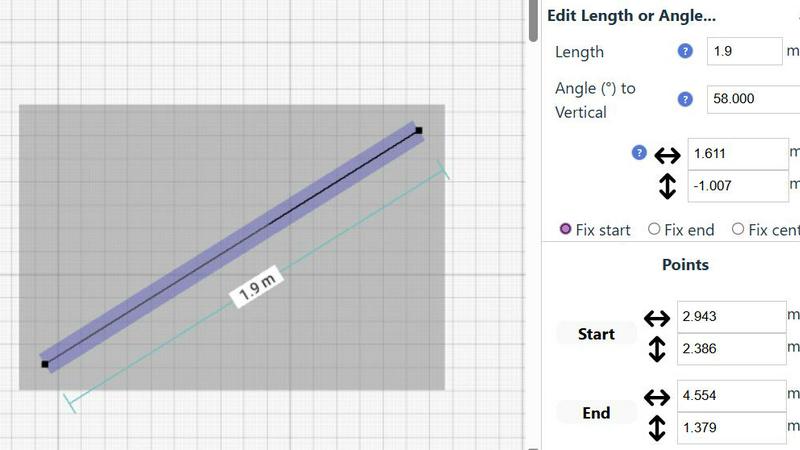
SimpleDraw provides precise measurements and smart alignment features that ensure your drawings are accurate and to scale. This capability is crucial for creating detailed and reliable plans, whether for a simple room layout or a complex renovation project.
Specialized Floor Plan Creator
With a dedicated Floor Plan Mode, SimpleDraw allows you to create detailed floor plans complete with walls, doors, windows, and furniture. This feature is tailored for users who want to visualize their spaces accurately before making any physical changes.
Smart Alignment System
The smart alignment system assists users in positioning points and lines exactly where needed. By providing visual cues, it helps ensure that your drawings are precise, and if adjustments are necessary, you can zoom in for greater accuracy.
Comprehensive Measurement System
SimpleDraw features a comprehensive measurement system that offers fine controls over which measurements are displayed. You can choose between metric or standard US units, and contextual measurements are dynamically shown as you work, providing clarity and precision at every step.
vaethat
AI Render Upscaling
Vaethat's AI render upscaling feature allows users to increase the resolution and sharpness of their 3D architectural renders. This ensures that the geometry remains clean and consistent, providing professional-looking images that are perfect for presentations and portfolios.
Detail Refinement
The detail refinement feature enhances fine textures, edges, and small architectural elements in your renders. This results in a crisper and more polished appearance, allowing intricate details to shine through and making your architectural designs more visually appealing.
Material and Lighting Enhancement
Vaethat improves the perceived realism of your renders by enhancing material definition, contrast, and lighting balance. This feature helps to create visually dynamic images that accurately showcase the materials used in your designs, making them more engaging for viewers.
Noise and Artifact Cleanup
With the noise and artifact cleanup feature, users can reduce rendering noise and common artifacts that can detract from the overall quality of images. This produces cleaner, presentation-ready images that are ideal for client meetings or marketing materials.
Use Cases
SimpleDraw
Kitchen & Bathroom Floor Plans
When planning a kitchen or bathroom renovation, SimpleDraw allows you to create accurate floor plans that visualize layouts before any work begins. This helps ensure your design meets your needs and fits the space effectively.
Room Layouts & Furniture Planning
If you are redesigning a bedroom, living room, or office, SimpleDraw makes it easy to see how furniture will fit within the space. You can experiment with different layouts to find the perfect arrangement without any physical effort.
House & Apartment Plans
SimpleDraw enables you to create complete floor plans for your home or rental listings. This feature is invaluable for space planning, helping you visualize how different areas of your house will work together before you start any renovations.
Community-Driven Development
By joining SimpleDraw's community, you can contribute to its ongoing development. User feedback shapes future features, ensuring that the tool evolves based on the needs and requests of its users, fostering a collaborative environment.
vaethat
Architectural Presentations
Vaethat can be used to prepare architectural renders for professional presentations. By enhancing the clarity and detail of images, professionals can effectively communicate their design concepts to clients and stakeholders.
Portfolio Development
For architects and visualizers looking to build an impressive portfolio, Vaethat provides the tools needed to enhance existing renders. Improved images can elevate the quality of a portfolio, showcasing the artist's skills and attention to detail.
Marketing Materials
Utilizing Vaethat for marketing materials allows designers to produce stunning visuals for brochures, websites, and social media. Enhanced architectural renders attract more attention and help convey the quality and creativity of the designs.
Client Approvals
When seeking client approvals for designs, high-quality visuals are crucial. Vaethat helps create polished, professional renders that highlight the design's strengths, making it easier for clients to visualize the final outcome and approve the project.
Overview
About SimpleDraw
SimpleDraw is your ultimate online solution for creating precise and accurate scale drawings effortlessly. This free tool combines the traditional feel of pen and paper with the advanced capabilities of digital design, making it perfect for casual users, DIY enthusiasts, and homeowners alike. Whether you are sketching out a new furniture arrangement, planning a garden layout, or preparing for a home renovation, SimpleDraw simplifies the process by providing an intuitive interface that is easy to navigate. With its main value proposition of offering professional-grade accuracy and a suite of useful features, SimpleDraw eliminates the complexities often associated with professional CAD software. It runs seamlessly in your web browser, requiring no downloads, installations, or sign-ups. You can dive right into creating your drawings with just a few clicks, transforming your ideas into clear, scaled plans without the usual headaches.
About vaethat
Vaethat AI is a cutting-edge tool designed specifically for architectural visualization professionals. This AI-powered software enables users to upscale and enhance their 3D architectural renders with remarkable ease. By focusing on improving clarity, sharpness, and realism, Vaethat helps architects and visualizers produce stunning images that truly represent their design intent. The platform streamlines the enhancement process, allowing users to upload their renders, choose a preset, and receive enhanced images without the need for complicated adjustments. This efficiency not only saves time but also ensures high-quality results that can elevate presentations, portfolios, and client approvals. With Vaethat, professionals in the archviz field can enhance their workflow and achieve exceptional visual outcomes that stand out in a competitive market.
Frequently Asked Questions
SimpleDraw FAQ
How do I start using SimpleDraw?
Getting started with SimpleDraw is simple. Just visit the website, and you can begin drawing immediately without any downloads or sign-ups.
Is SimpleDraw really free to use?
Yes, SimpleDraw is completely free. There are no hidden fees or subscriptions, allowing you to use all features without any cost.
Can I save my drawings?
Yes, SimpleDraw allows you to save your drawings directly in your web browser. You can revisit and edit them anytime without losing your progress.
What types of projects can I create with SimpleDraw?
You can create a wide range of projects, including floor plans for homes, room layouts, garden designs, and even furniture arrangements. Its versatility makes it suitable for various DIY and planning needs.
vaethat FAQ
How does the AI render enhancer calculate credits?
The AI render enhancer calculates credits based on the number of images processed and the complexity of the enhancements applied. Each enhancement session uses a specific amount of credits, which can be managed through your account.
Can I use the archviz AI upscaler with V-Ray, Lumion, Enscape, 3ds Max, and SketchUp?
Yes, Vaethat is compatible with popular architectural visualization software like V-Ray, Lumion, Enscape, 3ds Max, and SketchUp. This versatility allows users to integrate Vaethat seamlessly into their existing workflows.
What makes this AI post-production tool different from manual editing?
Vaethat automates the enhancement process, eliminating the need for manual adjustments and complex editing techniques. This not only saves time but also ensures consistent results across multiple images, which can be challenging with traditional methods.
Can I upgrade or downgrade my AI enhancement plan anytime?
Yes, Vaethat offers flexible subscription plans, allowing users to upgrade or downgrade their AI enhancement plan at any time. This flexibility ensures that you can choose the plan that best suits your current needs and usage levels.
Alternatives
SimpleDraw Alternatives
SimpleDraw is a user-friendly online tool designed for creating accurate scale drawings and floor plans. It stands out in the design tools category as a resource for casual users, DIY enthusiasts, and homeowners who seek to visualize their projects without the steep learning curve typically associated with professional CAD software. Users often seek alternatives to SimpleDraw due to various reasons, including the need for additional features, platform compatibility, or even pricing concerns. When selecting an alternative, consider factors such as ease of use, the range of functionalities offered, and whether the tool meets your specific design needs, ensuring it aligns with your project goals and workflow preferences.
vaethat Alternatives
Vaethat is an AI-powered tool designed specifically for architectural visualization professionals to enhance their 3D renders. As a part of the design tools category, it focuses on improving the clarity, sharpness, and overall realism of architectural images through various advanced features. Users often seek alternatives to vaethat for a variety of reasons, including pricing concerns, the need for additional features, or compatibility with specific platforms. When looking for alternatives, it's essential to consider factors such as the quality of enhancements offered, ease of use, and whether the tool aligns with your specific workflow needs. You may also want to evaluate the pricing structure and any additional functionalities that could benefit your architectural visualization projects. With the right alternative, you can achieve similar or even enhanced results in your rendering process.