Seedream 4.0 vs SparkPix
Side-by-side comparison to help you choose the right tool.

Seedream 4.0
Seedream 4.0 is your easy AI tool that creates and edits stunning pictures from simple text instructions.
Last updated: March 1, 2026

SparkPix
Edit any photo online for free by simply typing what you want, like removing a background or restoring an old picture.
Last updated: March 11, 2026
Visual Comparison
Seedream 4.0
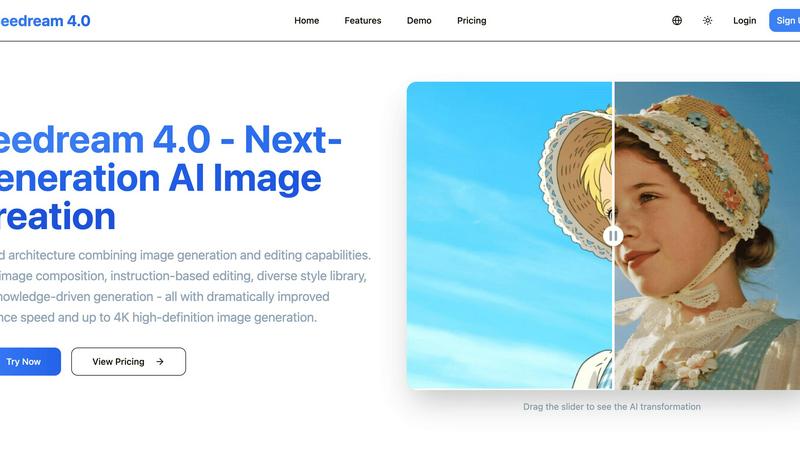
SparkPix

Feature Comparison
Seedream 4.0
Unified Generation & Editing
This is the core magic of Seedream 4.0. Unlike other tools that force you to switch between different apps, everything happens in one place. You can start from scratch with text-to-image creation or upload any photo and edit it using the same simple, instruction-based system. This seamless workflow makes your creative process smooth and intuitive, letting you focus on your ideas instead of learning complex software.
Instruction-Based Editing
Editing is as simple as having a conversation. Just tell the AI what you want to change using plain English. You can say "make the sky more dramatic," "add a rainbow," or "change the style to watercolor painting," and Seedream 4.0 will understand and apply your request precisely. This "what you say is what you get" approach makes advanced photo editing feel effortless and fun for anyone.
Diverse Style Library
Unlock a world of artistic styles at your fingertips. Whether you're generating a new image or stylizing an existing photo, Seedream 4.0 offers a vast library of professional styles. Instantly transform your work into cyberpunk, watercolor, oil painting, anime, and many more. This feature allows you to experiment and develop a unique visual language for your projects without needing to be an expert artist.
Knowledge-Driven Generation
Seedream 4.0 is smart. It understands context and relationships, making it fantastic for creating accurate and beautiful educational or professional content. Need a detailed diagram of a plant cell, a historical scene, or a professional chart? Describe it in your prompt, and the AI will generate a knowledgeable and precise illustration. This makes it an invaluable tool for teachers, students, marketers, and content creators.
SparkPix
AI Photo Editor with Text Commands
This is the heart of SparkPix. Instead of hunting for tools and sliders, you simply type what you want to happen. For example, you can type "remove the background and put me on a beach" or "make this photo look like a vintage oil painting." The AI interprets your text prompt and applies the precise edits automatically, delivering results in under 30 seconds. It's intuitive, fast, and opens up editing possibilities you might never have tried with traditional software.
Background Remover
Get a clean, transparent background with just one click. This tool is perfect for creating professional portraits, standout product photos for your online store, or fun social media content. It handles complex scenes with detailed edges, like hair or fur, remarkably well. You can also go beyond simple removal by using the text editor to command a background change, instantly placing your subject in a primeval forest or a sleek office.
Photo Restoration & Enhancement
Breathe new life into your old memories. SparkPix can repair damaged photos by fixing scratches, tears, and severe fading. It also includes a powerful enhancer that can sharpen blurry details, boost colors, reduce digital noise, and upscale images to HD quality—all in one simple step. It's like having a digital restoration expert and a professional retoucher working for you instantly.
AI Image Generator & Style Transfer
Unleash your creativity by generating brand new images from text descriptions at high 1K, 2K, and 4K resolutions. Plus, transform any existing photo into various artistic styles. Choose from over 15 effects, including anime, watercolor, pencil sketch, and oil painting, to give your pictures a unique, artistic flair with a single click.
Use Cases
Seedream 4.0
Social Media Content Creation
Easily generate eye-catching and unique graphics for your Instagram posts, Facebook ads, or TikTok videos. Describe the perfect image for your brand message, or quickly edit product photos to make them pop. With fast generation and high-quality 4K output, you can maintain a consistent and professional visual feed that engages your audience.
Personal Photo Enhancement
Breathe new life into your personal photos. Fix old pictures, remove unwanted objects from the background, change the weather in a vacation shot, or apply fun artistic filters to portraits. Seedream 4.0 acts like your personal photo editor, allowing you to perfect your memories with simple instructions, no technical expertise needed.
Concept Art & Brainstorming
Perfect for writers, game designers, and creative professionals to visualize ideas. Quickly generate concept art for characters, environments, or items based on descriptive text. You can also use the multi-image composition feature to blend references and explore different visual directions, accelerating the early creative stages of any project.
Educational Material Design
Teachers and students can create custom, accurate illustrations for presentations, study guides, and reports. Generate diagrams of scientific processes, historical events, or mathematical concepts. The knowledge-driven generation ensures visuals are not only beautiful but also factually helpful for enhancing learning and communication.
SparkPix
Restoring Family Photo Archives
Anyone with old, damaged family photos can use SparkPix to preserve their heritage. Simply upload a scanned photo of a faded or scratched portrait and use prompts like "restore this damaged old photo" or "colorize this black and white image." The AI will repair damage and add realistic color, bringing precious memories back to life for future generations without needing professional services.
Creating E-commerce Product Photos
Small business owners and online sellers can create stunning product imagery without a studio. Use the background remover for clean, white-background shots required by Amazon or Shopify. Then, use the AI editor to generate professional mockups by describing scenes like "a person holding this perfume bottle in a luxury bedroom setting," creating high-quality marketing assets in minutes.
Enhancing Social Media Content
Social media managers, influencers, and everyday users can make their posts pop. Quickly remove unwanted objects or people from a vacation shot, enhance a slightly blurry group photo, or apply a trendy art style to a portrait for a unique profile picture. SparkPix helps you create polished, engaging content that stands out in any feed with minimal effort.
Preparing Official Documents
Need a passport, visa, or professional LinkedIn headshot fast? SparkPix acts as an online passport photo maker. Upload a selfie and use a prompt like "generate a professional headshot with formal attire and a blue background." The AI will create a compliant, high-quality photo suitable for official documents and professional profiles, saving you a trip to a photo booth.
Pricing Comparison
Seedream 4.0
Seedream 4.0 offers flexible plans to suit different needs. You can choose between monthly or yearly subscriptions (with a 20% discount on yearly plans).
Basic Plan ($7.99/month or $95.90/year): Perfect for individuals starting out. It includes 50 high-quality images per month, access to all style templates, standard generation speed, and support for JPG/PNG downloads.
Pro Plan ($19.99/month or $239.90/year): The most popular choice for professional creators. It includes 200 images per month, priority generation speed and customer support, additional WebP format downloads, and upcoming video generation tools.
Max Plan ($55.99/month or $671.90/year): Designed for power users and teams. It includes 600 images per month, premium styles, the fastest generation priority, a dedicated account manager, batch processing, upcoming professional video tools, and API access.
SparkPix
SparkPix offers a free tier to get you started, which includes 5 credits at sign-up with no credit card required. If you need more power, paid plans begin at $9.99, which provides 350 credits for more extensive editing projects. This flexible model allows you to try the service risk-free and only pay when you need to scale your creative work.
Overview
About Seedream 4.0
Welcome to Seedream 4.0, your new creative partner! This tool is a revolutionary all-in-one AI studio designed to make professional image creation and editing accessible to everyone. Have you ever had a brilliant idea for a picture but didn't know how to draw it? Or wanted to fix a photo but found editing software confusing? Seedream 4.0 is here to help. It combines two powerful abilities into one simple platform: generating brand-new images from your text descriptions and editing your existing photos with simple instructions. Imagine typing "a cozy cabin in a snowy forest at dusk" and watching a beautiful 4K image appear in seconds. Or uploading a portrait and saying "make the background a sunset beach" and seeing it happen instantly. Built for complete beginners, hobbyists, and professional creators alike, Seedream 4.0 removes technical barriers with its easy-to-use interface, lightning-fast processing, and stunning high-definition results. It’s the perfect tool to bring your imagination to life, quickly and easily, without any prior artistic skill required.
About SparkPix
SparkPix is your friendly, all-in-one AI photo editor that makes professional-level editing as simple as typing a sentence. Forget about complex software like Photoshop that requires years of skill to master. With SparkPix, you just upload your photo, describe the change you want in plain English, and our powerful AI does the rest in under 30 seconds. It's designed for absolutely everyone—from social media enthusiasts and small business owners to genealogy hobbyists and creative professionals who want to save time. Whether you're looking to remove an unwanted photobomber, restore a precious family heirloom, create a stunning product mockup, or just have fun turning a photo into an anime masterpiece, SparkPix handles it with ease. The best part? You can start for free with 5 credits to test the magic, with no credit card required. Accessible directly from your web browser on any device, SparkPix puts the future of photo editing at your fingertips, making creativity limitless and completely approachable.
Frequently Asked Questions
Seedream 4.0 FAQ
Can I try Seedream 4.0 for free?
Yes! You can experience Seedream 4.0 by using the demo tools available on the website. This allows you to test the core image generation and editing features. To access the full suite of capabilities, including high-resolution 4K downloads and all style templates, you can choose one of the affordable subscription plans.
How does Seedream 4.0 work?
Seedream 4.0 uses a powerful next-generation AI model. For generation, you simply type a description of what you want to see. The AI interprets your text and creates a brand-new image. For editing, you upload a photo and then type instructions for how to change it. The AI then applies those changes directly to your image, all within the same easy-to-use platform.
What makes Seedream 4.0 different from other AI tools?
Seedream 4.0 stands out with its unified architecture, combining top-tier image generation and advanced editing in one simple tool. Its instruction-based editing is incredibly intuitive, allowing for precise changes with just a sentence. Additionally, it offers dramatically improved speed, knowledge-driven generation for accuracy, and the ability to create stunning images up to 4K resolution.
Can I use the images I create commercially?
The provided context does not specify the commercial usage rights for generated images. It is very important to check the official Seedream 4.0 Terms of Service or License Agreement on their website for detailed information on copyright, ownership, and what you are allowed to do with the images you create using their service.
SparkPix FAQ
Is SparkPix really free to start?
Yes, absolutely! You can sign up and receive 5 free credits to try out the platform with no credit card required. This lets you test several edits and see how the AI works. After that, affordable plans are available if you need more credits for larger projects.
What kind of edits can I do by typing?
You can do almost anything you can imagine! Common and powerful edits include removing or changing backgrounds, restoring old photos, colorizing black and white images, removing unwanted objects or people, enhancing image quality, and applying artistic filters. The more specific your description, the better the AI can execute your vision.
Do I need to download any software?
No, you do not. SparkPix is entirely web-based. This means you can access it directly from your internet browser on any device, whether you're using a desktop computer, an iPhone, or an Android phone. There's no installation required, and you can start editing immediately.
How accurate is the background remover?
The AI-powered background remover is highly accurate, even with complex subjects like frizzy hair, pet fur, or intricate objects. It uses advanced machine learning to distinguish between the subject and the background, providing a clean cut-out. For the best results, use photos with good contrast between the subject and its original background.
Alternatives
Seedream 4.0 Alternatives
Seedream 4.0 is a popular all-in-one AI image generator and editor that makes creating and modifying pictures from simple text descriptions easy. It falls into the category of AI-powered creative tools, designed to help anyone produce stunning visuals without needing advanced technical or artistic skills. People often explore other options for various reasons. You might be looking for a different pricing plan, specific features that better match your workflow, or a tool that works on a different platform like your mobile device. It's completely normal to shop around to find the perfect fit for your creative projects and budget. When you're comparing different tools, focus on what matters most to you. Consider the quality and resolution of the images you can create, how easy the interface is to use, and the specific types of editing or generation features you need. Also, think about the cost and whether it offers a free trial so you can test it out first.
SparkPix Alternatives
SparkPix is an AI-powered online photo editor that lets you transform images simply by typing your requests. It falls into the category of web-based, beginner-friendly image editing tools, designed for anyone who wants professional-looking edits without needing complex software like Photoshop. People often search for alternatives for various reasons. Some might need a different pricing structure or more free credits, while others may be looking for specific features not offered, like advanced layer editing or integration with other platforms. The need for a desktop app, different artistic filters, or higher resolution exports can also prompt the search for other options. When evaluating other tools, consider what matters most for your projects. Key factors include the cost and credit system, the range of AI features (like background removal or style transfer), the output quality and resolution, and whether the platform works on your preferred device. Prioritizing these aspects will help you find the best fit for your creative needs.