SeeDance Ai vs SubtitlesFast
Side-by-side comparison to help you choose the right tool.

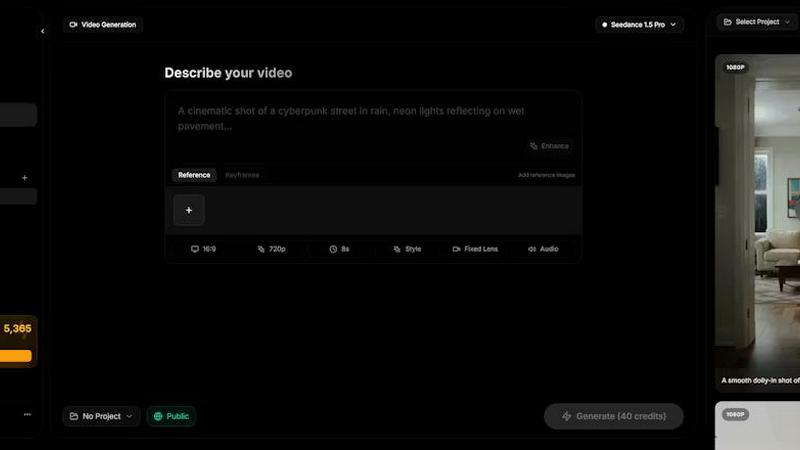
SeeDance AI transforms text, images, audio, and video into stunning, polished videos with synced sound and seamless motion, effortlessly.
Last updated: April 13, 2026

SubtitlesFast
Create beautiful, engaging subtitles for your videos in minutes, all from your phone.
Last updated: March 1, 2026
Visual Comparison
SeeDance Ai
SubtitlesFast
Feature Comparison
SeeDance Ai
Multimodal Video Generation
SeeDance AI allows you to combine multiple input types, including text prompts, images, audio, and video references, into a single cohesive video. This multimodal approach enhances creativity and reduces guesswork, enabling you to produce high-quality content that meets your specific vision.
Synchronized Audio and Video
Unlike traditional video creation tools that treat audio as an afterthought, SeeDance AI generates audio and visuals simultaneously. This ensures perfect synchronization, making every sound effect, dialogue, and background music align perfectly with the visuals for a more immersive viewing experience.
Consistent Character Continuity
One of the standout features of SeeDance AI is its ability to maintain character consistency across different shots. By utilizing a cross-attention reference system, the platform locks in facial geometry and clothing details, preventing character drift and making it ideal for serialized content and brand campaigns.
Precise Camera and Motion Control
With SeeDance AI, you can upload reference videos to replicate specific camera movements and human actions. This feature allows for detailed control over tracking shots, dolly zooms, and complex choreography, producing videos with a professional touch that captures the essence of the original reference.
SubtitlesFast
AI-Powered Auto-Transcription
This is the heart of SubtitlesFast. Simply upload your video, and our advanced AI will automatically transcribe the spoken words into accurate text captions. It supports over 50 languages, making it perfect for creators with a global audience or those creating multilingual content. The transcription forms the perfect base for your subtitles, saving you hours of manual typing and allowing you to jump straight into styling and perfecting your video.
Customizable & Animated Subtitle Styles
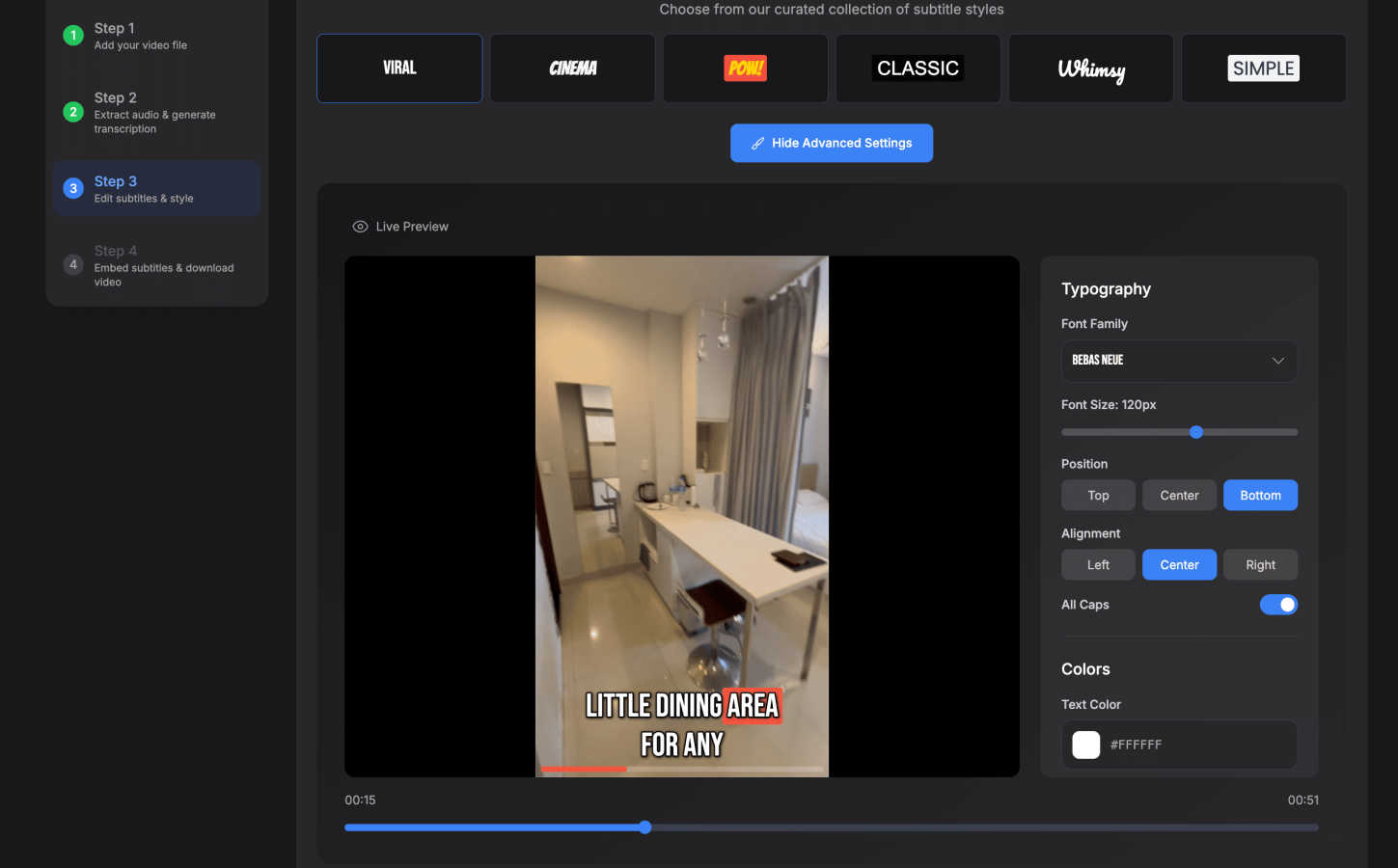
Make your subtitles pop and match your unique brand. SubtitlesFast offers over 30 different animated styles to choose from, allowing you to add dynamic movement and visual interest to your text. You can easily customize the fonts, colors, sizes, and positions to ensure your subtitles are not only readable but also enhance your video's overall look and feel. This feature turns basic captions into an engaging visual element.
Simple, Integrated Video Editor
SubtitlesFast includes a straightforward, timeline-based editor so you can do more than just add text. Trim your clips, cut out mistakes, and arrange your footage seamlessly. You can also add background music, insert text overlays, and include images—all within the same simple interface. It's designed with a gentle learning curve, so you can perform essential edits without needing to learn complicated professional software.
One-Click, Watermark-Free Export
When your video is ready, publishing is a breeze. With a single click, you can export your final video with the subtitles permanently "burned in" to the footage. The exported file is optimized and ready to post directly on social media platforms like X, TikTok, YouTube, and Instagram. Best of all, even the free trial lets you export without any distracting watermarks, so your content looks professional from day one.
Use Cases
SeeDance Ai
Marketing Clips
Marketers can leverage SeeDance AI to create engaging promotional videos that seamlessly integrate product shots, customer testimonials, and captivating visuals. The synchronized audio and visuals enhance the storytelling aspect, making marketing materials more effective and appealing.
Social Media Content
Content creators can use SeeDance AI to generate eye-catching social media clips that stand out in crowded feeds. With the ability to mix various media formats, creators can produce timely and relevant content that resonates with their audience, driving engagement and shares.
Dance Videos
Dancers and choreographers can utilize SeeDance AI to visualize their routines by generating videos that accurately reflect their choreography. The platform's precise motion control allows for realistic representations of dance moves, making it easier to share performances or practice routines.
Storytelling and Short Films
Filmmakers and storytellers can harness SeeDance AI to bring their narratives to life through compelling short films. The platform’s ability to handle multiple shots and maintain character consistency makes it a valuable tool for creating rich narratives that captivate viewers.
SubtitlesFast
Daily Social Media Content Creators
For vloggers, influencers, and creators who post daily on TikTok, Instagram Reels, or YouTube Shorts, speed is everything. SubtitlesFast is built for this rapid pace. You can record a clip, upload it, get AI-generated subtitles, apply a stylish template, and have a polished video ready to post in under five minutes, ensuring you never miss your upload schedule.
Marketers & Small Business Owners
Businesses using video for marketing need to look professional and reach the widest audience. SubtitlesFast helps create accessible, engaging promo videos, testimonials, and how-to guides with clear captions. The multi-language support is ideal for campaigns targeting different regions, and the branded styling ensures consistency across all your visual content.
Accessibility Advocates & Educators
Making content accessible is crucial. Educators, trainers, and public speakers can use SubtitlesFast to easily add accurate captions to their lectures, tutorials, and presentations. This not only aids viewers who are deaf or hard of hearing but also helps all learners by improving comprehension and retention, especially in sound-sensitive environments.
Podcasters & Interviewers Creating Video Clips
Turn your audio content into engaging video snippets for social media. Podcasters can upload interview clips or highlight reels, and SubtitlesFast will quickly generate subtitles for them. This makes the content more shareable and watchable on platforms where users often scroll with sound off, effectively repurposing audio content into a visual format that drives traffic.
Overview
About SeeDance Ai
SeeDance AI is an innovative multimodal video generation platform designed to transform your creative ideas into stunning cinematic videos. Whether you're a marketer, content creator, dancer, or storyteller, SeeDance AI offers a user-friendly interface that turns your text prompts, images, audio, and video references into polished, multi-shot video clips. Its core value proposition lies in its ability to seamlessly synchronize sound and visuals during the generation process, eliminating the need for extensive post-production work. By harnessing advanced AI technology, SeeDance AI addresses common issues faced by creators, such as character continuity and motion accuracy, allowing you to produce high-quality content effortlessly. The platform’s various models, including Seedance 2.0, Seedance 1.5 Pro, and others, cater to different needs, ensuring that everyone from hobbyists to professionals can create immersive videos with ease.
About SubtitlesFast
SubtitlesFast is your all-in-one, browser-based solution designed to take the hassle out of video editing, specifically for adding professional subtitles. It's built for creators, marketers, vloggers, and anyone who posts videos regularly on platforms like TikTok, YouTube, Instagram, and X. If you understand that subtitles are essential for boosting engagement, improving accessibility, and keeping viewers watching, this tool is for you. The core mission is simple: to make the process incredibly fast and easy. Forget complex software with steep learning curves. SubtitlesFast streamlines your workflow into four straightforward steps: upload your video, make quick edits, add and style your subtitles, and publish. With powerful AI that auto-transcribes speech in over 50 languages, a library of customizable and animated subtitle styles, and one-click exports without watermarks, it gives you everything you need to polish your daily videos in minutes, not hours. It's the no-fuss tool that helps you work efficiently, so you can focus on creating great content.
Frequently Asked Questions
SeeDance Ai FAQ
What types of media can I use with SeeDance AI?
You can use a variety of media types, including text prompts, images, audio clips, and video references. This multimodal capability allows for greater creativity and precision in video generation.
Do I need to be a professional to use SeeDance AI?
No! SeeDance AI is designed to be user-friendly for everyone, from beginners to professionals. Its intuitive interface and step-by-step guidance make it accessible for all skill levels.
Can I edit the videos after generating them?
While SeeDance AI focuses on generating high-quality videos in a single pass, you can still use other editing software for additional tweaks if needed. However, the platform minimizes the need for extensive post-production.
Is there a limit to the number of reference files I can upload?
Yes, you can upload up to 12 reference files in total, which can include up to 9 images, 3 videos, and 3 audio clips. This allows for a diverse range of inputs to enhance your video creation process.
SubtitlesFast FAQ
Is there a free trial?
Yes! SubtitlesFast offers a full free trial that allows you to experience all its core features. Most importantly, you can export your finished videos without any watermarks, even on the free plan. This lets you fully test the tool and create professional content before committing to a paid subscription.
How accurate is the AI transcription?
Our AI transcription is highly accurate for clear audio and supports over 50 languages. For the best results, we recommend recording in a quiet environment with a good microphone. The built-in editor makes it easy to quickly review and correct any minor errors the AI might make, ensuring your final subtitles are perfect.
Do I need to download any software?
No, you do not! SubtitlesFast is entirely browser-based. This means you can access it and create videos from any device with an internet connection, whether you're on a computer, tablet, or even your phone. There's no installation required, and you can start creating immediately.
Which platforms are the videos optimized for?
Videos exported from SubtitlesFast are perfectly formatted and ready for all major social media and video platforms. This includes vertical formats for TikTok and Instagram Reels, horizontal for YouTube, and square for other uses. The one-click export ensures your video meets the recommended specs for platforms like X, YouTube, Instagram, and more.
Alternatives
SeeDance Ai Alternatives
SeeDance Ai is a cutting-edge AI video generation platform designed for professionals in the realm of cinematography. It enables users to create stunning videos by transforming text, images, audio, and video references into cinematic experiences, providing director-level control over the final output. With advanced models like Seedance 2.0 and Seedance 1.5 Pro, it caters to a variety of creative needs, from marketing clips to storytelling. Users often seek alternatives to SeeDance Ai due to various reasons, including pricing, specific feature sets, or compatibility with their existing workflows. When looking for an alternative, consider factors such as ease of use, output quality, customization options, and the overall alignment of the platform with your creative goals. Finding the right fit can enhance your video production process and help you achieve your artistic vision more effectively.
SubtitlesFast Alternatives
SubtitlesFast is a browser-based tool in the video editing and productivity category, designed to help creators add professional, animated subtitles to their videos quickly and easily. It focuses on a streamlined workflow to get videos from your phone to published content in minutes. People often look for alternatives for various reasons. You might need a different pricing plan, require more advanced editing features, or prefer a downloadable desktop application instead of a web tool. Your specific platform needs or desire for a different user interface can also lead you to explore other options. When choosing an alternative, consider what matters most for your workflow. Look at the core features like transcription accuracy, subtitle styling options, and export quality. Also, evaluate the overall ease of use, the cost relative to your budget, and whether the tool integrates well with the platforms where you publish your videos.