Lovie Formation vs Prompt Builder
Side-by-side comparison to help you choose the right tool.

Lovie Formation
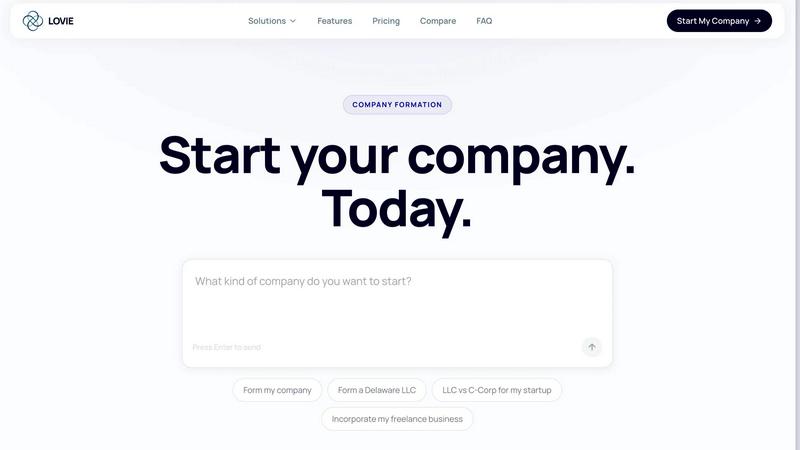
Lovie Formation simplifies starting your business with effortless online company formation, EIN, and compliance—all in one conversation.
Last updated: April 4, 2026

Prompt Builder
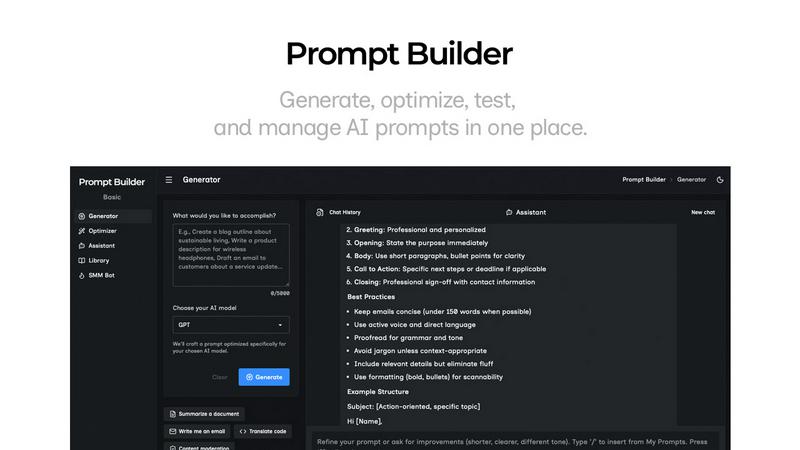
Generate, optimize, test, and manage AI prompts in one place. Turn an idea into a ready-to-use prompt in seconds.
Visual Comparison
Lovie Formation
Prompt Builder
Overview
About Lovie Formation
Lovie Formation is an innovative AI-driven platform designed to streamline the process of company formation. Whether you are starting a Limited Liability Company (LLC) or a C-Corporation, Lovie makes it easy to form your business right from your IDE. This service is ideal for entrepreneurs, freelancers, and startups looking to navigate the complexities of business formation without the hassle of traditional legal routes. With Lovie, you can complete the entire formation process in just one conversation, eliminating the need for weeks of back-and-forth with lawyers and the confusion of legal jargon. The main value proposition of Lovie Formation lies in its simplicity and transparency, offering everything from state filings to compliance monitoring for a low monthly fee, ensuring you can focus on building your business while Lovie handles the administrative burdens.
About Prompt Builder
Prompt Builder is a prompt engineering workspace for writing, testing, and saving prompts. Describe the task in plain English, and it helps you create a prompt that matches the model you choose. Start with a draft, refine it in chat, save or pin versions, then run them when you are ready. It works with GPT, Claude, Gemini, Llama, Mistral, DeepSeek, Grok, Perplexity, and more. You also get an Optimizer, an assistant for quick tests, and a library of reusable prompts and templates from the community. Turn an idea into a ready-to-use prompt in seconds. Refine it in chat, save it to your Library, and run it anytime.