OGimagen vs RemoveTexts
Side-by-side comparison to help you choose the right tool.

OGimagen effortlessly generates stunning Open Graph images and meta tags for social media in seconds, enhancing your web content's visibility.
Last updated: March 11, 2026

RemoveTexts
Effortlessly remove text and watermarks from images in seconds with our user-friendly AI tool, no design skills needed.
Last updated: March 11, 2026
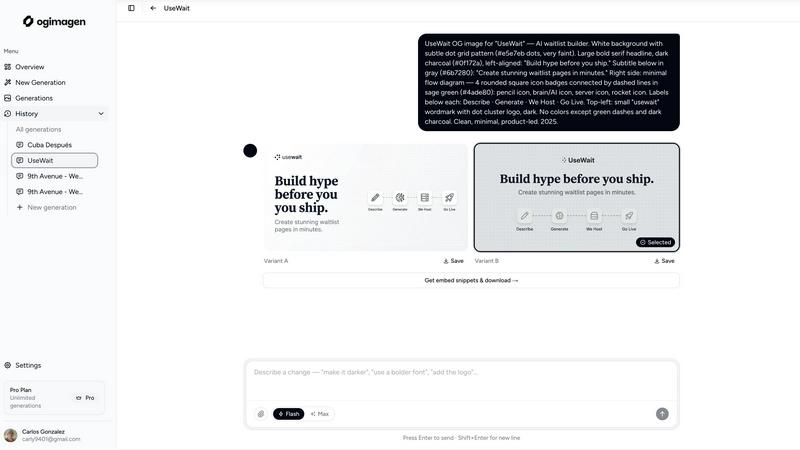
Visual Comparison
OGimagen
RemoveTexts

Feature Comparison
OGimagen
Easy Image Generation
OGimagen allows you to create stunning OG images by simply entering your title, description, brand color, and style preset. This user-friendly approach means anyone, regardless of design skills, can produce eye-catching social cards in just a few clicks.
Multiple Variants for Each Platform
With OGimagen, you receive two distinct image variants optimized for different social media platforms, including Facebook, Twitter, and LinkedIn. This ensures that your content looks its best, no matter where it is shared, enhancing your brand's visibility and professionalism.
Framework-Specific Meta Tags
After generating your images, OGimagen provides ready-to-paste meta tag snippets tailored to various web frameworks like Next.js, Astro, and Svelte. This feature saves developers time and effort, allowing them to seamlessly integrate images into their projects.
MCP Integration
OGimagen supports integration with multiple coding platforms, including Claude Code and Cursor. This means you can generate images directly from your coding environment, making it easier to work efficiently and maintain a smooth workflow without switching between different tools.
RemoveTexts
Paint to Remove
This feature allows users to brush over specific areas of text they wish to remove with precision. It provides control over the removal process, making it easy to target only the unwanted text while leaving the rest of the image intact.
Auto Remove All
Leverage the power of AI with the Auto Remove All feature that detects and removes every text element in an image automatically. This one-click solution is perfect for those who want to quickly clean up images without the need for manual adjustments.
Edit & Replace Text
With the Edit & Replace Text feature, users can not only remove unwanted text but also replace it with new text while matching the original font style. This is particularly useful for those who want to modify captions or add new information seamlessly.
Remove Objects
In addition to text removal, the Remove Objects feature allows users to erase unwanted visual elements, such as logos or people, from their images. This enhances the overall aesthetics of the photo without compromising quality.
Use Cases
OGimagen
Bloggers Enhancing Social Shares
Bloggers can use OGimagen to create appealing preview images for their posts. By generating professional-looking OG images, they can increase engagement and shares on social media, driving more traffic to their websites.
Marketers Promoting Campaigns
Digital marketers can leverage OGimagen to produce customized images for marketing campaigns. With tailored visuals, they can enhance their brand messaging and capture audience attention more effectively across different platforms.
Developers Streamlining Workflows
Developers can integrate OGimagen into their coding environments to quickly generate OG images without leaving their workflow. This feature allows them to focus on coding while ensuring that their projects incorporate high-quality visuals.
Businesses Improving Brand Presence
Businesses can utilize OGimagen to create consistent and professional images for their social media links. By ensuring that all shared content features polished visuals, they can strengthen their brand identity and enhance their online presence.
RemoveTexts
E-commerce Product Photos
Online sellers can use RemoveTexts to clean up product images by removing watermarks or distracting text, making their listings more appealing to potential buyers. This helps in creating a professional look that can increase sales.
Social Media Content
Content creators and marketers can utilize RemoveTexts to enhance their social media visuals by removing unwanted text from images, such as captions or watermarks from stock photos, ensuring their posts stand out in crowded feeds.
Legal Document Redaction
Professionals in legal fields can rely on RemoveTexts to redact sensitive information from documents by removing text while preserving the original layout and background. This ensures confidentiality while maintaining document integrity.
Personal Photo Editing
Everyday users can enhance their personal photos by removing date stamps, captions, or any unwanted text that detracts from the beauty of their images. This allows for cleaner, more visually appealing memories to share with friends and family.
Overview
About OGimagen
OGimagen is a cutting-edge tool designed to simplify the creation of Open Graph images, enhancing your online presence with striking visuals. Whether you're a blogger, marketer, or developer, OGimagen helps you generate professional-quality social media cards in mere seconds, powered by advanced artificial intelligence. This tool allows you to create visually appealing images tailored for platforms like Facebook, Twitter, and LinkedIn, ensuring your links stand out when shared. With OGimagen, you can easily fill in a simple form with your content details, and the AI will produce two pixel-perfect image variants ready for use. This means you can improve your click-through rates on social platforms with minimal effort, making your online content look polished and engaging. Plus, with the ability to integrate with various coding workflows, OGimagen is perfect for developers looking to streamline their processes while maintaining high visual standards.
About RemoveTexts
RemoveTexts is an innovative AI-powered online tool designed to effortlessly erase unwanted text and watermarks from images. It appeals to a broad audience, from marketers and designers to everyday users who need clean visuals without any hassle. With just a simple upload and a few clicks, users can achieve professional-level results in a matter of seconds. The primary value proposition of RemoveTexts lies in its ability to automate the tedious process of text removal, freeing users from the complexities of software like Photoshop. This tool utilizes advanced deep learning technology to analyze and reconstruct the surrounding image background, ensuring that the edited area appears seamless and natural. Whether you are looking to remove watermark logos, captions from screenshots, or any unwanted text, RemoveTexts delivers high-quality results without requiring any design skills. It is user-friendly, efficient, and perfect for anyone looking to enhance their images quickly and effectively.
Frequently Asked Questions
OGimagen FAQ
What exactly is an OG image?
An OG image, or Open Graph image, is a visual representation that appears when a link is shared on social media platforms. It helps attract attention and encourages users to click on the shared content.
How does AI generation work?
OGimagen uses artificial intelligence to analyze the information you provide, such as titles and descriptions, to generate visually appealing images that are optimized for specific social media platforms, ensuring you get the best results with minimal effort.
What's the difference between Starter, Growth, and Pro?
The Starter plan offers ten image generations for a one-time fee, while the Growth plan provides 25 generations with additional hosting. The Pro plan includes 50 generations per month, MCP integration, and permanent CDN hosting, catering to different user needs and scales.
Can I cancel Pro at any time?
Yes, you can cancel your Pro subscription at any time. This flexibility allows you to use the service according to your needs without being locked into a long-term contract.
RemoveTexts FAQ
Is RemoveTexts free to use?
Yes, RemoveTexts is a free online tool that allows users to remove text from images without any costs involved. Simply upload your image and start editing.
What image formats are supported?
RemoveTexts supports JPG, PNG, and WebP image formats, allowing for a wide range of uploads. Ensure your image size is within the 10MB limit for optimal performance.
How quickly can I expect results?
RemoveTexts is designed for speed, with an average processing time of less than 30 seconds. Most users can expect their edited images ready to download almost instantly.
Can RemoveTexts handle complex backgrounds?
Absolutely! The AI technology used by RemoveTexts is adept at handling complex backgrounds, ensuring that text removal is seamless and the result looks as natural as possible. Your image quality remains intact with no visible artifacts.
Alternatives
OGimagen Alternatives
OGimagen is an AI-powered generator designed to create stunning Open Graph images quickly and efficiently. As a tool in the Dev Tools category, it allows users to produce high-quality social media cards that are compatible with various frameworks, enhancing the visual appeal of shared links. This capability is particularly valuable for improving click-through rates on social media platforms. Users often seek alternatives to OGimagen for various reasons, including pricing, specific feature sets, or the need for compatibility with different platforms. When looking for an alternative, consider factors such as ease of use, customization options, integration capabilities, and overall value for your specific needs. Finding the right tool can significantly enhance your content's presentation and engagement on social media.
RemoveTexts Alternatives
RemoveTexts is an innovative AI-powered tool designed to effortlessly remove text from images in mere seconds, eliminating the need for complex software like Photoshop. It falls under the category of image editing solutions, specifically focused on text removal. Many users seek alternatives to RemoveTexts for various reasons, such as pricing, specific feature requirements, or compatibility with different platforms. When looking for an alternative, it’s essential to consider factors such as ease of use, the effectiveness of text removal, supported languages, and the overall quality of the output. Finding the right image editing tool that meets your needs can significantly enhance your workflow. It's important to evaluate how user-friendly the platform is, the speed at which it operates, and the range of features it offers. Additionally, checking for customer reviews and testimonials can provide valuable insights into the tool's reliability and performance. A good alternative should not only match your requirements but also provide an enjoyable editing experience.