NanoBanana 2 vs SVG to 3D
Side-by-side comparison to help you choose the right tool.

NanoBanana 2
Nano Banana 2 is your AI design agent for professional photo enhancement and intelligent retouching in one click.
Last updated: March 18, 2026
SVG to 3D
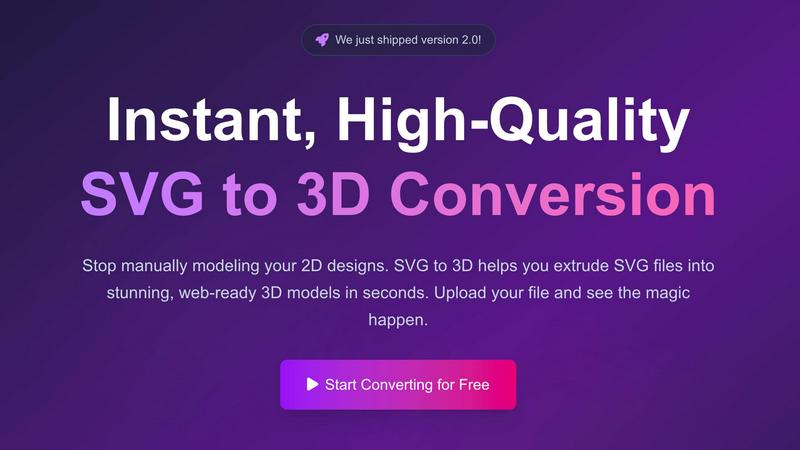
Easily transform your SVG designs into stunning 3D models in seconds with our fast, professional conversion tool.
Last updated: February 26, 2026
Visual Comparison
NanoBanana 2

SVG to 3D
Feature Comparison
NanoBanana 2
Smart Auto-Enhancement
This feature intelligently analyzes every detail of your uploaded image and automatically applies the optimal enhancements. It adjusts exposure, contrast, and color balance to give your photos a professional polish instantly, making it perfect for beginners who want great results without any manual tweaking.
Advanced Portrait Retouching
NanoBanana 2 includes a specialized mode for portraits that understands facial features. It performs natural skin smoothing, reduces blemishes, and enhances eyes and teeth while meticulously preserving the subject's unique details and textures, ensuring edits look authentic and never artificial.
AI-Powered Noise Reduction
Say goodbye to grainy photos. Using advanced denoising technology, this feature effectively eliminates digital noise from low-light or high-ISO images. It smartly distinguishes between noise and important fine details, ensuring your pictures are clean and sharp without looking soft or over-processed.
Efficient Batch Processing
Save immense time by editing multiple images at once. Upload a whole folder of photos, and NanoBanana 2 will apply your chosen enhancements or presets to all of them simultaneously. This ensures a consistent look across your entire project and is ideal for processing event shoots or social media content batches.
SVG to 3D
One-Click to GLB for the Web
This feature allows users to export their 3D models as lightweight GLB files with just one click. These files are optimized for web development, making them ideal for integration into Three.js or React Three Fiber projects. This streamlines the process of adding 3D elements to websites, enhancing user engagement and aesthetic appeal.
3D-Print Ready
SVG to 3D supports clean STL exports, which are essential for 3D printing. Users can easily prepare their designs for fabrication without needing to deal with complex CAD software. This feature ensures that logos, artwork, and custom parts can be 3D printed effectively and accurately.
Fine-Tune Every Detail
With advanced controls, users can go beyond simple extrusion to adjust various attributes of their 3D models. This includes modifying thickness, adding intricate bevels, and applying realistic PBR materials. The real-time preview feature allows users to see changes instantly, ensuring that every detail meets their specifications.
Advanced Material System
The platform offers an advanced material system that enables users to apply realistic PBR materials, custom textures, and professional lighting effects to their 3D models. This capability elevates the quality and visual appeal of the models, setting them apart from those created by basic conversion tools.
Use Cases
NanoBanana 2
Social Media Content Creation
Content creators and influencers can use NanoBanana 2 to quickly polish their daily photos and videos. The one-click enhancement and portrait tools ensure every post looks vibrant, professional, and engaging, helping to grow their audience with high-quality visual content without a steep learning curve.
Professional Photography Workflow
Photographers can integrate NanoBanana 2 into their post-production to handle time-consuming tasks like initial color correction, noise reduction, and basic retouching. This speeds up their workflow dramatically, allowing them to deliver client galleries faster and focus their expertise on fine-art adjustments.
E-commerce Product Image Editing
Online sellers can use the batch processing feature to uniformly enhance dozens of product photos. The AI can correct lighting, sharpen details, and ensure color accuracy across all images, creating a cohesive and professional-looking online catalog that boosts customer trust and sales.
Personal Photo Restoration and Enhancement
Anyone with old, faded, or damaged photos can use NanoBanana 2 to breathe new life into them. The AI can restore color, reduce scratches and noise, and enhance clarity, making it easy to preserve precious memories in digital albums with stunning, renewed quality.
SVG to 3D
Create Interactive 3D Logos and Icons for Web
Web developers can leverage SVG to 3D to convert simple SVG icons into engaging 3D models that enhance the user experience on websites. These models can be integrated seamlessly into interactive projects, making them visually striking and dynamic.
From Digital Design to Physical Object
Designers can transform their 2D artwork into 3D printed objects using the STL export feature. Whether it’s logos, custom parts, or artistic creations, users can bring their designs to life and fabricate them without the need for complicated software.
Enhance Your UI/UX Designs
UI/UX designers can utilize SVG to 3D to add depth and realism to their mockups. By converting simple SVG elements into 3D models, they can impress clients and stakeholders with interactive presentations that showcase their designs in a more engaging manner.
Rapid Prototyping for 3D Projects
For creators looking to prototype quickly, SVG to 3D offers a fast solution to convert 2D designs into 3D models ready for testing and iteration. This enables teams to refine their concepts rapidly and efficiently, accelerating the design process.
Overview
About NanoBanana 2
NanoBanana 2 is a powerful, next-generation AI image editing model designed to make professional-grade photo enhancement accessible to everyone. It builds upon the success of the original Nano Banana, offering a significant upgrade with sharper edits, stronger creative control, and a more premium workflow. At its core, NanoBanana 2 is your intelligent design agent, using advanced deep learning algorithms to analyze and transform your images. Whether you're looking to enhance colors, retouch portraits, reduce noise, or apply stunning artistic effects, this tool handles it with intelligent, context-aware processing. It's built for photographers, designers, social media creators, and anyone who works with images and wants to achieve high-quality results quickly and effortlessly. With features like one-click processing and batch editing, NanoBanana 2 saves you hours of manual work, allowing you to focus more on your creativity and less on complex software. The platform is trusted by over 10,000 creators and has enhanced millions of images, proving its reliability and quality in real-world use.
About SVG to 3D
SVG to 3D is an innovative online tool designed to transform 2D SVG vector graphics into stunning 3D models effortlessly. This user-friendly platform eliminates the need for cumbersome software like Blender or C4D, allowing designers, developers, and 3D printing enthusiasts to convert their SVG files to high-quality 3D representations in seconds. The core value proposition lies in its simplicity and efficiency, enabling users to focus on creativity rather than complex modeling processes. With features tailored for professionals, SVG to 3D not only supports quick conversions but also offers advanced customization options for refining models. Whether you are looking to enhance your web projects with interactive 3D elements, create captivating 3D logos, or prepare designs for 3D printing, SVG to 3D makes the entire workflow fast and intuitive, empowering users to bring their visions to life.
Frequently Asked Questions
NanoBanana 2 FAQ
Is there a free version of NanoBanana 2?
Yes! You can start creating for free with NanoBanana Lite. This free plan allows you to experience the core AI editing capabilities, making it a great way to test the platform's features and see the quality of results before deciding to upgrade for more advanced tools and higher usage limits.
What image formats does NanoBanana 2 support?
NanoBanana 2 supports all major image formats, including JPEG, PNG, and WEBP. You can upload files up to 30MB in size. This wide compatibility ensures you can work with almost any photo from your camera, smartphone, or other editing software without needing to convert files first.
How does the AI ensure natural-looking edits?
The model is built on state-of-the-art deep learning algorithms trained on millions of images. It understands the context of your photo, distinguishing between elements like skin, sky, and textures. This allows it to apply enhancements selectively, preserving natural details and avoiding the "over-edited" look common in simpler tools.
Can I use NanoBanana 2 for commercial work?
Absolutely. NanoBanana 2 is designed for professional use, and the images you enhance or create are yours to use. Thousands of professional photographers, designers, and businesses trust it for their commercial projects, from client portraits to marketing materials, thanks to its reliable, high-quality output.
SVG to 3D FAQ
How do I get started with SVG to 3D?
To get started, simply upload your SVG file by dragging and dropping it into the tool or selecting it from your device. Once uploaded, you can adjust settings and preview your 3D model before exporting it.
What file formats can I export my 3D model in?
You can export your 3D models in multiple formats including GLB, GLTF, OBJ, and STL. This flexibility allows you to use the models in various applications, whether for web development or 3D printing.
Is there a limit on the file size I can upload?
Yes, the maximum file size for uploads is 5 MB. This ensures that the conversion process remains fast and efficient while accommodating most SVG files.
Is my data secure when using SVG to 3D?
Absolutely! Your files are processed locally in your browser whenever possible, ensuring that your designs remain private and secure. There are no uploads to external servers, keeping your data safe.
Alternatives
NanoBanana 2 Alternatives
NanoBanana 2 is a next-generation AI image editing model, representing a powerful tool in the category of AI assistants for creative work. It uses advanced artificial intelligence to help users enhance and edit their photos with ease, building upon the success of its predecessor. People often look for alternatives to software like this for various reasons. You might be exploring options due to budget, needing a different set of features, or because you require a tool that works on a specific device or platform. It's a normal part of finding the perfect fit for your unique creative workflow and needs. When choosing an alternative, focus on what matters most to you. Consider the core AI capabilities for photo enhancement, how user-friendly the interface is, and the value you get for the price. A good fit should feel intuitive and empower you to achieve your editing goals without frustration.
SVG to 3D Alternatives
SVG to 3D is an innovative tool designed to transform your 2D SVG vector graphics into high-quality 3D models. It falls under the category of AI Assistants, making the design process more accessible for users ranging from web developers to 3D printing enthusiasts. While SVG to 3D offers a streamlined solution for converting designs, users often seek alternatives for various reasons, such as pricing, feature sets, or specific platform compatibility. When choosing an alternative, consider factors like ease of use, output quality, and whether the tool integrates well with your existing software or workflow. It's essential to look for options that provide similar functionality, such as one-click exports for web development or support for 3D printing formats, while also accommodating your unique project needs.