Learniverse vs Perkoon
Side-by-side comparison to help you choose the right tool.

Learniverse
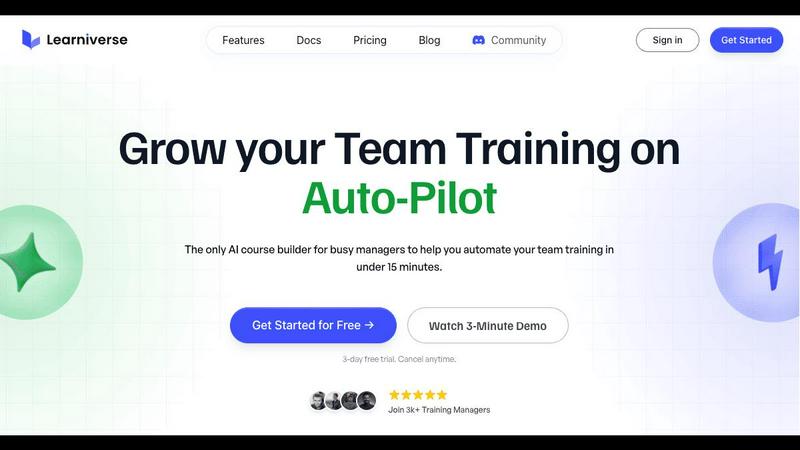
Learniverse turns your documents into automated training courses in minutes.
Last updated: February 28, 2026

Send unlimited files for free with no signup, directly to anyone's browser.
Last updated: March 4, 2026
Visual Comparison
Learniverse
Perkoon

Feature Comparison
Learniverse
AI-Powered Course Creation
Simply upload your existing materials like PDFs, videos, or documents, and watch as Learniverse's AI assistant automatically builds a structured course. It creates interactive lessons, generates relevant quizzes for knowledge checks, and sets up progress tracking—all without you needing any design or technical skills. You can even chat with the AI to describe a new module or process, and it will build the content for you on the fly.
Branded Academy Portal
Launch a professional and polished training hub that reflects your company's identity. Learniverse allows you to fully customize your academy with your logo, brand colors, and even your own domain. This creates a cohesive and credible learning experience for your team, moving away from generic, impersonal platforms to a portal that looks and feels uniquely yours.
Automated Progress & Analytics
Gain clear insights into your team's learning journey without the headache of manual spreadsheets. The built-in analytics dashboard lets you easily track who has completed courses, identify where learners are getting stuck, monitor engagement levels, and see assessment results. This data helps you understand the impact of your training and make informed decisions to improve it.
Centralized Knowledge Hub
End the scavenger hunt for information across Slack, emails, and shared drives. Learniverse acts as a single source of truth for all your training content. By aggregating scattered knowledge into one organized platform, you ensure your team always has access to consistent, up-to-date procedures and information, drastically reducing confusion and errors.
Perkoon
Truly Free Peer-to-Peer (P2P) Transfers
This is the core of Perkoon. When both you and your recipient are online, files are beamed directly from your browser to theirs. The data never passes through Perkoon's servers, which means there are absolutely no file size limits, no mandatory accounts, and complete privacy. Because this method costs Perkoon essentially nothing to run, it's completely free for you to use, forever. It's file sharing in its purest, most efficient form.
Honest Encrypted Cloud Storage
For when your friend or colleague is offline, Perkoon offers a paid cloud storage option. This feature is built on transparency: your files are encrypted on their servers, and you pay a fair price that directly covers the cost of providing that storage and bandwidth. There's no hidden agenda or data monetization. It's a straightforward solution for asynchronous file sharing without compromising on security.
Native AI & Automation Ready
Perkoon is built for the future. Instead of forcing AI assistants to awkwardly scrape a website, Perkoon provides a direct way for them to interact with the service through window.__perkoon. This means your AI agents can upload, download, and manage transfers programmatically and efficiently, opening up powerful possibilities for workflow automation without the typical technical headaches.
Simple CLI and Browser Tools
Accessibility is key. Alongside its user-friendly web interface, Perkoon offers a simple Command Line Interface (CLI) tool. This allows tech-savvy users, developers, or automated scripts to integrate file transfers directly into their workflows, from servers to local machines, making Perkoon a versatile tool for both casual and power users.
Use Cases
Learniverse
Onboarding New Employees
Speed up and standardize the onboarding process for every new hire. Instead of overwhelming them with a disorganized mix of documents and links, create a seamless onboarding academy in Learniverse. New employees can progress through structured modules, complete interactive quizzes, and access all essential company knowledge in one engaging portal, leading to faster ramp-up times.
Compliance & Safety Training
Ensure critical compliance, safety, and procedural training is consistently delivered and completed. Easily transform policy PDFs and safety manuals into mandatory courses with built-in assessments. The tracking features provide auditable proof of completion, giving managers peace of mind that their team is informed and compliant with necessary regulations.
Product & Process Updates
Quickly disseminate new information when products or internal processes change. Instead of sending a long, easily ignored email, use Learniverse to instantly create a short, focused training module. Drop in a recording of the announcement meeting or the updated process document, and let AI build a micro-course to get the entire team aligned in minutes.
Customer & Partner Education
Extend your training beyond internal teams to customers or external partners. Launch a branded external academy to educate your clients on how to use your products effectively or train franchisees on standard operating procedures. This professional approach enhances the user experience and ensures consistent knowledge across your entire ecosystem.
Perkoon
Sending Large Project Files to a Client
Need to send a massive video edit, design portfolio, or dataset that's over 50GB? With Perkoon's P2P transfer, you can send it instantly and for free. Just generate a link, share it with your client while you're both online, and the file transfers directly to them without any size restrictions or upload waits to a third-party server.
Sharing Personal Photos and Videos Privately
Tired of services compressing your memories or snooping on your content? Use Perkoon's P2P transfer to share original-quality photos and videos from your holiday or family event directly with loved ones. Since the files go browser-to-browser, they remain completely private between you and the recipient.
Automating Backup Scripts with CLI
As a developer, you can use Perkoon's CLI tool to automate file backups. Write a simple script that uses the CLI to upload crucial logs, database dumps, or project archives directly to your Perkoon cloud storage at regular intervals, creating an efficient, automated off-site backup solution.
Enabling AI Agents to Handle File Tasks
Imagine an AI research assistant that can automatically fetch datasets or save its generated reports. By leveraging Perkoon's native AI integration, you can configure your agent to use the service directly. It can upload collected data or download necessary files without you manually intervening, streamlining complex research or content creation workflows.
Overview
About Learniverse
Learniverse is your all-in-one, AI-powered training assistant designed to eliminate the chaos of creating and managing team training. If you're tired of juggling scattered Google Docs, outdated videos, and endless SOPs, Learniverse is here to help. It's built specifically for busy training managers, educators, and team leaders who need to get their team up to speed quickly without spending weeks on manual course setup. The core magic of Learniverse is its ability to take your existing knowledge—whether it's in PDFs, documents, video recordings, or even just ideas—and automatically transform it into a complete, interactive, and branded learning academy. This means you can go from a pile of documents to a professional training portal in just minutes, not weeks. The platform handles the heavy lifting of design, structure, and quiz creation, freeing you to focus on what truly matters: delivering consistent, engaging training that your team will actually complete and enjoy.
About Perkoon
Perkoon is a refreshingly honest file transfer service designed for anyone tired of complicated, restrictive, and privacy-invasive alternatives. It cuts through the noise and gets back to the simple goal of moving your files from point A to point B without any hassle. The service is built for real people who are fed up with artificial file size limits, mandatory account sign-ups, and services that treat your personal data as a product to be sold. At its heart, Perkoon offers two smart, transparent ways to send files. Its flagship service is a completely free, unlimited peer-to-peer (P2P) transfer that works directly between browsers when both people are online. For situations where the recipient is offline, Perkoon provides optional encrypted cloud storage, a paid feature that honestly covers the cost of running servers. Uniquely, Perkoon is natively designed for the modern age, with built-in tools for automation and AI agents, making it a powerful tool not just for individuals but also for the machines that assist them. With a straightforward web interface and a simple CLI tool, Perkoon is the privacy-focused, no-nonsense file transfer solution you've been waiting for.
Frequently Asked Questions
Learniverse FAQ
How does the AI create a course from my documents?
Learniverse's AI analyzes the content you upload, such as PDFs, videos, or text documents. It identifies key topics, concepts, and logical flow within the material. Then, it automatically structures this information into digestible lessons, generates summaries, and creates relevant quiz questions to reinforce learning. You maintain full control to edit and refine the AI's output.
Can I customize the look of the training academy?
Absolutely! A core feature of Learniverse is its custom branding. You can upload your company logo, select your brand's color scheme, and apply these elements across the entire learning portal. For an even more professional touch, you can connect your own custom domain so the academy lives at a URL like training.yourcompany.com.
What kind of analytics and reports are available?
Learniverse provides a straightforward dashboard with essential metrics. You can see overall course completion rates, track individual learner progress, identify modules with low engagement, and review quiz scores. These insights help you understand what training is effective and where your team might need additional support or content clarification.
Is there a free trial available?
Yes, Learniverse offers a 7-day free trial. This allows you to explore the platform, test the AI course creation with your own materials, and experience the setup process firsthand with no commitment. The trial includes access to core features so you can confidently evaluate if it's the right solution for your team's training needs.
Perkoon FAQ
Is the P2P transfer really free forever?
Yes, absolutely. Perkoon's peer-to-peer transfer is free forever because of how it works. The files are sent directly from your device to the recipient's device without ever being stored on or passing through Perkoon's servers. This means it costs Perkoon virtually nothing in bandwidth or storage, so they can offer it completely free, with no hidden limits or future fees.
What happens if the other person is offline?
If the recipient is not online to receive the direct P2P transfer, Perkoon offers a solution: encrypted cloud storage. This is a paid feature. You can upload the file to Perkoon's secure servers, and they will hold it for your recipient. When the recipient comes online, they can download it from this temporary cloud storage. You only pay for this cloud storage feature.
Can Perkoon see what I'm sending with P2P?
No, they cannot. During a P2P transfer, your file is broken into encrypted chunks and streamed directly between your browser and the recipient's browser using a secure WebRTC connection. Perkoon's servers only help set up this direct connection (a process called signaling) but never handle the actual file data. They literally have no way to see your files.
Can I use Perkoon with any web browser?
For the best, unlimited experience, Perkoon recommends using Chromium-based browsers like Chrome, Edge, or Brave. These browsers fully support the required technologies. Firefox and Safari can be used, but they have inherent browser restrictions that may limit performance or file size for P2P transfers. It's always best to check the official site for the most current browser compatibility information.
Alternatives
Learniverse Alternatives
Learniverse is an AI-powered Learning Management System (LMS) that helps teams quickly turn their existing documents and knowledge into automated, branded training courses. It falls into the productivity and management category, focusing on making course creation fast and simple so teams can focus on effective training instead of complex setup. People often explore other options for various reasons. Your budget, the specific features your team needs, or the desire for a platform that integrates with different tools can all lead you to look at what else is available. It's a normal part of finding the perfect fit for your organization's unique training goals. When evaluating different platforms, consider what matters most for your success. Look at the ease of creating and updating content, the ability to customize the learning portal to match your brand, and the depth of reporting to track your team's progress. Finding a tool that feels intuitive and grows with your needs is key.
Perkoon Alternatives
Perkoon is a file transfer service in the productivity and management category. It focuses on making it simple to send files directly to others without needing to create an account or worry about file size limits. People often look for different tools for various reasons. Maybe they need a service that works on a specific device or operating system. Others might be looking for different pricing models, like a one-time purchase instead of a subscription, or they might need extra features like advanced team collaboration. When choosing a different file transfer tool, think about what matters most to you. Consider your budget, the types and sizes of files you usually send, and how important privacy and ease of use are for your situation. The best choice is the one that fits your specific workflow without unnecessary complexity.