JoyFlix AI vs SeeDance Ai
Side-by-side comparison to help you choose the right tool.
JoyFlix AI
Turn your text and images into stunning videos effortlessly with just a few clicks.
Last updated: March 2, 2026

SeeDance AI transforms text, images, audio, and video into stunning, polished videos with synced sound and seamless motion, effortlessly.
Last updated: April 13, 2026
Visual Comparison
JoyFlix AI
SeeDance Ai
Feature Comparison
JoyFlix AI
Text-to-Video AI
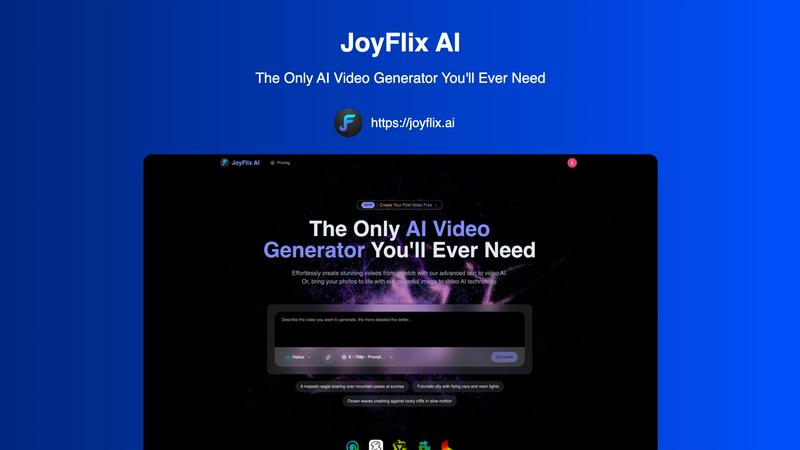
Simply type out your idea, and watch it come to life! Our text-to-video feature uses advanced AI to interpret your written prompts and generate fully-realized videos. Describe a scene like "a majestic eagle soaring over mountain peaks at sunrise," and JoyFlix AI will create a beautiful video matching that vision. It's perfect for when you have a story in mind but don't have any starting images.
Image-to-Video AI
Bring your static photos to life with realistic motion and cinematic effects. Just upload any image, and our AI will animate it based on your instructions. You can make objects rotate, add dynamic camera movements, or create entire scenes that extend from your original picture. It's a magical way to transform your memories or product photos into engaging video content.
Multiple AI Video Models
JoyFlix AI gives you access to cutting-edge video generation models like Hailuo, Kling, Wan, Pixverse, and Luma. This means you can choose the best AI for your specific project, whether you need hyper-realistic motion, artistic styles, or specific cinematic qualities. Having multiple models ensures you always get the highest quality and most suitable output for your creative vision.
Fast and User-Friendly Generation
Creating a video takes about 60 seconds on average, and the process is designed to be super simple. With a clean interface and step-by-step guidance, you go from idea to finished video in no time. Features like a prompt optimizer help you get the best results, even if you're new to describing scenes for AI. It's video creation made effortless.
SeeDance Ai
Multimodal Video Generation
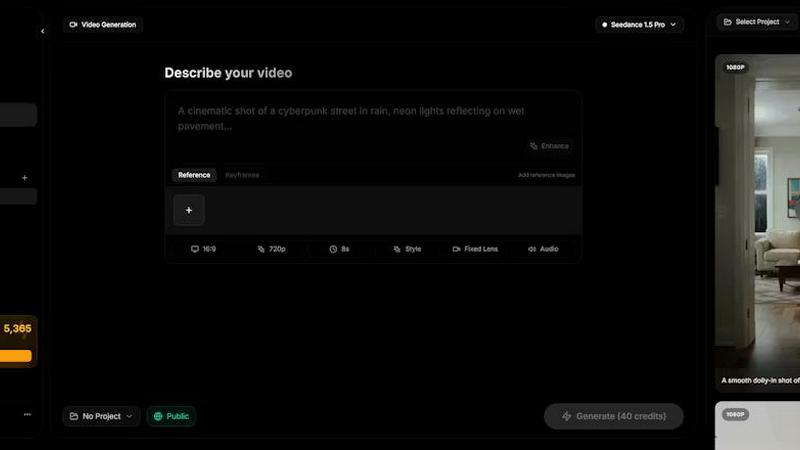
SeeDance AI allows you to combine multiple input types, including text prompts, images, audio, and video references, into a single cohesive video. This multimodal approach enhances creativity and reduces guesswork, enabling you to produce high-quality content that meets your specific vision.
Synchronized Audio and Video
Unlike traditional video creation tools that treat audio as an afterthought, SeeDance AI generates audio and visuals simultaneously. This ensures perfect synchronization, making every sound effect, dialogue, and background music align perfectly with the visuals for a more immersive viewing experience.
Consistent Character Continuity
One of the standout features of SeeDance AI is its ability to maintain character consistency across different shots. By utilizing a cross-attention reference system, the platform locks in facial geometry and clothing details, preventing character drift and making it ideal for serialized content and brand campaigns.
Precise Camera and Motion Control
With SeeDance AI, you can upload reference videos to replicate specific camera movements and human actions. This feature allows for detailed control over tracking shots, dolly zooms, and complex choreography, producing videos with a professional touch that captures the essence of the original reference.
Use Cases
JoyFlix AI
Social Media Content Creation
Keep your Instagram, TikTok, or YouTube feeds fresh and engaging without spending hours editing. Quickly generate eye-catching short videos from text ideas or animate your best photos to tell a more dynamic story. Perfect for influencers, small businesses, and anyone who wants to stand out online with professional-looking content.
Marketing and Advertising
Create compelling video ads, product demos, and promotional content in minutes. Showcase a product from all angles by animating a single image, or generate concept videos for a new campaign directly from a text brief. JoyFlix AI helps marketers produce high-volume, quality video content efficiently and cost-effectively.
Storytelling and Personal Projects
Bring your stories and ideas to life visually. Whether you're writing a book and want to visualize a scene, creating a video for a special occasion, or just exploring your creativity, JoyFlix AI acts as your visual partner. Transform your written narratives or personal photos into beautiful, shareable video stories.
Education and Presentation
Enhance learning materials, business presentations, or training modules with custom video illustrations. Explain complex concepts visually by generating videos from descriptive text, or animate diagrams and charts to make your presentations more engaging and memorable for your audience.
SeeDance Ai
Marketing Clips
Marketers can leverage SeeDance AI to create engaging promotional videos that seamlessly integrate product shots, customer testimonials, and captivating visuals. The synchronized audio and visuals enhance the storytelling aspect, making marketing materials more effective and appealing.
Social Media Content
Content creators can use SeeDance AI to generate eye-catching social media clips that stand out in crowded feeds. With the ability to mix various media formats, creators can produce timely and relevant content that resonates with their audience, driving engagement and shares.
Dance Videos
Dancers and choreographers can utilize SeeDance AI to visualize their routines by generating videos that accurately reflect their choreography. The platform's precise motion control allows for realistic representations of dance moves, making it easier to share performances or practice routines.
Storytelling and Short Films
Filmmakers and storytellers can harness SeeDance AI to bring their narratives to life through compelling short films. The platform’s ability to handle multiple shots and maintain character consistency makes it a valuable tool for creating rich narratives that captivate viewers.
Overview
About JoyFlix AI
Welcome to JoyFlix AI, your all-in-one creative partner for video generation! Imagine having a powerful tool that can turn your simple text descriptions or static images into breathtaking, professional-quality videos in just seconds. That's exactly what JoyFlix AI does. It's designed for everyone, from complete beginners and social media enthusiasts to marketers and professional storytellers. The platform is incredibly easy to use-you don't need any video editing skills or complex software. Just share your idea, and our advanced AI models do the heavy lifting, transforming your concepts into captivating visual stories. With features like text-to-video and image-to-video, along with a variety of cinematic styles, JoyFlix AI empowers you to create unique content for any platform effortlessly. It's more than just a tool; it's your gateway to limitless, stunning video creation. Whether you're looking to create engaging social media clips, compelling marketing ads, or beautiful visual stories, JoyFlix AI makes it simple, fast, and fun.
About SeeDance Ai
SeeDance AI is an innovative multimodal video generation platform designed to transform your creative ideas into stunning cinematic videos. Whether you're a marketer, content creator, dancer, or storyteller, SeeDance AI offers a user-friendly interface that turns your text prompts, images, audio, and video references into polished, multi-shot video clips. Its core value proposition lies in its ability to seamlessly synchronize sound and visuals during the generation process, eliminating the need for extensive post-production work. By harnessing advanced AI technology, SeeDance AI addresses common issues faced by creators, such as character continuity and motion accuracy, allowing you to produce high-quality content effortlessly. The platform’s various models, including Seedance 2.0, Seedance 1.5 Pro, and others, cater to different needs, ensuring that everyone from hobbyists to professionals can create immersive videos with ease.
Frequently Asked Questions
JoyFlix AI FAQ
Who is JoyFlix AI for?
JoyFlix AI is built for everyone! It's perfect for complete beginners who have never edited a video, social media enthusiasts looking to create better content, marketers needing quick ad assets, and professional storytellers wanting to visualize concepts. No prior video editing skills are required-just your imagination.
What do I need to start creating?
All you need is an idea! For text-to-video, just type a description of the scene you want. For image-to-video, have a photo ready to upload. You can start with our free trial to create your first video immediately after signing in. No special software or hardware is needed-just access to a web browser.
How long does it take to generate a video?
On average, it takes about 60 seconds for JoyFlix AI to generate your video. The "Fast Generation Mode" available on all plans makes the process even quicker. The time can vary slightly depending on the complexity of your prompt and the AI model you select, but you'll get your results in just moments.
Can I use the videos I create commercially?
Yes! All paid plans (Lite, Pro, and Premium) include full commercial use rights for the videos you generate. This means you can confidently use them in client projects, social media ads, marketing campaigns, and any other commercial venture. Your creations are yours to use and monetize.
SeeDance Ai FAQ
What types of media can I use with SeeDance AI?
You can use a variety of media types, including text prompts, images, audio clips, and video references. This multimodal capability allows for greater creativity and precision in video generation.
Do I need to be a professional to use SeeDance AI?
No! SeeDance AI is designed to be user-friendly for everyone, from beginners to professionals. Its intuitive interface and step-by-step guidance make it accessible for all skill levels.
Can I edit the videos after generating them?
While SeeDance AI focuses on generating high-quality videos in a single pass, you can still use other editing software for additional tweaks if needed. However, the platform minimizes the need for extensive post-production.
Is there a limit to the number of reference files I can upload?
Yes, you can upload up to 12 reference files in total, which can include up to 9 images, 3 videos, and 3 audio clips. This allows for a diverse range of inputs to enhance your video creation process.
Alternatives
JoyFlix AI Alternatives
JoyFlix AI is a powerful and user-friendly tool in the AI video generation category. It allows anyone to create stunning videos from simple text descriptions or static images, making professional video creation accessible without any editing skills. People often explore other options for various reasons. You might be looking for a different pricing plan, need a specific feature that fits your workflow, or want to use a tool available on your preferred device or platform. It's a normal part of finding the perfect creative assistant for your unique projects. When you're comparing different tools, focus on what matters most for your videos. Consider the quality of the AI-generated footage, how easy the platform is to use, the types of video styles and animations offered, and of course, the overall value for your budget. The right choice is the one that makes your creative process smooth and enjoyable.
SeeDance Ai Alternatives
SeeDance Ai is a cutting-edge AI video generation platform designed for professionals in the realm of cinematography. It enables users to create stunning videos by transforming text, images, audio, and video references into cinematic experiences, providing director-level control over the final output. With advanced models like Seedance 2.0 and Seedance 1.5 Pro, it caters to a variety of creative needs, from marketing clips to storytelling. Users often seek alternatives to SeeDance Ai due to various reasons, including pricing, specific feature sets, or compatibility with their existing workflows. When looking for an alternative, consider factors such as ease of use, output quality, customization options, and the overall alignment of the platform with your creative goals. Finding the right fit can enhance your video production process and help you achieve your artistic vision more effectively.