Imgezy vs RemoveTexts
Side-by-side comparison to help you choose the right tool.

Imgezy
Edit photos like a pro with AI, removing objects and changing backgrounds instantly.
Last updated: March 1, 2026

RemoveTexts
Effortlessly remove text and watermarks from images in seconds with our user-friendly AI tool, no design skills needed.
Last updated: March 11, 2026
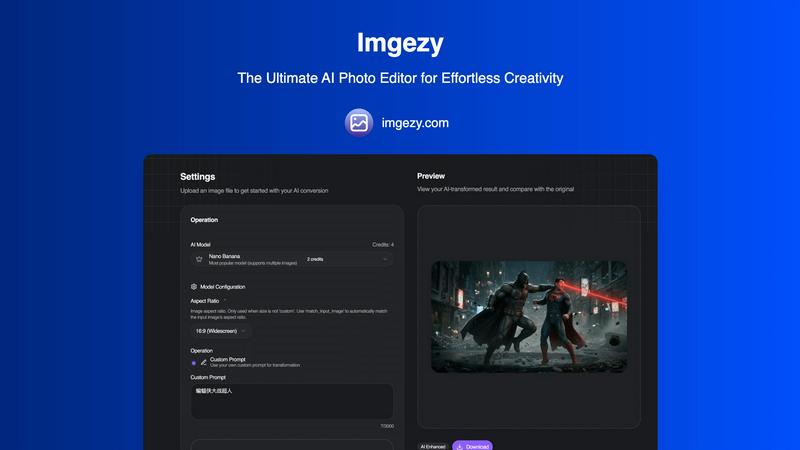
Visual Comparison
Imgezy
RemoveTexts

Feature Comparison
Imgezy
Conversational AI Editing
The heart of Imgezy is its ability to understand plain English instructions. You don't need to know anything about layers, masks, or complex tools. Simply type what you want, like "remove the trash can" or "change the sky to a sunset," and the AI does the rest. This feature makes professional editing intuitive and accessible to absolutely anyone, regardless of their skill level.
Flawless Object Removal
Don't let unwanted tourists, distracting power lines, or photobombers ruin your perfect shot. Imgezy's AI intelligently identifies and removes any object you specify. It then reconstructs the background with pixel-perfect accuracy, leaving no trace behind. This tool is perfect for cleaning up images to create a polished, professional look in just a few seconds.
Instant Background Replacement
Transform the entire mood of your photo by changing its background instantly. Whether you want a solid color for a product shot, a lush forest, or a sunny beach, Imgezy can swap it out seamlessly. The AI carefully blends your subject into the new scene, ensuring natural-looking edges and lighting for a convincing final result every time.
Smart Photo Enhancement
Beyond object removal and background changes, Imgezy can automatically enhance your photos. With a simple prompt, you can improve colors, adjust lighting, increase sharpness, and repair blurry or damaged areas. This feature helps make your photos pop, ensuring they look their best for sharing online or in professional portfolios.
RemoveTexts
Paint to Remove
This feature allows users to brush over specific areas of text they wish to remove with precision. It provides control over the removal process, making it easy to target only the unwanted text while leaving the rest of the image intact.
Auto Remove All
Leverage the power of AI with the Auto Remove All feature that detects and removes every text element in an image automatically. This one-click solution is perfect for those who want to quickly clean up images without the need for manual adjustments.
Edit & Replace Text
With the Edit & Replace Text feature, users can not only remove unwanted text but also replace it with new text while matching the original font style. This is particularly useful for those who want to modify captions or add new information seamlessly.
Remove Objects
In addition to text removal, the Remove Objects feature allows users to erase unwanted visual elements, such as logos or people, from their images. This enhances the overall aesthetics of the photo without compromising quality.
Use Cases
Imgezy
For Social Media Creators
Content creators can use Imgezy to quickly perfect their photos and videos before posting. Easily remove distracting elements from a shot, replace a messy room background with something aesthetic, or enhance colors to make visuals more engaging. This saves hours of manual editing, allowing creators to focus on producing more content.
For E-commerce Sellers
Online sellers can create clean, professional product photos without a studio. Remove price tags, cords, or stands from product images. Swap out cluttered backgrounds for pure white or a branded setting to make products stand out. Consistent, high-quality images help build trust with customers and can boost sales.
For Travelers and Photographers
Travelers can salvage photos ruined by crowds or bad weather. Remove unwanted strangers from landmark shots, replace a gray, overcast sky with a bright blue one, or erase litter from a beautiful landscape. This allows anyone to come home with a perfect set of vacation photos, no matter the conditions.
For Personal Projects and Memories
Anyone can use Imgezy to restore and enhance old family photos, remove an ex-partner from a picture, or simply make personal snapshots look more vibrant. It's a powerful tool for casual users who want to improve their memories and creative projects without learning complicated software.
RemoveTexts
E-commerce Product Photos
Online sellers can use RemoveTexts to clean up product images by removing watermarks or distracting text, making their listings more appealing to potential buyers. This helps in creating a professional look that can increase sales.
Social Media Content
Content creators and marketers can utilize RemoveTexts to enhance their social media visuals by removing unwanted text from images, such as captions or watermarks from stock photos, ensuring their posts stand out in crowded feeds.
Legal Document Redaction
Professionals in legal fields can rely on RemoveTexts to redact sensitive information from documents by removing text while preserving the original layout and background. This ensures confidentiality while maintaining document integrity.
Personal Photo Editing
Everyday users can enhance their personal photos by removing date stamps, captions, or any unwanted text that detracts from the beauty of their images. This allows for cleaner, more visually appealing memories to share with friends and family.
Overview
About Imgezy
Imgezy is the ultimate AI-powered photo editor designed to make professional image editing accessible to everyone. It transforms the complex, technical process of photo manipulation into a simple, conversational experience. Instead of learning intricate software tools, you just describe the change you want in plain English. Whether you need to remove an unwanted object, swap out a dull background for a stunning vista, or enhance colors and lighting, Imgezy's advanced artificial intelligence handles it all in seconds. It's built for a wide range of users, from social media creators and e-commerce sellers to travelers and casual photographers who want perfect pictures without any technical skills. The core value proposition is powerful, professional-grade editing with consumer-level simplicity and speed. Trusted by over 200,000 users, Imgezy empowers you to turn your creative vision into reality effortlessly, proving it's the only AI photo editor you'll ever need.
About RemoveTexts
RemoveTexts is an innovative AI-powered online tool designed to effortlessly erase unwanted text and watermarks from images. It appeals to a broad audience, from marketers and designers to everyday users who need clean visuals without any hassle. With just a simple upload and a few clicks, users can achieve professional-level results in a matter of seconds. The primary value proposition of RemoveTexts lies in its ability to automate the tedious process of text removal, freeing users from the complexities of software like Photoshop. This tool utilizes advanced deep learning technology to analyze and reconstruct the surrounding image background, ensuring that the edited area appears seamless and natural. Whether you are looking to remove watermark logos, captions from screenshots, or any unwanted text, RemoveTexts delivers high-quality results without requiring any design skills. It is user-friendly, efficient, and perfect for anyone looking to enhance their images quickly and effectively.
Frequently Asked Questions
Imgezy FAQ
How does Imgezy work?
Imgezy uses advanced artificial intelligence models. You simply upload your image and type a text prompt describing the edit you want, such as "remove the car" or "make the background a mountain lake." The AI analyzes your image, understands your request, and applies the changes automatically, delivering a professionally edited result in seconds.
Do I need any design experience to use Imgezy?
No, you do not need any design or photo editing experience at all. Imgezy is built specifically for beginners. The entire process is based on conversational instructions. If you can describe what you want to see in a photo, you can use Imgezy to make it happen. It's designed to be as easy as having a conversation.
What image formats does Imgezy support?
Imgezy supports all major image formats, including JPG, PNG, and WebP. You can upload your photos directly from your computer, phone, or other devices. The edited images are available for download in high resolution, ensuring you don't lose any quality from your original file.
Is there a limit to how many images I can edit?
Yes, editing is done using a credit system. Each edit consumes a certain number of credits. Different plans offer different amounts of credits per month. For example, the Basic plan provides 200 credits (approx. 100 images), while the Pro plan offers 800 credits (approx. 400 images). You can choose the plan that best fits your editing needs.
RemoveTexts FAQ
Is RemoveTexts free to use?
Yes, RemoveTexts is a free online tool that allows users to remove text from images without any costs involved. Simply upload your image and start editing.
What image formats are supported?
RemoveTexts supports JPG, PNG, and WebP image formats, allowing for a wide range of uploads. Ensure your image size is within the 10MB limit for optimal performance.
How quickly can I expect results?
RemoveTexts is designed for speed, with an average processing time of less than 30 seconds. Most users can expect their edited images ready to download almost instantly.
Can RemoveTexts handle complex backgrounds?
Absolutely! The AI technology used by RemoveTexts is adept at handling complex backgrounds, ensuring that text removal is seamless and the result looks as natural as possible. Your image quality remains intact with no visible artifacts.
Alternatives
Imgezy Alternatives
Imgezy is an AI-powered photo editor that makes it easy to remove objects and change backgrounds using simple text commands. It falls into the category of automated image editing tools, designed to give anyone professional results without needing technical skills. People often look for different options for various reasons. You might be exploring alternatives due to budget, needing a specific feature Imgezy doesn't have, or because you require an app that works on a different device or operating system. It's a normal part of finding the perfect tool for your unique creative workflow. When evaluating other tools, focus on what matters most to you. Consider the core editing capabilities, how easy the tool is to use, the cost and subscription model, and where you can access it. The best choice is the one that feels intuitive and reliably handles the specific edits you do most often.
RemoveTexts Alternatives
RemoveTexts is an innovative AI-powered tool designed to effortlessly remove text from images in mere seconds, eliminating the need for complex software like Photoshop. It falls under the category of image editing solutions, specifically focused on text removal. Many users seek alternatives to RemoveTexts for various reasons, such as pricing, specific feature requirements, or compatibility with different platforms. When looking for an alternative, it’s essential to consider factors such as ease of use, the effectiveness of text removal, supported languages, and the overall quality of the output. Finding the right image editing tool that meets your needs can significantly enhance your workflow. It's important to evaluate how user-friendly the platform is, the speed at which it operates, and the range of features it offers. Additionally, checking for customer reviews and testimonials can provide valuable insights into the tool's reliability and performance. A good alternative should not only match your requirements but also provide an enjoyable editing experience.