Image to Music AI vs Tool.Video
Side-by-side comparison to help you choose the right tool.

Image to Music AI
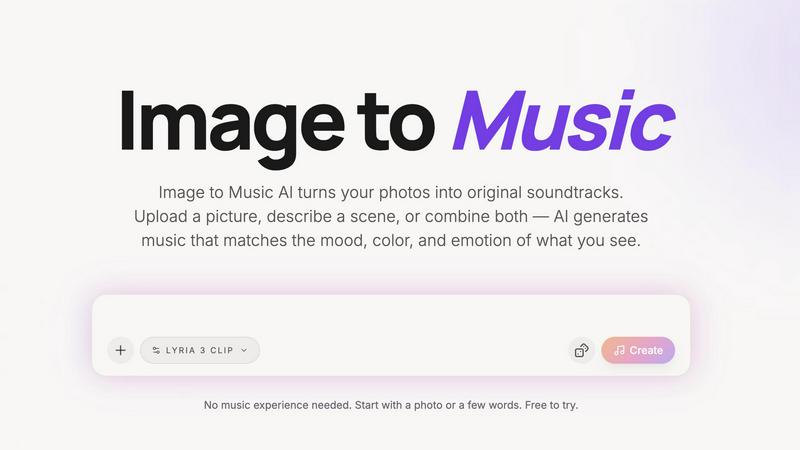
Turn any photo into an original AI-generated soundtrack. Upload an image, describe a mood, and download your music.

Tool.Video
Create stunning videos, images, and music easily with this all-in-one AI toolkit.
Last updated: March 1, 2026
Visual Comparison
Image to Music AI
Tool.Video

Overview
About Image to Music AI
Image to Music AI is an AI-powered tool that transforms photos into original music compositions. Simply upload an image or type a scene description — the AI analyzes the visual mood, colors, textures, and energy of your photo, then generates a matching soundtrack in 2–5 minutes.
Key Features:
• Photo-to-music and text-to-music dual input modes
• Full prompt control to steer genre, tempo, and instrumentation
• Side-by-side comparison of multiple generated tracks
• Downloadable audio output with no hidden requirements
• Supports genres including piano, guitar, orchestral, EDM, jazz, blues, and more
Use Cases:
• Musicians & content creators generating royalty-free background music
• Filmmakers and animators creating soundtracks from visual storyboards
• Advertisers crafting audio branding and custom jingles
• Anyone wanting a personalized, mood-matched soundtrack from a memory or photo
No music experience needed. Free to start.
About Tool.Video
Tool.Video is your all-in-one creative studio powered by artificial intelligence. It's designed to make professional video creation simple and accessible for everyone, from complete beginners to seasoned marketers and developers. Imagine having a single platform where you can generate videos, images, and music just by typing what you imagine. That's the power of Tool.Video. It brings together top-tier AI models like Sora 2 for video, Nano Banana Pro for images, and Suno 5 for music into one easy-to-use dashboard. You don't need to be a tech expert or hop between different complicated apps. Whether you're starting with a simple text idea or an existing image, Tool.Video guides you through a complete workflow: from creating a visual storyboard, generating your core video clip, adding a custom soundtrack, to finally crafting the perfect thumbnail. This seamless integration saves you time and removes the technical barriers, empowering you to focus on your creative vision and produce high-quality content for social media, advertisements, or personal projects with confidence and ease.