Gomotion vs Image to Music AI
Side-by-side comparison to help you choose the right tool.

Gomotion
Turn your words into stunning motion graphics in seconds with simple AI prompts.
Last updated: February 28, 2026

Image to Music AI
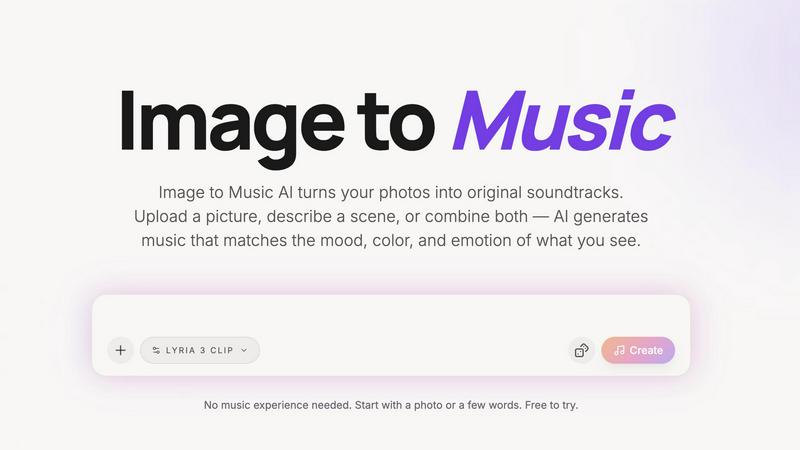
Turn any photo into a unique AI soundtrack that matches its mood and emotion.
Last updated: April 13, 2026
Visual Comparison
Gomotion

Image to Music AI
Feature Comparison
Gomotion
Transform Words Into Motion
This is the heart of Gomotion's simplicity. Just type a simple text prompt describing how you want your text, logo, or graphic to move. Forget about manually setting keyframes. Describe cinematic effects like a "slow fade-in" or a "dynamic bounce," and Gomotion instantly generates the animation for you. It's perfect for animating titles, captions, and logos with professional flair, making it ideal for product demos and creators who want great results without the technical hassle.
Narrative Mode for Full Stories
Take your ideas further with Narrative Mode. This powerful feature allows you to turn a full script into a complete, animated story. Gomotion intelligently syncs your narrative with images and video clips, creating end-to-end videos that are ready to publish. You can create compelling ads, short explainer videos, or social media stories in just minutes, not days, by simply providing the story you want to tell.
Brand Kit Import & Consistency
Maintaining a consistent brand identity across all your videos is effortless. With Gomotion, you can import your entire brand kit—logos, colors, fonts—in just one click. Once imported, the AI uses these assets to generate animations that perfectly match your brand's style. This ensures every social media post, product launch video, or ad looks professionally on-brand without any manual design work from you.
Create Complex Animations & Charts
Gomotion isn't just for simple text moves. It can handle sophisticated animations that would normally require expert skills. You can generate animated charts and graphs directly from your data, perfect for creating impactful explainer videos, simulations, and business presentations. This feature transforms dry numbers into engaging visual stories that capture and hold your audience's attention.
Image to Music AI
Dual Input Modes: Photo & Text
Start your creative process in the way that suits you best. You can directly upload any photo—a landscape, portrait, or abstract art—and let the AI interpret its visual story. Alternatively, if you have a scene in mind but no picture, simply type a description like "a quiet coffee shop at dawn." For the ultimate control, you can even combine both, using an image as the foundation and adding text prompts to fine-tune the direction.
Full Creative Control with Prompts
While the AI is brilliant at interpreting images, you remain the director. After uploading your photo, you can use text prompts to steer the genre, tempo, and instrumentation of your generated track. Want that serene mountain photo to have an epic orchestral feel instead of ambient piano? Just adjust the prompt. This feature ensures the final music aligns perfectly with your creative vision, not just the AI's first interpretation.
Side-by-Side Track Comparison
Making decisions is easy when you can compare your options. This feature allows you to generate multiple music tracks from the same single image and prompt. You can then listen to these different versions side-by-side to instantly hear which one best captures the mood you're after. It takes the guesswork out of creation and helps you confidently select the perfect soundtrack.
Downloadable, Royalty-Free Audio
Once you've found your perfect track, you can download it directly with no hidden requirements or complicated licensing. The audio output is yours to use in your projects, providing royalty-free background music for videos, podcasts, presentations, or personal enjoyment. This makes it a practical and reliable tool for creators who need ready-to-use, original music.
Use Cases
Gomotion
Social Media Ads & Content
Create scroll-stopping ads and content for platforms like Instagram, TikTok, and Facebook in minutes. Use a prompt to animate your product shot, bring your text call-to-action to life, or use Narrative Mode to craft a short, compelling brand story. Gomotion ensures your videos are optimized and look perfect on any mobile or desktop screen, helping you engage your audience effectively.
Product Demos & Launches
Showcase your product's features with dynamic, easy-to-understand animations. Animate text to highlight key benefits, create smooth transitions between features, or simulate how your product works. This professional touch makes your demos more engaging and memorable for potential customers, boosting excitement during launch campaigns.
Business Presentations & Explainer Videos
Transform boring slides and data into captivating presentations. Use Gomotion to animate charts, illustrate complex concepts with simple shapes, and add professional motion to your title slides. This keeps your audience engaged and helps communicate your message more clearly, whether you're pitching to clients or training your team.
Website & Landing Page Headers
Make a powerful first impression with an animated hero section on your website. Create a looping background animation, animate your headline text to draw the eye, or add subtle motion to your logo. Gomotion helps you build modern, dynamic websites that stand out and encourage visitors to stay and explore.
Image to Music AI
For Content Creators & Musicians
Vloggers, YouTubers, and social media creators can generate unique, royalty-free background music in minutes. Simply use a keyframe from your video as the input image, and get a custom soundtrack that matches the visual mood perfectly, elevating your content without copyright worries or expensive production costs.
For Filmmakers and Animators
Storyboard a scene and turn it into a temporary or even final score. Filmmakers and animators can upload concept art, storyboard frames, or scene stills to quickly generate atmospheric music that matches the intended emotion, helping to pitch ideas, set the tone during editing, or inspire the final composition.
For Marketing and Advertising
Create cohesive audio branding and custom jingles that visually and sonically represent a brand or campaign. Advertisers can use product photos, brand imagery, or campaign visuals to generate original music that reinforces the brand's identity, making for memorable and emotionally resonant commercials or online ads.
For Personal Memory and Art Projects
Transform personal photos—like a wedding picture, a travel landscape, or a child's drawing—into a personalized musical piece. It's a novel way to commemorate memories, create gifts, or add an auditory dimension to art projects and mood boards, making feelings associated with an image tangible through sound.
Overview
About Gomotion
Gomotion is your friendly AI motion designer, here to make professional animation simple and accessible for everyone. Think of it as the perfect blend of powerful animation software and the easy, prompt-based magic of modern AI. If you've ever been intimidated by complex tools like Adobe After Effects or wished you could create eye-catching videos without spending hours learning or doing manual work, Gomotion is your solution. It's built for marketers, small business owners, content creators, and even designers who want to speed up their workflow. The core idea is beautifully simple: you just describe what you want in words or upload an image, and Gomotion's advanced AI brings it to life with smooth, engaging motion. This means you can skip the confusing keyframes and daunting interfaces. Create stunning, brand-consistent animations for social media ads, website headers, product demos, and presentations in seconds. Gomotion empowers you to turn static ideas into dynamic stories, making high-quality motion graphics a practical, everyday tool for your creative projects.
About Image to Music AI
Image to Music AI is a revolutionary tool that transforms your visual world into a unique auditory experience. It's designed for anyone who wants to create original music but doesn't know where to start or lacks musical training. The core idea is beautifully simple: upload any photo or type a description of a scene, and the AI will analyze it to generate a matching soundtrack. It reads the mood, colors, textures, and energy from your image—like a warm sunset, a chaotic cityscape, or a misty forest—and composes a piece of music that captures that exact feeling. This process bridges the gap between what you see and what you feel, making music creation as easy as sharing a picture. Whether you're a content creator needing a quick soundtrack, a filmmaker visualizing a scene, or someone wanting to turn a cherished memory into a song, this tool provides a fast, intuitive, and powerful way to bring your visuals to life with sound. Best of all, it's built to be accessible, offering a free starting point so you can experiment and discover the magic of turning images into music.
Frequently Asked Questions
Gomotion FAQ
Who is Gomotion for?
Gomotion is designed for anyone who needs to create engaging video content but doesn't have the time or skills to learn complex animation software. It's perfect for marketers, entrepreneurs, content creators, social media managers, educators, and even designers looking to prototype ideas quickly. If you have a story to tell or a product to promote, Gomotion is for you.
Do I need any design or animation experience?
Not at all! Gomotion is built specifically for beginners. Its core philosophy is to replace complex technical steps with simple text prompts. You guide the AI with your ideas in plain English (like "make the logo spin gently"), and it handles all the intricate animation work. The interface is clean and intuitive, making the process straightforward from your first click.
What can I create with Gomotion?
You can create a wide variety of motion graphics, including animated text and titles, logo animations, social media video ads, short explainer videos, animated charts for presentations, website header animations, and product demo videos. The tools like Narrative Mode and chart animation allow for both simple and quite sophisticated projects.
How does the Brand Kit import work?
The Brand Kit feature allows you to upload and save your core brand assets—such as your logo file, brand color codes, and font choices—directly into your Gomotion account. Once saved, the AI will reference these assets when generating animations. For example, if you prompt it to "animate our company slogan," it will automatically use your brand's font and colors, ensuring every creation is instantly on-brand.
Image to Music AI FAQ
How does Image to Music AI work?
The process is simple and happens in three steps. First, you upload a photo or describe a scene. The AI then analyzes the visual elements of your input, such as colors, composition, and perceived mood. Finally, it uses this analysis to compose an original piece of music that sonically represents those elements, delivering a track to you in just 2 to 5 minutes.
Do I need any music experience to use this?
Absolutely not! Image to Music AI is designed specifically for people with no music theory or production knowledge. The entire point is to make creation accessible. You start with what you already understand—a picture or a feeling—and the AI handles the complex task of composition. It's as easy as uploading a photo and hitting "create."
What kind of music genres can it create?
The tool supports a wide and growing range of genres to match diverse visuals and moods. This includes piano solos, guitar ballads, orchestral scores, EDM, jazz, blues, cinematic ambience, folk, R&B, Latin pop, Afropop, reggaeton, and even 8-bit chiptune. You can often guide the genre using the text prompt feature alongside your image.
Can I use the music I create for commercial projects?
Yes, the audio tracks you generate and download are royalty-free, meaning you can use them in your commercial projects like YouTube videos, podcasts, advertisements, and presentations without worrying about copyright strikes or additional fees. Always check the latest terms of service for specific details regarding licensing.
Alternatives
Gomotion Alternatives
Gomotion is a fantastic AI-powered tool in the design software category that lets anyone create professional motion graphics using simple text prompts. It turns ideas into animated videos in seconds, making complex animation accessible without needing advanced skills. People often look for other options for a few common reasons. They might need a tool that fits a specific budget, offers different features like more manual control, or works on a different platform like a mobile app. It's completely normal to explore what else is out there to find the perfect fit for your unique projects and workflow. When you're comparing tools, think about what matters most for you. Consider how easy the tool is to learn, the quality and style of animations it produces, and whether it can handle the types of projects you do regularly. The goal is to find software that feels empowering and helps you bring your creative ideas to life efficiently.
Image to Music AI Alternatives
Image to Music AI is a creative tool in the audio and content creation space. It uses artificial intelligence to generate original music tracks based on the visuals and mood of a photo you upload or a scene you describe. This makes it easy for anyone to create custom soundtracks without needing musical training. People often explore other options for various reasons. Some might be looking for a different pricing model, such as a one-time purchase instead of a subscription. Others may need specific features, like longer audio outputs, more control over the musical structure, or integration with other creative software they use. The platform you work on, like a mobile app versus a desktop website, can also influence the search. When choosing a different tool, consider what matters most for your projects. Think about the quality and style of music it produces, how much creative control you have over the output, and the cost structure. Also, check how easy it is to use and whether you can legally use the generated music for your intended purpose, like in videos or podcasts.