
FilexHost vs Learniverse
Side-by-side comparison to help you choose the right tool.

FilexHost
Easily host and share any file in seconds with drag-and-drop simplicity and a secure, shareable link.
Last updated: February 26, 2026

Learniverse
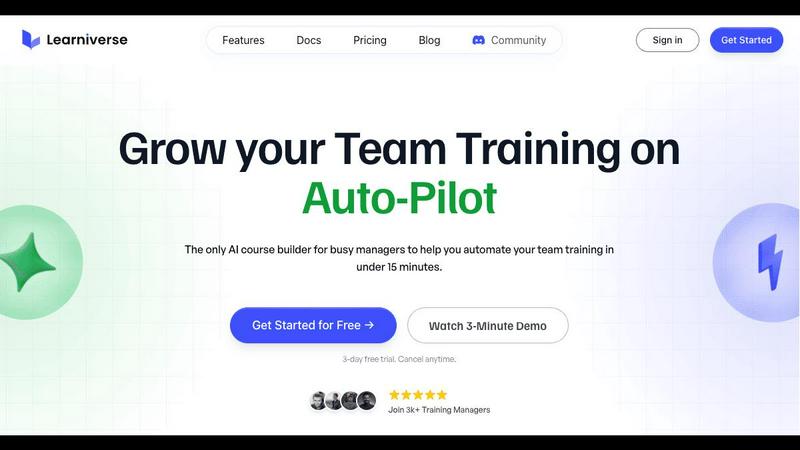
Learniverse turns your documents into automated training courses in minutes.
Last updated: February 28, 2026
Visual Comparison
FilexHost

Learniverse
Feature Comparison
FilexHost
Instant Subdomains
When you upload a file, FileXhost automatically generates a unique subdomain for it, such as your-file.filex.host, without any setup required. This feature allows you to share your files quickly and efficiently, making it easier for your recipients to access them.
Free SSL Encryption
Every link generated by FileXhost is secured with free SSL encryption, ensuring that your files are protected during transfer. This automatic security measure gives you peace of mind, knowing that your data remains secure and private.
Smart View Modes
FileXhost offers flexible viewing options with its smart view modes. You can choose between direct rendering of files or a download page, depending on how you want your recipients to access the content. This adaptability ensures that everyone can interact with your files in the way that suits them best.
Optional Password Protection
For those needing an extra layer of security, FileXhost provides optional password protection for your files. You can set expiry settings ranging from 24 hours to forever, granting you full control over who can access your content and for how long.
Learniverse
AI-Powered Course Creation
Simply upload your existing materials like PDFs, videos, or documents, and watch as Learniverse's AI assistant automatically builds a structured course. It creates interactive lessons, generates relevant quizzes for knowledge checks, and sets up progress tracking—all without you needing any design or technical skills. You can even chat with the AI to describe a new module or process, and it will build the content for you on the fly.
Branded Academy Portal
Launch a professional and polished training hub that reflects your company's identity. Learniverse allows you to fully customize your academy with your logo, brand colors, and even your own domain. This creates a cohesive and credible learning experience for your team, moving away from generic, impersonal platforms to a portal that looks and feels uniquely yours.
Automated Progress & Analytics
Gain clear insights into your team's learning journey without the headache of manual spreadsheets. The built-in analytics dashboard lets you easily track who has completed courses, identify where learners are getting stuck, monitor engagement levels, and see assessment results. This data helps you understand the impact of your training and make informed decisions to improve it.
Centralized Knowledge Hub
End the scavenger hunt for information across Slack, emails, and shared drives. Learniverse acts as a single source of truth for all your training content. By aggregating scattered knowledge into one organized platform, you ensure your team always has access to consistent, up-to-date procedures and information, drastically reducing confusion and errors.
Use Cases
FilexHost
Sharing Client Reports
Professionals can utilize FileXhost to share important client reports quickly and securely. By simply dragging and dropping their files, they can generate a link that can be sent to clients without worrying about file size limits or access requests.
Hosting Development Projects
Developers can host landing pages or mock APIs effortlessly with FileXhost. The platform supports various file types, making it easy to showcase projects to clients or team members with minimal effort and maximum impact.
Distributing Digital Products
Creators can use FileXhost to distribute digital products like eBooks, music files, or software applications. With the ability to share files quickly and securely, creators can enhance their delivery process and improve customer satisfaction.
File Collaboration
Collaborative teams can benefit from FileXhost by sharing large files without the hassle of email attachments or request access emails. By utilizing the platform's drag-and-drop feature, teams can focus on their work rather than the logistics of file sharing.
Learniverse
Onboarding New Employees
Speed up and standardize the onboarding process for every new hire. Instead of overwhelming them with a disorganized mix of documents and links, create a seamless onboarding academy in Learniverse. New employees can progress through structured modules, complete interactive quizzes, and access all essential company knowledge in one engaging portal, leading to faster ramp-up times.
Compliance & Safety Training
Ensure critical compliance, safety, and procedural training is consistently delivered and completed. Easily transform policy PDFs and safety manuals into mandatory courses with built-in assessments. The tracking features provide auditable proof of completion, giving managers peace of mind that their team is informed and compliant with necessary regulations.
Product & Process Updates
Quickly disseminate new information when products or internal processes change. Instead of sending a long, easily ignored email, use Learniverse to instantly create a short, focused training module. Drop in a recording of the announcement meeting or the updated process document, and let AI build a micro-course to get the entire team aligned in minutes.
Customer & Partner Education
Extend your training beyond internal teams to customers or external partners. Launch a branded external academy to educate your clients on how to use your products effectively or train franchisees on standard operating procedures. This professional approach enhances the user experience and ensures consistent knowledge across your entire ecosystem.
Overview
About FilexHost
FileXhost is a user-friendly file hosting and sharing platform designed to simplify the process of managing and distributing files. It caters to a wide variety of file types, including documents, media, spreadsheets, and even entire websites, making it an ideal solution for professionals, developers, and creators alike. With its innovative "Drop & Share" feature, users can effortlessly upload files, receive a secure link, and share it with others instantly. There is no need for complicated setups, server configurations, or user logins for recipients. FileXhost prioritizes the viewer's experience by ensuring that files are displayed beautifully and correctly, which eliminates the hassle of downloads or plugins. Whether you are sharing client reports, hosting a landing page, or distributing digital products, FileXhost provides the convenience and efficiency you need for seamless file delivery.
About Learniverse
Learniverse is your all-in-one, AI-powered training assistant designed to eliminate the chaos of creating and managing team training. If you're tired of juggling scattered Google Docs, outdated videos, and endless SOPs, Learniverse is here to help. It's built specifically for busy training managers, educators, and team leaders who need to get their team up to speed quickly without spending weeks on manual course setup. The core magic of Learniverse is its ability to take your existing knowledge—whether it's in PDFs, documents, video recordings, or even just ideas—and automatically transform it into a complete, interactive, and branded learning academy. This means you can go from a pile of documents to a professional training portal in just minutes, not weeks. The platform handles the heavy lifting of design, structure, and quiz creation, freeing you to focus on what truly matters: delivering consistent, engaging training that your team will actually complete and enjoy.
Frequently Asked Questions
FilexHost FAQ
What is FileXhost?
FileXhost is a file hosting and sharing service that allows users to upload any file type and share it via a secure link, simplifying the process of file management and distribution.
Is it really free?
Yes, FileXhost offers a free plan that allows you to host up to 1,000 files, with a maximum file size of 25MB, and provides a 7-day expiry for each link. However, the free plan is ad-supported.
What file types are supported?
FileXhost supports a wide range of file types, including documents (PDF, TXT), media (MP4, MP3), images (JPG, PNG), spreadsheets (XLSX), and even HTML projects, ensuring versatility for all users.
How do I update my site?
To update your hosted site, simply drag and drop your new or modified files into FileXhost. The service will automatically generate a new link or update the existing one, making the process seamless and efficient.
Learniverse FAQ
How does the AI create a course from my documents?
Learniverse's AI analyzes the content you upload, such as PDFs, videos, or text documents. It identifies key topics, concepts, and logical flow within the material. Then, it automatically structures this information into digestible lessons, generates summaries, and creates relevant quiz questions to reinforce learning. You maintain full control to edit and refine the AI's output.
Can I customize the look of the training academy?
Absolutely! A core feature of Learniverse is its custom branding. You can upload your company logo, select your brand's color scheme, and apply these elements across the entire learning portal. For an even more professional touch, you can connect your own custom domain so the academy lives at a URL like training.yourcompany.com.
What kind of analytics and reports are available?
Learniverse provides a straightforward dashboard with essential metrics. You can see overall course completion rates, track individual learner progress, identify modules with low engagement, and review quiz scores. These insights help you understand what training is effective and where your team might need additional support or content clarification.
Is there a free trial available?
Yes, Learniverse offers a 7-day free trial. This allows you to explore the platform, test the AI course creation with your own materials, and experience the setup process firsthand with no commitment. The trial includes access to core features so you can confidently evaluate if it's the right solution for your team's training needs.
Alternatives
FilexHost Alternatives
FilexHost is a user-friendly file hosting and sharing service that allows you to quickly upload and share files with a simple drag and drop interface. It falls into the Productivity & Management category, providing a seamless solution for professionals and individuals alike who need to share various file types without the hassle of complicated setups. Users often seek alternatives to FilexHost for various reasons, including pricing, specific feature requirements, or compatibility with different platforms. When exploring alternatives, it’s essential to consider factors such as file size limits, security features, user interface, and the overall ease of sharing files. Finding a solution that aligns with your needs can enhance your file-sharing experience and efficiency.
Learniverse Alternatives
Learniverse is an AI-powered Learning Management System (LMS) that helps teams quickly turn their existing documents and knowledge into automated, branded training courses. It falls into the productivity and management category, focusing on making course creation fast and simple so teams can focus on effective training instead of complex setup. People often explore other options for various reasons. Your budget, the specific features your team needs, or the desire for a platform that integrates with different tools can all lead you to look at what else is available. It's a normal part of finding the perfect fit for your organization's unique training goals. When evaluating different platforms, consider what matters most for your success. Look at the ease of creating and updating content, the ability to customize the learning portal to match your brand, and the depth of reporting to track your team's progress. Finding a tool that feels intuitive and grows with your needs is key.