
DreamFace vs YouTube to Transcript
Side-by-side comparison to help you choose the right tool.

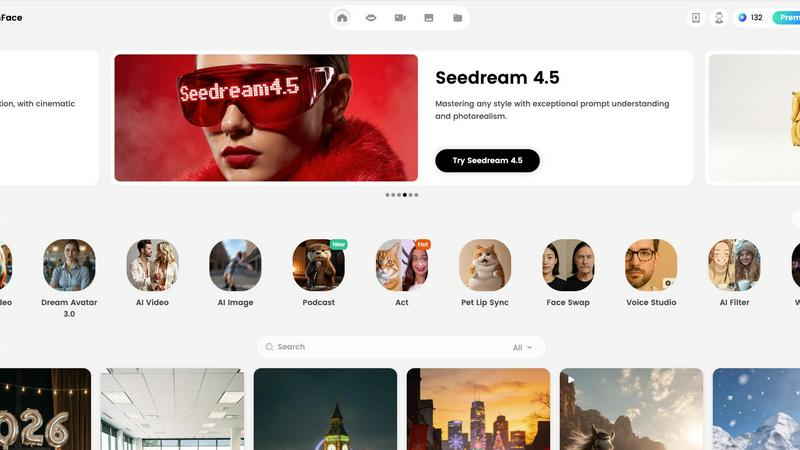
DreamFace lets you effortlessly create stunning videos and images with customizable avatars and voice cloning.
Last updated: February 28, 2026

YouTube to Transcript
100% Free YouTube transcript extractor supporting translation in 125+ languages. No login or limits.
Visual Comparison
DreamFace
YouTube to Transcript

Overview
About DreamFace
DreamFace is a groundbreaking AI-powered content creation platform designed to empower creators, marketers, and businesses in generating engaging multimedia content effortlessly. With a rapidly growing community of over 20 million users worldwide and more than 200,000 paid subscribers, DreamFace has established itself as a frontrunner in the digital content landscape. The platform boasts an impressive $10 million in Annual Recurring Revenue (ARR), underscoring its popularity and effectiveness. DreamFace enables users to produce stunning avatar videos, AI-generated videos, and captivating images simply by providing prompts in text or audio format, or even using existing photos. Its intuitive interface and comprehensive suite of tools, including background removal, photo enhancement, and creative AI effects, make it accessible for users of all skill levels. Whether you are a social media influencer, a small business owner, or a marketing professional, DreamFace is the ideal solution for quickly elevating your content creation efforts and producing visually striking material that captivates your audience.
About YouTube to Transcript
YouTube-to-transcript.org is a powerful, web-based utility designed for content creators, students, and researchers. It allows users to instantly extract high-quality transcripts and subtitles from any YouTube video by simply pasting the URL. Key Features:• Completely Free: No hidden costs or premium tiers.• Multi-language: Supports translation into over 125 languages.• No Restrictions: No limits on video duration and no registration required.• Clean Formatting: Export transcripts for SEO, notes, or content repurposing.