
Decode This Text vs Updaytr
Side-by-side comparison to help you choose the right tool.

Decode This Text
Decode This Text provides quick, human-like analyses to clarify confusing conversations in just 30 seconds.
Last updated: February 28, 2026

Updaytr
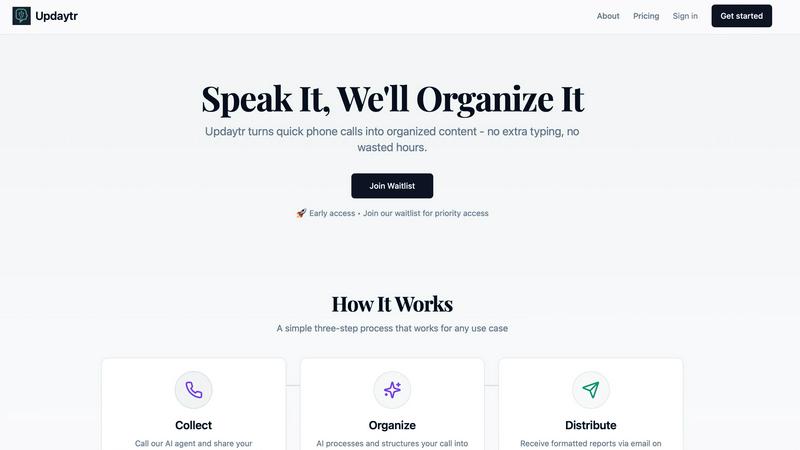
Call our AI to share updates and get organized reports without typing.
Last updated: March 1, 2026
Visual Comparison
Decode This Text

Updaytr
Feature Comparison
Decode This Text
Conversation Analysis
With Decode This Text, you can easily paste a conversation or describe the situation at hand to receive a comprehensive analysis. The tool examines the words, tone, and context to reveal what is truly happening beneath the surface. This feature provides clarity that can be crucial in various communication scenarios.
Tone Detection
The tool measures the emotional tone of messages, helping you understand whether the sender is being cold, sarcastic, or friendly. This feature helps prevent misunderstandings by allowing you to interpret the emotional temperature of a message accurately, ensuring you respond appropriately.
Response Suggestions
Not sure how to reply to a message? Decode This Text offers three well-crafted response options—calm, direct, or firm—tailored to the context of your conversation. This feature empowers you to communicate confidently without second-guessing your words.
Screenshot Upload
For those who prefer visual input, Decode This Text allows users to upload screenshots of their chats. This feature means you don't have to type out the conversation manually, making the tool even more convenient and accessible.
Updaytr
Call from Any Phone
The beauty of Updaytr is its incredible accessibility. Your team doesn't need a special app, a smartphone, or even an internet connection to use it. They can call in their updates from absolutely any phone, including old-fashioned landlines. This makes it perfect for field workers in areas with poor connectivity or for team members who aren't tech-savvy. All they need to do is dial a number and start talking, removing all barriers to quick and easy reporting.
AI-Powered Organization & Tagging
Our intelligent AI agent does more than just transcribe words. It listens for context, key details, and project names to automatically organize and tag each update. This means updates about a specific client, project, or location are intelligently grouped together. This smart organization saves managers from sifting through disjointed notes, providing them with consolidated, relevant information that's ready for review and action.
Automated Report Distribution
Set it and forget it. With Updaytr, you can schedule when your beautifully formatted reports are sent out. Whether you need a daily digest every evening or a weekly summary every Friday morning, the system automatically emails the compiled reports to your designated stakeholders. This ensures everyone stays informed on a consistent schedule without you having to manually compile and send emails, keeping the entire team aligned effortlessly.
Simple Team Management
Getting your team started is straightforward. You can easily add team members and associate their phone numbers within the Updaytr platform. This allows the AI to recognize who is calling and attribute updates correctly. Managing your team's access and report recipients is simple and intuitive, requiring no complex IT setup. You can have your entire field team reporting in minutes, not days.
Use Cases
Decode This Text
Understanding Mixed Signals
When you receive a message that leaves you confused about someone’s feelings or intentions, Decode This Text can help clarify the situation. By analyzing the conversation, you can understand whether someone is truly interested or simply preoccupied.
Navigating Professional Communication
If you receive a terse email from your boss or a colleague, this tool can help decipher the underlying tone and intent. It ensures you respond appropriately, maintaining professionalism and avoiding potential misunderstandings in the workplace.
Resolving Relationship Conflicts
Decode This Text is perfect for those seeking to understand their partner's emotions better. If you are unsure why your significant other has been distant or unresponsive, this tool can provide insights into their behavior and suggest ways to communicate effectively.
Enhancing Friendships
Friendships can sometimes be complicated. If you notice a friend has become less responsive, Decode This Text can help you determine if they are genuinely busy or if there are deeper issues at play. This helps maintain healthy relationships by promoting open and honest communication.
Updaytr
Construction & Field Services
Field supervisors and service technicians can call in to report project progress, job completions, or equipment status directly from the worksite. Instead of writing notes on a clipboard or trying to type an email later, they provide a quick verbal update. Updaytr turns this into a professional report for project managers and clients, ensuring real-time tracking of milestones and issues without slowing down the work.
Sales & Client Visits
Sales representatives and client service professionals can use Updaytr immediately after a client meeting. By calling in from their car, they can verbally recap key discussion points, next steps, and deal progress. This ensures no detail is forgotten and creates an instant, shareable record of the interaction that can be automatically sent to sales managers or CRM systems, improving follow-up and accountability.
Healthcare & Personal Care Updates
Mobile healthcare providers, such as home health aides and nurses, can use Updaytr for efficient visit reporting. They can call to summarize patient status, care provided, and any observations after a visit. (Important Note: Updaytr is not currently HIPAA compliant and should not be used to store or transmit protected health information (PHI). It is suitable for general check-in and logistical updates only.)
Personal Productivity & Journaling
Individuals can use Updaytr as a powerful personal tool. Whether you're tracking daily goals, logging ideas during a commute, or keeping a voice journal, you can call in your thoughts. Updaytr will organize them into a clean, written format delivered to your email, creating a searchable archive of your activities and reflections without ever having to open a notebook or an app.
Overview
About Decode This Text
Decode This Text is an innovative tool designed to help individuals decipher the true meaning behind often cryptic messages. Whether it's an ambiguous email from your boss, a vague text from a friend, or a confusing message from a client, this tool provides clarity when communication becomes murky. By simply pasting the conversation or describing the context, users receive a thorough analysis of the underlying intentions, emotional tone, and the best ways to respond. This makes Decode This Text ideal for anyone looking to enhance their communication skills, improve relationships, and eliminate misunderstandings. With a user-friendly interface and quick response time, you can feel confident in your interactions without the stress of overanalyzing every word. Users appreciate the tool's anonymity, ensuring that no human ever reads their texts, which allows for an unbiased and private analysis of their conversations.
About Updaytr
Updaytr is a revolutionary AI-powered service designed to transform the way teams communicate and report their work. It turns simple phone calls into beautifully formatted, professional reports, eliminating the need for tedious manual note-taking, form-filling, and long status meetings. Here's how it works: you or your team members simply pick up any phone—whether it's a modern smartphone or a traditional landline—and call a dedicated number. You then talk about your updates, just like having a normal conversation. Updaytr's specialized AI agent listens, understands the context of what you're saying, and automatically organizes all the information into a clear, structured report. This report is then delivered via email to the right people at exactly the right time you specify. It's perfect for business owners, field supervisors, remote teams, and anyone who needs to share updates from on-the-go locations. The core value is profound simplicity. Updaytr removes the friction of manual reporting, saving hours of administrative work every week and ensuring that managers and stakeholders stay perfectly informed without any extra effort from the field team. It’s content creation, made as easy as having a conversation.
Frequently Asked Questions
Decode This Text FAQ
How does Decode This Text ensure my privacy?
Decode This Text guarantees that your conversations are 100% anonymous. No human ever reads your texts, ensuring complete confidentiality and privacy in your analysis.
Can I use Decode This Text for professional communication?
Absolutely! Decode This Text is designed to aid in both personal and professional contexts. You can analyze emails, messages, and any other communication to better understand the intent and emotional tone.
What if I don’t want to type out my messages?
No problem! Decode This Text allows you to upload screenshots of your conversations. This feature makes it easier for you to get insights without the hassle of typing everything out.
How quickly can I expect a response?
Decode This Text provides analyses in approximately 30 seconds. This quick turnaround allows you to get the clarity you need without waiting, making it a perfect solution for urgent communication needs.
Updaytr FAQ
What kind of phone do I need to use Updaytr?
You can use absolutely any telephone! Updaytr is designed for maximum accessibility. This includes smartphones (iOS or Android), basic flip phones, office desk phones, and even traditional landlines. As long as the phone can make a call to a standard phone number, it will work with Updaytr. No app download or special software is required.
How does the AI understand and organize my updates?
Updaytr uses advanced speech recognition and natural language processing (NLP) technology. Our specialized AI agent is trained to listen for key information like project names, dates, locations, and action items. It identifies the context of your conversation and uses that to automatically tag, categorize, and structure the content into a logical, easy-to-read report format.
Who receives the reports that are generated?
You are in complete control of report distribution. When you set up your Updaytr account, you can specify which email addresses should receive the reports. You can have updates from certain team members or about specific projects routed to different managers or stakeholders. You also set the schedule (e.g., daily, weekly) for when these consolidated reports are sent out automatically via email.
Is there a free way to try Updaytr?
Yes! Updaytr offers a Free Tier so you can experience the service firsthand with no risk. You can sign up and start using the core features without providing a credit card. This allows you and your team to test the process of calling in updates and receiving AI-generated reports to see how much time and effort it can save you before committing to a paid plan.
Alternatives
Decode This Text Alternatives
Decode This Text is an innovative tool designed to help users decode and understand perplexing conversations quickly and effectively. Falling under the Productivity & Management category, it simplifies communication by providing human-like analyses in just 30 seconds, making it easier to navigate the complexities of everyday interactions. Users often seek alternatives to Decode This Text for various reasons, including pricing considerations, differing feature sets, or specific platform requirements. When searching for an alternative, it’s essential to evaluate the tool’s ease of use, response time, and the depth of analysis it offers to ensure it meets your communication needs effectively.
Updaytr Alternatives
Updaytr is an AI-powered productivity tool that transforms spoken updates from any phone call into organized, written reports. It's designed for business owners, managers, and field teams who want to save time and eliminate the hassle of manual note-taking and form filling. People often explore alternatives to find a solution that fits their specific budget, integrates with other software they use, or offers different recording or reporting features. Your needs might vary based on your team's size, preferred communication style, or existing workflow tools. When evaluating other options, consider the core problem you're solving. Look for tools that genuinely reduce administrative work, are easy for your entire team to adopt (regardless of tech skill), and reliably capture the important details from conversations to keep everyone informed.